
Introduction
Thank you for choosing the Marsyu Smartwatch. This manual provides essential information to help you set up, operate, and maintain your device. Please read this manual thoroughly before using your smartwatch to ensure optimal performance and longevity.
Package Contents
Ensure all items are present in the package:
- Marsyu Smartwatch (with Black Silicone Strap and Silver Frame)
- Charging Cable
- User Manual (this document)
Product Overview
The Marsyu Smartwatch is designed to integrate seamlessly into your daily life, offering features such as notifications, health tracking, and more. Familiarize yourself with the watch's components:
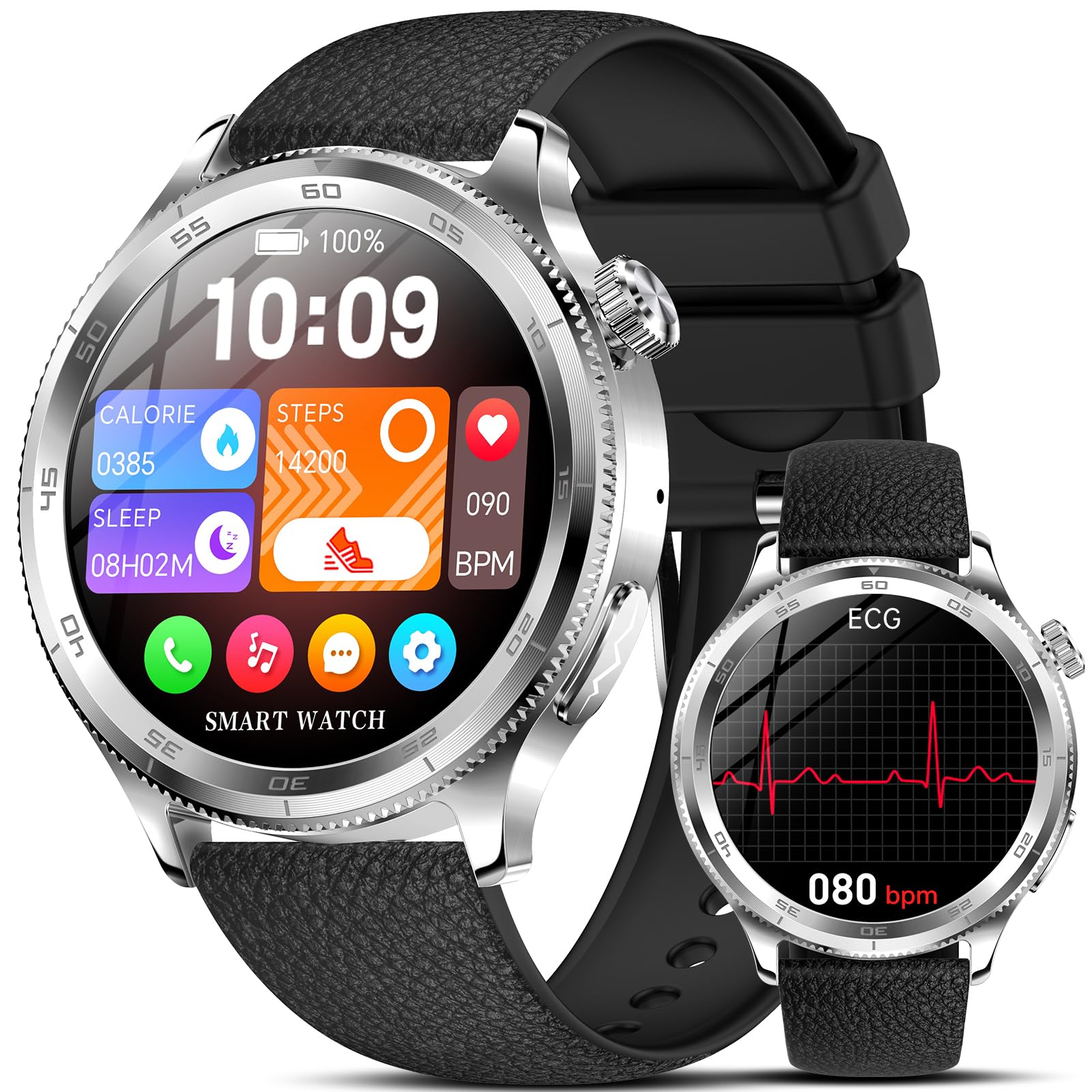
Image: Marsyu Smartwatch with its black silicone strap and silver frame, showcasing the display.
Setup
1. Charging the Smartwatch
Before initial use, fully charge your smartwatch.
- Connect the charging cable to the charging port on the back of the smartwatch.
- Plug the USB end of the cable into a standard USB power adapter (not included) or a computer's USB port.
- The watch display will indicate charging status. A full charge typically takes approximately 2 hours.
2. Power On/Off
- To Power On: Press and hold the side button until the Marsyu logo appears on the screen.
- To Power Off: Press and hold the side button, then select 'Power Off' from the options on the screen.
3. Pairing with Your Smartphone
To unlock all features, pair your smartwatch with a compatible smartphone.
- Ensure your smartphone's Bluetooth is enabled.
- Download and install the companion app (refer to the quick start guide or packaging for app name) from your phone's app store.
- Open the app and follow the on-screen instructions to create an account or log in.
- In the app, select 'Add Device' or 'Pair New Device' and choose your Marsyu Smartwatch from the list of available devices.
- Confirm the pairing request on both your smartphone and smartwatch.
Operating Instructions
1. Navigation
- Touchscreen: Swipe left, right, up, or down to navigate through menus and widgets. Tap to select an item.
- Side Button: Press once to return to the home screen or wake the display. Press and hold for power options or to access voice assistant (if supported).
2. Basic Functions
- Notifications: Swipe down from the top of the screen to view incoming notifications from your paired smartphone.
- Calls: When connected via Bluetooth, you can receive call notifications. Depending on the model, you may be able to answer or reject calls directly from the watch.
- Health Tracking: Access features like heart rate monitoring, step counting, and sleep tracking through the dedicated apps on your smartwatch or the companion app on your phone.
- Customization: Change watch faces and adjust settings via the smartwatch or the companion app.
Maintenance
1. Cleaning
Regular cleaning helps maintain the appearance and functionality of your smartwatch.
- Wipe the screen and strap with a soft, lint-free cloth.
- For stubborn dirt, slightly dampen the cloth with water. Avoid harsh chemicals or abrasive materials.
- Ensure the watch is dry before charging or prolonged use.
2. Battery Care
- Avoid fully discharging the battery frequently.
- Do not expose the watch to extreme temperatures, as this can affect battery life.
- Use only the provided charging cable.
3. Software Updates
Periodically check for software updates through the companion app. Updates can provide new features, performance improvements, and bug fixes.
Troubleshooting
If you encounter issues with your Marsyu Smartwatch, refer to the following common problems and solutions:
| Problem | Solution |
|---|---|
| Watch does not power on | Ensure the watch is fully charged. Press and hold the side button for at least 10 seconds. |
| Cannot pair with smartphone | Check if Bluetooth is enabled on your phone. Restart both the watch and phone. Ensure the companion app is installed and running. |
| Inaccurate health data | Ensure the watch is worn snugly on your wrist. Clean the sensors on the back of the watch. |
| Short battery life | Reduce screen brightness, disable unnecessary notifications, and limit continuous heart rate monitoring. |
For further assistance, contact Marsyu customer support.
Specifications
| Feature | Detail |
|---|---|
| Brand | Marsyu |
| Operating System | Android Wear 1.0 |
| Screen Size | 1.96 inches |
| Memory Storage Capacity | 128 MB |
| Connectivity Technology | Bluetooth |
| Wireless Communication Standard | Bluetooth |
| Battery Cell Composition | Lithium Polymer |
| GPS System | GPS Via Smartphone |
| Color | Black Silicone Strap + Silver Frame |
| Package Dimensions | 16.4 x 7.4 x 2.4 cm |
| Item Weight | 120 grams |
| Age Range (Description) | Adult |
Warranty and Support
Your Marsyu Smartwatch comes with a standard manufacturer's warranty. Please refer to the warranty card included in your package for specific terms and conditions.
For technical support, warranty claims, or any other inquiries, please visit the official Marsyu website or contact their customer service department. Keep your purchase receipt and product serial number handy when seeking support.
Online Support: www.marsyu.com/support (Example link, replace with actual if available)