
Introduction
This manual provides detailed instructions for the installation, operation, and maintenance of your WOOCARTY RV Backup Camera System. This system features a 7-inch 1080P touch screen monitor and a wireless rear view camera, designed to enhance safety and visibility for RVs, trailers, trucks, and campers. Please read this manual thoroughly before use to ensure proper functionality and to prevent damage.
Important Note: The term "wireless" refers to the video signal transmission between the camera and monitor. Both the monitor and camera require a power connection to operate.
What's in the Box
Verify that all components are present before beginning installation:
- 7-inch Monitor x1
- Rear View Camera x1
- Antenna x3
- Power Cord x1
- Suction Cup Mount x1
- Car Charger for Monitor x1
- Sunshade x1
- Fan-shaped Bracket for Monitor x1
- U-shaped Bracket for Monitor x1
- USB Power Cable x1
- Installation Kit (screws, connectors) x1

Image: All components included in the WOOCARTY RV Backup Camera System package.
Setup and Installation
The WOOCARTY RV Backup Camera System is designed for straightforward installation. Follow these steps for optimal performance.
Camera Installation
- Mounting: The camera can be mounted at the rear of your vehicle. For vehicles with existing Furrion pre-wired plugs, remove the original Furrion mount and secure the WOOCARTY camera using the same mounting holes. For vehicles without pre-wired setups, use the included screws to secure the camera in a suitable location, ensuring a clear view.
- Power Connection: Connect the camera to a 12-24V DC power source. Ensure a stable power supply for continuous operation.
Monitor Installation
- Mounting: Choose between the table stand or suction cup bracket for monitor placement. Position the monitor where it provides a clear view without obstructing your driving visibility.
- Power Connection: Connect the monitor using either the USB power cable or the 12V car charger.

Image: Installation diagram showing power connections for the camera and monitor, compatible with Furrion pre-wired systems and standard 12-24V DC power.
Important Note for Specific Vehicles (GMC/Chevrolet/Ford)
Newer GM vehicles (GMC, Chevrolet, Ford) may utilize Pulse Width Modulation (PWM) power signals. These signals can cause interference with the video system, leading to flickering, signal loss, or freezing. For optimal performance in such vehicles, it is recommended to install a Furrion 7-way adapter or a 12V PWM filter (sold separately) to regulate the power supply. Most non-GM vehicles do not require this solution. Consult your vehicle's owner's manual or dealer to confirm if your vehicle uses PWM tail lights.
Operating Instructions
Familiarize yourself with the monitor's functions for effective use of your backup camera system.
Monitor Display and Controls
- Touch Screen: The 7-inch IPS touch screen allows for intuitive control and navigation of the system's features.
- Display Modes: The multi-view monitor supports up to 4 camera feeds simultaneously. You can switch between full-screen view, split-screen (2, 3, or 4 cameras), and quad-split modes to eliminate blind spots.
- Image Flip: Adjust the camera image orientation as needed through the monitor settings.
- Guide Lines: Parking guide lines can be toggled on or off to assist with judging distance during reversing.
- One-Tap Zoom: Zoom the image in or out instantly with a single tap on the screen for a closer view of specific areas.

Image: A user interacting with the 7-inch HD touchscreen monitor.
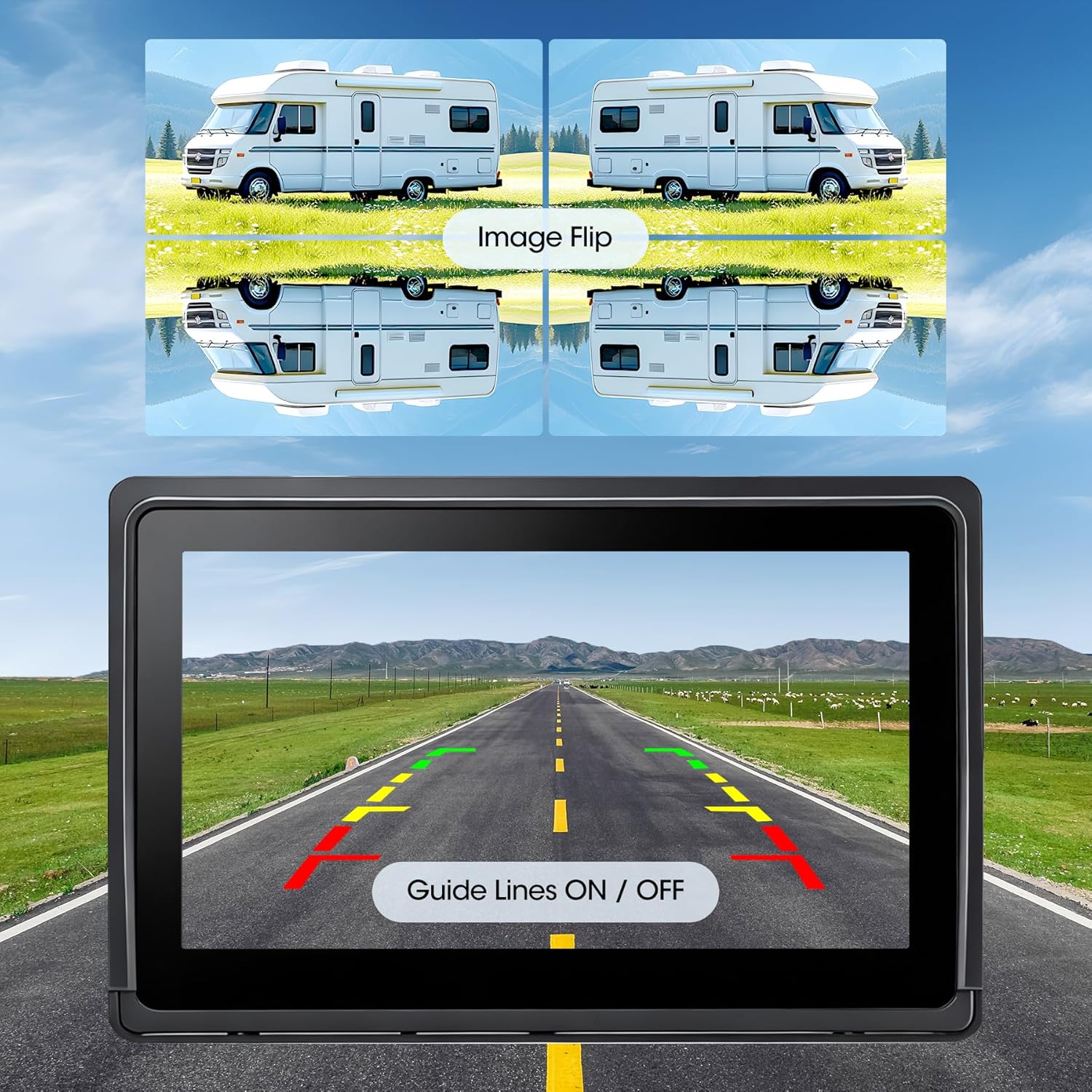
Image: Multiple display modes supporting up to 4 cameras on the monitor.

Image: Monitor display showing adjustable guide lines and image flip functionality.

Image: Demonstration of the one-tap zoom function on the monitor.
Recording and Playback
The system supports continuous loop recording to an SD card (up to 128GB, not included).
- Loop Recording: Footage is continuously saved, and older files are overwritten once the SD card capacity is full, ensuring continuous recording.
- Instant Playback: Review recorded footage directly on the 7-inch monitor without needing external devices.

Image: Monitor showing video playback and indicating the SD card slot for loop recording.
Night Vision
Equipped with 12 high-power infrared LEDs and an optical sensor, the camera provides clear visibility in low-light conditions, enhancing safety during nighttime operation.
Maintenance
Proper maintenance ensures the longevity and performance of your camera system.
- Cleaning: Regularly clean the camera lens and monitor screen with a soft, damp cloth. Avoid abrasive cleaners that could scratch surfaces.
- Weather Resistance: The camera has an IP69K waterproof rating, designed to withstand harsh weather conditions including heavy rain, snow, dust, and extreme temperatures. Ensure all connections are secure to maintain water resistance.

Image: The heavy-duty surveillance camera mounted on an RV, demonstrating its weather resistance.
Troubleshooting
If you encounter issues with your WOOCARTY RV Backup Camera System, refer to the following common problems and solutions:
| Problem | Possible Cause | Solution |
|---|---|---|
| Monitor flickering, signal loss, or freezing | PWM power signals from vehicle (common in newer GM vehicles) | Install a Furrion 7-way adapter or a 12V PWM filter (sold separately) to regulate power. |
| No image on monitor | Camera or monitor not powered; loose connections; camera/monitor not paired. | Check all power connections. Ensure the camera and monitor are receiving power. Refer to pairing instructions if applicable (not detailed in provided data, assume auto-pairing). |
| Poor image quality or weak signal | Obstructions between camera and monitor; excessive distance; interference. | Ensure antennas are properly installed and unobstructed. Reposition components if possible to minimize interference. The system supports reliable signal up to 50ft for reversing or 36ft for continuous use. |
Specifications
| Feature | Specification |
|---|---|
| Brand | WOOCARTY |
| Screen Size | 7 Inches |
| Product Dimensions (Monitor) | 3.15"L x 0.9"W x 4.72"H |
| Installation Type | Roof Mount (Camera) |
| Optical Sensor Technology | CCD CMOS |
| Lens Type | Wide Angle |
| Real Angle of View | 120 Degrees |
| Connector Type | RCA |
| Optical Sensor Size | 4.7 inches |
| Video Capture Resolution | 1080p |
| Waterproof Rating (Camera) | IP69K |
| Operating Temperature (Camera) | -4°F to 158°F |
| Wireless Signal | 2.4GHz Digital Signal |
| Wireless Range | Up to 50ft (reversing), 36ft (continuous use) |
| SD Card Support | Up to 128GB (for loop recording, not included) |
Warranty and Support
Warranty Information
This WOOCARTY product is covered by an 18-month manufacturer's warranty. For details regarding warranty claims or product returns, please refer to your purchase documentation or contact the seller directly. A 30-day return policy is typically offered for refunds or replacements.
Customer Support
For any questions, technical assistance, or support regarding your WOOCARTY RV Backup Camera System, please contact WOOCARTY customer service. Contact information can usually be found on the product packaging or the WOOCARTY official store page.