
1. Introduction
Thank you for choosing the CHOKMAX Cordless Rotary Tool TB000. This versatile tool is designed for various applications including engraving, sanding, polishing, drilling, and grinding. To ensure safe and efficient operation, please read this instruction manual thoroughly before first use and retain it for future reference.
2. Safety Information
Always follow basic safety precautions to reduce the risk of fire, electric shock, and personal injury.
- Wear Eye Protection: Always wear safety goggles or safety glasses with side shields when operating the tool.
- Secure Workpiece: Always clamp or secure the workpiece to a stable surface. Never hold the workpiece in one hand while operating the tool with the other.
- Maintain a Clean Work Area: Cluttered areas and benches invite injuries.
- Avoid Accidental Starting: Ensure the switch is in the OFF position before inserting the battery or picking up the tool.
- Do Not Overreach: Keep proper footing and balance at all times.
- Use the Right Tool: Do not force small tools or attachments to do the job of a heavy-duty tool.
- Disconnect Power: Disconnect the tool from its power source before making any adjustments, changing accessories, or storing the tool.
- Store Idle Tools: When not in use, tools should be stored in a dry, high, or locked-up place, out of reach of children.
- Inspect Accessories: Before each use, inspect accessories for damage. Do not use damaged accessories.
3. Package Contents
Verify that all items listed below are included in your package:
- 1 x CHOKMAX Cordless Rotary Tool
- 1 x USB-C Charging Cable
- 1 x Accessory Case
- 5 x Grinding Wheels with Shank
- 3 x Diamond Bits
- 2 x HSS Cutting Discs
- 1 x Wheel Mandrel
- 2 x Wool Polishing Wheels
- 20 x Sanding Bands
- 30 x Sanding Paper Discs
- 1 x Sanding Shank
- 1 x Universal Spanner
- 3 x Drill Bits

Figure 3.1: Included 68-piece accessory kit.
4. Product Overview
Familiarize yourself with the components of your CHOKMAX Cordless Rotary Tool.

Figure 4.1: CHOKMAX Cordless Rotary Tool with LED screen and speed indicators.
- LED Screen Display: Shows current speed level and battery status.
- Power Button: Turns the tool ON/OFF.
- Speed Adjustment Buttons: Adjusts the rotational speed.
- Front LED Light: Illuminates the working area.
- Universal Collet: Holds various accessories with 1/8-inch and 3/32-inch shanks.
- USB-C Charging Port: For recharging the internal battery.
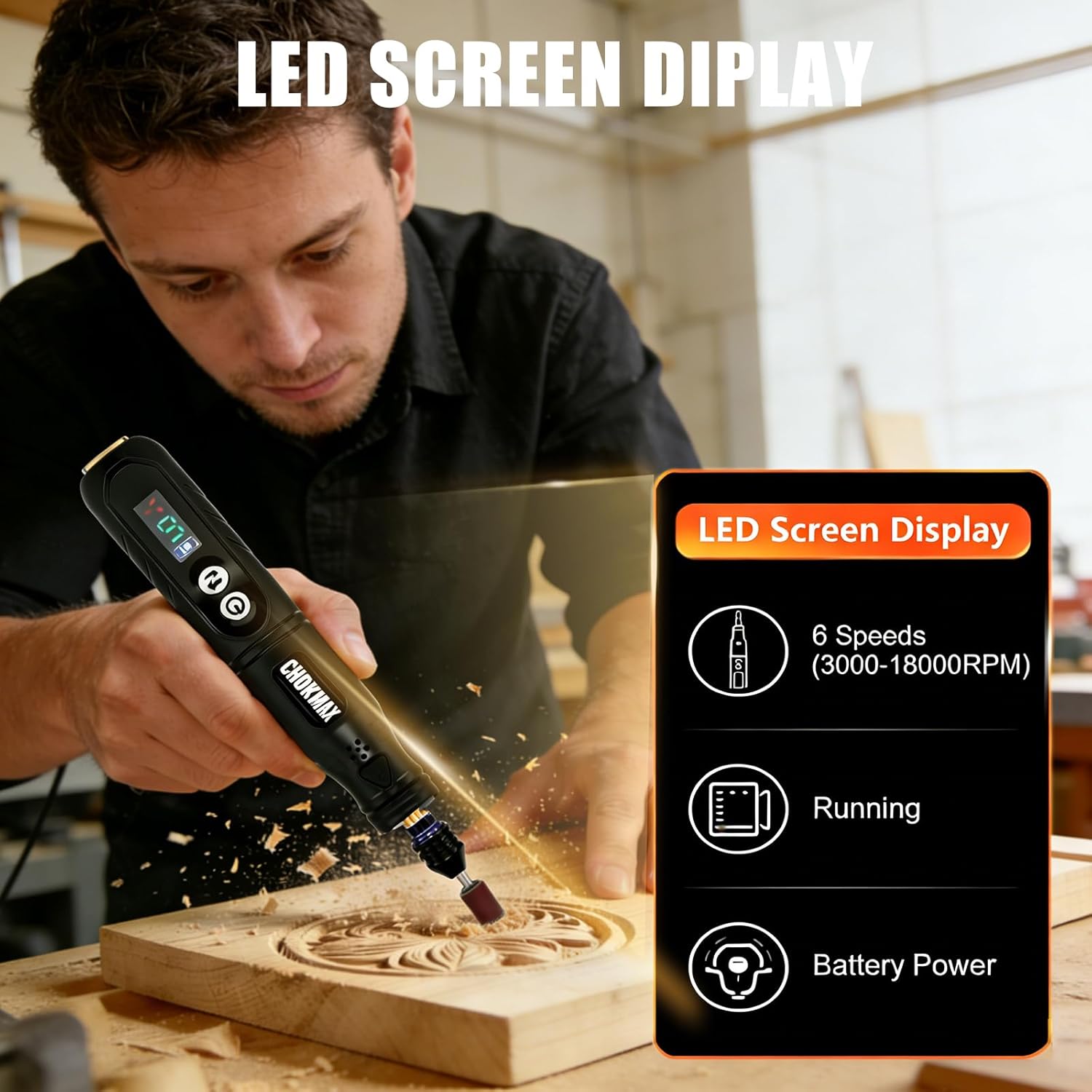
Figure 4.2: Detailed view of the LED screen display.
5. Setup
5.1 Charging the Tool
- Locate the USB-C charging port on the tool.
- Connect the provided USB-C cable to the tool and a compatible USB power source (e.g., phone charger, power bank, computer USB port).
- The LED screen will indicate charging status. A full charge typically takes 1-3 hours.
- Disconnect the charger once fully charged.
5.2 Attaching Accessories
The tool features a universal collet compatible with 1/8-inch and 3/32-inch shanks.
- Ensure the tool is turned OFF.
- Press and hold the collet lock button (if present) or use the universal spanner to loosen the collet nut.
- Insert the desired accessory shank into the collet, ensuring it is seated firmly.
- Tighten the collet nut securely using the universal spanner. Do not overtighten.

Figure 5.1: Attaching an accessory to the universal collet.
6. Operating Instructions
6.1 Powering On/Off
- To turn ON: Press and hold the Power button until the LED screen illuminates.
- To turn OFF: Press and hold the Power button again until the LED screen turns off.
6.2 Adjusting Speed
The tool offers 6 speed levels, displayed on the LED screen:
- Level I: 3000 RPM
- Level II: 6000 RPM
- Level III: 9000 RPM
- Level IV: 12000 RPM
- Level V: 15000 RPM
- Level VI: 18000 RPM
Use the speed adjustment buttons to cycle through the available speeds. Select a lower speed for delicate tasks and higher speeds for more demanding applications.

Figure 6.1: Variable speed settings on the LED screen.
6.3 Using the Front LED Light
The built-in LED light illuminates your work area for improved visibility in dim conditions.
- To turn ON/OFF the LED light: Press the dedicated LED light button (if available) or refer to the tool's specific controls for light activation.

Figure 6.2: Front LED light illuminating the workpiece.
7. Accessory Usage Guide
The CHOKMAX Cordless Rotary Tool comes with a variety of accessories for different tasks:
- Engraving: Use diamond bits for detailed engraving on materials like metal, glass, or stone.
- Sanding: Attach sanding bands or sanding paper discs to the sanding shank for smoothing surfaces, shaping, or removing rust.
- Polishing: Utilize wool polishing wheels with appropriate polishing compounds to achieve a high-gloss finish on metal or plastic.
- Drilling: Insert drill bits for creating small holes in various materials.
- Grinding: Use grinding wheels with shanks for sharpening, deburring, or grinding rough edges.
- Cutting: Attach HSS cutting discs with the wheel mandrel for cutting thin materials like plastic or soft metals.

Figure 7.1: Rotary tool in use for a crafting project.
8. Maintenance
8.1 Cleaning
- Ensure the tool is OFF and disconnected from any power source before cleaning.
- Wipe the tool's exterior with a clean, damp cloth. Do not use harsh chemicals or abrasive cleaners.
- Use a soft brush or compressed air to clear dust and debris from ventilation openings and the collet area.
8.2 Storage
- Store the tool and its accessories in a dry, clean place, away from direct sunlight and extreme temperatures.
- Keep out of reach of children.
- For long-term storage, ensure the battery is partially charged (around 50%) to prolong its lifespan.
9. Troubleshooting
If you encounter issues with your rotary tool, refer to the following common problems and solutions:
| Problem | Possible Cause | Solution |
|---|---|---|
| Tool does not turn on | Battery is depleted | Charge the tool fully using the USB-C cable. |
| Tool stops working during use | Overload or low battery | Reduce pressure on the tool or recharge the battery. Allow the tool to cool down if it feels hot. |
| Accessory wobbles or falls out | Collet nut is loose or accessory shank is incorrect size | Ensure the collet nut is tightened securely. Verify the accessory shank is compatible (1/8-inch or 3/32-inch). |
| Reduced power or speed | Low battery or motor wear | Recharge the battery. If the issue persists after charging, contact customer support. |
10. Specifications
Technical details for the CHOKMAX Cordless Rotary Tool TB000:
| Feature | Specification |
|---|---|
| Brand | CHOKMAX |
| Model Number | TB000 |
| Power Source | Battery Powered (Li-ion) |
| Input Voltage | 3.7V |
| Maximum Rotational Speed | 18000 RPM |
| Minimum Rotational Speed | 3000 RPM |
| Speed Settings | 6 Levels (3000/6000/9000/12000/15000/18000 RPM) |
| Charge Time / Use Time | 1-3 hours / 1-3 hours |
| Weight | 140g (0.31 lbs) |
| Product Size | 19 x 3 x 3 cm |
| Collet Size | Universal (compatible with 1/8-inch and 3/32-inch shanks) |
| Included Accessories | 68 pieces |
| Special Features | Compact, Heavy Duty, LED Light, Multi Use, Variable Speed |

Figure 10.1: Product Specifications.
11. Warranty and Support
CHOKMAX products are manufactured to high-quality standards. For warranty information, technical support, or service inquiries, please refer to the warranty card included with your purchase or contact CHOKMAX customer service through the retailer where the product was purchased.