
1. Introduction
Thank you for choosing the WinZo Smart Toilet SM8004NB. This manual provides essential information for the safe installation, operation, and maintenance of your new smart toilet. Please read this manual thoroughly before installation and use, and retain it for future reference.
The WinZo Smart Toilet SM8004NB is designed to offer enhanced comfort and hygiene with features such as a built-in water tank, warm water bidet, heated seat, auto dry, and multiple flushing options.
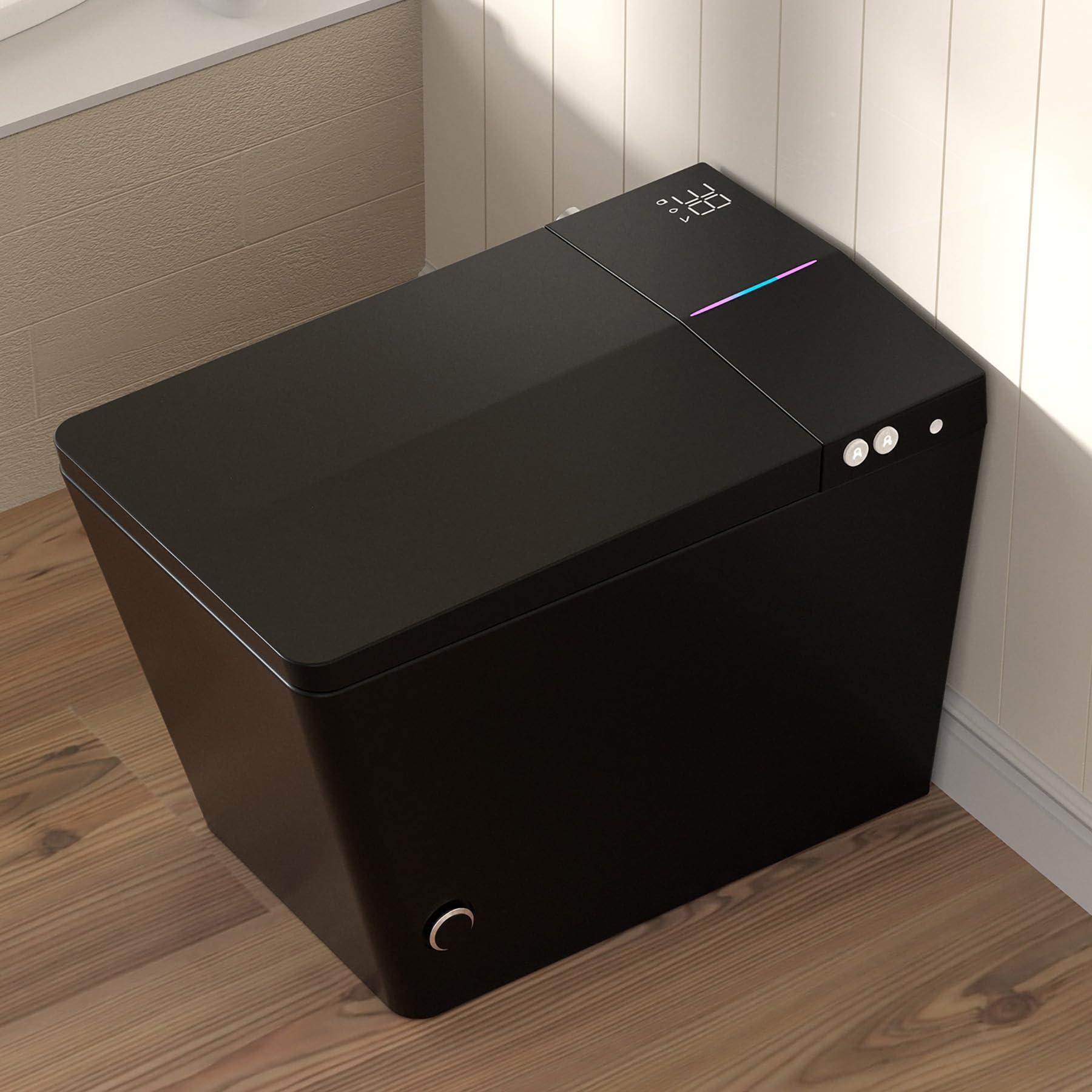
Image 1.1: The WinZo Smart Toilet SM8004NB in Matte Black. This image shows the overall design of the smart toilet, highlighting its modern and sleek appearance.
2. Safety Information
Please observe the following safety precautions to prevent injury or damage to the product:
- Electrical Safety: This appliance requires a 110V power outlet. Ensure the outlet is properly grounded and installed by a qualified electrician. Do not use extension cords. Disconnect power before any maintenance or cleaning.
- Water Supply: Ensure water connections are secure to prevent leaks. Do not use excessively hot water for cleaning the unit.
- Cleaning: Use only mild, non-abrasive cleaners. Avoid harsh chemicals, bleach, or abrasive pads, as these can damage the surface and internal components.
- Children and Individuals with Reduced Capabilities: This appliance can be used by children aged 8 years and above and persons with reduced physical, sensory or mental capabilities or lack of experience and knowledge if they have been given supervision or instruction concerning use of the appliance in a safe way and understand the hazards involved. Children shall not play with the appliance. Cleaning and user maintenance shall not be made by children without supervision.
- Temperature: The heated seat and water temperatures can be adjusted. Exercise caution to prevent burns, especially for sensitive individuals.
3. Package Contents
Verify that all components are present before beginning installation:
- WinZo Smart Toilet Unit (SM8004NB)
- Wireless Remote Control
- Installation Hardware (e.g., mounting bolts, wax ring, water supply hose)
- User Manual (this document)
4. Specifications
| Feature | Specification |
|---|---|
| Model Number | SM8004NB |
| Color | Black |
| Product Dimensions (D x W x H) | 26" x 16.3" x 18.5" |
| Material | Ceramic (Toilet), Plastic (Seat) |
| Item Weight | 88 Pounds |
| Installation Type | Floor Mounted |
| Rough-in | Standard 12 inches |
| Seat Height (Floor to Bowl) | 17-3/8 inches (ADA Compliant) |
| Power Requirement | 110V Power Outlet |
| Flush Technology | Dual-flush (Siphon + Jet) |
| Water Consumption | Less than 1.28 gallons per flush |

Image 4.1: Detailed product dimensions for the WinZo Smart Toilet, including height, width, depth, and rough-in measurements.

Image 4.2: Comparison illustrating the ADA compliant comfort height of the WinZo Smart Toilet (17 inches) versus a standard 15-inch toilet.
5. Installation
This section outlines the general steps for installing your WinZo Smart Toilet. Professional installation is recommended.
5.1 Pre-Installation Requirements
- Ensure a standard 12-inch rough-in is available.
- A dedicated 110V power outlet must be installed within reach of the toilet unit.
- Confirm water supply line is accessible and can be shut off.
5.2 Installation Steps (General)
- Prepare the Area: Turn off the water supply to the toilet area. Remove any existing toilet and clean the flange area thoroughly.
- Install Wax Ring: Place a new wax ring onto the floor flange.
- Position the Toilet: Carefully align the toilet over the flange bolts and lower it into place. Ensure the toilet is level.
- Secure the Toilet: Install washers and nuts onto the flange bolts and tighten them evenly until the toilet is secure. Do not overtighten.
- Connect Water Supply: Connect the water supply line to the toilet's inlet valve. The WinZo Smart Toilet features a built-in water tank and powerful pump, designed for optimal performance even with low water pressure.
- Connect Power: Plug the toilet's power cord into the grounded 110V outlet.
- Test: Turn on the water supply and check for leaks. Test all functions of the smart toilet as described in the operating instructions.

Image 5.1: An internal view of the WinZo Smart Toilet, showcasing its built-in water tank and powerful pump system, which ensures strong flushing performance.
6. Operating Instructions
Your WinZo Smart Toilet offers a range of features for a comfortable and hygienic experience. All functions can be controlled via the included wireless remote control.
6.1 Flushing Options
The toilet provides multiple convenient flushing methods:
- Automatic Flush: The toilet can detect when a user has left and automatically initiate a flush.
- Foot-Sensing Flush: A sensor near the base allows for a touchless flush by simply tapping your foot near the designated area.
- Remote Control Flush: Use the dedicated flush buttons on the wireless remote control.
- Backup Flush: A manual flush option is available on the unit for emergencies or power outages.

Image 6.1: Diagram illustrating the different touchless flushing methods available on the WinZo Smart Toilet, including auto flush, foot kick flush, and remote control flush.
6.2 Bidet Functions (Multi-Mode Cleaning)
The bidet features a hygienic nozzle and offers several cleaning modes:
- Rear Wash: Standard posterior cleansing.
- Front Wash: Gentle anterior cleansing.
- Female Wash: Specialized gentle wash for feminine hygiene.
- Spa Wash (Hydrotherapy): A pulsating or oscillating spray for a massage-like experience.
Adjust water pressure and nozzle position using the remote control.

Image 6.2: Visual representation of the various bidet cleaning functions, including Front Wash, Feminine Flush, Hydrotherapy Flush, and Oscillating Wash, highlighting the hygienic nozzle.
6.3 Adjustable Temperatures
Customize your comfort with adjustable settings for the seat, water, and dryer:
- Heated Seat: Enjoy a warm seat with four adjustable temperature settings: Normal, 34°C, 37°C, and 40°C.
- Warm Water Bidet: The bidet provides instant warm water, also adjustable to four temperature levels.
- Warm Air Dryer: After cleansing, a warm air dryer provides comfort. Its temperature is also adjustable.
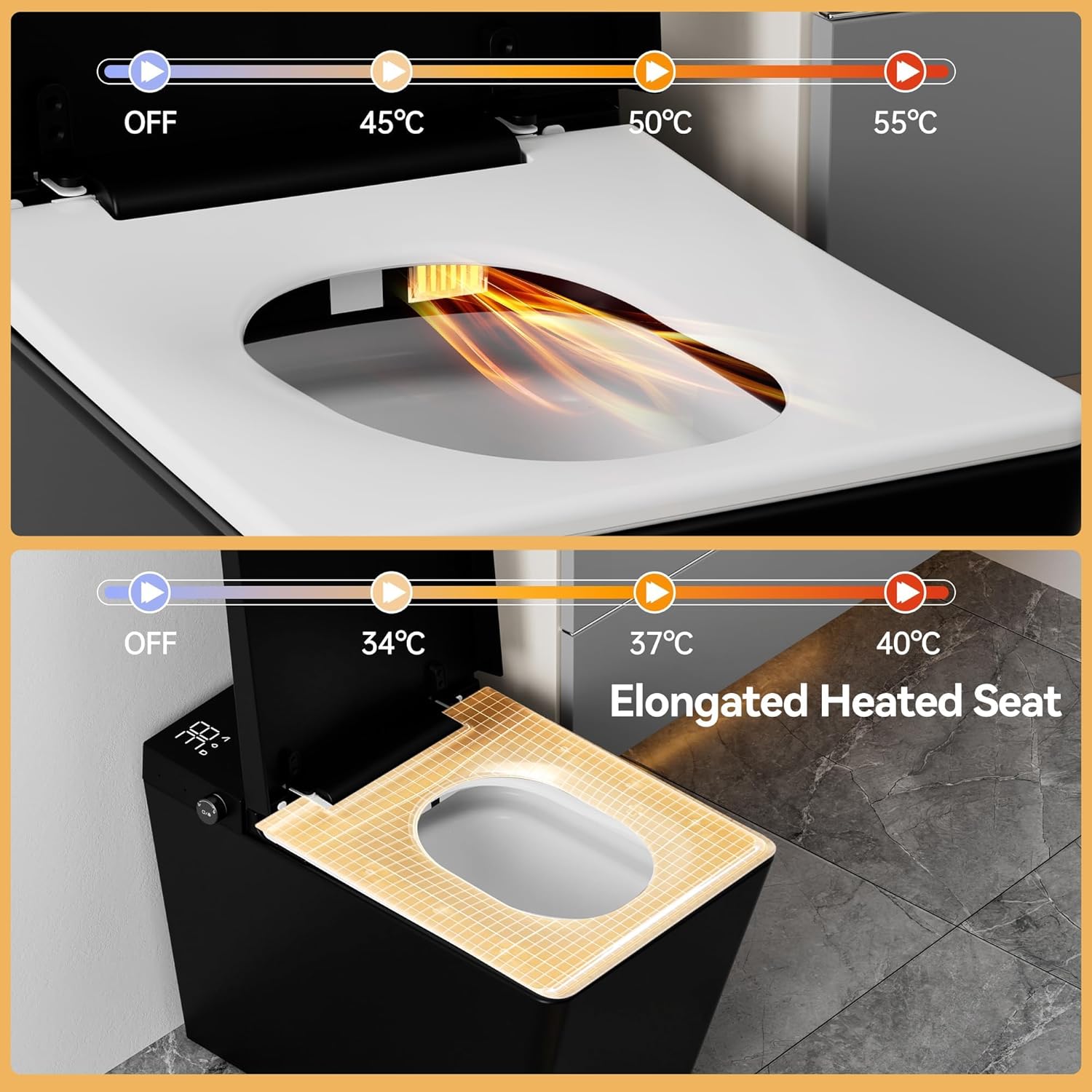
Image 6.3: Illustration of the elongated heated seat feature, showing adjustable temperature settings from OFF to 40°C.
6.4 Night Light and Digital Display
The toilet includes a soft LED night light for safe nighttime use and a real-time LCD display.
- LED Night Light: Provides gentle illumination in the dark.
- LCD Display: Shows current settings for seat, water, and drying temperatures.

Image 6.4: Overhead view of the WinZo Smart Toilet demonstrating the soft LED night light and the digital display showing temperature settings.
6.5 Remote Control Usage
The wireless remote control allows full access to all smart toilet functions. Familiarize yourself with the button layout for flushing, bidet modes, temperature adjustments, and other settings.
7. Maintenance
Regular cleaning and maintenance will ensure the longevity and optimal performance of your WinZo Smart Toilet.
7.1 Cleaning the Exterior
- Disconnect power before cleaning.
- Wipe the exterior surfaces with a soft, damp cloth and a mild, non-abrasive cleaner.
- Do not spray water directly onto the unit, especially near electrical components.
- Dry thoroughly with a soft cloth.
7.2 Cleaning the Bidet Nozzle
- The bidet nozzle typically has a self-cleaning function. Refer to the remote control instructions to activate it.
- For manual cleaning, gently pull out the nozzle (if applicable) and clean with a soft brush and mild soap. Do not use harsh chemicals.
7.3 Filter Maintenance
While not explicitly detailed, smart toilets often include water filters. Consult the full product documentation or WinZo support for information on filter cleaning or replacement schedules.
8. Troubleshooting
If you encounter issues with your WinZo Smart Toilet, refer to the following common problems and solutions:
| Problem | Possible Cause | Solution |
|---|---|---|
| No power/Unit not turning on | Power cord unplugged, circuit breaker tripped, power outage. | Check power connection, reset circuit breaker, verify power supply. |
| No flush or weak flush | Water supply off, low water pressure, sensor obstruction, internal issue. | Ensure water supply is on. Check for obstructions around sensors. If issue persists, contact support. |
| Bidet not working or water not warm | Water supply off, temperature setting too low, nozzle clogged. | Check water supply. Adjust water temperature settings. Clean bidet nozzle. |
| Heated seat not warming | Temperature setting too low, sensor issue. | Adjust seat temperature settings. Ensure proper contact with the seat sensor. |
| Remote control not responding | Batteries dead, remote out of range, signal obstruction. | Replace batteries. Ensure remote is within operating range and pointed towards the toilet. |
For issues not listed here or if troubleshooting steps do not resolve the problem, please contact WinZo customer support.
9. Warranty and Support
WinZo products are manufactured to high-quality standards. For specific warranty details, including coverage period and terms, please refer to the warranty card included with your purchase or visit the official WinZo website.
For technical assistance, parts, or service inquiries, please contact WinZo customer support through the contact information provided on your warranty documentation or the WinZo brand store.
WinZo Customer Support:
- Refer to your product packaging or warranty card for contact details.
- Visit the WinZo Store on Amazon for more information.