
Introduction
This manual provides comprehensive instructions for the Generic replacement remote control, designed for use with Garrison Air Conditioner models 2477805, 2477806, 2477807, and 2477808. This remote offers a dedicated replacement solution, ensuring stable performance and ease of operation. Please note that as a replacement unit, some advanced functions of your original remote may not be supported.
The remote is constructed from durable ABS material, providing a comfortable grip and long-lasting use. No programming or complex setup is required; simply install the batteries to begin operation.
Setup
1. Battery Installation
The remote control requires two AAA batteries (not included). Follow these steps to install them:
- Locate the battery compartment cover on the back of the remote control.
- Slide the cover downwards or press the latch to open it.
- Insert two AAA batteries, ensuring the positive (+) and negative (-) terminals match the diagrams inside the compartment.
- Slide the battery compartment cover back into place until it clicks securely.
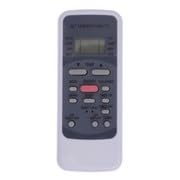
Figure 1: Front view of the Generic replacement remote control. This image shows the sleek, black design of the remote, highlighting its compact size and the digital display area.
2. Initial Use
Once batteries are installed, the remote control is ready for immediate use. No programming or pairing with your Garrison Air Conditioner is required. Point the remote directly at the air conditioner's receiver.
Operating Instructions
This replacement remote control provides essential functions for your Garrison Air Conditioner. The remote features a digital display for clear feedback.
- Power On/Off: Press the POWER button to turn the air conditioner on or off.
- Temperature Adjustment: Use the TEMP UP and TEMP DOWN buttons to set your desired temperature. The current setting will be shown on the digital display.
- Mode Selection: Press the MODE button to cycle through available operating modes (e.g., Cool, Fan, Dry, Heat - depending on your AC unit's capabilities).
- Fan Speed: Adjust the fan speed using the FAN button.
- Swing/Louvre: If supported by your AC unit, a SWING button may control the air direction.
For optimal performance, ensure a clear line of sight between the remote control and the air conditioner's receiver. The remote offers a transmitting distance of up to 15 meters.
Figure 2: Detailed view of the remote control's buttons and digital display. This image provides a closer look at the button layout, which includes power, temperature, mode, and fan controls, along with the digital screen for settings feedback.
Maintenance
Battery Replacement
Replace batteries when the remote's performance diminishes or the digital display becomes faint. Always replace both batteries simultaneously with new AAA batteries. Do not mix old and new batteries, or different types of batteries.
Cleaning
To clean the remote control, gently wipe its surface with a soft, dry cloth. Do not use liquid cleaners, abrasive pads, or chemical solvents, as these can damage the remote's finish or internal components.
Troubleshooting
-
Remote not responding:
- Check if the batteries are correctly installed with the correct polarity.
- Replace old batteries with new ones.
- Ensure there are no obstructions between the remote control and the air conditioner's receiver.
- Verify that you are within the effective operating range (up to 15 meters).
-
Certain functions do not work:
- This is a replacement remote control. Some advanced or specific functions present on your original Garrison remote may not be supported by this generic replacement. This is not a defect.
- Refer to your air conditioner's original manual for functions not covered by this remote.
Specifications
| Brand | Generic |
| Model Number | #fRM70ty3f9096 |
| Compatible Devices | Garrison Air Conditioners (Models 2477805, 2477806, 2477807, 2477808) |
| Material | ABS/Plastic |
| Special Feature | Digital Display |
| Color | Black or White (color may vary) |
| Maximum Range | 15 Meters |
| Connectivity Technology | Infrared (IR) |
| Power Source | 2 x AAA Batteries (not included) |
Warranty Information
Specific warranty details for this replacement remote control are typically provided by the seller at the time of purchase. Please refer to your purchase documentation or contact the seller directly for information regarding warranty coverage and terms.
Customer Support
For any questions, concerns, or assistance with your replacement remote control, please contact the retailer or seller from whom you purchased the product. They can provide specific guidance and support related to your purchase.