
Introduction
This manual provides essential information for the safe and effective use of your Generic Replacement Remote Control, model #fRM703f1489. This remote is designed as a replacement for specific Clipsal ceiling fan models, including Acesr16K1, ACES36ALR, ACES48ALR, and ACES56ALR. Please read this manual thoroughly before use to ensure proper operation and to understand its features and limitations.
Important Safety Instructions
- Keep batteries out of reach of children.
- Do not mix old and new batteries.
- Do not mix alkaline, standard (carbon-zinc), or rechargeable (nickel-cadmium) batteries.
- Dispose of used batteries properly according to local regulations.
- Do not expose the remote control to water or excessive moisture.
- Avoid dropping or subjecting the remote control to strong impacts.
Package Contents
Verify that all items are present upon unpacking:
- 1 x Generic Replacement Remote Control (Model #fRM703f1489)
Product Overview
The image below illustrates the general layout of the replacement remote control, highlighting its key features and buttons.
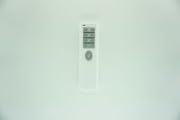
This image shows the front face of the remote control, featuring various buttons for fan speed, light control, and other functions. The design is ergonomic for comfortable handling.
Setup
- Install Batteries: Open the battery compartment cover on the back of the remote control. Insert new batteries (not included), ensuring correct polarity (+ and - symbols). Close the battery compartment cover securely.
- No Programming Required: This replacement remote control typically requires no programming or setup. It is designed to work directly with compatible Clipsal ceiling fan models upon battery installation.
- Compatibility Note: This is a replacement remote. Some functions may differ or not be available compared to the original remote control. This is not a defect.
Operating Instructions
Once batteries are installed, point the remote control towards your Clipsal ceiling fan receiver and press the desired function button.
- Power Button: Press to turn the fan or light ON/OFF.
- Fan Speed Buttons: Use the designated buttons to adjust the fan speed (e.g., Low, Medium, High).
- Light Control Buttons: Press to turn the fan light ON/OFF or to dim/brighten if supported by your fan model.
- Timer Function (if applicable): If your fan and remote support a timer, use the corresponding button to set the desired operating duration.
Note: Specific button functions may vary slightly depending on the original remote's design and the fan model.
Troubleshooting
- Remote not responding:
- Check battery polarity.
- Replace batteries with new ones.
- Ensure there are no obstructions between the remote and the fan receiver.
- Verify the remote is within the maximum operating range (approximately 15 meters).
- Some functions not working:
- This is a replacement remote. It may not support all advanced functions of the original remote. This is not indicative of a defect.
- Intermittent operation:
- Ensure batteries are not low.
- Check for strong interference sources nearby.
Specifications
| Feature | Detail |
|---|---|
| Brand | Generic |
| Model Number | #fRM703f1489 |
| Compatible Devices | Clipsal Ceiling Fans (Acesr16K1, ACES36ALR, ACES48ALR, ACES56ALR) |
| Material | ABS/Plastic |
| Connectivity Technology | Infrared (IR) |
| Maximum Range | 15 Meters |
| Power Source | Batteries (not included) |
| Color | Black or White (randomly sent) |
| Special Feature | Digital Display |
Warranty and Support
This product is a replacement remote control. Please refer to the seller's return policy for information regarding returns or exchanges. For technical support or inquiries, please contact the seller directly through the platform where the purchase was made.
Note: No specific manufacturer warranty information is provided for this generic replacement product.