
Product Overview
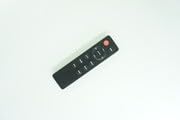
This replacement remote control is designed for use with JVC RM-STHD357 and RM-STHD588 2.1 Soundbar Speaker Systems. It offers basic functionality and is intended as a direct replacement. Please note that some advanced functions of the original remote may not be supported. The remote is constructed from durable ABS plastic, providing a comfortable grip and stable performance. It is compact and easy to operate.
Image: Generic Replacement Remote Control, showing its black casing and button layout.
Setup
Battery Installation
The remote control requires two AAA batteries (not included). Follow these steps to install them:
- Locate the battery compartment cover on the back of the remote control.
- Slide the cover downwards or press the latch to open it.
- Insert two AAA batteries, ensuring the positive (+) and negative (-) terminals align correctly with the markings inside the compartment.
- Replace the battery compartment cover until it clicks securely into place.
Important: No programming or setup is required for this replacement remote control. Once batteries are installed, it is ready for use.
Operating Instructions
To operate your JVC soundbar system with this remote control:
- Ensure the soundbar is powered on and within the remote's operating range (up to 15 meters).
- Point the remote control directly towards the soundbar's infrared receiver.
- Press the desired function button (e.g., Power, Volume Up/Down, Mute, Input Select) to control your soundbar.
Note on Compatibility: This is a replacement remote. While it provides essential functions, some specific or advanced features found on the original JVC remote control for RM-STHD357 or RM-STHD588 systems may not be fully supported or may operate differently. This is not indicative of a product defect.
Maintenance
Cleaning
To maintain the remote control's appearance and functionality:
- Wipe the surface with a soft, dry cloth.
- Do not use liquid cleaners, solvents, or abrasive materials, as these can damage the remote's finish or internal components.
Storage
When not in use for extended periods:
- Store the remote control in a cool, dry place.
- Avoid direct sunlight, high humidity, and extreme temperatures.
- Remove the batteries if storing for more than one month to prevent potential battery leakage and damage to the remote.
Troubleshooting
Remote Not Responding
- Check Batteries: Ensure batteries are inserted with correct polarity (+/-).
- Replace Batteries: If the remote is unresponsive, replace old batteries with new ones.
- Clear Obstructions: Make sure there are no objects blocking the line of sight between the remote and the soundbar's infrared receiver.
- Soundbar Power: Confirm that your JVC soundbar system is powered on.
Some Functions Not Working
- This remote is a replacement unit. It is designed to provide essential control but may not replicate all advanced or specific functions of the original JVC remote. This is considered normal operation for a replacement remote and not a defect.
- If a basic function (e.g., Power, Volume) is not working, refer to the "Remote Not Responding" section above.
Specifications
| Brand | Generic |
| Model Number | #fRM703f1682 |
| Material | ABS/Plastic |
| Compatible Devices | JVC RM-STHD357, JVC RM-STHD588 2.1 Soundbar Speaker Systems |
| Connectivity Technology | Infrared (IR) |
| Maximum Range | 15 Meters (approx. 49 feet) |
| Power Source | 2 x AAA Batteries (not included) |
| Color | Black or White (color may vary) |
Warranty and Support
This product is a generic replacement remote control. Specific warranty terms, if any, are provided by the seller at the time of purchase. Please retain your purchase receipt for any warranty claims.
For technical assistance, compatibility questions, or any issues not covered in this manual, please contact the seller directly through your purchase platform. They will be able to provide the most accurate and timely support.