
Introduction
The Woodpeckers Cabinetmaker Modular Bar Gauge System MBGTS-WP-24 is a versatile measuring tool designed to provide accurate physical references for various woodworking tasks. This system eliminates the need for tape measures or fixed rules for inside dimensions, offering a precise method for transferring measurements directly to machinery. Its modular design allows for adjustable lengths and interchangeable tips to suit different applications, including inside measurements, dado and groove bottoms, diagonals, and outside dimensions.
Safety Information
Always handle precision tools with care. Keep the bar gauge system clean and free from debris to ensure accurate measurements. Store components in their protective case when not in use to prevent damage. Avoid applying excessive force to the components, as this may affect their precision or cause damage.
Components Included
The MBGTS-WP-24 Deluxe + Molded Case includes the following components:
- (2) Clamp Bodies
- (2) End Bars
- (6) 12" Long Extension Bars
- (2) 6" Long Extension Bars
- (8) Interchangeable Tips (Blunt-End, Pin, Arrow, Mushroom)
- (2) Trammel Head Accessory Sets (including pencils and carbide scribes)
- (1) Molded Protective Case
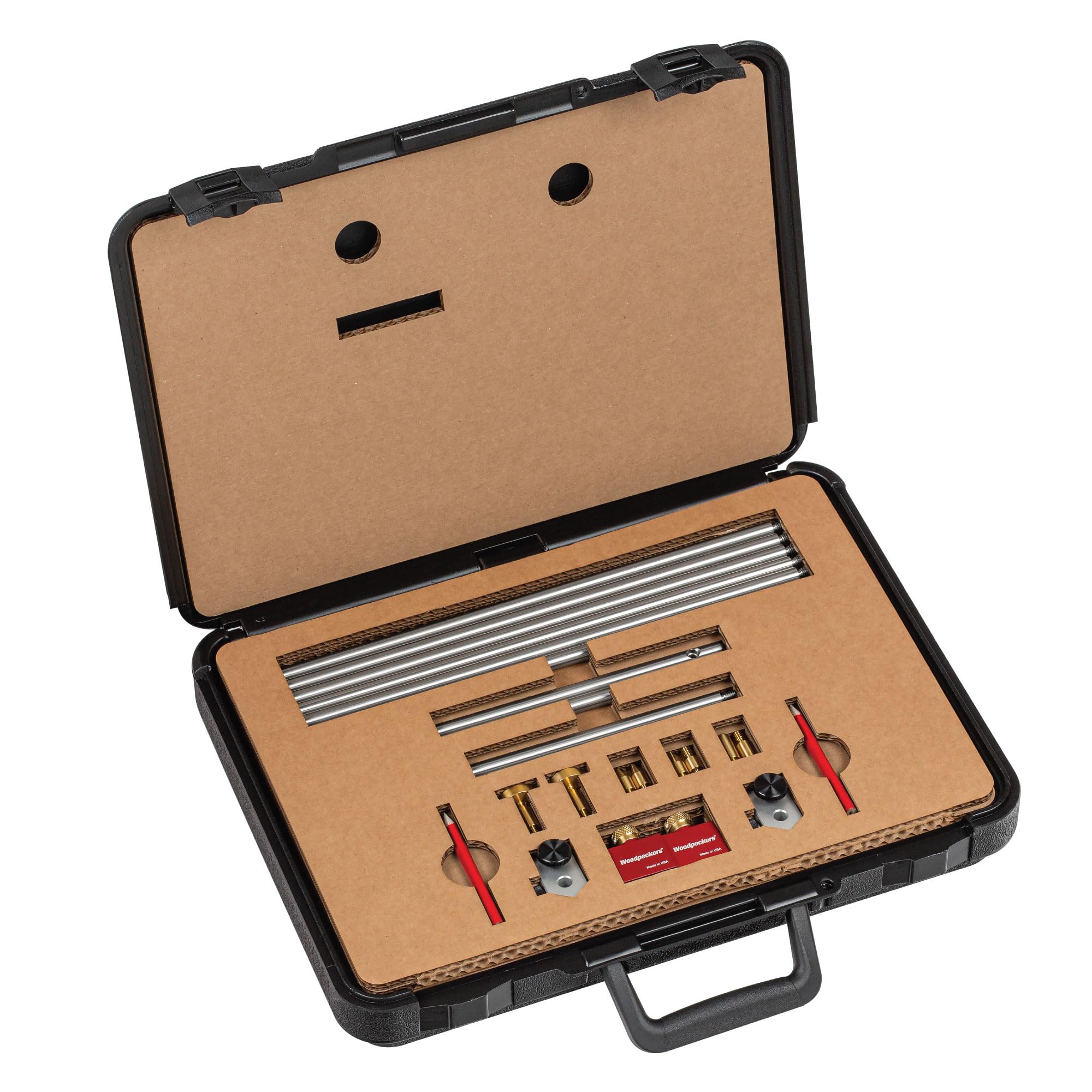
Image: The Woodpeckers Modular Bar Gauge System, including various bars, tips, and trammel heads, neatly organized within its molded protective case.
Setup
- Assemble Bar Length: Select the appropriate combination of 6" and 12" extension bars to achieve the desired overall length. Thread the bars together securely.
- Attach Clamp Bodies: Slide the two clamp bodies onto the assembled bar. Position them as needed for your measurement.
- Insert Tips: Choose the required tip style (Blunt-End, Pin, Arrow, or Mushroom) and insert them into the ends of the clamp bodies. Ensure they are seated firmly.
- Secure Components: Tighten the knurled knobs on the clamp bodies to secure the bars and tips in place.

Image: The Modular Bar Gauge assembled with blunt tips, demonstrating its lateral adjustment capability to measure between two inside surfaces.
Operating Instructions
General Measurement Principles
The Modular Bar Gauge System allows for direct physical transfer of dimensions. Once a measurement is captured, the gauge itself becomes the reference, eliminating reading errors or conversions.
Using Blunt-End Tips for Inside Measurements
Blunt-End Tips are ideal for measuring flat inside distances, such as the interior width or height of a cabinet opening. Insert the blunt tips into the clamp bodies, adjust the bar gauge to fit snugly between the surfaces, and then lock the clamps. The gauge now holds the exact dimension.

Image: A Modular Bar Gauge with blunt tips extended to measure the inside dimension of a wooden cabinet frame. Two sets are shown for clarity of application.
Using Pin Tips for Grooves and Rabbets
Pin Tips are designed to reach into the bottom of dados, grooves, and rabbets, providing an accurate measurement of their width or depth. Attach the pin tips and adjust the gauge to fit precisely within the feature. This ensures components like shelves or panels will fit correctly.
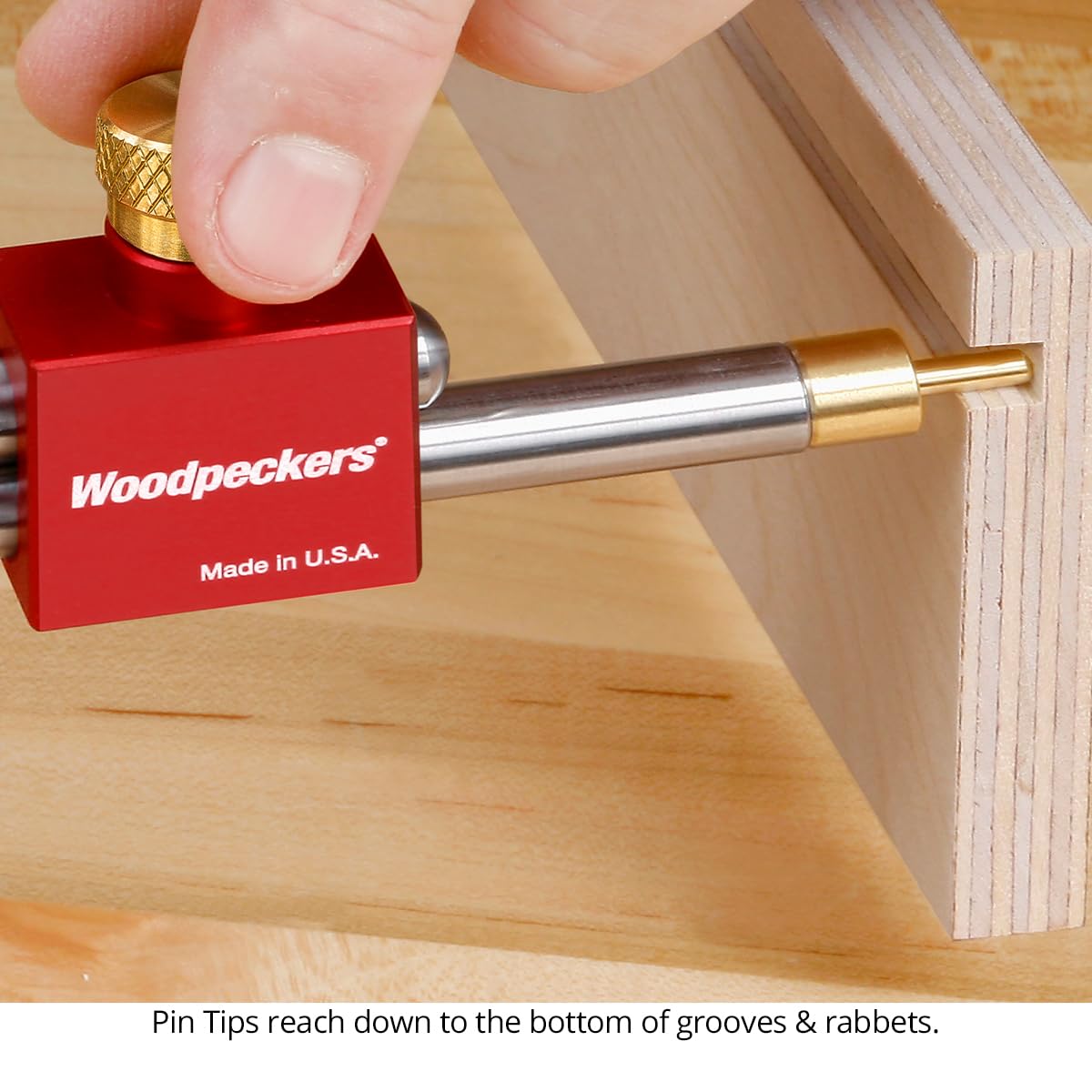
Image: A close-up view of a Modular Bar Gauge with pin tips, demonstrating how they precisely measure the width at the bottom of a groove or rabbet in a wooden workpiece.
Using Arrow Tips for Diagonals
Arrow Tips are used to measure diagonals, which is crucial for checking the squareness of frames, boxes, or openings. Insert the arrow tips and extend the gauge from one corner to the opposite. Comparing diagonal measurements helps verify if a structure is square.

Image: A Modular Bar Gauge with arrow tips extended across the diagonal of a wooden frame, illustrating its use for checking squareness.
Using Mushroom Tips for Outside Measurements
Mushroom Tips convert the bar gauge from an inside measurement tool to an outside measurement tool. Attach the mushroom tips to the ends of the clamp bodies. The flat face of the mushroom tip aligns with the end of the blunt tip, allowing you to capture outside dimensions by placing the gauge over the workpiece.

Image: A Modular Bar Gauge equipped with mushroom tips, being used to measure the outside dimension of a wooden box, demonstrating its versatility.
Transferring Measurements to Machinery
One of the primary benefits of the Modular Bar Gauge is its ability to transfer exact physical references directly to your woodworking machinery. For example, to set a table saw fence, simply place the bar gauge against the blade and adjust the fence until it touches the other end of the gauge. This eliminates potential errors from reading scales.

Image: The Modular Bar Gauge positioned on a table saw, demonstrating how it is used to precisely set the distance from the saw blade to the fence for accurate cuts.
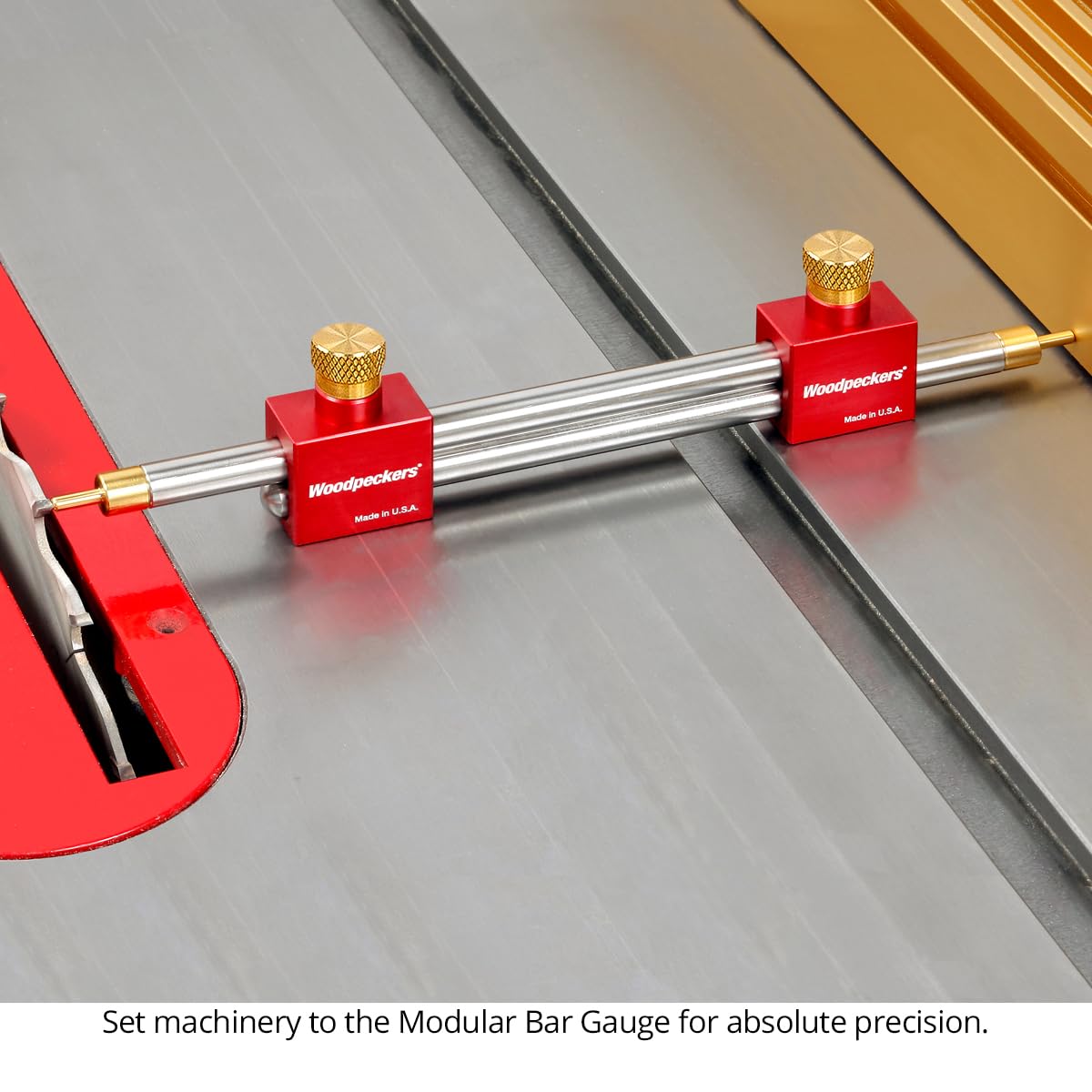
Image: The Modular Bar Gauge used to set the exact physical reference for a miter saw, ensuring precise cuts by directly transferring the required dimension.
Using the Trammel Head Set
The included Trammel Head Set allows the bar gauge to function as a large beam compass for drawing arcs and circles. Slide the trammel heads onto the bar gauge and secure them with their respective knobs. Insert a pencil or carbide scribe into each trammel head. Adjust the distance between the points to the desired radius, then use the gauge to draw the arc.

Image: The Woodpeckers Modular Bar Gauge System equipped with two trammel heads, demonstrating its use as a large beam compass for drawing arcs or circles on a workpiece.
Maintenance
- Cleaning: Wipe down all components with a clean, dry cloth after each use to remove dust and debris. For stubborn grime, a mild cleaner can be used, followed by thorough drying.
- Lubrication: The stainless steel rods and brass components generally do not require lubrication. If movement becomes stiff, a very light application of dry lubricant (e.g., graphite) can be used, but avoid oil-based lubricants that attract dust.
- Storage: Always store the Modular Bar Gauge System in its molded protective case to prevent damage, corrosion, and loss of components. Ensure all parts are clean and dry before storage.
- Inspection: Periodically inspect all threaded connections and knurled knobs for wear or damage. Replace any damaged components to maintain accuracy and functionality.
Troubleshooting
- Inaccurate Measurements:
- Ensure all bar sections are threaded together tightly.
- Verify that the clamp bodies are securely tightened onto the bars.
- Check that the chosen tips are fully seated in the clamp bodies.
- Clean any debris from the tips or measuring surfaces.
- Difficulty Assembling/Disassembling Bars:
- Ensure threads are clean and free of debris.
- Do not overtighten during assembly, as this can make disassembly difficult.
Specifications
| Model Number | MBGTS-WP-24 |
| Material | Stainless Steel (bars), Aluminum (clamp bodies), Brass (knobs, some tips) |
| Measurement Range | 8-1/4" to 96-5/8" (expandable with additional bars) |
| Included Tips | Blunt-End, Pin, Arrow, Mushroom (8 total) |
| Additional Features | Trammel Head Set, Molded Protective Case |
| Manufacturer | Woodpeckers |
| UPC | 810137205175 |
Warranty and Support
Woodpeckers products are manufactured in the USA and are known for their quality and precision. For specific warranty information or technical support, please refer to the official Woodpeckers website or contact their customer service directly. Keep your purchase receipt for warranty claims.
Manufacturer: Woodpeckers
Website: www.woodpeck.com

