
Introduction
This manual provides detailed instructions for the XUMIUZIY Bluetooth 6.0 2-in-1 Audio Transmitter Receiver. This versatile device functions as both a conventional Bluetooth receiver and a Broadcast TX transmitter, allowing for flexible audio transmission and reception. Please read this manual thoroughly before using the product to ensure proper operation and to maximize its capabilities.
Package Contents
Verify that all items listed below are included in your package:
- 1 x XUMIUZIY Bluetooth Adapter
- 1 x Type-C Charging Cable
- 1 x 3.5mm Audio Cable
- 1 x 6.35mm Jack Adapter
- 1 x Wired Headset
- 1 x User Manual
Product Overview
The XUMIUZIY Bluetooth 6.0 2-in-1 Audio Transmitter Receiver is designed for professional-level audio broadcasting and reception, offering a seamless wireless audio experience.

Front view of the XUMIUZIY Bluetooth adapter, highlighting its various inputs, outputs, and control buttons such as BIS, CIS, ENC, RX, MIC, and BT. Icons indicate features like 100-meter transmission, multi-source input, TX/RX 2-in-1 functionality, ENC noise reduction, intelligent networking, and one-to-multiple broadcasting.
The device features a compact design with clearly marked controls for easy operation. It supports multiple input sources and offers advanced noise reduction for clear audio.

Top view of the device, illustrating the ON/OFF switch and MODE button for easy management and seamless switching between BIS broadcasting, CIS communication, and RX reception modes.
The device is equipped with a Bluetooth 6.0 chip for stable, low-latency wireless audio transmission and reduced signal interruption.
Setup
1. Charging the Device
Before initial use, fully charge the device using the provided Type-C cable. Connect the Type-C cable to the device's charging port and the other end to a standard USB power adapter (not included). The charging time is approximately 2 hours.
2. Powering On/Off
Locate the ON/OFF switch on the device. Slide the switch to the 'ON' position to power on the device. To power off, slide the switch to the 'OFF' position.
3. Connecting Audio Sources/Outputs
Use the 3.5mm audio cable or 6.35mm jack adapter to connect your audio source (e.g., microphone, instrument, phone) to the device's input, or connect the device's output to your audio system (e.g., stereo, headphones).
Operating Modes
The XUMIUZIY adapter supports three primary operating modes: Bluetooth Receiver (RX), Bluetooth Transmitter (TX), and Broadcast TX.
1. Bluetooth Receiver (RX) Mode
In RX mode, the device receives audio wirelessly from any Bluetooth-enabled device (e.g., smartphone, tablet, computer) and outputs it to a connected audio system or wired headphones. This allows you to add Bluetooth functionality to existing non-Bluetooth audio equipment.
- To activate RX mode: Press the 'MODE' button until 'RX' is indicated on the device display.
- Pairing: On your source device, search for 'XUMIUZIY' in the Bluetooth settings and connect.
- Audio Output: Connect your wired headphones or stereo system to the device's 3.5mm audio output.
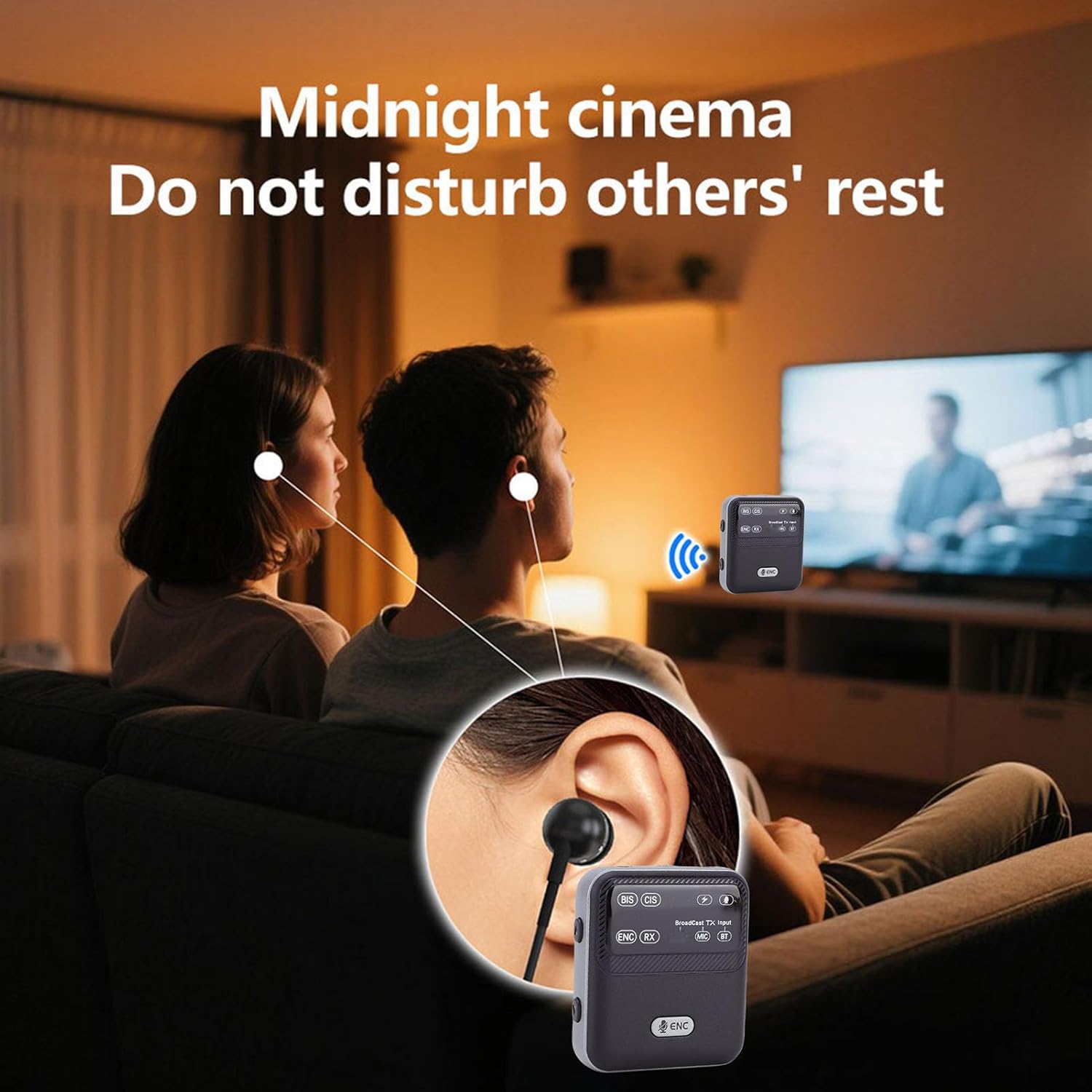
Illustration of two individuals using the XUMIUZIY Bluetooth adapter with wired earphones for private listening, demonstrating its use in RX mode for personal audio reception without disturbing others.
2. Bluetooth Transmitter (TX) Mode
In TX mode, the device transmits audio wirelessly from a connected audio source to a Bluetooth-enabled receiving device (e.g., Bluetooth headphones, Bluetooth speaker).
- To activate TX mode: Press the 'MODE' button until 'TX' is indicated on the device display.
- Audio Input: Connect your audio source (e.g., TV, PC, MP3 player) to the device's 3.5mm audio input.
- Pairing: Put your Bluetooth receiving device into pairing mode. The XUMIUZIY adapter will automatically search and connect.
3. Broadcast TX Mode (BIS/CIS)
The Broadcast TX function allows the device to transmit audio from a single source to multiple receiving devices simultaneously. This is ideal for scenarios requiring multi-device audio distribution.
- To activate Broadcast TX mode: Press the 'MODE' button until 'BIS' (Broadcast TX) or 'CIS' (Communication TX) is indicated.
- Audio Input: Connect your audio source (e.g., microphone, musical instrument) to the device's input.
- Receiving Devices: Ensure your receiving devices support Broadcast reception or LE Audio. If not, additional XUMIUZIY adapters can be used in RX mode to receive the broadcast.

A diagram illustrating the XUMIUZIY Bluetooth adapter's capability to receive mono inputs (e.g., microphone, guitar) and stereo inputs (e.g., keyboard, drum machine), then broadcast the audio to multiple individual receiving units, demonstrating its 'one to many' transmission feature over a distance of approximately 130 feet.
Environmental Noise Cancellation (ENC)
The device incorporates a fourth-generation ENC denoising algorithm to enhance vocal clarity and reduce environmental noise. This feature improves the signal-to-noise ratio by 40%, achieving vocal clarity up to 98dB.
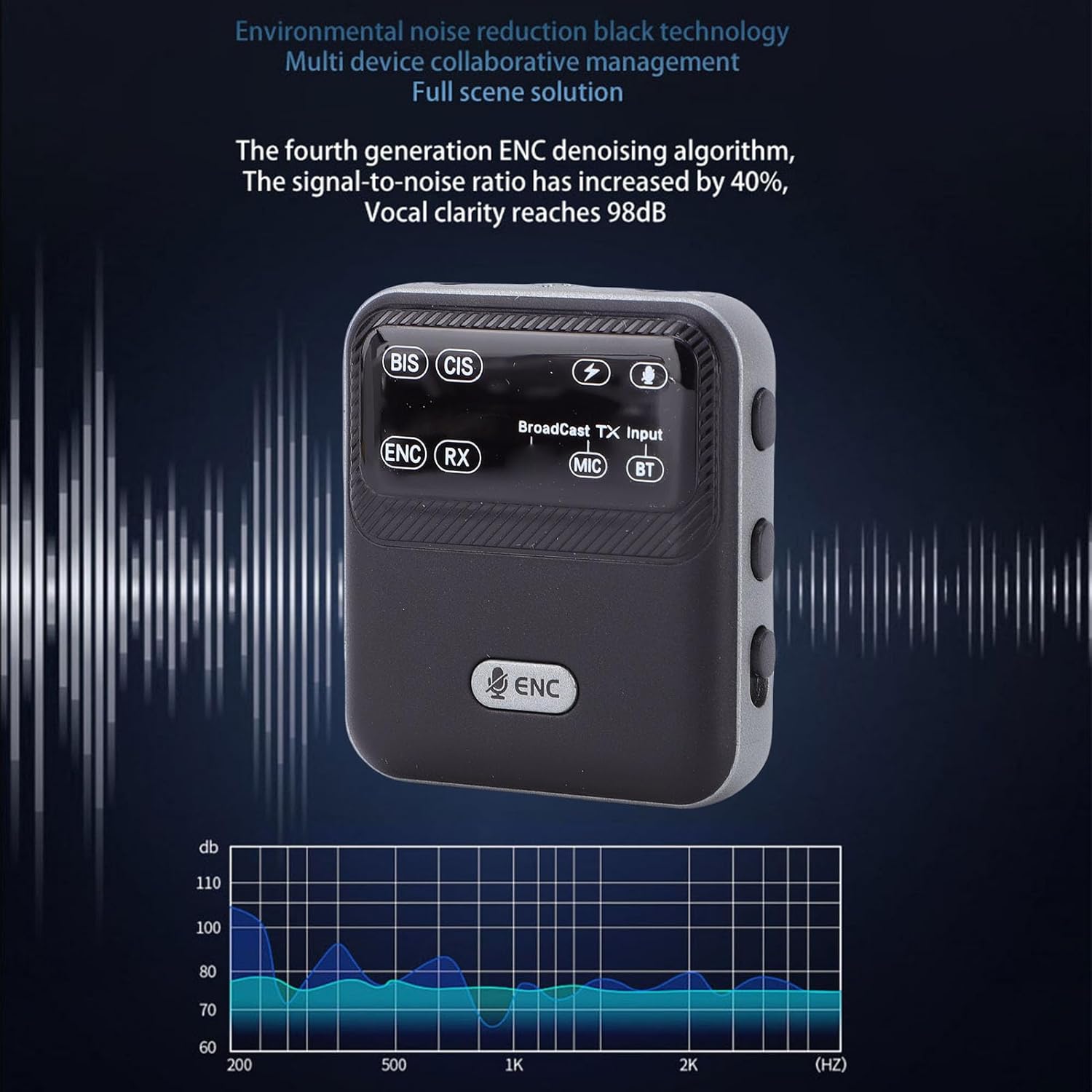
The XUMIUZIY Bluetooth adapter is shown alongside a frequency response graph, illustrating the effectiveness of its Environmental Noise Cancellation (ENC) technology in improving audio clarity and reducing background noise.
Maintenance
To ensure the longevity and optimal performance of your XUMIUZIY Bluetooth adapter, follow these maintenance guidelines:
- Cleaning: Use a soft, dry cloth to clean the device. Avoid using liquid cleaners or solvents.
- Storage: Store the device in a cool, dry place away from direct sunlight and extreme temperatures.
- Battery Care: To preserve battery life, avoid fully discharging the device frequently. Charge it regularly, even if not in use for extended periods.
- Avoid Impacts: Protect the device from drops and impacts, which can damage internal components.
Troubleshooting
If you encounter issues with your XUMIUZIY Bluetooth adapter, refer to the following common problems and solutions:
- Device does not power on:
Ensure the device is fully charged. Connect it to a power source using the Type-C cable and allow it to charge for at least 30 minutes before attempting to power it on again. - Cannot pair with another Bluetooth device:
Make sure the XUMIUZIY adapter is in the correct mode (TX for transmitting, RX for receiving). Ensure both devices are within the effective Bluetooth range (up to 100m unobstructed) and are in pairing mode. Try restarting both devices. - No audio output/input:
Check all cable connections (3.5mm audio cable, 6.35mm adapter) to ensure they are securely plugged into the correct ports. Verify the volume levels on both the XUMIUZIY adapter and the connected audio devices. - Audio quality is poor or intermittent:
Reduce the distance between the XUMIUZIY adapter and the connected Bluetooth device. Avoid obstacles that may interfere with the signal. Ensure there are no other strong wireless signals nearby causing interference. - Broadcast TX not working with all receivers:
Confirm that the receiving devices support Broadcast reception or LE Audio. If not, you may need to use additional XUMIUZIY adapters in RX mode for compatibility.
Specifications
| Model Name | XUMIUZIY3quev1zy75 |
| Bluetooth Version | V6.0 |
| Transmission Distance | >100 m / 328.1 feet (unobstructed) |
| Battery Capacity | 550 mAh Li-ion battery |
| Working Time (BIS) | >6 hours |
| Working Time (CIS/Broadcast Reception) | >20 hours |
| Charging Time | Approximately 2 hours |
| Sound Output Interface | 3.5mm audio interface |
| Sound Input Interfaces | AUX, MIC, BT |
| Material | ABS |
| Wireless Communication Standard | Bluetooth |
| Rechargeable Battery Included | Yes |
Warranty Information
This XUMIUZIY product is covered by a manufacturer's warranty for 90 days from the date of purchase. This warranty covers defects in materials and workmanship under normal use. It does not cover damage caused by misuse, accidents, unauthorized modifications, or external causes.
Please retain your proof of purchase for warranty claims.
Support
For technical assistance, troubleshooting beyond this manual, or warranty inquiries, please contact XUMIUZIY customer support through the retailer where the product was purchased or refer to the contact information provided on the product packaging or official XUMIUZIY website.
When contacting support, please have your product model number (XUMIUZIY3quev1zy75) and proof of purchase readily available.