
AZHAR S5
AZHAR S5 Electric Scooter User Manual
Model: S5
1. Important Safety Information
Before operating your AZHAR S5 Electric Scooter, please read and understand all safety instructions. Failure to follow these instructions may result in serious injury or property damage.
- Always wear a helmet and appropriate safety gear when riding.
- Ensure all components are securely fastened before each ride.
- Do not ride in heavy rain, on icy surfaces, or through standing water.
- Observe local traffic laws and regulations.
- The scooter is designed for riders aged Adults and Teens.
- Maximum weight limit: 300 Pounds.
- Note that actual speeds and ranges may vary based on rider weight, terrain incline, and battery charge.
- This product is UL2272 certified for electrical safety.
2. Product Overview
The AZHAR S5 Electric Scooter is designed for efficient commuting and recreational use, offering a blend of performance, safety, and portability.
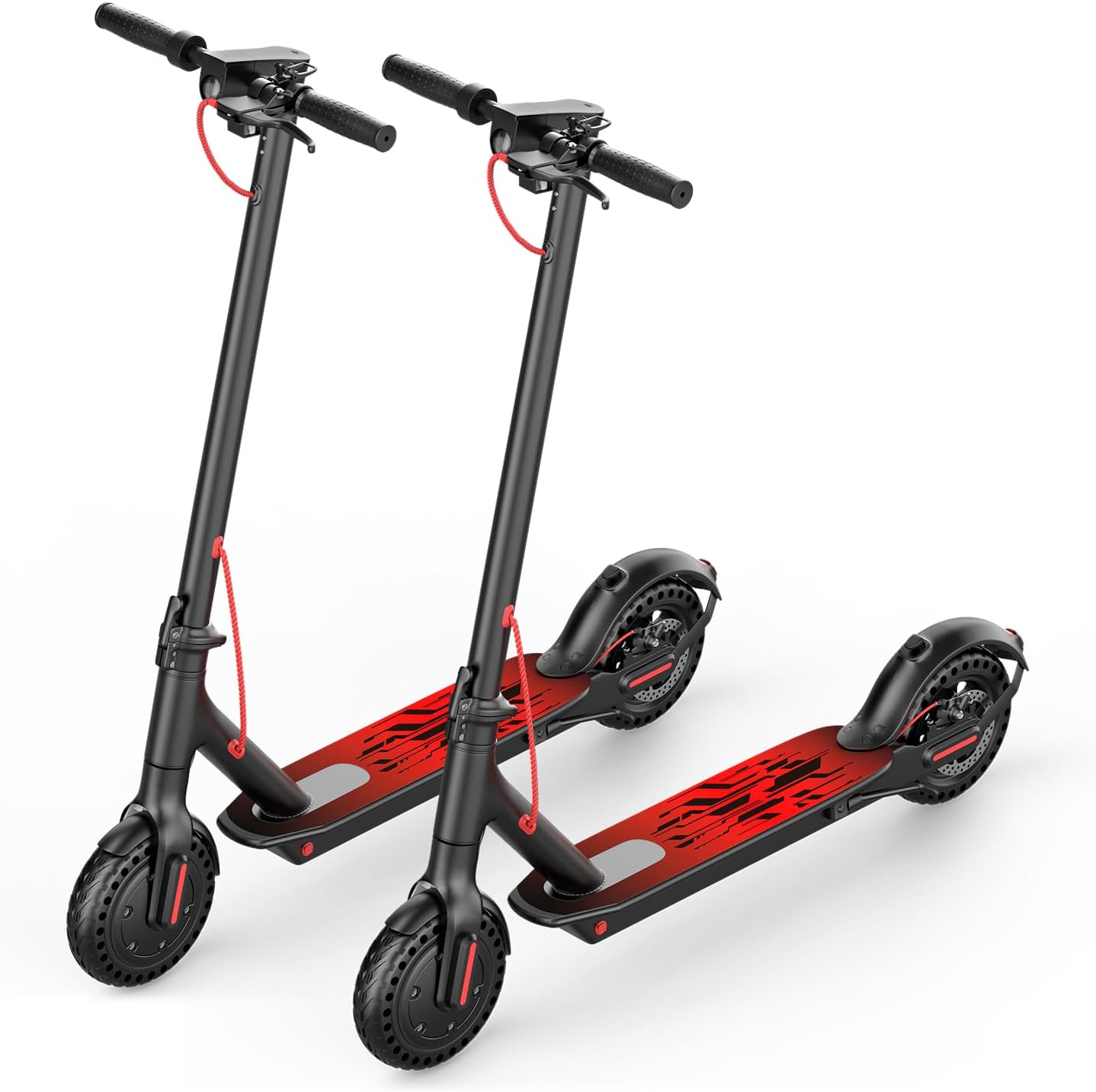
Image: Two AZHAR S5 Electric Scooters, showcasing the overall design.
Key Features:
- Powerful Motor: Peak 650W motor (500W nominal) for speeds up to 21 MPH.
- Extended Range: Up to 23 miles on a single charge with a 36V battery.
- Solid Tires: 8.5-inch anti-puncture solid tires for maintenance-free riding.
- Dual Braking System: Rear disc brake combined with an electronic brake for reliable stopping power.
- Smart Connectivity: App control for adjusting settings and monitoring ride data.
- Portable Design: Lightweight (25.3 lbs) and foldable for easy storage and transport.
- Integrated Display: Smart LCD display shows speed, battery level, and mode.
3. Package Contents
Verify that all items are present in the package:
- 1 x AZHAR S5 Electric Scooter
- 1 x Charger
- 1 x User Manual (this document)
4. Setup
4.1 Unfolding the Scooter
Carefully remove the scooter from its packaging. The scooter comes pre-assembled in a folded state. To unfold:
- Place the scooter on a flat surface.
- Locate the folding mechanism near the base of the handlebar stem.
- Release the locking latch and lift the handlebar stem until it clicks into place.
- Secure the safety lock to prevent accidental folding.
- Adjust the handlebars if necessary.

Image: Detail of the folding mechanism for easy storage.

Image: A person carrying the lightweight, folded scooter.
4.2 Initial Charging
Before first use, fully charge the scooter's battery. The charging port is typically located on the side of the deck.
- Connect the charger to the charging port.
- Plug the charger into a standard wall outlet.
- The indicator light on the charger will change (e.g., red to green) when charging is complete.
- Do not overcharge the battery. Unplug the charger once fully charged.
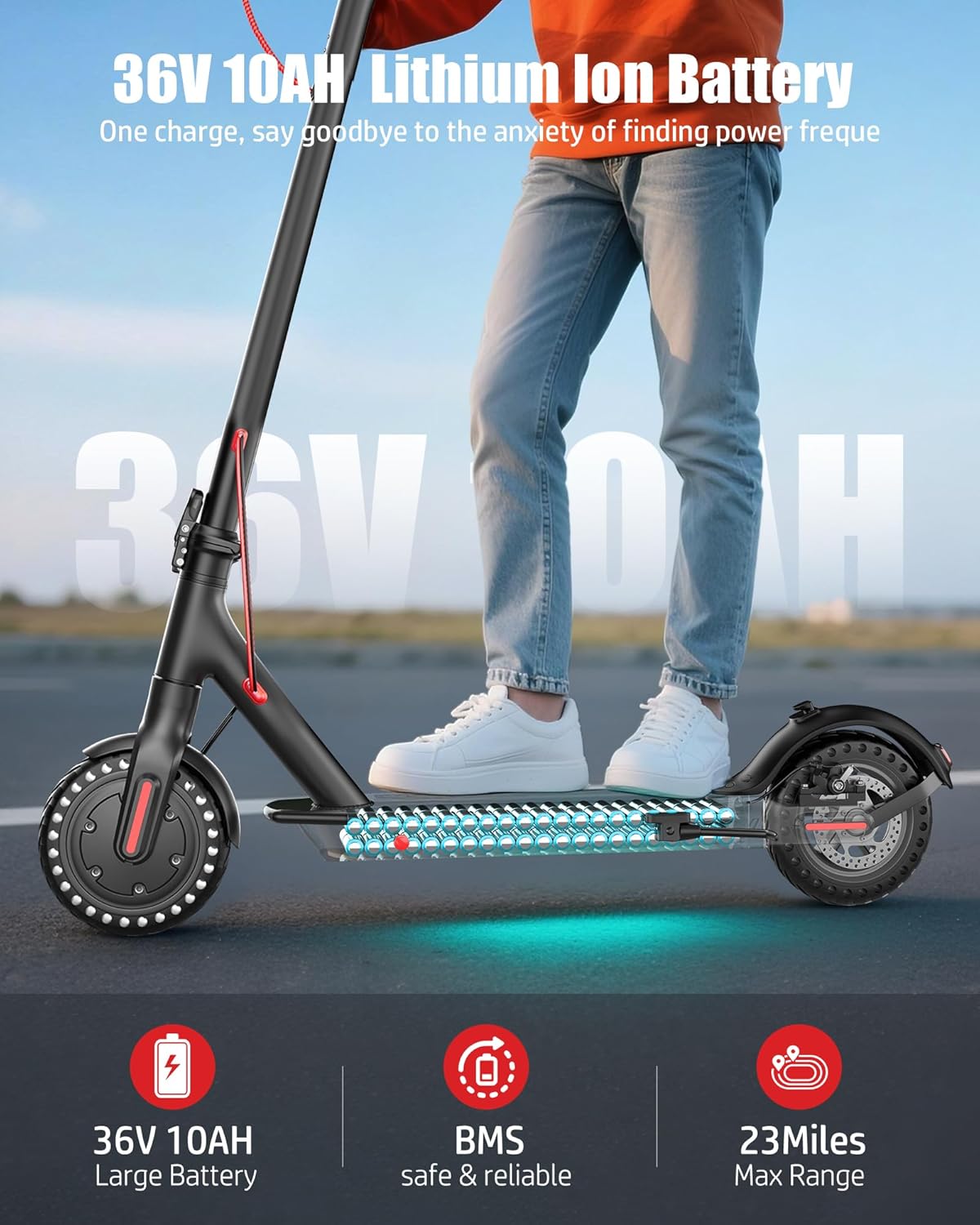
Image: The scooter's 36V 10AH Lithium-ion battery, indicating its capacity and safety features.
4.3 Video Guide: Setup and First Ride
Video: This video demonstrates the unfolding process, powering on, and initial riding experience of the AZHAR S5 Electric Scooter.
5. Operating Instructions
5.1 Power On/Off and Display
To power on the scooter, press and hold the power button on the display unit. The LCD display will illuminate, showing current speed, battery level, and riding mode. Press and hold the power button again to turn off the scooter.

Image: The Smart LED Display provides real-time information during your ride.
5.2 Adjusting Speed Modes (Gears)
The scooter features multiple speed modes. To switch between modes, quickly press the power button twice. The display will indicate the current mode (e.g., ECO, D, S).
Video: This video demonstrates how to adjust the speed limit and switch between different gear modes using the scooter's controls and the mobile application.
5.3 App Control
Enhance your riding experience by connecting your AZHAR S5 to the dedicated mobile application. The app allows you to:
- Adjust maximum speed settings.
- Lock the scooter for security.
- Activate cruise control.
- Monitor real-time speed, battery status, and other ride data.

Image: The multifunctional app provides advanced control and monitoring features for your scooter.
5.4 Braking System
The AZHAR S5 is equipped with a reliable dual braking system for optimal safety:
- Electronic Brake: Activated via the brake lever on the handlebar.
- Rear Disc Brake: Provides mechanical stopping power, also activated by the brake lever.
Always apply brakes smoothly and gradually to maintain control, especially at higher speeds or on slippery surfaces.
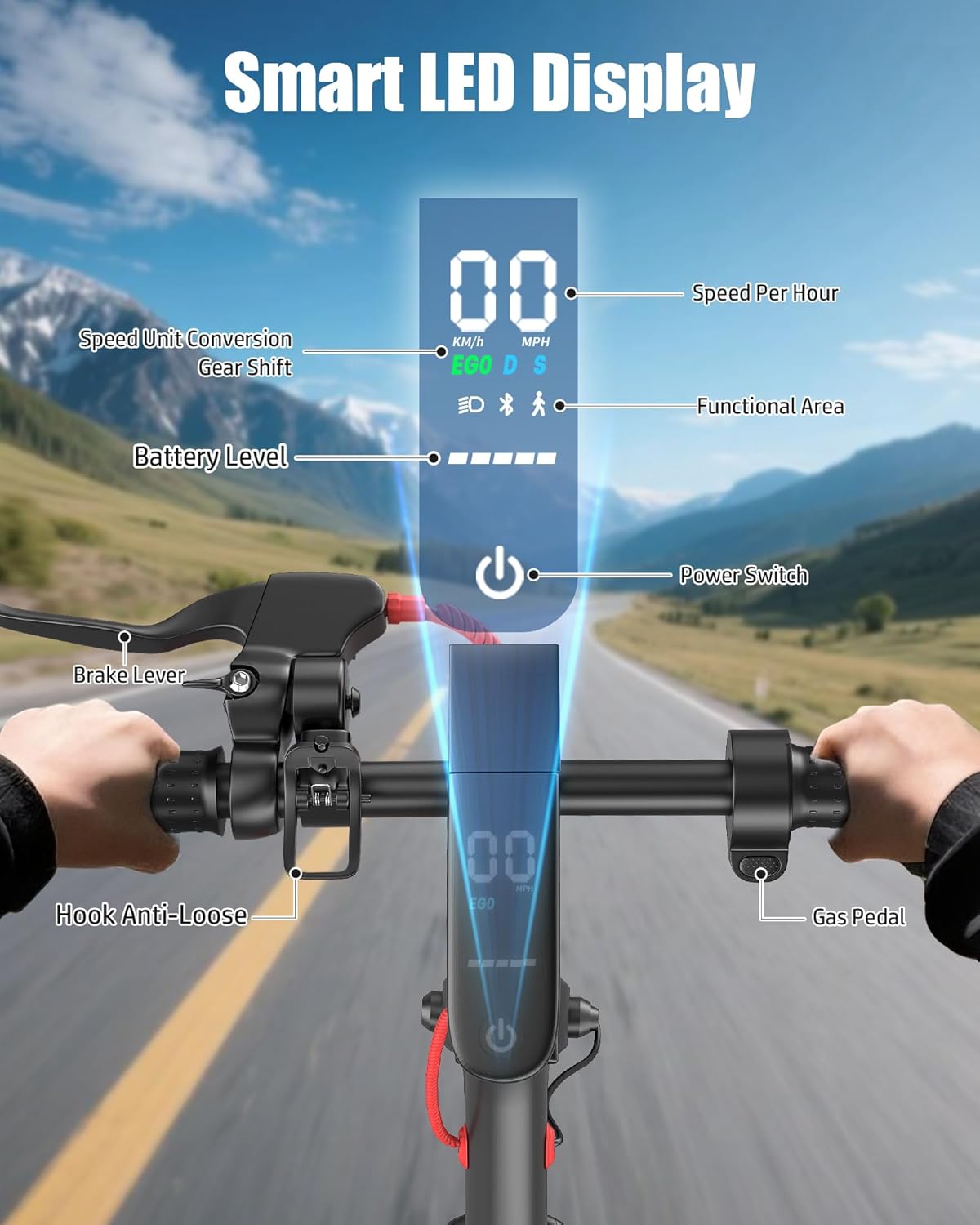
Image: The dual brake system ensures effective and safe stopping.
5.5 Lights
The scooter is equipped with front and rear lights for visibility. Ensure lights are functional before riding in low-light conditions.
6. Maintenance
Regular maintenance ensures the longevity and safe operation of your scooter.
6.1 Tire Care
The AZHAR S5 features 8.5-inch solid, anti-puncture tires, which require minimal maintenance compared to pneumatic tires. Regularly inspect tires for any signs of wear or damage.
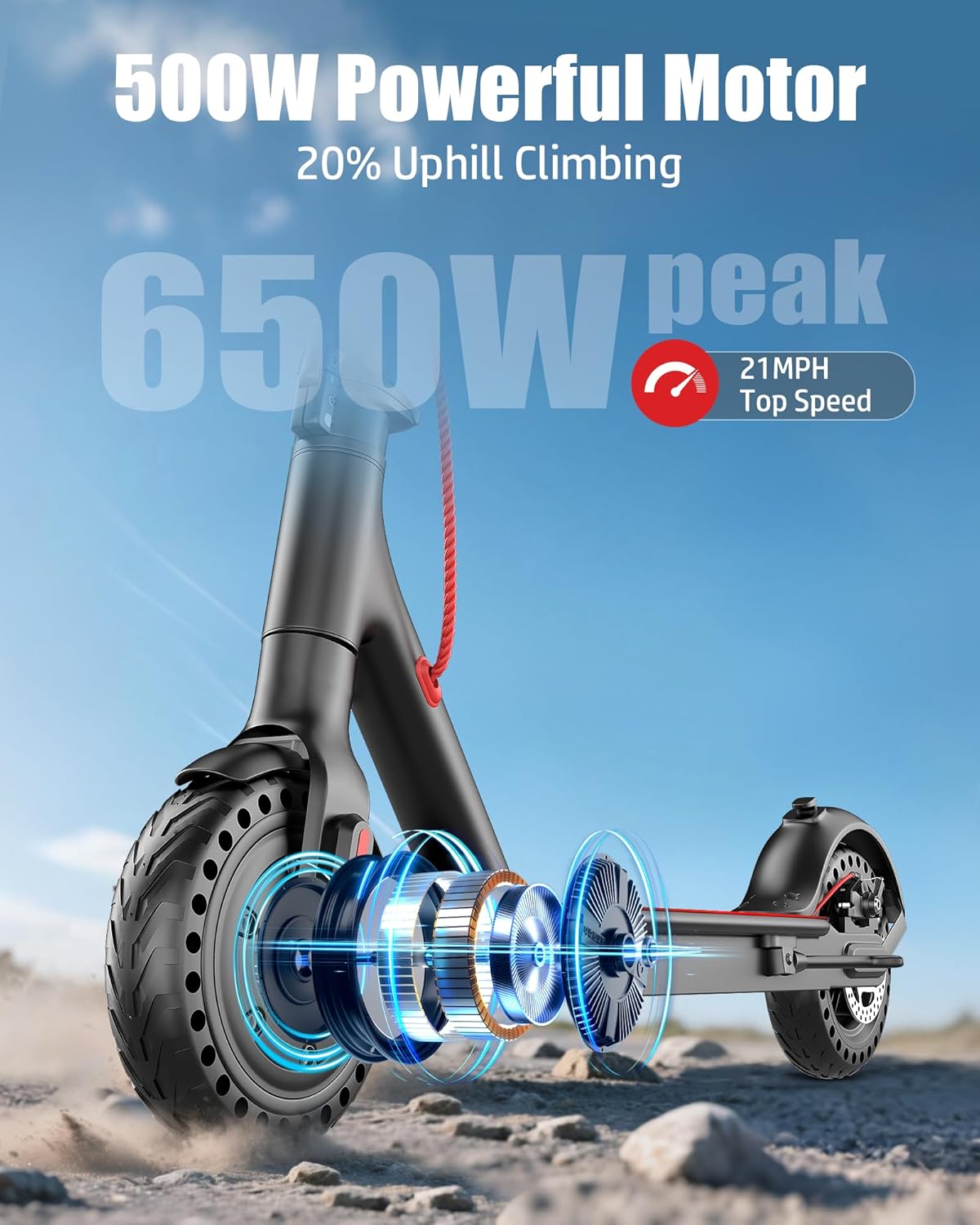
Image: The powerful motor and durable solid tires are key components.
6.2 Battery Care
- Charge the battery regularly, even if the scooter is not in use for extended periods, to maintain battery health.
- Store the scooter in a cool, dry place, away from direct sunlight and extreme temperatures.
- Avoid completely draining the battery before recharging.
6.3 General Cleaning
Wipe down the scooter with a damp cloth after use. Avoid using high-pressure water jets or harsh chemicals, which can damage electronic components.
7. Troubleshooting
If you encounter issues with your AZHAR S5 Electric Scooter, refer to the following common problems and solutions:
| Problem | Possible Cause | Solution |
|---|---|---|
| Scooter does not power on. | Low battery; loose connections. | Charge the battery; check all cable connections. |
| Reduced speed or range. | Low battery; heavy rider weight; steep inclines; incorrect speed mode. | Ensure battery is fully charged; select appropriate speed mode; consider terrain. |
| Unusual noises or vibrations. | Loose components (e.g., rear wheel guard fasteners). | Inspect and tighten all visible fasteners. If noise persists, contact customer support. |
| App connectivity issues. | Bluetooth not enabled; app not updated; scooter not in pairing mode. | Ensure Bluetooth is on; restart app and scooter; check app store for updates. |
For issues not listed here, or if troubleshooting steps do not resolve the problem, please contact AZHAR customer support.
8. Specifications

Image: Detailed size and dimension information for the AZHAR S5 Electric Scooter.
| Feature | Detail |
|---|---|
| Brand | AZHAR |
| Model Name | S5 |
| Color | Black+Red |
| Age Range (Description) | Adults, Teens |
| Weight Limit | 300 Pounds |
| Number of Wheels | 2 |
| Wheel Material | Alloy Steel |
| Frame Material | Alloy Steel |
| Handlebar Type | Straight |
| Wheel Size | 8.5 Inches |
| Wheel Type | Solid, Anti-Puncture |
| Suspension Type | Rigid |
| Brake Style | Electronic Braking, Rear Braking |
| Recommended Uses | Commuting |
| Maximum Distance Range | 23 Miles |
| Motor Power | Peak 650W (500W nominal) |
| Max Speed | 21 MPH |
| Battery | 36V Lithium-ion |
| Special Features | Anti-Puncture Tire, Cruise Control, Digital Display, Dual Braking System, Foldable, Lights, Lightweight, Lockable, Non Slip Deck, Rechargeable, Regenerative Braking System, Speedometer, Wide Platform, App Control |
| Manufacturer | Huizhou Beirui Technology Co., Ltd. |
9. Warranty and Support
9.1 Product Warranty
The AZHAR S5 Electric Scooter comes with a 1-year warranty on all accessories, covering manufacturing defects under normal use. Please retain your proof of purchase for warranty claims. The product is UL2272 certified, ensuring compliance with electrical safety standards.
9.2 Customer Support
For any questions, technical assistance, or warranty inquiries, please contact AZHAR customer service. When contacting support, please provide a detailed description of the issue and any relevant pictures or videos.
- Email Contact: ebikeservice25@outlook.com
- Response Time: A satisfactory solution will be provided within 24 hours.

Image: AZHAR customer service is available to assist with product inquiries.
Ask a question about this manual
Ask about setup, troubleshooting, compatibility, parts, safety, or missing instructions. Manuals+ will review the question and use this page’s manual context to help answer it.