Introduction
Thank you for choosing the Huuger 141.7 Inch Sofa Table. This manual provides essential information for the safe assembly, operation, and maintenance of your new sofa table. Please read these instructions carefully before beginning assembly and retain them for future reference.
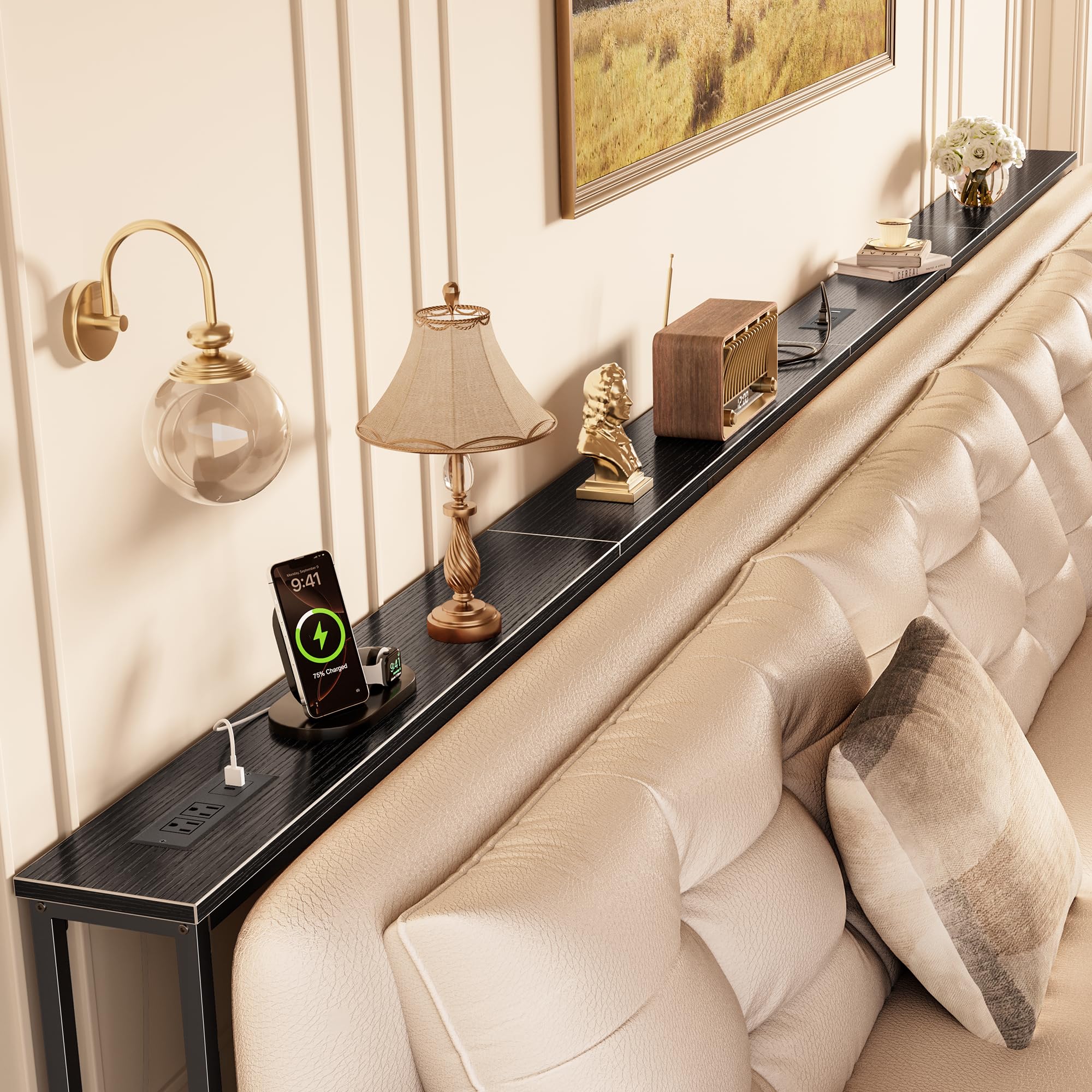
Image: The Huuger 141.7 Inch Sofa Table in black, featuring integrated power outlets and USB-C ports.
Safety Information
To ensure safe use of your sofa table, please adhere to the following guidelines:
- Always assemble and install the table according to the provided instructions.
- Ensure the table is properly anchored to the wall using the anti-tip kit to prevent tipping.
- Do not place heavy objects on the table that could cause it to tip over.
- Keep the table away from heat sources.
- Do not place hot objects directly on the table surface without protection.
- Ensure all electrical connections are secure and comply with local electrical codes.
- Do not overload the power outlets. Refer to the specifications for maximum load.
Package Contents
Before assembly, verify that all components are present. If any parts are missing or damaged, please contact customer support.
- Assembly Guide
- Charging Station (Power Outlets with USB/USB-C ports)
- Installation Tools (Allen Key, Screwdriver)
- Tabletop Panels
- Metal Frame Components
- Adjustable Feet
- Anti-Tip Kit
Assembly Instructions
Assembly is required for this product. Please follow the steps outlined in the included assembly guide. All necessary tools are provided.
General Assembly Steps:
- Unpack all components and lay them out on a clean, soft surface to prevent scratches.
- Identify each part using the assembly guide.
- Attach the metal frame components as instructed, ensuring all screws are tightened securely.
- Place the tabletop panels onto the assembled frame.
- Install the power outlet modules into the desired positions on the tabletop.
- Attach the adjustable feet to the bottom of the table legs.
- Install the anti-tip kit to secure the table to the wall.
Important Assembly Details:
- Adjustable Feet: The table features upgraded adjustable feet to ensure stability on uneven floors. Rotate the feet to adjust the height until the table is level and stable.
- Anti-Tip Kit: For enhanced stability and safety, especially in households with children or pets, it is crucial to install the anti-tip kit. Secure the table to the wall as shown in the diagram.
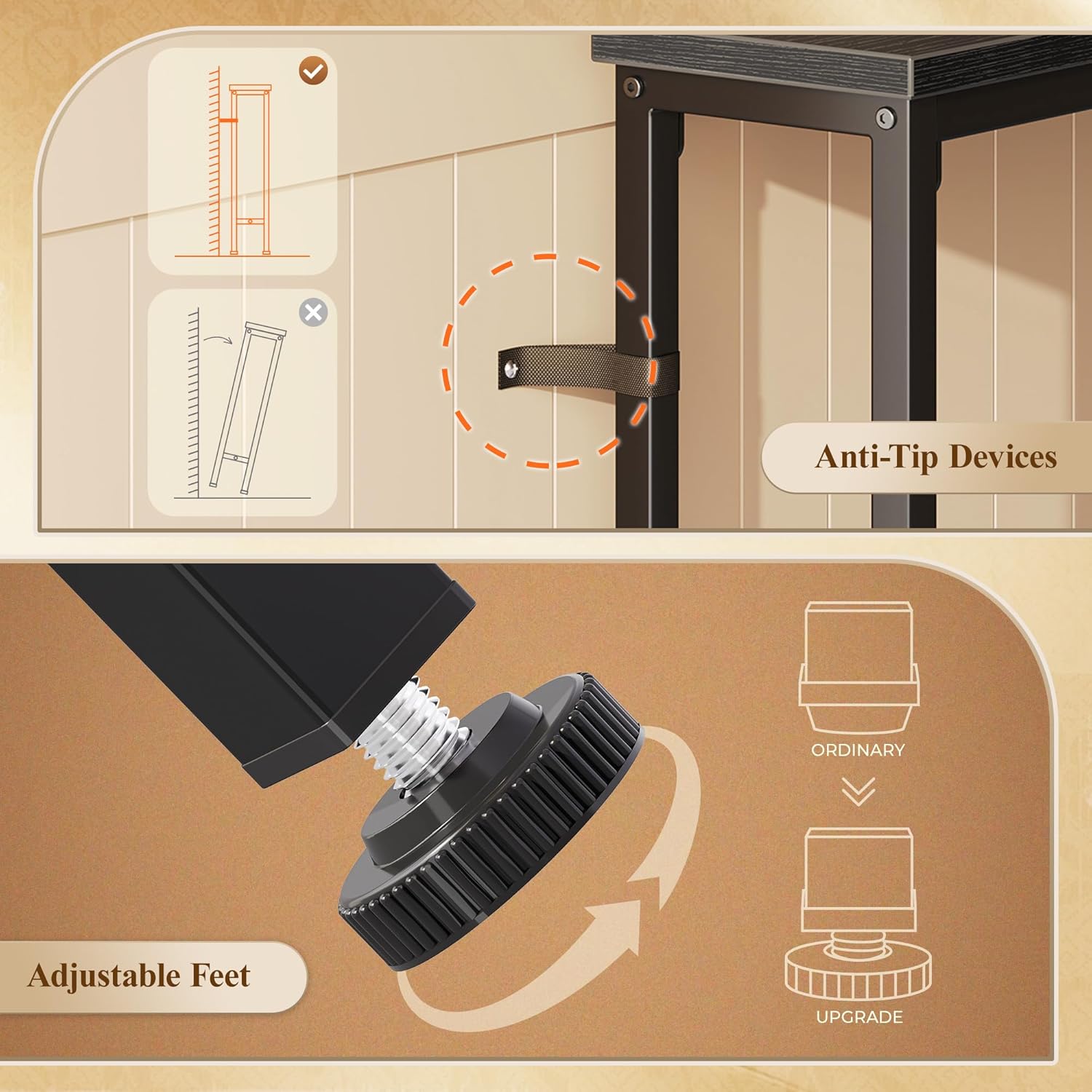
Image: Instructions for installing anti-tip devices and adjusting the table's feet for stability.
Operating Instructions
Your Huuger Sofa Table is equipped with integrated power outlets and USB ports for convenient device charging.
Power Outlets and USB Ports:
- Each power module includes 2 AC outlets (125V/12A), 1 USB port (5V/2A), and 1 USB-C port (5V/2A).
- Connect your devices to the appropriate ports for charging.
- Ensure the table's power cord is securely plugged into a wall outlet.

Image: A tablet and smartphone charging via the integrated USB-C and USB ports on the sofa table.
Adjustable Outlet Positions:
The power outlet modules can be installed in up to 8 different positions along the table's length. The table features 4 interchangeable panels, allowing you to customize the placement of the outlets to best suit your needs. The panel containing the outlets can also rotate 180 degrees for flexible access.

Image: Visual guide demonstrating the 8 possible locations for the power modules and the 180-degree rotation feature of the outlet panel.
Maintenance
To maintain the appearance and longevity of your sofa table:
- Wipe the table surfaces with a damp cloth. Avoid harsh chemicals or abrasive cleaners.
- Periodically check all screws and connections to ensure they remain tight.
- Keep the power outlets clean and free from dust.
Troubleshooting
This section addresses common issues you might encounter.
Stability Issues:
- Table wobbles: Adjust the leveling feet at the bottom of each leg until the table is stable on the floor. Ensure all assembly screws are tightened.
- Table tilts due to baseboards: The table is designed with adjustable bumpers to accommodate various baseboard thicknesses, ensuring it sits flush against the wall. Adjust these bumpers as needed.
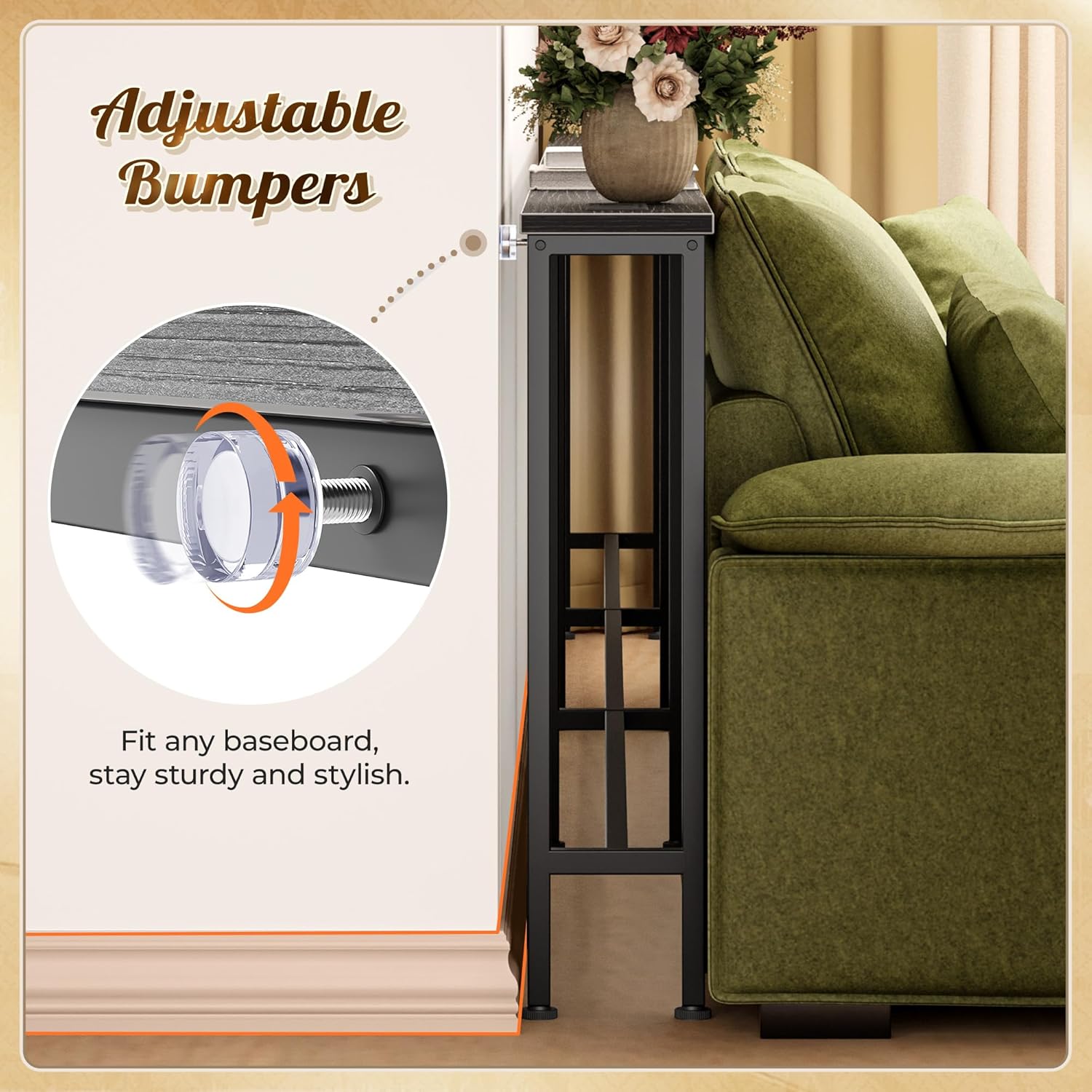
Image: Detail of the adjustable bumpers designed to fit against baseboards, ensuring table stability.
Power Outlet Issues:
- Devices not charging: Ensure the table's main power cord is securely plugged into a functional wall outlet. Check if the device's charging cable is properly connected to the table's USB/AC ports.
- Slow charging via USB ports: The USB and USB-C ports provide 5V/2A output. Some high-power devices may charge slower than with their original chargers. For faster charging, use the AC outlets with a compatible fast-charging adapter.
Specifications
| Brand | Huuger |
| Model Number | B0G2WPMN43 |
| Product Dimensions (D x W x H) | 5.9" x 141.7" x 29.7" |
| Color | Black |
| Material Type | Engineered Wood, Metal |
| Frame Material | Metal |
| Top Material Type | Engineered Wood |
| AC Outlets | 2 per module (125V/12A) |
| USB Port | 1 per module (5V/2A) |
| USB-C Port | 1 per module (5V/2A) |
| Required Assembly | Yes |
| Indoor/Outdoor Usage | Indoor |
Warranty and Support
For warranty information or technical support, please refer to the contact details provided with your purchase or visit the official Huuger website. Our customer service team is available to assist you with any questions or concerns regarding your product.
Please have your model number (B0G2WPMN43) and purchase date ready when contacting support.


