
Wodeer WD-HLG062-WH
Wodeer White 6-Drawer Dresser with LED Lights and Charging Station
Model: WD-HLG062-WH | Brand: Wodeer
Introduction
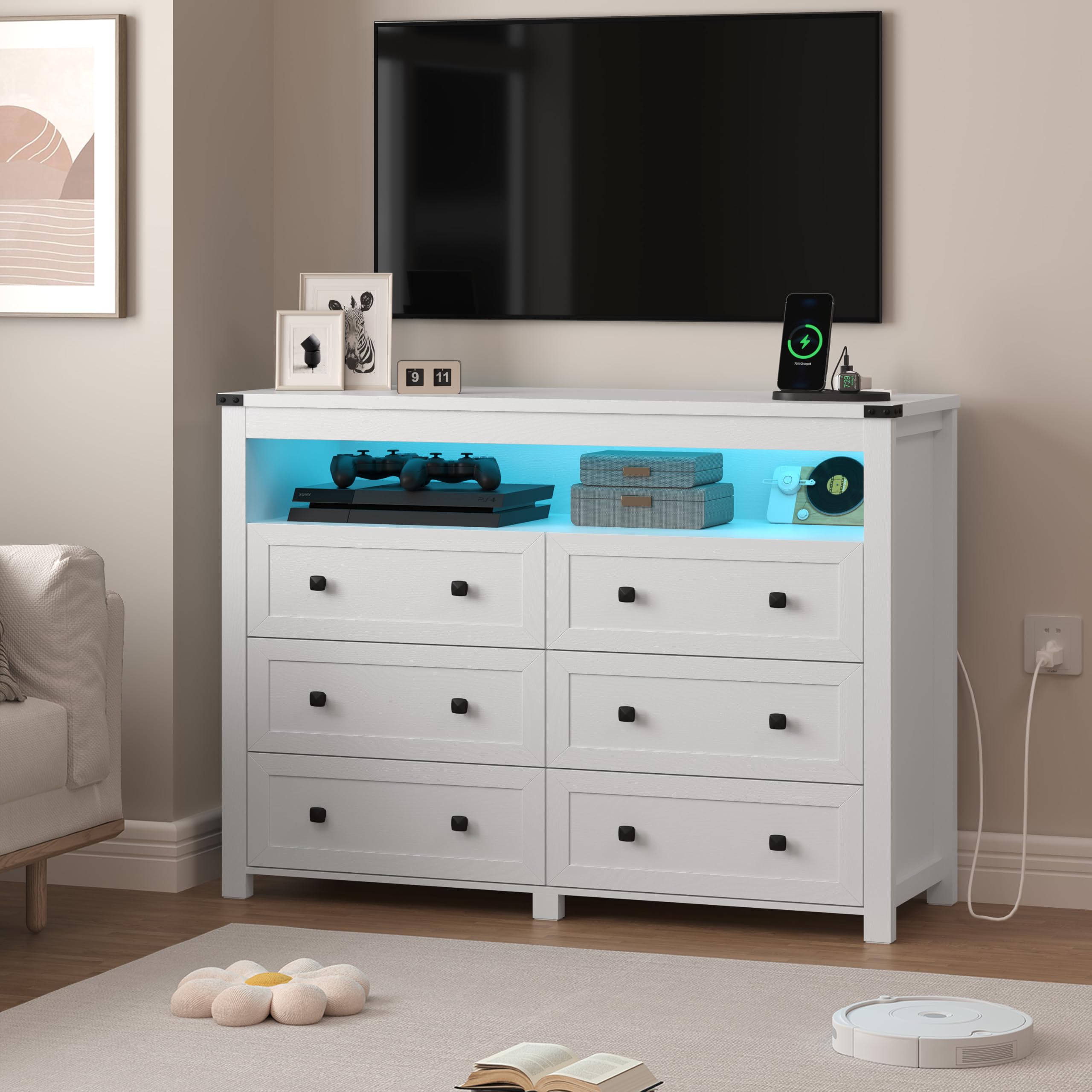
Thank you for choosing the Wodeer White 6-Drawer Dresser. This modern dresser is designed with integrated LED lights and a convenient charging station, offering both style and functionality for your home. It features six deep and spacious drawers for ample storage, smooth metal handles, and a durable engineered wood construction. This versatile piece can serve as a bedroom dresser, TV stand, media console, or entryway organizer. Please read this manual carefully before assembly and use to ensure proper installation and safe operation.
Safety Information
To prevent injury and damage, please adhere to the following safety guidelines:
- Anti-Tipping Device: Always install the included anti-tipping device to secure the dresser to a wall. This is crucial to prevent serious injury from tipping furniture.
- Weight Limits: Do not exceed the maximum weight capacity for the top surface or drawers. Distribute weight evenly.
- Assembly: Assemble the dresser on a soft, clean surface to prevent scratches. Ensure all screws and fasteners are tightened securely before use. Periodically check and re-tighten fasteners.
- Children: Keep small parts and packaging materials away from children during assembly. Do not allow children to climb on or play with the dresser.
- Electrical Safety: Ensure the charging station is connected to a properly grounded outlet. Do not overload the outlets. Keep liquids away from electrical components.

Package Contents
Before beginning assembly, please verify that all components are present and undamaged. If any parts are missing or damaged, contact customer support immediately.
- Dresser Panels (Top, Bottom, Sides, Back)
- 6 Drawer Fronts, Sides, and Bottoms
- Drawer Slides (for 6 drawers)
- Metal Handles (6 pieces)
- LED Light Strip with Controller
- Charging Station Unit (2 AC outlets, 2 USB ports)
- Power Cord (5-feet)
- Anti-Tipping Device
- Hardware Pack (screws, dowels, cam locks, etc.)
- Assembly Instruction Manual
Assembly Instructions
Assembly typically requires two adults and basic tools (screwdriver, hammer). Follow the step-by-step instructions provided in the separate printed manual included with your package. Lay out all parts on a soft, clean surface before starting. Do not overtighten screws.
- Unpack and Identify: Carefully unpack all components and identify each part using the provided parts list in the printed manual.
- Assemble Frame: Begin by assembling the main frame of the dresser according to the diagrams.
- Install Drawer Slides: Attach the drawer slides to the dresser frame and to the drawer sides as instructed.
- Assemble Drawers: Construct each of the six drawers, ensuring the bottoms are securely in place.
- Install Handles: Attach the metal handles to the drawer fronts.
- Insert Drawers: Carefully slide the assembled drawers into the dresser frame.
- Install LED Lights: Adhere the LED light strip to the designated area and connect the controller.
- Install Charging Station: Secure the charging station unit into its slot and connect its power cord.
- Attach Anti-Tipping Device: Securely fasten the anti-tipping device to the back of the dresser and to a wall stud.
Video: Overview of the Wodeer 6-Drawer Dresser, demonstrating its features and potential assembly steps.
Operating Instructions
LED Lights
The integrated LED lights offer customizable illumination to enhance your room's ambiance. They can be controlled via a key control remote or a dedicated smartphone application.
- Key Control: Use the included remote to turn the lights on/off, change RGB colors, select light modes (e.g., static, fade), music mode (lights flash to rhythm), mic mode, and set a timing mode.
- APP Control: Download the compatible smartphone application (refer to the QR code or link in the printed manual) to access advanced controls, including a wider range of colors, custom scenes, and more precise timing settings.

Video: Demonstration of the LED light features and charging station on a Wodeer dresser.
Charging Station
The built-in charging station provides convenient power access for your electronic devices.
- Power Outlets: The station includes two 120V/12A AC outlets for standard electrical devices.
- USB Ports: Two 5V/2.1A USB ports are available for charging smartphones, tablets, and other USB-powered devices.
- Usage: Simply plug the dresser's main power cord into a wall outlet, then connect your devices to the charging station's ports.

Video: A seller video showcasing the 5-drawer dresser with its charging station and LED features.
Maintenance
Proper care will extend the life and appearance of your dresser.
- Cleaning: Wipe surfaces with a soft, damp cloth. Avoid harsh chemicals or abrasive cleaners, which can damage the finish.
- Spills: Clean up spills immediately to prevent staining or damage to the engineered wood.
- Drawer Care: Periodically check drawer slides for smooth operation. If drawers become stiff, a small amount of silicone lubricant can be applied to the slides.
- Fasteners: Regularly inspect all screws and fasteners and tighten them as needed to maintain stability.
- Sunlight: Avoid prolonged exposure to direct sunlight to prevent fading or discoloration.
Troubleshooting
If you encounter any issues, refer to the following common problems and solutions:
| Problem | Possible Cause | Solution |
|---|---|---|
| LED lights not working | Power cord unplugged; loose connection; faulty remote/app. | Ensure power cord is fully plugged in. Check all connections to the LED strip and controller. Replace remote battery or re-pair app. |
| Charging station not providing power | Dresser power cord unplugged; device not properly connected; faulty charging station. | Verify dresser power cord is plugged into a live outlet. Ensure devices are correctly plugged into the charging station. Test with different devices. |
| Drawers stick or do not slide smoothly | Overloaded drawer; misaligned slides; debris in slides. | Reduce weight in the drawer. Check that drawer slides are properly aligned and free of obstructions. Apply silicone lubricant if needed. |
| Dresser feels unstable | Loose fasteners; anti-tipping device not installed or improperly secured. | Tighten all assembly fasteners. Ensure the anti-tipping device is correctly installed and securely anchored to a wall stud. |
Specifications
| Feature | Detail |
|---|---|
| Brand | Wodeer |
| Model Number | WD-HLG062-WH |
| Color | White |
| Material | Engineered Wood |
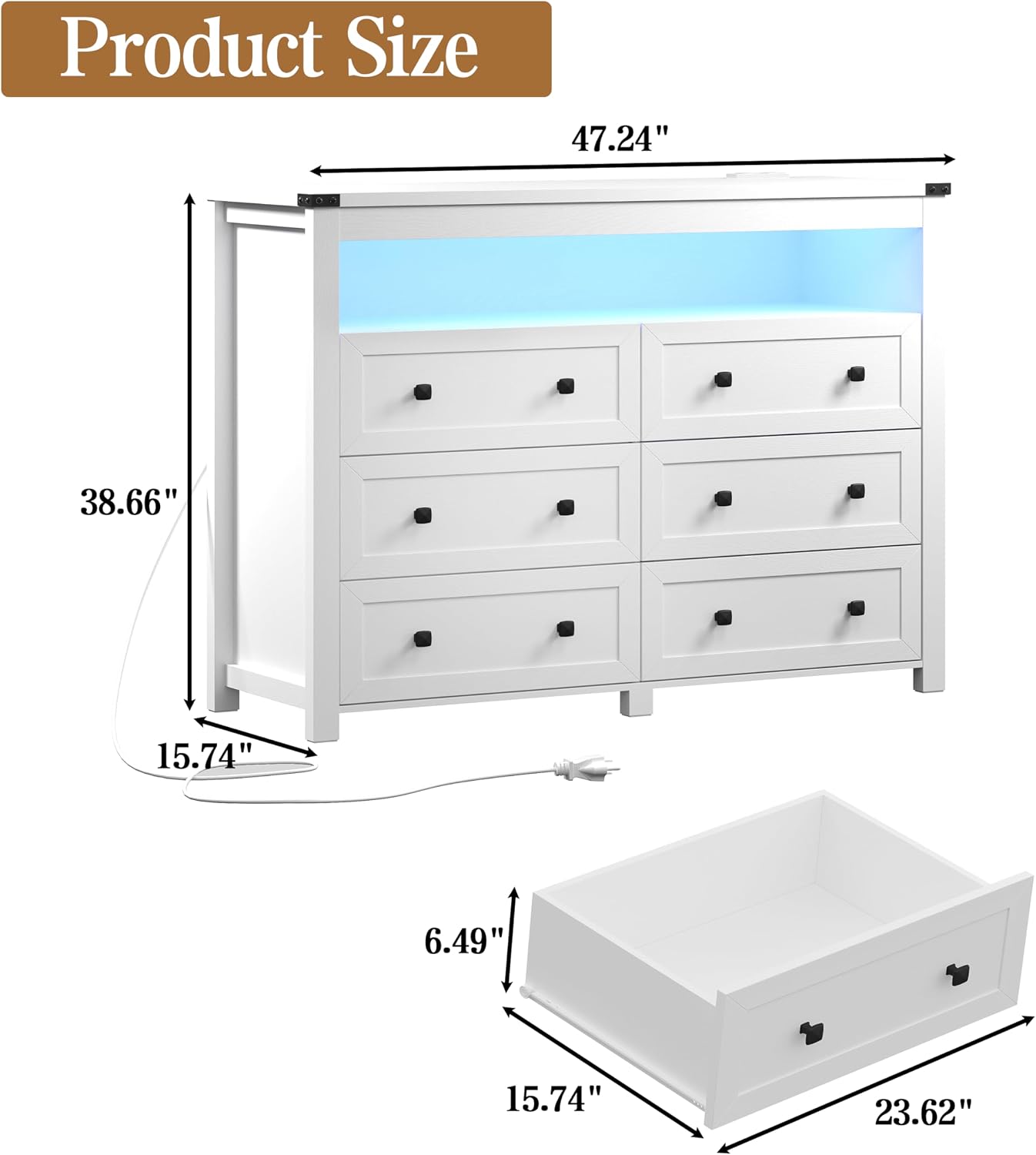
| Product Dimensions (D x W x H) | 15.7" x 47.2" x 38.6" |
| Number of Drawers | 6 |
| Item Weight | 104 Pounds |
| Charging Station | 2 AC Outlets (120V/12A), 2 USB Ports (5V/2.1A) |
| LED Lights | Adjustable RGB, Key & APP Control |
| Assembly Required | Yes |
Warranty and Support
Wodeer products are manufactured with quality and customer satisfaction in mind. For specific warranty details, please refer to the documentation included with your purchase or visit the official Wodeer website. If you require assistance with assembly, missing parts, or have any questions regarding your dresser, please contact Wodeer customer support through the retailer where the product was purchased or via the contact information provided in your product packaging.
Online Support: For additional resources, including FAQs and product registration, please visit the Wodeer store on Amazon: Wodeer Amazon Store
Ask a question about this manual
Ask about setup, troubleshooting, compatibility, parts, safety, or missing instructions. Manuals+ will review the question and use this page’s manual context to help answer it.