
Introduction
This manual provides detailed instructions for the assembly, operation, maintenance, and troubleshooting of your TEENFON Vanity Desk with Mirror and Lights. Please read this manual thoroughly before assembly and use to ensure proper function and longevity of your product. Keep this manual for future reference.
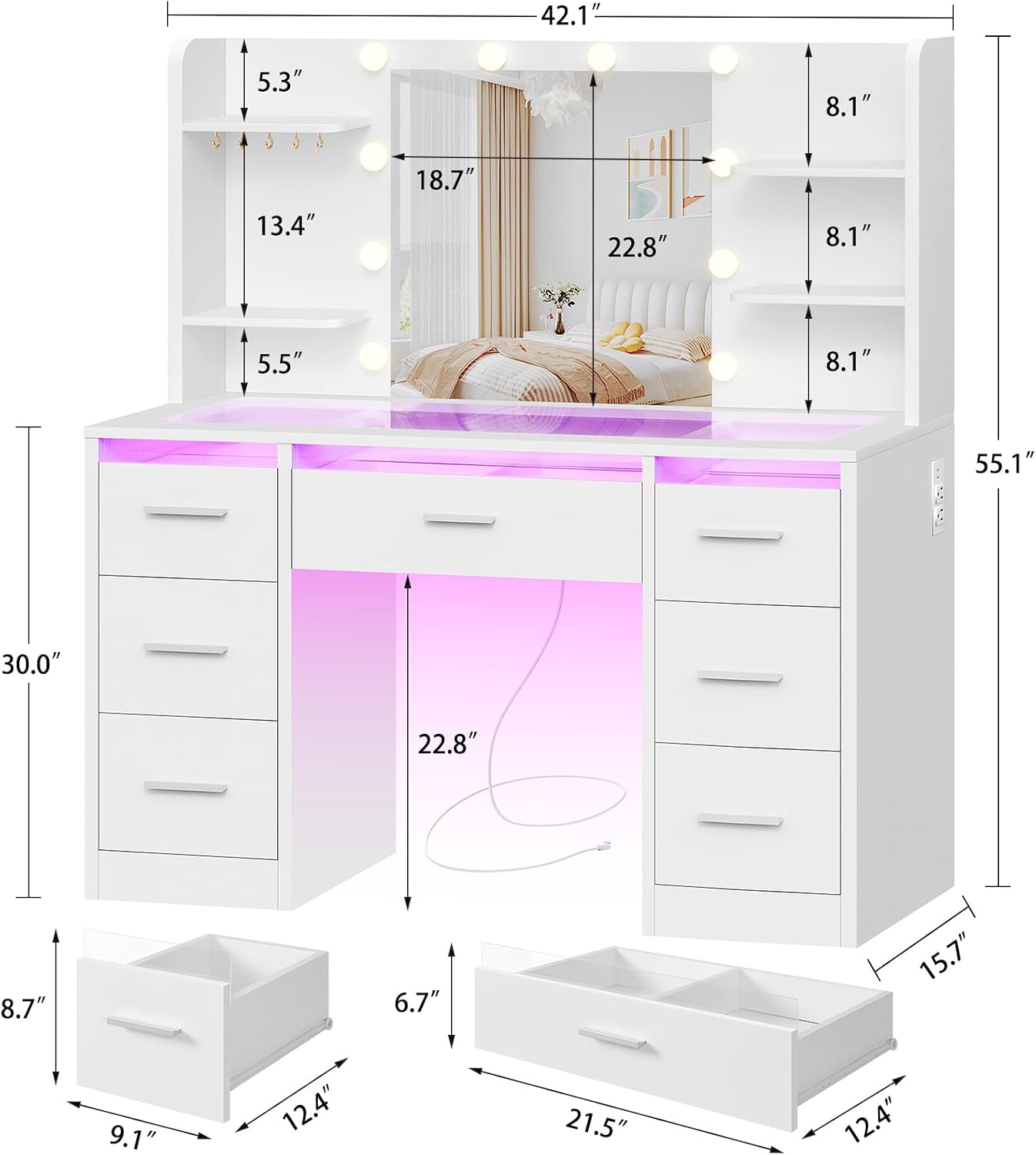
Image: Overall dimensions of the TEENFON Vanity Desk, highlighting its compact yet spacious design with a lighted mirror and multiple storage options.
Setup and Assembly
Your TEENFON Vanity Desk requires assembly. All necessary hardware and components are included and labeled for ease of installation. It is recommended to have a second person assist with assembly.
Required Tools (Not Included):
- Phillips head screwdriver
- Hammer (optional, for dowels)
Assembly Steps:
- Unpack Components: Carefully remove all parts from the packaging. Verify that all components and hardware listed in the included paper instructions are present.
- Assemble Base Structure: Follow the step-by-step diagrams in the provided instruction manual to assemble the main desk frame and drawer units. Ensure all screws and fasteners are tightened securely.
- Install Drawers: Insert the drawer slides into the designated slots on the desk frame. Assemble the drawers according to the instructions and then slide them into place.
- Attach Mirror Unit: Secure the mirror and shelving unit to the main desk structure using the provided hardware. Ensure it is stable and level.
- Connect Electrical Components: Connect the power cables for the mirror lights, RGB drawer lights, and the built-in charging station. Ensure all connections are firm.
- Final Placement: Position the vanity desk in its desired location. Ensure it is on a flat, stable surface.
Refer to the detailed paper instructions included in your package for specific assembly diagrams and hardware identification.
Operating Instructions
1. Mirror Lighting
The vanity mirror features adjustable LED lighting to suit various needs.
- Adjusting Brightness: Long press the touch switch on the mirror to increase or decrease the light brightness.
- Changing Light Mode: Short press the touch switch to cycle through three light modes: Cold White (6500K), Warm White (4500K), and Warm Yellow (3500K).

Image: Illustration of the three adjustable light modes (Cold White, Warm White, Warm Yellow) available on the vanity mirror, with corresponding color temperatures and recommended uses.
2. RGB Lighted Drawers
The vanity desk includes RGB lighted drawers that can be customized for ambiance.
- Control: The RGB lights can be controlled via a dedicated app or a physical key/button (refer to specific instructions for your model's control method).
- Features: Access over 60,000 colors, adjust brightness, and utilize music mode, mic mode, and timing functions through the control interface.
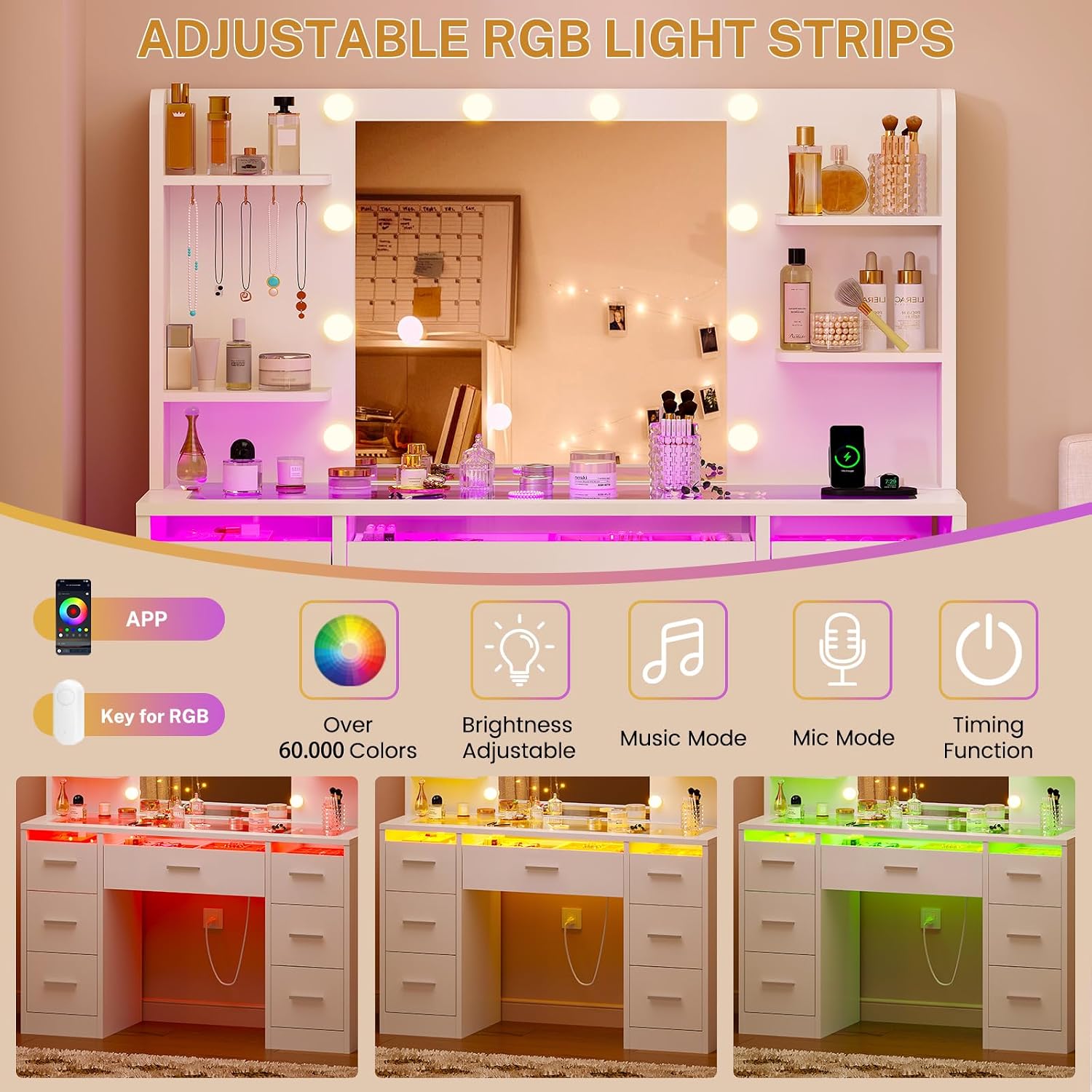
Image: Diagram showing the adjustable RGB light strips and the various control options, including app control, color selection, brightness adjustment, music mode, mic mode, and timing function.
3. Built-in Charging Station
The vanity desk is equipped with a convenient charging station.
- Power Outlets: Features 2 standard AC plug sockets (120V/12A) for devices like curling irons, hair dryers, or other beauty appliances.
- USB Ports: Includes 2 USB ports (5V/2A) for charging smartphones, tablets, and other USB-powered devices.

Image: Close-up view of the built-in charging station, detailing the two AC power outlets and two USB charging ports for convenient device power.
Maintenance
To ensure the longevity and appearance of your TEENFON Vanity Desk, follow these simple maintenance guidelines:
- Cleaning: Wipe the surfaces with a dry, soft cloth. Avoid abrasive cleaners or harsh chemicals that may damage the engineered wood finish or glass top.
- Spills: Immediately wipe up any spills to prevent staining or damage to the material.
- Drawer Rails: Periodically check drawer rails for smooth operation. If drawers become stiff, a small amount of silicone lubricant can be applied to the rails.
- Electrical Components: Ensure all electrical cords are free from kinks or damage. Do not attempt to repair electrical components yourself.
- Mirror: Clean the mirror with a glass cleaner and a soft, lint-free cloth.
Troubleshooting Guide
If you encounter issues with your vanity desk, refer to the following common problems and solutions:
| Problem | Possible Cause | Solution |
|---|---|---|
| Mirror lights not turning on or flickering. | Loose power connection, faulty bulb, power outage. | Check if the power cord is securely plugged into the wall outlet and the vanity. Ensure the wall outlet has power. If bulbs are replaceable, check them. |
| RGB drawer lights not working or unresponsive. | Loose connection, app/controller issue, power supply problem. | Verify all RGB light strip connections. Restart the control app or check the physical controller. Ensure the vanity's main power is on. |
| Charging station (AC outlets/USB ports) not providing power. | Vanity not plugged in, circuit breaker tripped, internal wiring issue. | Confirm the vanity is plugged into a live wall outlet. Check your home's circuit breaker. If the issue persists, contact customer support. |
| Lights overheating quickly. | Prolonged use, poor ventilation, internal component issue. | Turn off the lights and allow them to cool. Ensure adequate ventilation around the mirror unit. If overheating continues, discontinue use and contact customer support immediately. |
| Drawers are stiff or do not slide smoothly. | Misalignment, debris in rails, lack of lubrication. | Empty the drawer and check for any obstructions. Ensure the drawer is properly aligned on its rails. Apply a small amount of silicone lubricant to the drawer slides if needed. |
Product Specifications
| Feature | Detail |
|---|---|
| Brand | TEENFON |
| Model Number | vanity |
| Color | White (039) |
| Material | Engineered Wood |
| Product Dimensions (D x W x H) | 40D x 107W x 140H centimetres |
| Item Weight | 38.9 kg |
| Number of Drawers | 7 |
| Number of Shelves | 4 |
| Special Features | Adjustable Mirror Lights, Built-In USB Outlet, RGB Lighted Drawers |
| Included Components | Bulb included, Mirror |
| Charging Station | 2 AC Outlets (120V/12A), 2 USB Ports (5V/2A), 4.8-Foot Power Cord |
| Product Care Instructions | Wipe with Dry Cloth |
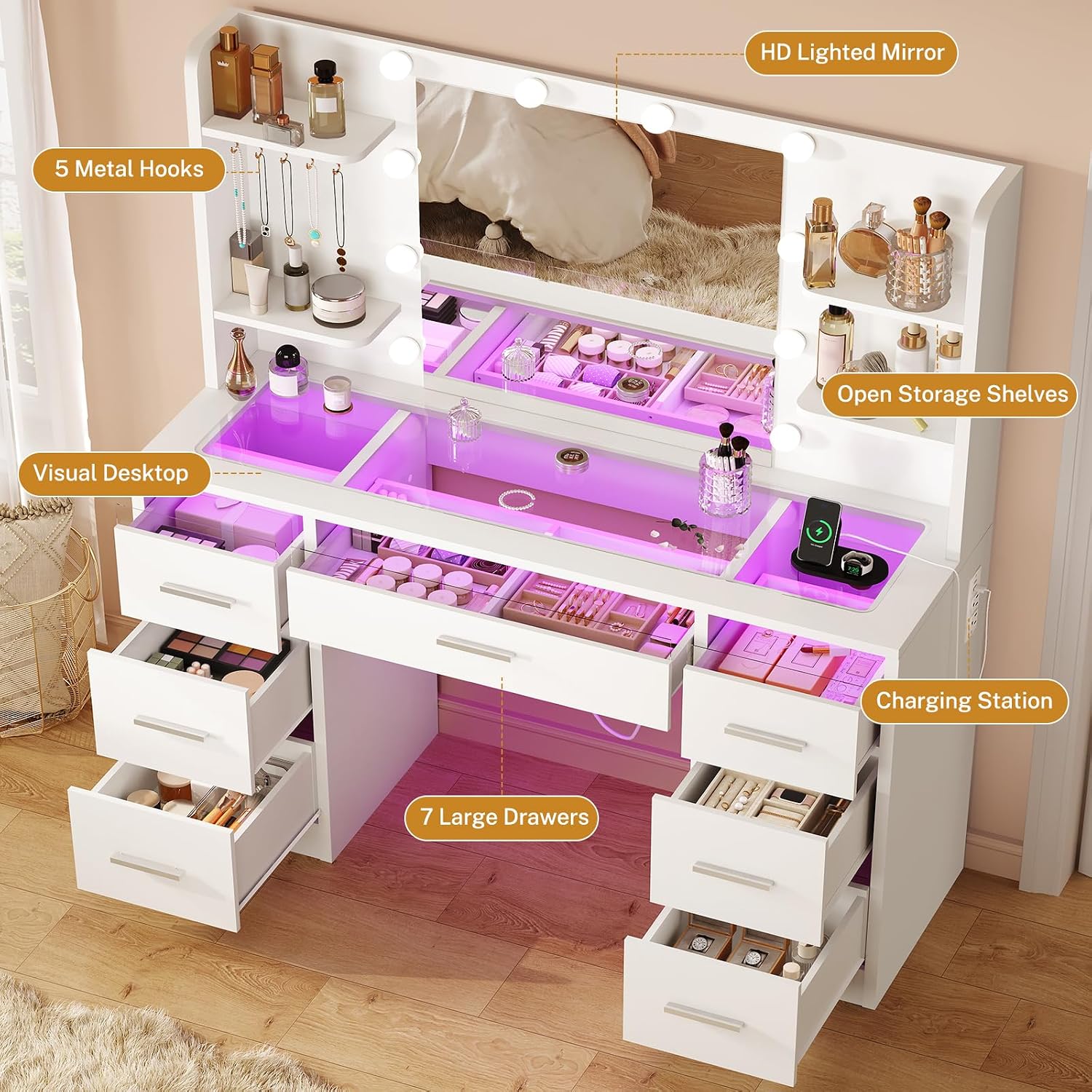
Image: An overhead view of the TEENFON Vanity Desk, showcasing the seven large drawers, six open storage spaces, five jewel hooks, visual desktop, and integrated charging station.
Warranty and Customer Support
For any questions, concerns, or issues not covered in this manual, please contact TEENFON customer support. Please have your model number and purchase information ready when contacting support.
Specific warranty details may be provided with your purchase documentation. Please refer to those documents for information regarding warranty coverage and claims.


