
Introduction
The Tilcare Electric Insulin Cooler Travel Case is designed to maintain the required temperature for insulin and other perishable medications during travel. This manual provides essential information for the safe and effective use of your device, including setup, operation, maintenance, and troubleshooting.
Safety Information
- Read all instructions before using the device.
- Do not immerse the electric cooling lid in water or other liquids.
- Keep the device away from extreme heat sources or open flames.
- Ensure the USB power source meets the device's power requirements.
- Do not attempt to disassemble or repair the device yourself. Contact customer support for assistance.
- Keep out of reach of children.
- Always consult your healthcare professional regarding the proper storage temperatures for your specific medications.
Package Contents
Verify that all items are present in your package:
- Tilcare Electric Insulin Cooler Travel Case (main body)
- USB Cooling Lid
- BioGel Bottle
- Isolating Pen Pouch
- USB-C Cable
- User Manual (this document)
Setup
1. BioGel Preparation
For extended cooling without a power source, prepare the BioGel bottle:
- Place the BioGel bottle in a freezer for 6-8 hours, or overnight, until completely frozen.
- Before use, remove the BioGel bottle from the freezer and let it rest at room temperature for approximately 5 minutes. This helps prevent medications from freezing.
- Insert the prepared BioGel bottle into the main body of the cooler.
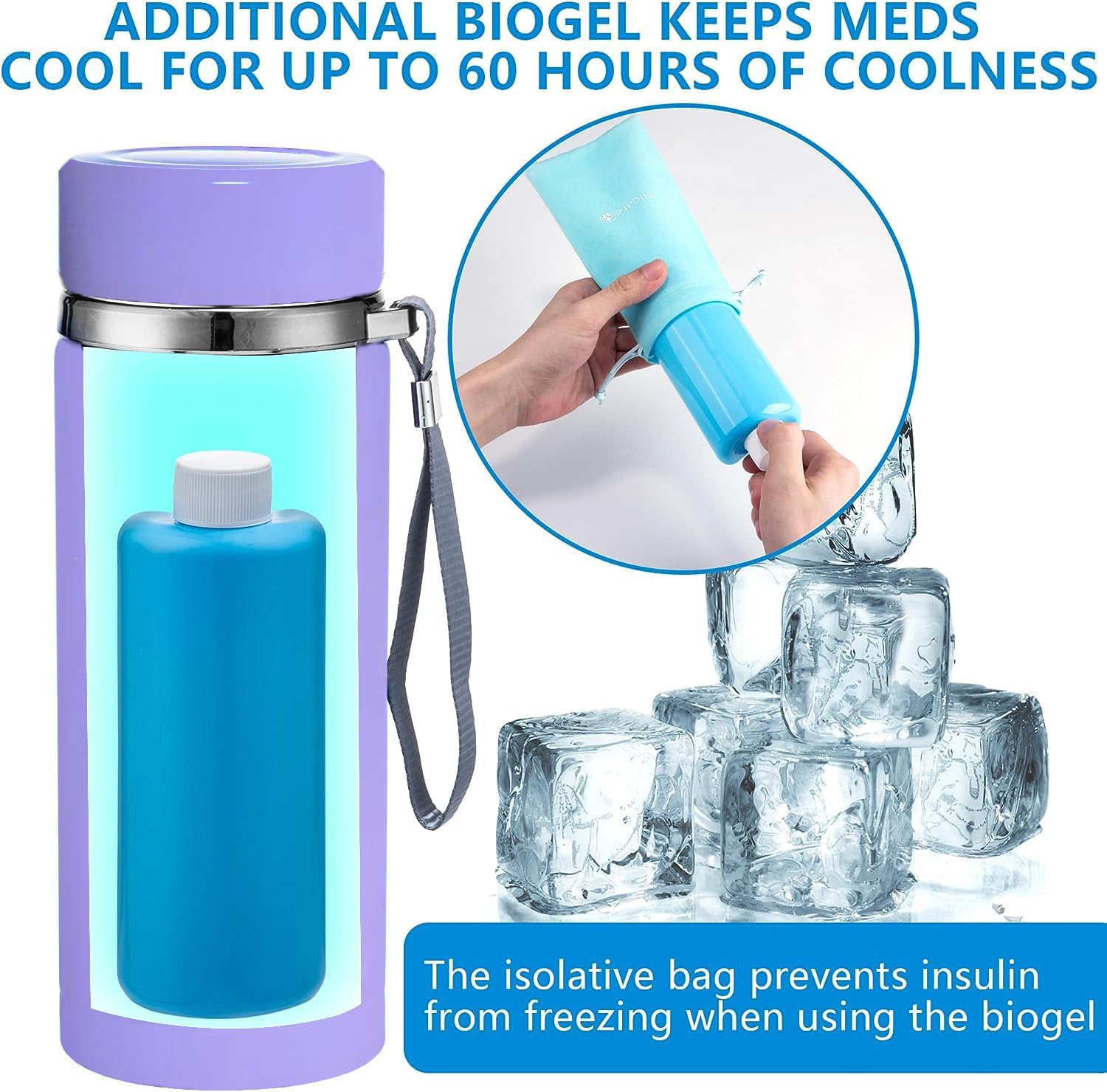
Image: The BioGel bottle being inserted into the cooler, surrounded by ice cubes, illustrating its cooling function. The isolative bag is shown preventing direct contact with the BioGel.
2. Medication Placement
Carefully place your insulin pens, vials, or other perishable medications into the cooler. For added protection and temperature stability, use the provided isolating pen pouch.

Image: A visual guide demonstrating the cooler's capacity to hold multiple insulin pens and vials of different types.
3. Attaching the USB Cooling Lid
Securely screw the USB cooling lid onto the main body of the cooler. Ensure it is tightly sealed to maintain optimal cooling performance.
Operating Instructions
1. USB Powered Cooling
For continuous cooling, connect the USB-C cable to the port on the cooling lid and plug the other end into a compatible USB power source. The cooler will begin to actively cool your medications.
- Compatible Power Sources: Car USB ports, power banks, wall adapters (not included), and other standard USB-A or USB-C outlets.
- The device is designed for unlimited cooling hours when connected to a power source.
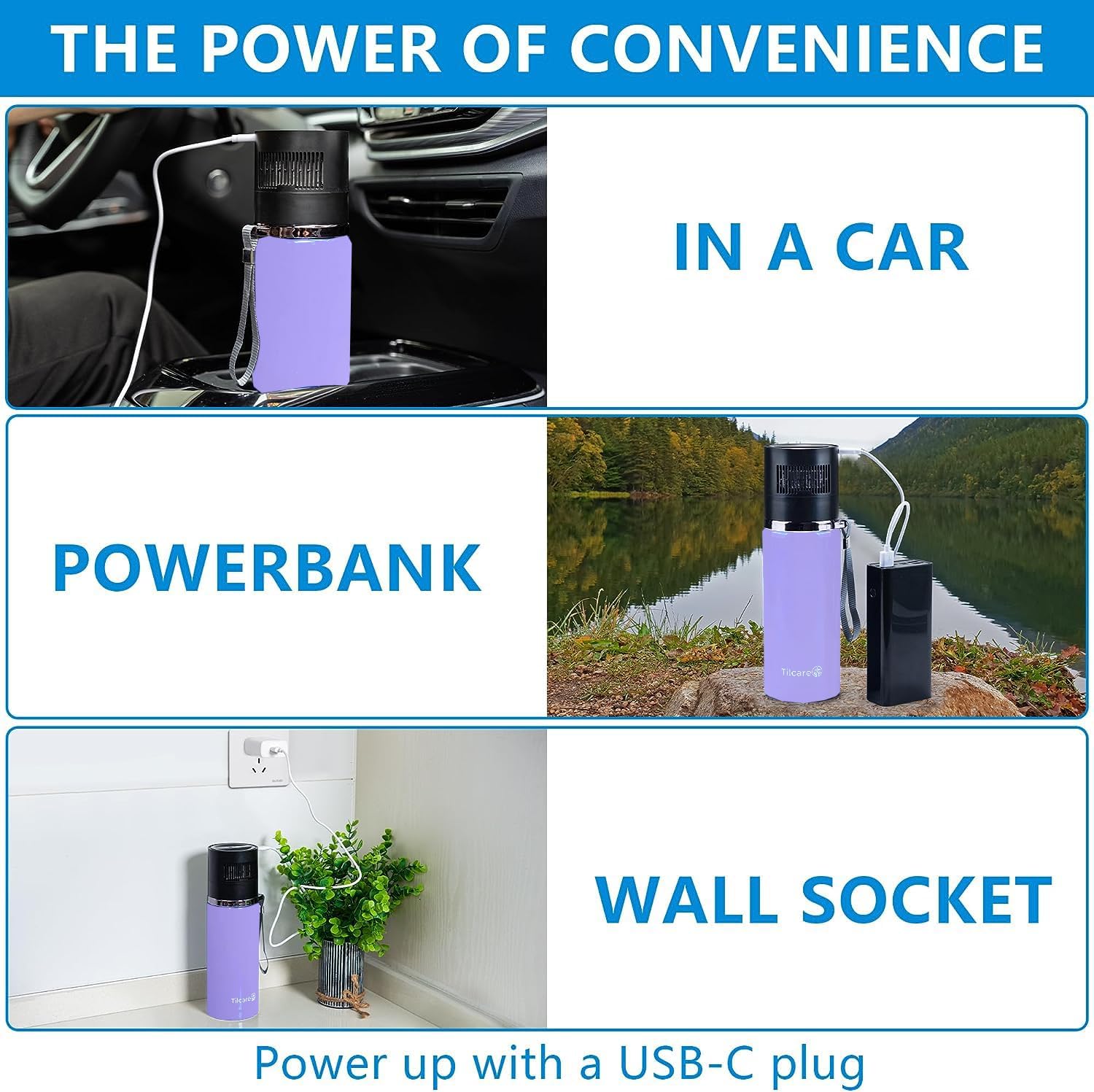
Image: The cooler demonstrating its versatility by being powered in a car, by a power bank, and via a wall socket, highlighting its USB-C connectivity.
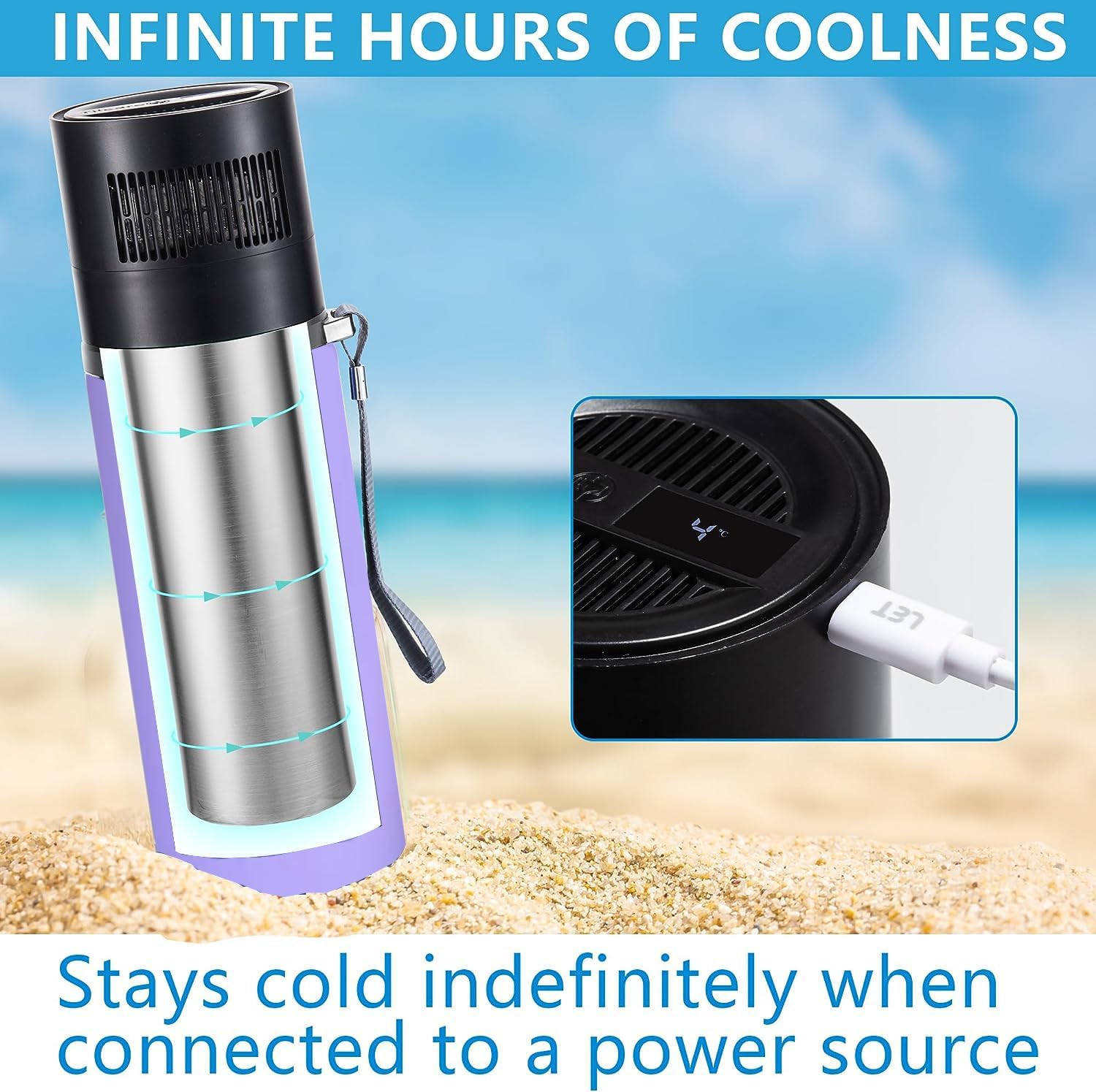
Image: A cutaway view of the cooler illustrating the internal cooling mechanism and the USB connection point on the lid, emphasizing continuous cooling when powered.
2. Temperature Display
The USB cooling lid features a digital display that shows the current internal temperature of the cooler. Monitor this display to ensure your medications are kept within their required temperature range.

Image: A detailed view of the cooler's lid, highlighting the digital temperature display showing 44°F / 7°C, along with a graph illustrating rapid cooling performance over time.
3. BioGel Only Cooling
When a power source is unavailable, the pre-frozen BioGel bottle provides cooling for up to 60 hours. Ensure the BioGel is properly frozen and allowed to temper for 5 minutes before placing it in the cooler with medications.
4. Travel Compliance
The Tilcare Electric Insulin Cooler is TSA-compliant, making it suitable for air travel. Its compact and lightweight design allows it to fit easily into backpacks, carry-ons, or totes.

Image: A person enjoying an outdoor setting with the cooler, emphasizing its portability and TSA approval for travel.
Maintenance
Cleaning
- Wipe the exterior of the cooler with a soft, damp cloth.
- Do not use abrasive cleaners or solvents.
- Ensure the USB cooling lid is dry before connecting it to a power source. Do not submerge the lid in water.
- The interior of the main body can be wiped clean with a damp cloth.
Storage
When not in use, store the cooler in a cool, dry place away from direct sunlight. Ensure the BioGel bottle is clean and dry before storing.
Troubleshooting
| Problem | Possible Cause | Solution |
|---|---|---|
| Cooler not cooling when plugged in. |
|
|
| Temperature display is inaccurate or not working. |
|
|
| BioGel not staying cold for expected duration. |
|
|
Specifications
- Model: B0G2MSC137
- Dimensions (Cooler Body): Approximately 8.26 inches (21 cm) height, 10.15 inches (25.8 cm) circumference.
- Dimensions (Cooling Lid): Approximately 9.25 inches (23.5 cm) height, 6.96 inches (17.7 cm) circumference.
- Weight: Approximately 2.03 Pounds (0.92 kg)
- Cooling Method: USB Electric Cooling & BioGel Pack
- BioGel Cooling Duration: Up to 60 hours (without power source)
- USB Cooling Duration: Unlimited (when connected to power source)
- Capacity: Holds multiple vials and up to six insulin pens.
- Material: Double-walled stainless steel body.
- Compliance: TSA-compliant.

Image: A diagram illustrating the precise dimensions of both the cooler's main body and its electric cooling lid.
Warranty Information
Tilcare products are manufactured with quality and reliability in mind. For specific warranty details, please refer to the warranty card included with your purchase or visit the official Tilcare website. Keep your proof of purchase for any warranty claims.
Customer Support
If you have any questions, require assistance, or encounter issues not covered in this manual, please contact Tilcare Customer Support. You can find contact information on the Tilcare website or on the product packaging.
Online Support: www.tilcare.com/support (Example link, replace with actual if available)