
1. Introduction
Thank you for purchasing the Generic V-15Pro Cordless Car Vacuum. This multifunctional portable vacuum is designed for efficient cleaning in your car, home, or office, offering powerful suction, blowing, inflation, brushing, and lighting capabilities. Please read this manual thoroughly before use to ensure proper operation and maintenance.
2. Product Features
- Unmatched Suction Power: Equipped with a 19,000Pa powerful suction and an innovative honeycomb air duct design for deep cleaning.
- Versatile 5-in-1 Functionality: Seamlessly switches between suction, blowing, inflation, brushing, and lighting modes for various cleaning tasks.
- Cordless Convenience: Lightweight and portable design allows for freedom of movement without tangled cords.
- Smart LCD Display: Provides real-time information on battery life, suction power, and operational mode.
- Advanced Motor Technology: Features a state-of-the-art brushless motor for powerful, consistent performance with minimal noise and energy consumption.
- Efficient Filtration: Includes a washable and reusable metal filter and a HEPA filter, capable of filtering 99.99% of dust.

Image: The V-15Pro Car Vacuum showcasing its powerful 19000Pa suction and advanced brushless motor technology.

Image: The V-15Pro Car Vacuum illustrating its versatile blow and suck functions using different nozzle attachments for various cleaning scenarios.
3. Package Contents
Please check the package for the following items:
- V-15Pro Vacuum Host (Main Unit)
- Charging Cable (USB)
- Washable Metal Filter
- HEPA Filter
- Short Brush Nozzle
- Long Nozzle (Crevice Tool)
- Inflation Nozzle
- User Manual (this document)

Image: All components included in the V-15Pro Car Vacuum package, including the main unit, charging cable, and various attachments.
4. Setup
4.1 Charging the Vacuum
- Before first use, fully charge the vacuum.
- Connect the charging cable to the vacuum's charging port and plug the other end into a suitable USB power adapter (not included).
- The LCD display will indicate charging status. A full charge typically takes approximately 3.5-4 hours.
- Once fully charged, disconnect the charging cable.
4.2 Attaching Accessories
Select the appropriate nozzle for your cleaning task and firmly attach it to the vacuum's suction or blowing port.
- Long Nozzle (Crevice Tool): Ideal for reaching tight spaces, corners, and gaps.
- Short Brush Nozzle: Suitable for cleaning car vents, keyboards, and upholstery.
- Inflation Nozzle: Used for the blowing function, such as inflating small items or clearing dust from surfaces.
5. Operating Instructions
5.1 Powering On/Off and Mode Selection
- Press the power button once to turn on the vacuum in Eco Mode (lower suction).
- Press the power button a second time to switch to Max Mode (19,000Pa powerful suction).
- Press the power button a third time to turn off the vacuum.
- The LCD display will show the current mode and battery level.
5.2 Using Suction Function
Attach the desired nozzle to the suction port. Turn on the vacuum and select the appropriate power mode. Guide the nozzle over the area to be cleaned, ensuring direct contact for optimal suction.
5.3 Using Blowing Function
Attach the inflation nozzle to the blowing port. Turn on the vacuum. Use the blowing function to clear dust from hard-to-reach areas, inflate small items, or dry wet surfaces.
5.4 Integrated Lighting
The vacuum features an integrated LED light to illuminate dark areas during cleaning, such as under car seats or in dimly lit corners.
Video: Demonstration of the V-15Pro Car Vacuum's various cleaning functions, including suction and blowing, in different environments like car interiors and home surfaces.
6. Maintenance
6.1 Emptying the Dust Cup
- Ensure the vacuum is turned off.
- Twist the dust cup counter-clockwise to detach it from the main unit.
- Empty the collected debris into a waste bin.
- Reattach the dust cup by twisting it clockwise until it clicks into place.
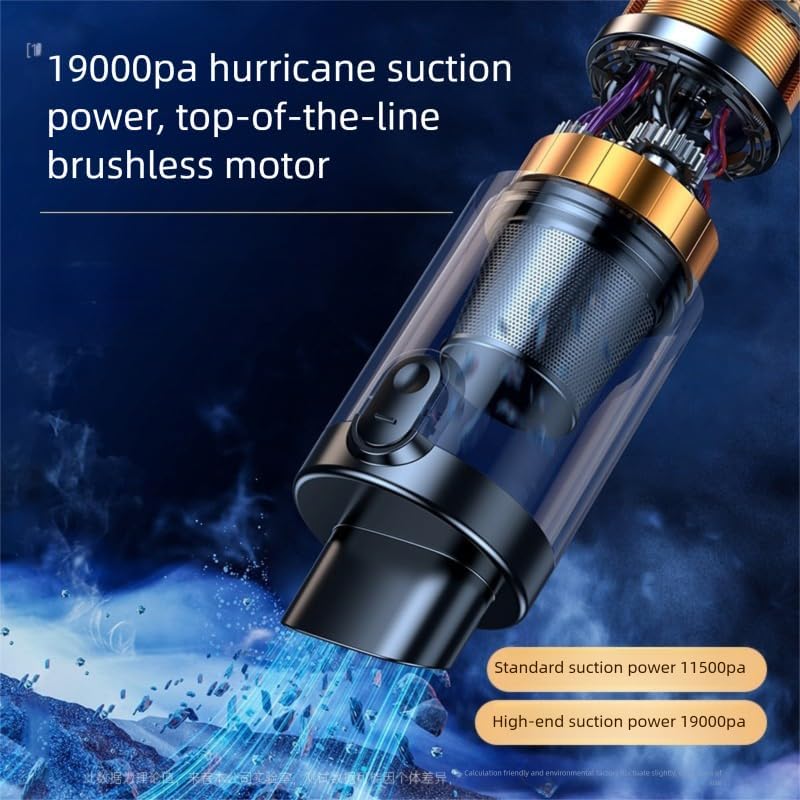
Image: The V-15Pro Car Vacuum disassembled, showing the dust cup and filter components for easy cleaning.
6.2 Cleaning the Filters
- After emptying the dust cup, remove the metal filter and HEPA filter.
- Rinse both filters under running water until clean.
- Allow the filters to air dry completely before reinserting them into the dust cup. Do not use the vacuum with wet filters.
- Regular filter cleaning ensures optimal suction performance.
7. Troubleshooting
| Problem | Possible Cause | Solution |
|---|---|---|
| Vacuum does not turn on. | Battery is depleted. | Charge the vacuum fully. |
| Low suction power. | Dust cup is full or filters are clogged. | Empty the dust cup and clean the filters. |
| Vacuum stops during operation. | Battery is low or motor is overheating. | Recharge the battery. If overheating, allow the unit to cool down before resuming use. |
| Attachments do not fit securely. | Incorrect attachment or not fully inserted. | Ensure the correct attachment is used and firmly push it onto the port until secure. |
8. Specifications
| Feature | Detail |
|---|---|
| Model Name | Aorev-15 Pro |
| Brand | Generic |
| Suction Power | Max Mode: 19,000Pa |
| Functions | Suction, Blowing, Inflatable, Brushing, Lighting |
| Filter Type | HEPA Filter, Washable Metal Filter |
| Noise Level | <75dB |
| Dust Capacity | 0.15L |
| Battery Type | Rechargeable Lithium-ion |
| Charging Time | Approx. 3.5-4 Hours |
| Runtime | Eco Mode: 30 Minutes, Max Mode: 20 Minutes |
| Power Source | Battery Powered |
| Wattage | 120 Watts |
| Voltage | 12 Volts |
| Item Weight | 2.2 Pounds (approx. 1 kg) |
| Dimensions (L x W x H) | 15" x 4.5" x 8" |
9. Warranty and Support
This product comes with a standard manufacturer's warranty. For specific warranty details, please refer to the product packaging or contact the retailer where the product was purchased. For technical support or customer service inquiries, please reach out to the manufacturer or seller through the contact information provided with your purchase.


