
Introduction
This manual provides instructions for the installation, operation, and maintenance of your ASPL 48-inch High-Intensity LED Low Profile Roof Mount Emergency Warning Security Strobe Light Bar. Please read this manual thoroughly before use to ensure proper function and safety.
Safety Information
- Ensure all connections are secure and properly insulated to prevent electrical shorts.
- Mount the light bar securely to prevent detachment during vehicle operation.
- Do not look directly into the LED lights when operating, as this may cause eye strain or damage.
- Verify local regulations regarding the use of emergency warning lights before installation and operation.
- Disconnect power before performing any maintenance or installation.
Package Contents
Verify that all components are present before beginning installation.

Image: Overview of the ASPL 48-inch LED Light Bar and its included components, such as the light bar unit, wiring, control panel, and various mounting brackets and screws.
- ASPL 48-inch LED Light Bar
- Control Panel
- Wiring Harness
- Mounting Brackets (Stainless Steel)
- Protective Rubber Feet
- Installation Hardware (screws, nuts, washers)
Specifications
- Model: Roof 158LED G
- Color: Green
- Light Source Type: Light Emitting Diode (LED)
- Wattage: 3 Watts per LED
- Flash Modes: 29
- Special Features: Take-down Alley Lights, Last Pattern Recall/Memory Function
- Housing: Full Aluminum Housing
- Lens: Tough Polycarbonate Lens
- Coverage: 360°
- Dimensions: Approximately 47.6 inches (length) x 4.7 inches (width) x 3 inches (height)
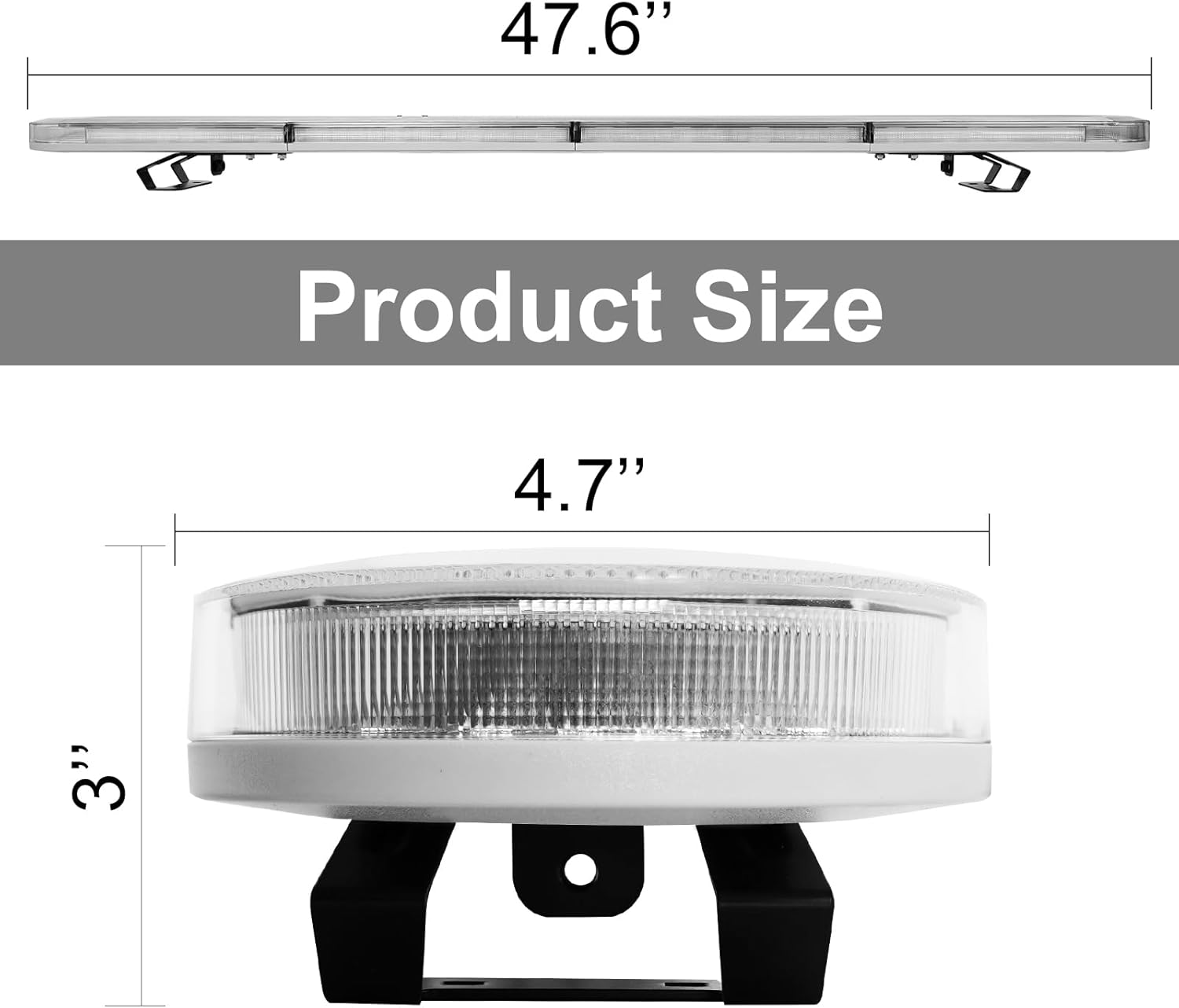
Image: Product dimensions, indicating a length of 47.6 inches, a width of 4.7 inches, and a height of 3 inches.
Installation
- Preparation: Ensure the vehicle's power is off. Choose a suitable mounting location on the roof that provides clear visibility and does not obstruct the driver's view.
- Mounting Brackets: Attach the stainless steel mounting brackets to the light bar using the provided hardware. Ensure the protective rubber feet are in place to prevent scratching the vehicle surface.
- Secure Light Bar: Position the light bar on the vehicle roof. The adjustable legs allow for proper fitment. Secure the light bar firmly using the mounting hardware. Ensure it is stable and does not wobble.
- Wiring: Route the wiring harness from the light bar into the vehicle cabin. Connect the power wires to a suitable 12V DC power source, ensuring proper polarity (red to positive, black to negative). It is recommended to connect through a fused circuit.
- Control Panel Connection: Connect the control panel to the wiring harness as per the wiring diagram (not provided, refer to product packaging for specific wiring instructions).
- Testing: After installation, turn on the vehicle's power and test all light bar functions using the control panel.
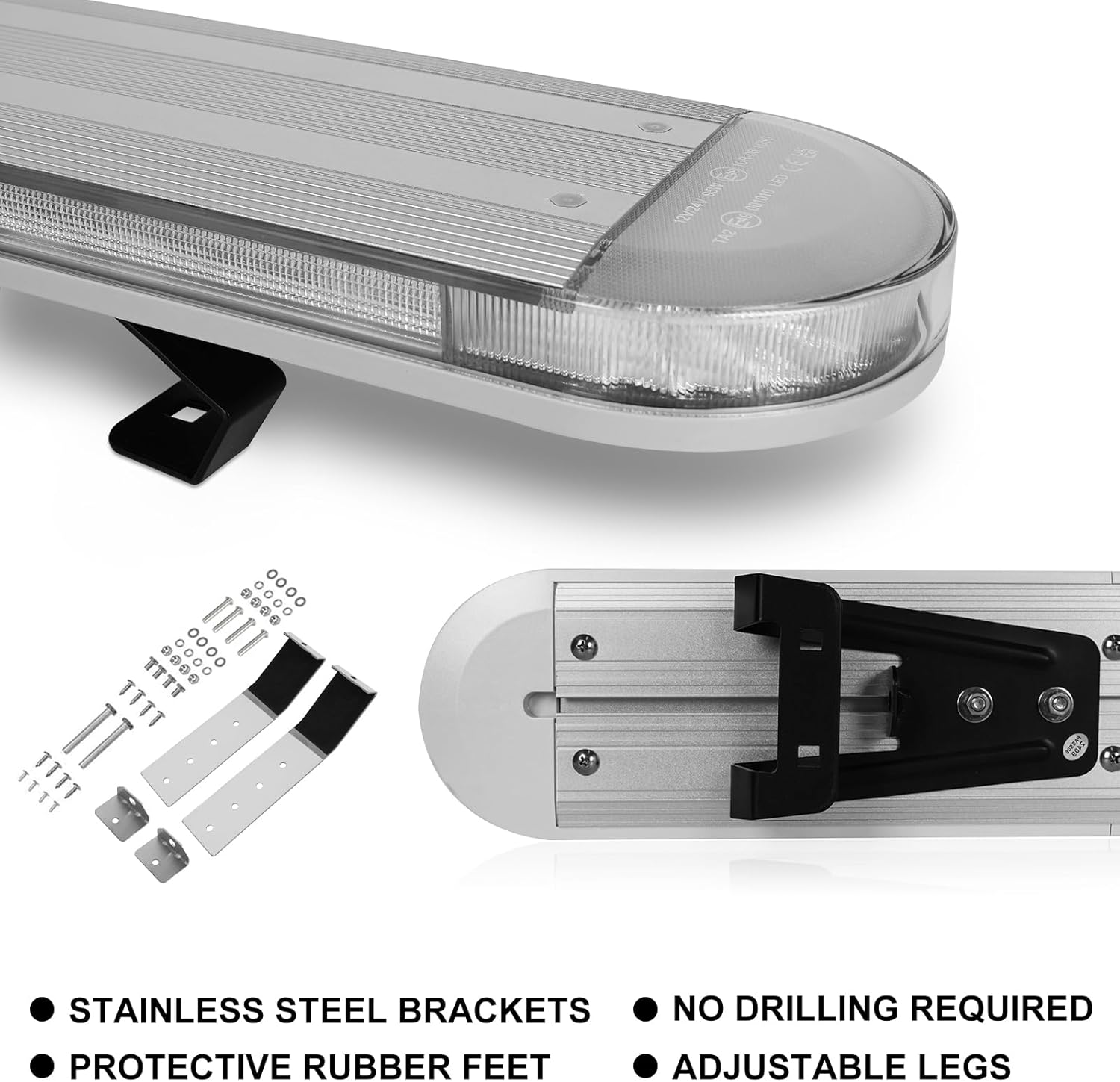
Image: Detailed view of the stainless steel mounting brackets, protective rubber feet, and adjustable legs for the light bar. The design allows for installation without drilling.
Operation
The ASPL LED Light Bar features multiple flash patterns and auxiliary lighting functions controlled by the included panel.

Image: The control panel for the ASPL LED Light Bar, showing buttons for power, mode, pattern selection, dimming, steady on, and specific light functions like front spot, rear spot, left alley, and right alley.
Control Panel Functions
| Symbol | Function |
|---|---|
| ⏻ | ON/OFF (Power) |
| M | ON/OFF (Mode) |
| ⏮ | Previous Pattern |
| ⏭ | Next Pattern |
| DIM | Day/Night Mode (Brightness Adjustment) |
| CRUISE | Steady On Mode |
| BACK #1 | Fast back to Pattern #1 |
| ◀ | Left Arrowstick |
| ↔ | Middle to Side Arrowstick |
| ▶ | Right Arrowstick |
| F/S | Front Spot Light |
| R/S | Rear Spot Light |
| L/A | Left Alley Light |
| R/A | Right Alley Light |
Light Bar Features

Image: Demonstrates the light bar's capabilities, including double-color LEDs in the middle and sides, front/rear spot lights (take-down lights), and left/right alley lights.
- Flash Modes: The light bar offers 29 distinct flash patterns. Use the "Previous Pattern" and "Next Pattern" buttons to cycle through them.
- Last Pattern Recall: The unit features a memory function that recalls the last selected flash pattern upon power-up.
- Take-Down Lights (Front/Rear Spot Light): Activate the front or rear spot lights using the "F/S" and "R/S" buttons on the control panel. These provide focused illumination.
- Alley Lights (Left/Right): Activate the left or right alley lights using the "L/A" and "R/A" buttons. These provide side illumination.
- Day/Night Mode: Use the "DIM" button to adjust brightness for optimal visibility in different lighting conditions.
- Steady On: The "CRUISE" button activates a steady-on light mode.
- Arrowstick Functions: The arrowstick buttons (Left, Middle to Side, Right) control directional warning patterns.
Maintenance
- Cleaning: Regularly clean the polycarbonate lens with a soft cloth and mild soap solution. Avoid abrasive cleaners that could scratch the lens.
- Inspection: Periodically check all wiring connections for corrosion or damage. Ensure mounting hardware remains tight and secure.
- LEDs: The LED lights are designed for long life and typically do not require replacement. If an LED fails, contact customer support.
- Storage: If storing the vehicle for an extended period, ensure the light bar is clean and disconnected from power.
Troubleshooting
| Problem | Possible Cause | Solution |
|---|---|---|
| Light bar does not turn on. | No power, loose connection, blown fuse. | Check power supply. Verify all wiring connections. Inspect and replace fuse if necessary. |
| Some LEDs are not working. | Damaged LED module. | Contact customer support for assistance. |
| Control panel is unresponsive. | Loose connection to control panel, faulty control panel. | Check control panel wiring. If problem persists, contact customer support. |
| Light bar is flickering or inconsistent. | Unstable power supply, loose wiring. | Ensure stable 12V DC power. Check and secure all wiring connections. |
Warranty and Support
For warranty information or technical support, please contact ASPL customer service. Refer to your purchase documentation for specific warranty terms and contact details.
ASPL Store: Visit the ASPL Store on Amazon