
1. Introduction
The StitchGreen H59 Max is a smart fitness tracker designed to monitor your daily activity, heart rate, and sleep patterns. This device is built for everyday wear, offering a comfortable fit and IP68 waterproof rating. This manual provides essential information for setting up, operating, and maintaining your H59 Max fitness tracker.
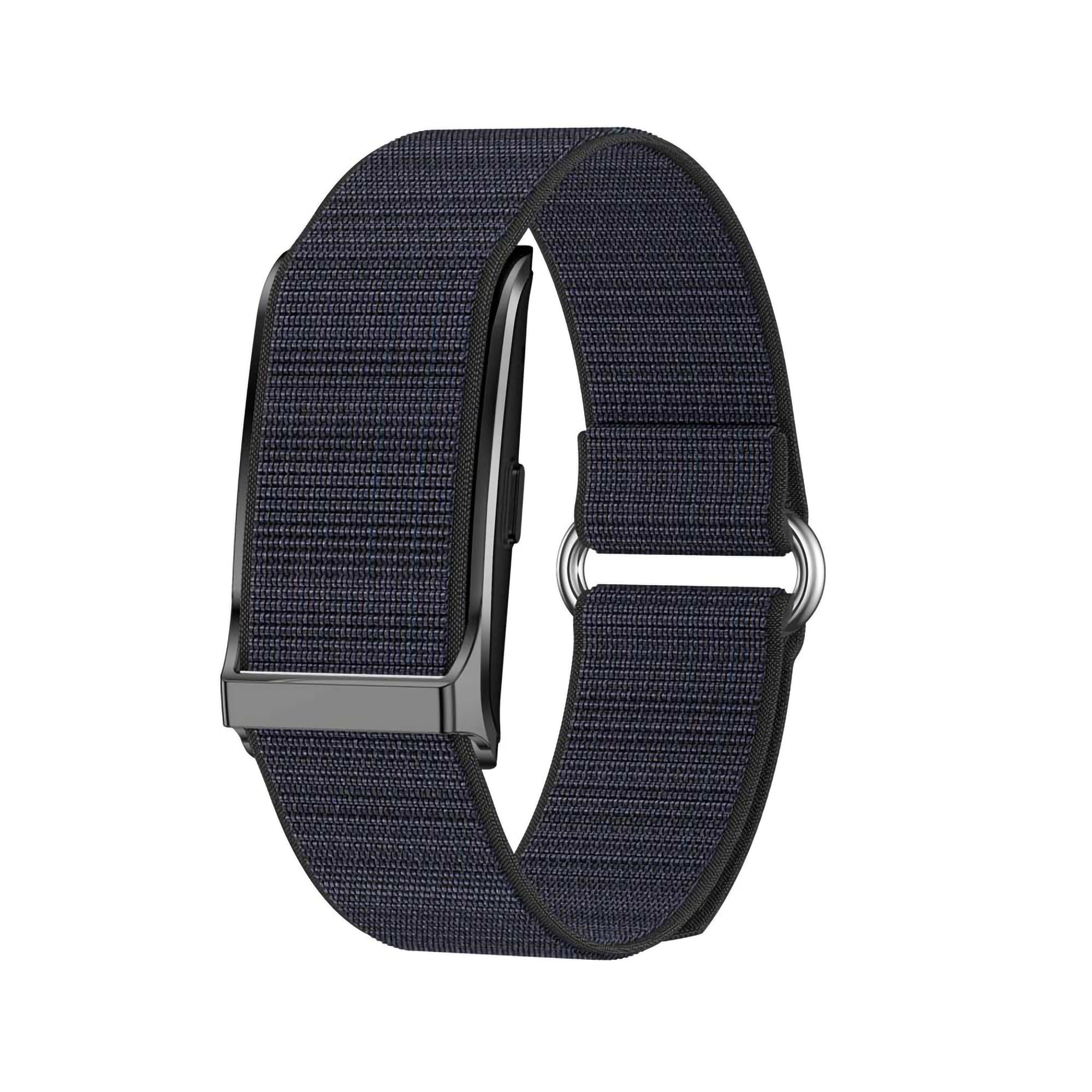
Image 1.1: Front view of the StitchGreen H59 Max Smart Fitness Tracker. The tracker features a sleek, screenless design with an orange band, highlighting its compact form factor.
2. What's in the Box
Upon unpacking your StitchGreen H59 Max, please ensure all the following components are present:
- StitchGreen H59 Max Smart Fitness Tracker (with adjustable strap)
- USB Charging Cable
- User Manual (this document)

Image 2.1: The StitchGreen H59 Max Smart Fitness Tracker with its black nylon band and the product packaging. The packaging is compact and designed to protect the device during transit.
3. Setup
3.1 Charging the Device
Before initial use, fully charge your H59 Max fitness tracker. Connect the provided USB charging cable to the charging contacts on the back of the tracker and to a standard USB power source (e.g., computer USB port, USB wall adapter). A full charge typically provides 5-7 days of working time.

Image 3.1: This image illustrates key features of the H59 Max, including its IP68 waterproof rating, 35-40 days ultra-long battery life (standby), screenless design for comfort, lightweight build (22g), and the ability to track GPS running trajectories via the companion app.
3.2 App Installation and Pairing
- Download the Companion App: Search for the official StitchGreen companion app in the App Store (iOS) or Google Play Store (Android). The app is compatible with Android 6.0+ and iOS 11.0+.
- Enable Bluetooth: Ensure Bluetooth is enabled on your smartphone.
- Open the App: Launch the companion app and follow the on-screen instructions to create an account or log in.
- Pair Device: Within the app, navigate to the device pairing section. Select the H59 Max from the list of available devices. The app will guide you through the pairing process.
- Complete Setup: Once paired, the app will sync with your tracker and allow you to customize settings, set personal goals, and view your health data.
4. Operating Instructions
4.1 Activity Tracking
The H59 Max automatically tracks your daily activity, including steps taken, distance traveled, and calories burned. It also supports multiple sport modes for more accurate workout data.
- Automatic Tracking: Wear the tracker on your wrist, and it will automatically record your steps, distance, and calories throughout the day.
- Sport Modes: Access specific sport modes (e.g., walking, running, cycling) through the companion app to get detailed metrics for your workouts.
- Data Sync: Open the companion app regularly to sync your activity data from the tracker to your smartphone for detailed analysis and history.
Image 4.1: The H59 Max supports multiple activity modes, including walking, running, and cycling, to help users accurately track various workouts and achieve fitness goals.
4.2 Heart Rate Monitoring
The H59 Max features continuous heart rate monitoring to provide insights into your cardiovascular health and workout intensity.
- Continuous Monitoring: The tracker uses optical sensors to continuously measure your heart rate throughout the day and during exercise.
- View Data: Sync your tracker with the companion app to view real-time heart rate data, historical trends, and resting heart rate information.
- Accuracy: For best heart rate accuracy, wear the band snugly above the wrist bone during workouts.

Image 4.2: A user wearing the H59 Max, with a smartphone screen displaying the heart rate monitoring interface of the companion app. The app shows current heart rate (71 bpm) and a historical graph of heart rate data.
4.3 Sleep Tracking
The H59 Max automatically detects and analyzes your sleep patterns, providing data on deep sleep, light sleep, and awake periods.
- Automatic Detection: Wear the tracker to bed, and it will automatically begin monitoring your sleep.
- Sleep Analysis: Sync with the app to view detailed sleep reports, including sleep stages and a sleep score, to help improve your rest quality.

Image 4.3: A user wearing the StitchGreen H59 Max on their wrist, demonstrating its capability for continuous 24-hour health tracking, including sleep monitoring.
4.4 Smart Notifications
Receive alerts for calls, text messages, and social media notifications directly on your wrist.
- Enable Notifications: Configure notification settings within the companion app to select which alerts you wish to receive.
- Vibration Alerts: The tracker will vibrate to notify you of incoming calls, messages, and other alerts.
4.5 IP68 Waterproof Rating
The H59 Max is IP68 waterproof, making it suitable for daily activities such as hand washing, showering, and training in the rain. It is not recommended for swimming or prolonged submersion in water.
5. Maintenance & Care
- Cleaning: Regularly clean the tracker band with a soft, damp cloth. Avoid harsh chemicals.
- Water Exposure: While IP68 rated, avoid prolonged exposure to hot water or saunas, as this can affect the device's seals.
- Charging Contacts: Ensure the charging contacts on the back of the tracker are dry and clean before connecting the USB charging cable.
- Storage: Store the device in a cool, dry place when not in use.
6. Troubleshooting
- Device Not Turning On: Ensure the device is fully charged. Connect it to the charger for at least 30 minutes.
- Unable to Pair with App:
- Ensure Bluetooth is enabled on your smartphone.
- Make sure the tracker is within Bluetooth range of your phone.
- Restart both your phone and the tracker.
- Check if the app has necessary permissions (e.g., location, Bluetooth).
- Inaccurate Heart Rate/Activity Data:
- Ensure the tracker is worn snugly on your wrist, about one finger's width above your wrist bone.
- Clean the optical sensor on the back of the device.
- Avoid excessive movement during heart rate readings if possible.
- Notifications Not Appearing:
- Verify notification settings are correctly configured in the companion app.
- Ensure your phone's Bluetooth is connected to the tracker.
- Check your phone's notification settings to ensure the app is allowed to send notifications.
7. Specifications
| Feature | Detail |
|---|---|
| Model Number | H59 Max |
| Brand | StitchGreen |
| Material | Nylon, Plastic, Silicone, Stainless Steel, Zinc |
| Color | Black |
| Compatible Devices | Android Smartphones (6.0+), iPhones (iOS 11.0+), Tablets |
| Product Dimensions | 1.07"L x 0.3"W x 1.6"H |
| Item Weight | 2.47 Ounces |
| Battery Life | Up to 5-7 days (normal use) |
| Sensor Type | Optical |
| Waterproof Rating | IP68 |
8. Warranty & Support
8.1 Warranty Information
The StitchGreen H59 Max Smart Fitness Tracker comes with a one-year limited warranty from the date of purchase. This warranty covers manufacturing defects under normal use. It does not cover damage caused by misuse, accidents, unauthorized modifications, or failure to follow the instructions in this manual.
8.2 Customer Support
For setup assistance, firmware updates, warranty claims, or any other inquiries, please contact StitchGreen customer service. Refer to the contact information provided on the product packaging or the official StitchGreen website.