
1. Introduction
This manual provides detailed instructions for the proper installation, operation, and maintenance of your LAVNA Bluetooth Remote Control Key Fob (Model: Remote BT). This device is designed to provide convenient wireless control for your compatible LAVNA smart door locks, allowing for quick lock and unlock functions without needing to use a smartphone application.
Please read this manual thoroughly before using the product to ensure safe and efficient operation. Keep this manual for future reference.
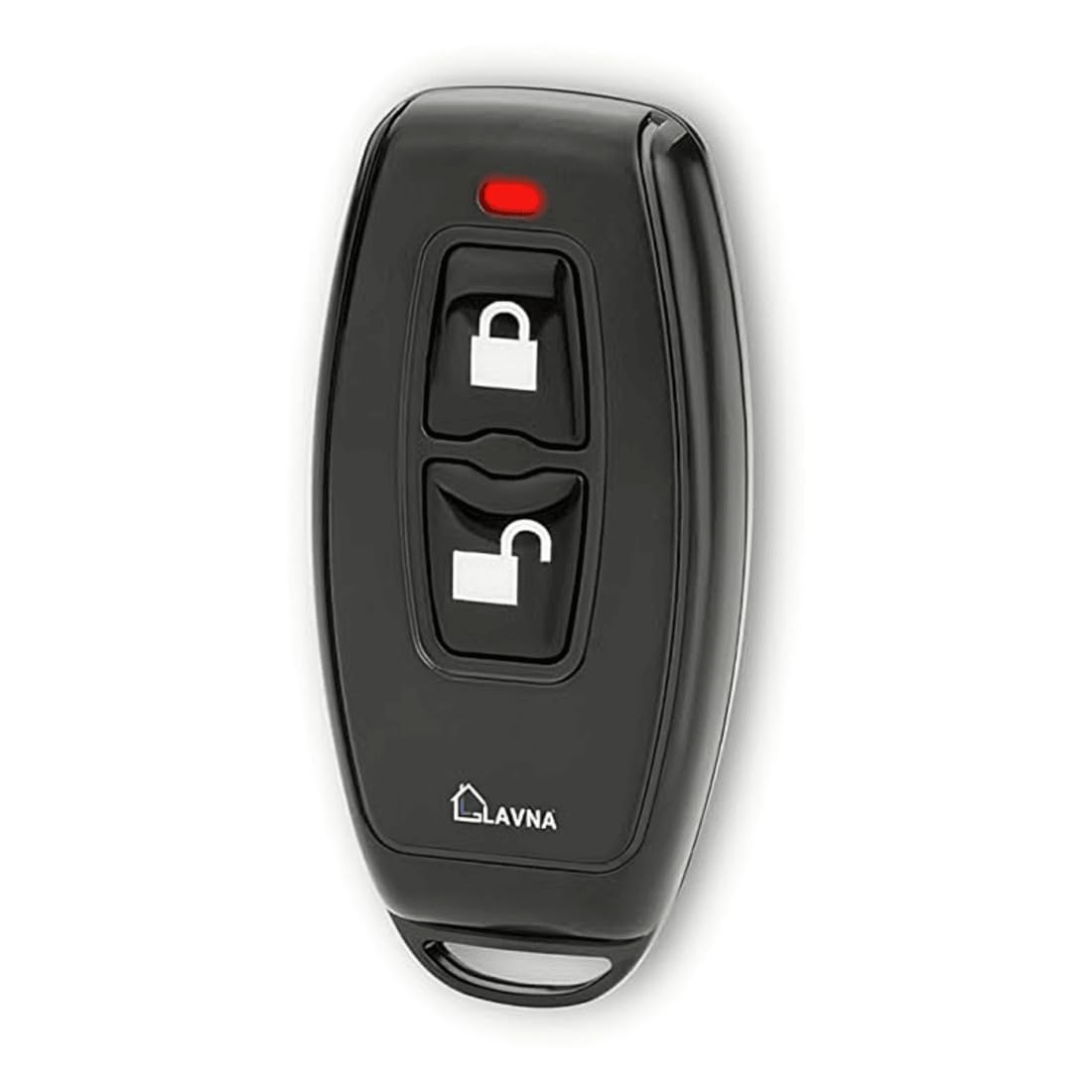
Image 1.1: Front view of the LAVNA Bluetooth Remote Control Key Fob. This compact device features a simple button layout for controlling your smart lock.
Video 1.1: An official demonstration of the LAVNA Bluetooth Remote Control Key Fob in use, showcasing its wireless lock and unlock functionality with a compatible smart door lock.
2. What's in the Box
Upon unpacking, please verify that all the following components are present:
- LAVNA Bluetooth Remote Control Key Fob
- User Manual (this document)
- Note: The product description mentions "Front Panel, Back Panel, 1 Mortise, 2 Manual Keys, 2 RFID Cards, Fitting Screws, Door cutting diagram" as included components. These items are typically associated with a smart lock itself, not just the remote key fob. For the key fob, expect the remote and its manual.
3. Setup and Pairing
To use your LAVNA Bluetooth Remote Control Key Fob, it must first be paired with a compatible LAVNA smart door lock via the LAVNA Smart Lock App.
- Ensure Smart Lock is Active: Make sure your LAVNA smart door lock is installed, powered on, and connected to the LAVNA Smart Lock App on your smartphone.
- Open LAVNA App: Launch the LAVNA Smart Lock App on your mobile device.
- Access Lock Settings: Select the specific smart lock you wish to pair the key fob with from the app's device list.
- Add Device/Remote: Navigate to the lock's settings or device management section within the app. Look for an option like "Add Remote," "Add Key Fob," or "Add Device."
- Follow On-Screen Prompts: The app will guide you through the pairing process. This typically involves pressing a button on the key fob to activate its pairing mode.
- Confirmation: Once successfully paired, the app will confirm the addition of the key fob. You may also hear an audible confirmation from the smart lock or see an indicator light on the key fob.
Note: Specific steps may vary slightly depending on your LAVNA smart lock model and app version. Refer to your smart lock's manual for detailed app-specific pairing instructions if needed. Multiple key fobs can be paired to a single smart lock.
4. Operating Instructions
Once paired, the LAVNA Bluetooth Remote Control Key Fob provides simple, one-button control over your smart lock.
- Unlocking: To unlock the door, press the Unlock button once. The smart lock will disengage, allowing you to open the door.
- Locking: To lock the door, press the Lock button once. The smart lock will engage, securing the door.
Ensure you are within Bluetooth range of your smart lock for the remote control to function correctly. The effective range may vary based on environmental factors and obstacles.
5. Maintenance
The LAVNA Bluetooth Remote Control Key Fob requires minimal maintenance to ensure its longevity and reliable performance.
5.1. Cleaning
- Wipe the surface of the key fob with a soft, dry cloth.
- Do not use abrasive cleaners, solvents, or harsh chemicals, as these can damage the plastic casing and electronic components.
- Avoid exposing the key fob to excessive moisture or liquids.
5.2. Battery Replacement
The key fob is powered by a small button-cell battery. When the battery is low, you may notice a decrease in range or responsiveness. Refer to the specific model's instructions for battery type and replacement procedure. Typically, this involves carefully opening the casing and replacing the battery with a new one of the same type (e.g., CR2032).
- Use only the specified battery type.
- Dispose of old batteries responsibly according to local regulations.
6. Troubleshooting
If you encounter issues with your LAVNA Bluetooth Remote Control Key Fob, try the following solutions:
| Problem | Possible Cause | Solution |
|---|---|---|
| Key fob does not respond. |
|
|
| Intermittent response. |
|
|
| Key fob paired but not controlling the lock. |
|
|
If these steps do not resolve the issue, please contact LAVNA customer support for further assistance.
7. Specifications
| Feature | Detail |
|---|---|
| Brand | LAVNA |
| Model Name | LAVNA Remote BT |
| Item Model Number | Remote BT |
| Connectivity Protocol | Bluetooth |
| Special Feature | Remote unlocking |
| Control Method | Button Control |
| Material | Plastic |
| Item Weight | 100 Grams |
| Product Dimensions (L x W x H) | 30 x 15 x 60 Millimeters (3 x 1.5 x 6 cm) |
| Recommended Uses | Home, Office, Shared Spaces |
| Country of Origin | China |
8. Warranty and Support
8.1. Warranty Information
LAVNA products are manufactured to high-quality standards. For specific warranty terms and conditions applicable to your Bluetooth Remote Control Key Fob, please refer to the warranty card included with your purchase or visit the official LAVNA website. Keep your proof of purchase for warranty claims.
8.2. Customer Support
If you require assistance with setup, operation, troubleshooting, or warranty claims, please contact LAVNA customer support:
- Phone: 1800-313-4491 (Provided by Packer/Importer: Bhagwn Shri Locks PVT LTD)
- Online Support: Visit the official LAVNA website for FAQs, support articles, and contact forms.
When contacting support, please have your product model number (Remote BT) and proof of purchase ready.