1. Introduction
Thank you for purchasing the Generic Modern Makeup Vanity Desk with Mirror and Lights. This manual provides essential information for the safe assembly, operation, and maintenance of your new vanity desk. Please read these instructions carefully before use and retain them for future reference.
2. Safety Information
- Always assemble the product on a clean, flat, and soft surface to prevent scratches.
- Ensure all screws and fasteners are securely tightened before use. Periodically check and re-tighten as necessary.
- Do not overload drawers or shelves. Refer to specifications for weight limits.
- Keep electrical components (mirror lights, power outlets) away from water or excessive moisture.
- Use only the provided power cord and ensure it is properly connected to a suitable power outlet.
- Keep small parts and packaging materials away from children to prevent choking hazards.
- This product is intended for indoor use only.
3. Package Contents
Before assembly, verify that all components listed in the assembly instructions are present and undamaged. If any parts are missing or damaged, contact customer support.
Note: A detailed list of parts and hardware will be included in the separate assembly guide provided with your product.
4. Assembly Instructions
This vanity desk requires assembly. Detailed instructions and labeled components are provided in the packaging. We recommend two people for efficient and safe assembly.
- Unpack all components and lay them out on a clean, soft surface to prevent damage.
- Identify all parts and hardware using the provided parts list.
- Follow the step-by-step diagrams and instructions carefully.
- Ensure all screws and fasteners are tightened securely but do not overtighten.
- Once assembled, place the vanity in its desired location.
5. Initial Setup
- After assembly, position the vanity desk in your desired location, ensuring it is stable and level.
- Connect the power cord from the vanity's integrated power module to a standard wall outlet. Ensure the outlet meets the electrical requirements (125V/12A).
- Organize any cables using the hidden cable management features to maintain a clean and safe space.
6. Operating Instructions
6.1. Mirror with Touch-Sensitive Lighting
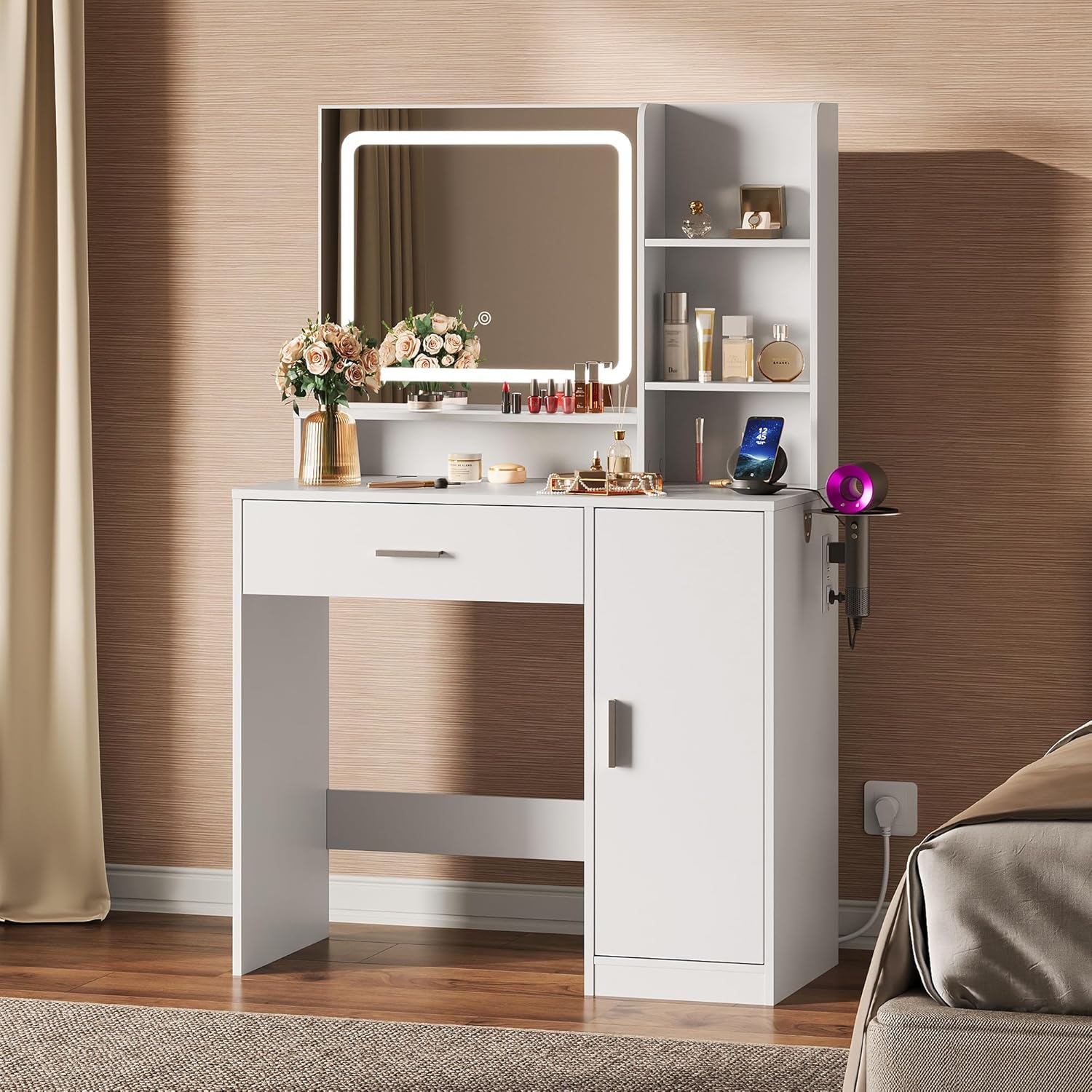
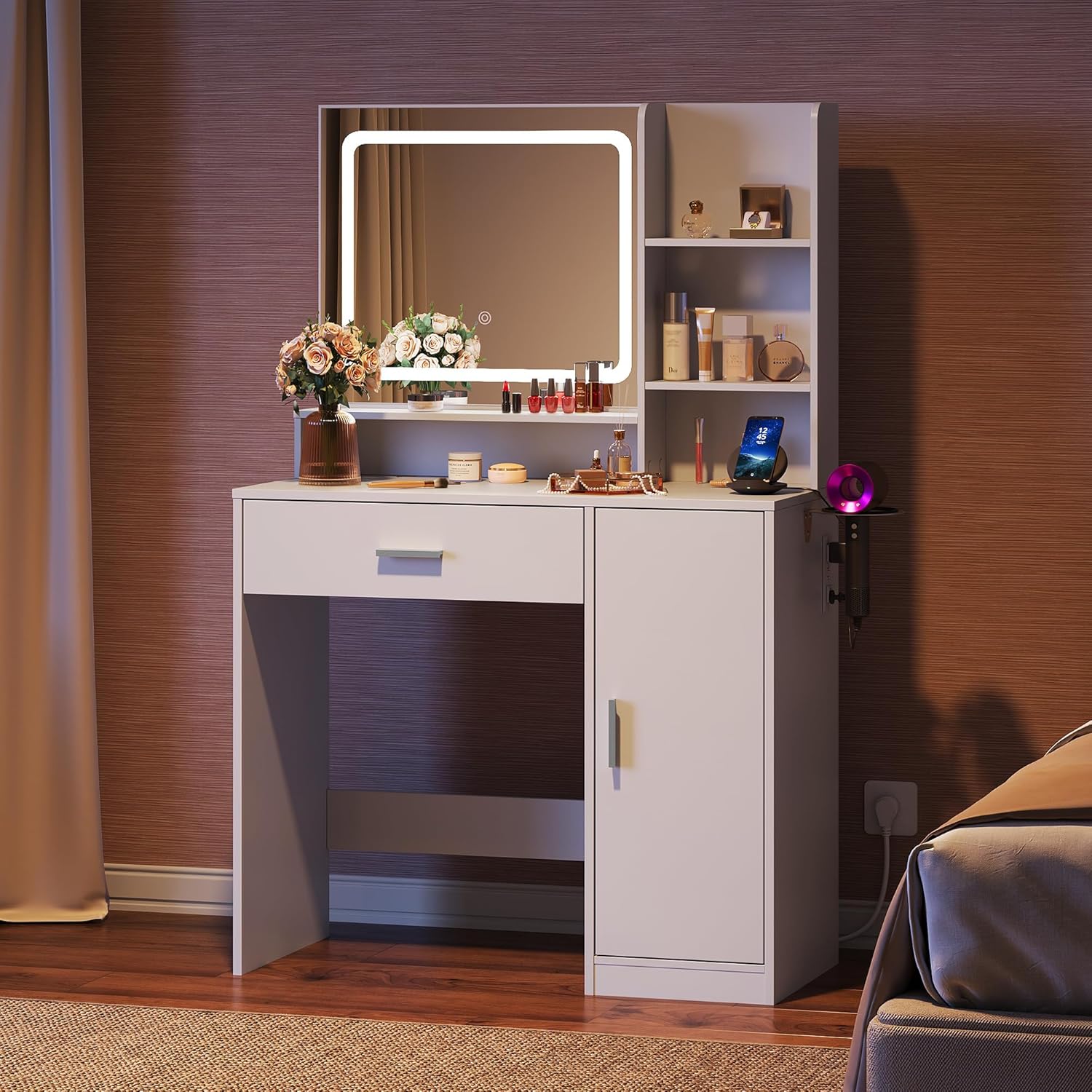
The integrated LED mirror features touch-screen technology for controlling the lights.
- Power On/Off: Lightly touch the power icon on the mirror surface to turn the lights on or off.
- Change Color Mode: With the lights on, lightly touch the mode icon to cycle through three color modes: Cool White (6000K), Warm White (4000K), and Warm Yellow (3000K).
- Dimming Control: To adjust brightness, press and hold the power icon. The lights will seamlessly dim or brighten. Release when the desired brightness is achieved.

6.2. Integrated Power Station
The vanity desk is equipped with a UL/ETL-certified power module for convenience.
- AC Outlets: Two 125V/12A AC power outlets are available for plugging in styling tools or other electronic devices.
- USB Ports: Two 5V/2A USB ports are provided for charging smartphones, tablets, or other USB-powered devices.
- Hairdryer Holder: A dedicated 7-shaped holder is integrated for convenient storage and access to your hairdryer.

6.3. Storage Features
The vanity desk offers various storage options to keep your items organized.
- Large Drawer: A spacious drawer provides concealed storage for cosmetics, jewelry, or personal items. Features smooth slide rails for easy operation.
- Side-Opening Storage Cabinet: A cabinet with a door offers additional enclosed storage.
- Open Storage Shelves: Three open shelves are available for displaying frequently used items or decorative pieces.

7. Maintenance and Care
- Cleaning: Wipe surfaces with a soft, damp cloth. Avoid harsh chemicals or abrasive cleaners, as the desk features a stain-resistant coating.
- Mirror Care: Clean the mirror with a glass cleaner and a lint-free cloth. Do not spray cleaner directly onto the mirror to avoid liquid seeping into electrical components.
- Electrical Components: Ensure the power module is unplugged before cleaning. Do not attempt to disassemble or repair electrical parts.
- Stability Check: Periodically check all screws and connections to ensure they remain tight. Re-tighten if necessary.
- Avoid Direct Sunlight: Prolonged exposure to direct sunlight may cause fading or damage to the finish.
8. Troubleshooting
| Problem | Possible Cause | Solution |
|---|---|---|
| Mirror lights do not turn on. | Power cord not connected or loose. No power to the outlet. Faulty connection. | Ensure the power cord is securely plugged into both the vanity and the wall outlet. Check if the wall outlet is functional. Contact customer support if the issue persists. |
| AC outlets/USB ports not working. | Power cord not connected. Overload. | Verify the main power cord is connected. Ensure devices are within the specified voltage/amperage limits. Unplug and re-plug devices. |
| Vanity feels wobbly. | Loose screws or uneven surface. | Check and re-tighten all assembly screws. Ensure the vanity is placed on a flat, level surface. |
9. Specifications
| Feature | Detail |
|---|---|
| Model Number | ASZT012 |
| Product Dimensions | 15.8"D x 35.5"W x 55.2"H (40.1cm D x 90.2cm W x 140.2cm H) |
| Item Weight | 67.1 pounds (30.4 kg) |
| Material | Engineered Wood (P2 certified eco-friendly board) |
| Color | White |
| Mirror Lighting | LED, Touch-sensitive, 3 Color Modes (Cool, Warm, Natural), Dimmable |
| AC Outlets | 2 (125V/12A, UL/ETL certified) |
| USB Ports | 2 (5V/2A, UL/ETL certified) |
| Power Cord Length | 4.9 feet / 59 inches |
| Assembly Required | Yes |

10. Warranty and Support
As this product is from a generic brand, specific warranty information may vary. Please refer to your purchase documentation or contact the seller directly for details regarding warranty coverage and customer support.
For any questions, missing parts, or assistance with assembly or operation, please reach out to the retailer or seller from whom you purchased this product.