
1. Introduction
This manual provides detailed instructions for the safe and efficient operation, maintenance, and troubleshooting of the PROBON Signal Fire AI-5 PRO Optical Fiber Fusion Splicer. This device is designed for precise splicing of optical fibers, featuring a 6-motor core alignment system, a 5-inch TFT display, and a high-capacity battery for professional use in various environments.
2. Product Overview
2.1 Key Features
- Advanced 6-Motor System: Utilizes core alignment technology for precise fiber positioning.
- Fast Splicing & Heating: Achieves an 8-second splicing time and 18-second heating time.
- 5-inch TFT Color Display: Features dual-screen functionality and fiber loss display for comprehensive monitoring.
- Versatile 3-in-1 Fiber Holder: Supports single-mode, multi-mode, bare fiber, and drop cables.
- High-Capacity Battery: Equipped with a 5200mAh removable lithium battery for extended operation.
- Integrated LED Lighting: Provides illumination for working in low-light conditions.
- Cloud Storage: Supports cloud storage for fusion data.
- Durable Construction: Features a robust metal body and protective case for field use.
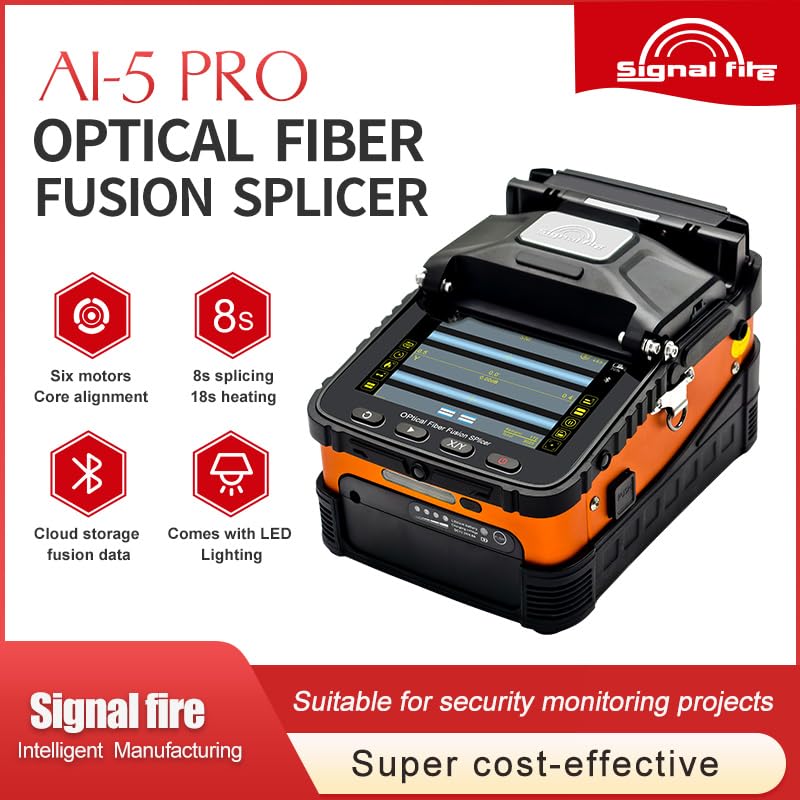
Figure 2.1: Signal Fire AI-5 PRO Fusion Splicer highlighting key features like 6 motors, 8s splicing, cloud storage, and LED lighting.
2.2 Components Included
The PROBON Signal Fire AI-5 PRO Fusion Splicer package typically includes the following items:
- Signal Fire AI-5 PRO Fusion Splicer Unit
- Fiber Stripper
- Fiber Cleaver
- Power Adapter
- Alcohol Bottle
- Allen Wrench
- Cleaning Brush
- Carrying Belt
- User Manual
- Protective Carrying Case
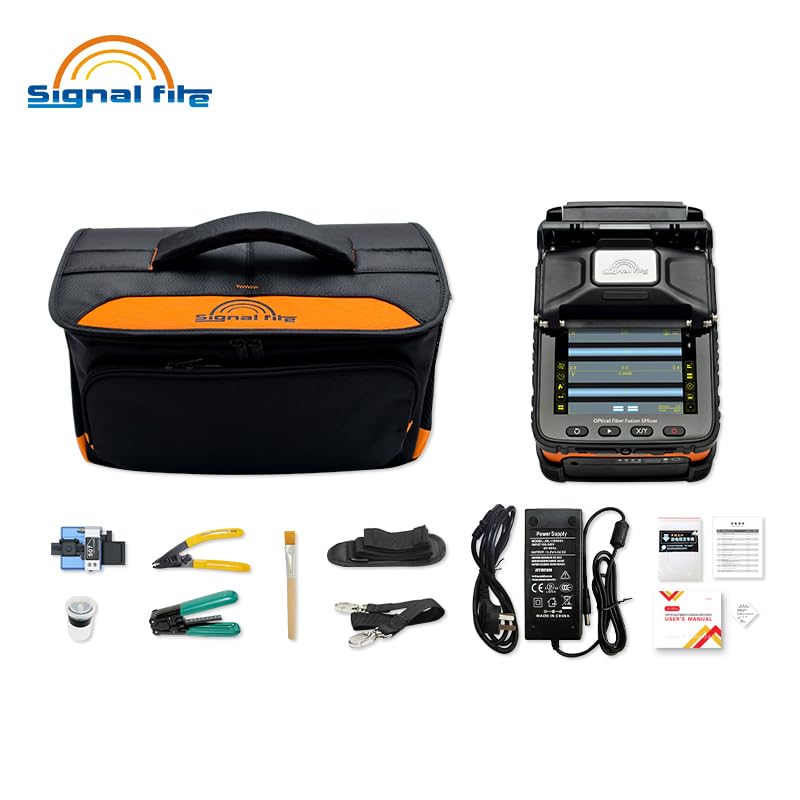
Figure 2.2: The PROBON Signal Fire AI-5 PRO Fusion Splicer with its complete set of included accessories.
2.3 Product Details

Figure 2.3: Detailed view of the AI-5 PRO's durable metal body construction and control buttons, showcasing its robust design.
3. Setup
3.1 Unpacking and Inspection
- Carefully unpack all components from the protective carrying case.
- Inspect the splicer and all accessories for any signs of damage during transit. If any damage is found, contact your supplier immediately.
- Ensure all items listed in Section 2.2 are present.
3.2 Battery Installation and Charging
The AI-5 PRO is powered by a removable 5200mAh lithium battery. For optimal performance, ensure the battery is fully charged before first use.
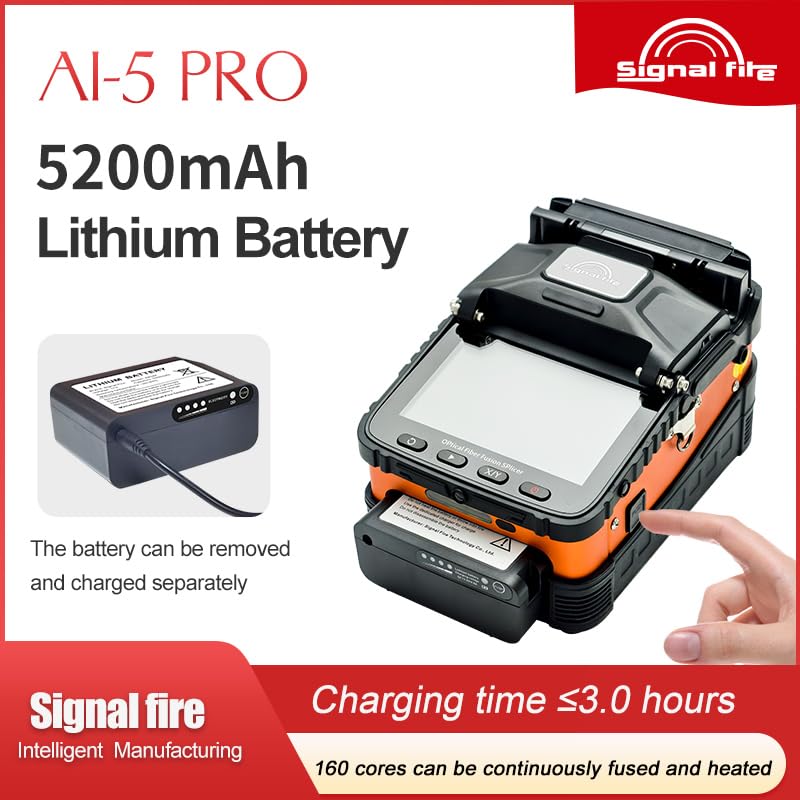
Figure 3.1: The 5200mAh removable lithium battery for the AI-5 PRO Fusion Splicer.
- Installation: Align the battery with the battery compartment on the splicer and slide it in until it clicks securely into place.
- Charging: Connect the power adapter to the splicer's charging port and then to a power outlet. The charging indicator light will illuminate. Charging time is approximately 3.0 hours for a full charge.
- Battery Removal: To remove the battery, press the release button located near the battery compartment and slide the battery out. The battery can be charged separately if needed.

Figure 3.2: Diagram illustrating the charging port, power indicator, and push button for checking battery level on the 5200mAh lithium battery.
3.3 Initial Power On
Press and hold the power button until the 5-inch TFT display illuminates. The splicer will perform a self-check. Allow it to complete before proceeding with operations.
4. Operation
4.1 Fiber Preparation
Proper fiber preparation is crucial for successful splicing.
- Stripping: Use the fiber stripper to remove the fiber coating to the required length, typically 30-40mm.
- Cleaning: Clean the bare fiber with an alcohol-soaked wipe to remove any residue. Allow it to air dry completely.
- Cleaving: Place the cleaned fiber into the fiber cleaver and perform a precise cleave. A good cleave angle (typically less than 0.5 degrees) is essential for low splice loss.
4.2 Fiber Placement
The AI-5 PRO features a versatile 3-in-1 fiber holder system.
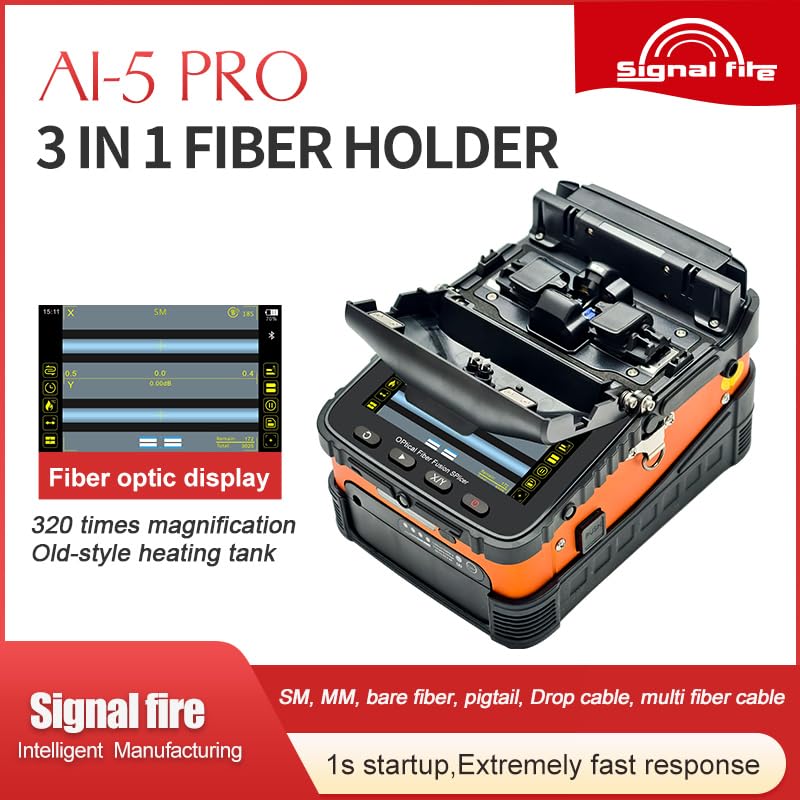
Figure 4.1: Close-up of the AI-5 PRO's 3-in-1 fiber holder system, accommodating various fiber types.
- Open the wind-proof cover of the splicer.
- Carefully place the prepared fibers into the appropriate V-grooves of the fiber holders. Ensure the fiber ends are positioned correctly for splicing.
- Close the fiber holders and the wind-proof cover.
4.3 Splicing Process
The splicer will automatically detect the fiber type and initiate the splicing process.
- The 6-motor system will align the fiber cores precisely.
- The splicer will then discharge an arc to fuse the fiber ends. This process typically takes 8 seconds.
- Monitor the splicing process on the 5-inch TFT display. The display will show real-time images and estimated splice loss.
- Once splicing is complete, the splicer will indicate the splice loss. If the loss is acceptable, proceed to heating. If not, re-cleave and re-splice.
4.4 Heating Process
After successful splicing, the splice protector sleeve needs to be shrunk over the splice point.
- Slide a splice protection sleeve over one of the fibers before splicing.
- After splicing, center the splice protection sleeve over the splice point.
- Place the fiber with the sleeve into the heating oven.
- Close the heater cover. The heating process will automatically begin and typically takes 18 seconds.
- Once heating is complete, carefully remove the fiber. The sleeve will be shrunk, protecting the splice. Allow it to cool before handling further.
4.5 LED Lighting
The integrated LED lighting can be activated to illuminate the work area, which is particularly useful in low-light conditions or for night operations.
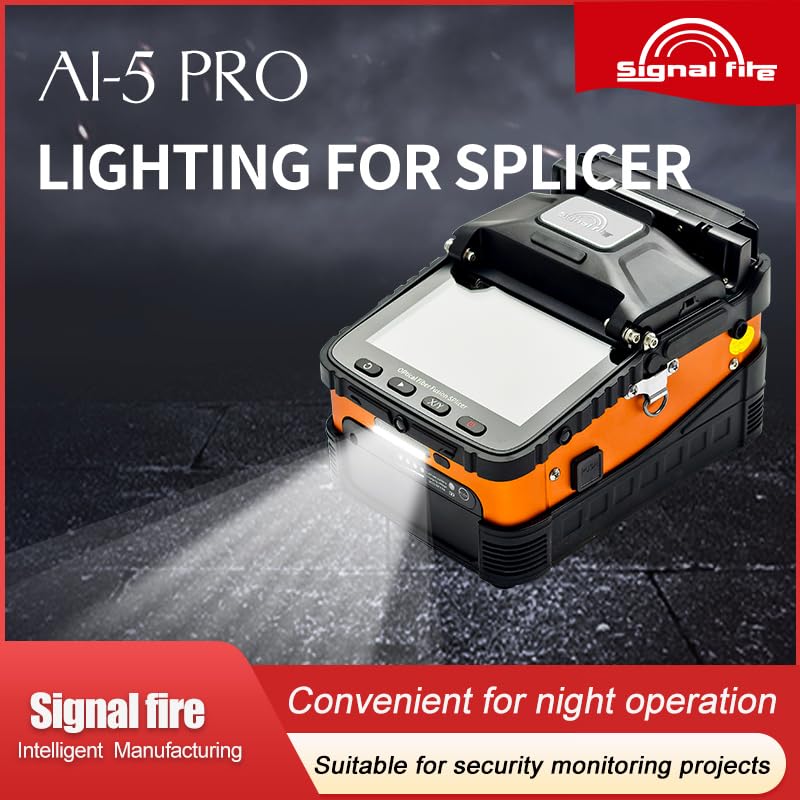
Figure 4.2: The integrated LED lighting feature of the AI-5 PRO Fusion Splicer, providing illumination for the work area.
Refer to the splicer's interface for controls to turn the LED light on or off.
4.6 Cloud Storage
The AI-5 PRO supports cloud storage for fusion data. This feature allows you to back up and manage your splicing records remotely. Consult the on-screen menu or specific software instructions for setting up and utilizing cloud storage functionality.
5. Maintenance
Regular maintenance ensures the longevity and optimal performance of your fusion splicer.
5.1 Cleaning
- Electrodes: Clean the electrodes regularly with a cotton swab and alcohol. Replace electrodes when they become worn or dirty, as indicated by poor splice quality or error messages.
- V-Grooves and Fiber Holders: Use a soft brush or cotton swab with alcohol to clean the V-grooves and fiber holders. Ensure no fiber debris or dust accumulates.
- Display Screen: Wipe the 5-inch TFT display with a soft, lint-free cloth. Do not use abrasive cleaners.
- Heating Oven: Keep the heating oven free of debris.
5.2 Battery Care
- Charge the battery fully before long periods of storage.
- If storing for an extended time, charge the battery to approximately 50% every 3-6 months to maintain battery health.
- Avoid exposing the battery to extreme temperatures.
5.3 Storage
When not in use, store the splicer in its protective carrying case in a clean, dry environment, away from direct sunlight and extreme temperatures.
6. Troubleshooting
This section addresses common issues you might encounter. For problems not listed here, please contact customer support.
| Problem | Possible Cause | Solution |
|---|---|---|
| High Splice Loss | Poor fiber cleave, dirty fiber ends, worn/dirty electrodes, incorrect fiber type setting. | Re-cleave fibers, clean fiber ends, clean/replace electrodes, verify fiber type settings. |
| Splicer Not Powering On | Low or dead battery, faulty power adapter, loose battery connection. | Charge battery, check power adapter, ensure battery is securely installed. |
| Fibers Not Aligning | Dirty V-grooves, damaged fiber holders, fiber not seated correctly. | Clean V-grooves, inspect fiber holders for damage, re-seat fibers properly. |
| Heating Oven Malfunction | Heating element issue, sensor error, cover not fully closed. | Ensure cover is closed, check for error codes, contact support if persistent. |
| Display Issues | Software glitch, hardware fault. | Restart the splicer. If the problem persists, contact support. |
7. Specifications
The following are the technical specifications for the PROBON Signal Fire AI-5 PRO Optical Fiber Fusion Splicer:
| Feature | Specification |
|---|---|
| Model Number | Ai-5 Pro |
| Splicing Time | 8 seconds |
| Heating Time | 18 seconds |
| Motor System | 6-Motor Core Alignment |
| Display | 5-inch TFT Color Display (Dual Screen) |
| Battery Capacity | 5200mAh Removable Lithium Battery |
| Battery Charging Time | Approximately 3.0 hours |
| Fiber Holder | 3-in-1 (SM, MM, Bare Fiber, Drop Cable) |
| Lighting | Built-in LED Lighting |
| Cloud Storage | Supported |
| Product Dimensions | 7.8 x 5.9 x 3.9 inches |
| Item Weight | 4.2 Pounds |
| Power Source | Battery Powered |
| Manufacturer | Signal Fire |
8. Warranty and Support
For warranty information, technical support, or service inquiries, please refer to the warranty card included with your product or contact the seller/manufacturer directly. Keep your purchase receipt as proof of purchase for warranty claims.