
1. Introduction
Welcome to the KELY PURE AMOLED Smart Watch user manual. This guide provides detailed instructions on how to set up, operate, and maintain your new smartwatch. Please read this manual carefully to ensure proper usage and to fully utilize all features of your device.
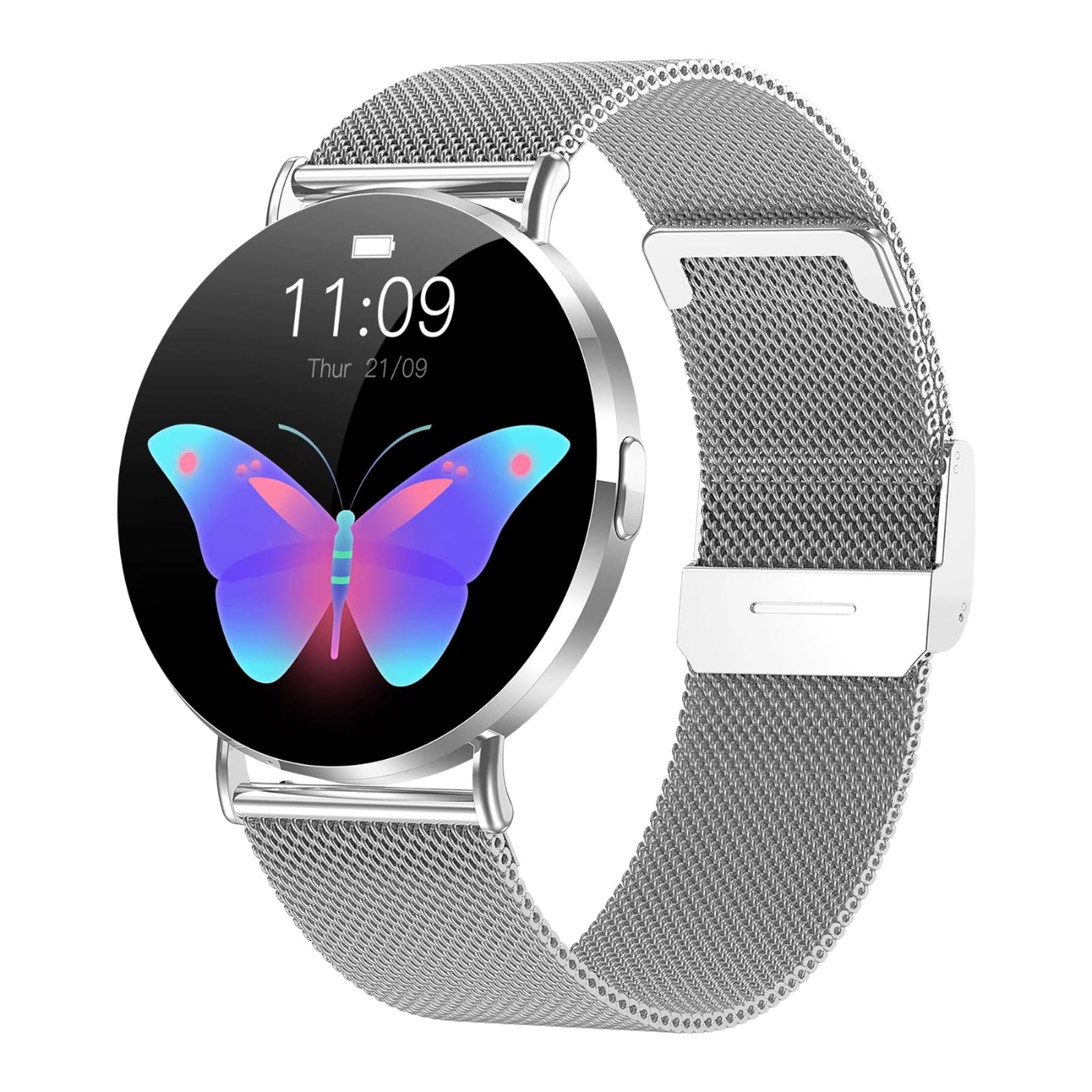
Image: The KELY PURE AMOLED Smart Watch, showcasing its elegant design and display.
2. Package Contents
Please check the package contents upon unboxing:
- KELY PURE AMOLED Smart Watch
- Charging Cable
- User Manual
3. Setup
3.1 Charging the Device
Before first use, fully charge your smartwatch. Connect the magnetic charging cable to the charging points on the back of the watch and plug the USB end into a power adapter (not included) or a computer's USB port.
Image: The smartwatch connected to its magnetic charging cable.
3.2 Powering On/Off
- To Power On: Press and hold the side button until the KELY PURE logo appears on the screen.
- To Power Off: Press and hold the side button, then select 'Power Off' from the options displayed on the screen.
3.3 App Installation and Pairing
To unlock the full potential of your smartwatch, download the companion app on your smartphone. Search for the app name (refer to the watch screen or packaging for the exact name) in your device's app store (Google Play Store for Android, Apple App Store for iOS).
- Download and install the app on your smartphone.
- Open the app and create an account or log in.
- Enable Bluetooth on your smartphone.
- In the app, navigate to 'Add Device' or 'Pair Device'.
- Select your KELY PURE Smart Watch from the list of available devices.
- Confirm the pairing request on both your smartphone and smartwatch.

Image: The smartwatch paired with a smartphone, demonstrating app connectivity and notification display.
3.4 Customizing Watch Faces
Your smartwatch supports customizable watch faces. You can change them directly on the watch or through the companion app.
- On Watch: Long-press the watch face, then swipe left or right to browse available options. Tap to select.
- Via App: Open the companion app, navigate to 'Watch Faces' or 'Dial Settings', and choose from a wider selection.

Image: The smartwatch showcasing a vibrant butterfly dial, demonstrating watch face customization.
4. Operating Instructions
4.1 Navigating the Interface
The KELY PURE Smart Watch features a 1.85-inch HD AMOLED touchscreen with a 3D dynamic UI for intuitive navigation.
- Swipe Up: Access quick settings or notifications.
- Swipe Down: View notifications or quick settings.
- Swipe Left/Right: Navigate through widgets, apps, or health data screens.
- Tap: Select an item or open an application.
- Side Button: Press to return to the home screen or wake the device.

Image: The smartwatch displaying its 1.85-inch HD AMOLED screen with a clear interface.
4.2 Bluetooth Calling
Once paired with your smartphone, you can make and receive calls directly from your smartwatch.
- Answering Calls: When a call comes in, tap the green answer icon on the watch screen.
- Making Calls: Access the 'Dialer' or 'Contacts' app on your watch to initiate a call.
4.3 Notifications
Receive real-time notifications from your smartphone directly on your watch. Ensure notification permissions are enabled in the companion app and your phone's settings.

Image: The smartwatch screen showing an incoming notification.
4.4 Women's Health Tracking
The smartwatch includes a comprehensive women's health management system. Set up your profile in the companion app to track menstrual cycles, predict ovulation, and record physiological symptoms.
- Open the 'Women's Health' section in the app.
- Input your cycle data and receive timely reminders and insights.
4.5 Sports Modes
With over 50 sports modes, your smartwatch can track various activities. Select your desired sport from the 'Workout' or 'Sports' menu on the watch to begin tracking.
- Swipe to the 'Sports' screen or open the 'Workout' app.
- Choose your activity (e.g., running, cycling, yoga).
- Start your workout; the watch will record duration, calories, heart rate, and other relevant metrics.

Image: The smartwatch displaying an activity ring, indicating progress in a sports mode.
4.6 Health Monitoring
The watch continuously monitors key health metrics:
- Heart Rate: Provides 24/7 heart rate monitoring. View current and historical data in the app.
- SpO2 (Blood Oxygen): Measure your blood oxygen levels on demand.
- Guided Breathing: Access guided breathing exercises for stress relief.

Image: The smartwatch displaying various health metrics, including heart rate and step count.
4.7 IP68 Waterproof Guidelines
The KELY PURE Smart Watch is IP68 waterproof, meaning it is resistant to dust and can withstand immersion in water up to 1.5 meters for up to 30 minutes. This makes it suitable for daily use, such as washing hands or light rain exposure.
- Do not use in hot water, saunas, or steam rooms.
- Avoid prolonged immersion or high-pressure water activities.
- Rinse with fresh water and dry thoroughly after exposure to saltwater or chlorinated water.

Image: The smartwatch demonstrating its water resistance in a wet environment.
5. Maintenance
5.1 Care and Cleaning
- Wipe the watch screen and body with a soft, damp cloth.
- Avoid using harsh chemicals, abrasive cleaners, or solvents.
- Ensure the charging contacts are clean and dry before charging.
5.2 Battery Care
- Charge the device regularly, avoiding complete discharge.
- Store the watch in a cool, dry place when not in use for extended periods.
6. Troubleshooting
If you encounter issues with your smartwatch, refer to the following common solutions:
- Watch not turning on: Ensure the watch is fully charged. Connect it to the charger for at least 30 minutes.
- Cannot pair with phone:
- Ensure Bluetooth is enabled on your phone and the watch.
- Make sure the watch is within range of your phone.
- Restart both the watch and your phone.
- Check if the companion app has necessary permissions.
- Notifications not appearing:
- Verify notification permissions are granted to the app on your phone.
- Ensure the watch is connected via Bluetooth.
- Check if 'Do Not Disturb' mode is active on either device.
- Inaccurate health data: Ensure the watch is worn snugly on your wrist, not too tight or too loose. Clean the sensor on the back of the watch.
- Screen unresponsive: Try restarting the watch by holding the side button. If unresponsive, allow the battery to drain completely and then recharge.
7. Specifications
| Feature | Detail |
|---|---|
| Display | 1.85-inch HD AMOLED, 466 x 466 resolution, 3D Dynamic UI |
| Connectivity | Bluetooth Calling |
| Water Resistance | IP68 (Dust and water resistant up to 1.5m for 30 minutes) |
| Health Monitoring | 24/7 Heart Rate, SpO2 Oxygen, Guided Breathing, Women's Health Tracking |
| Sports Modes | 50+ sports modes |
| Design | Silver Mesh Band, Stainless Steel Construction |
| Battery | Long Battery Backup (specific capacity not provided) |
| Color | Silver |
8. Warranty and Support
8.1 Warranty Information
Your KELY PURE Smart Watch comes with a limited manufacturer's warranty. Please refer to the warranty card included in your package or visit the official KELY PURE website for detailed terms and conditions. The warranty typically covers manufacturing defects but does not cover damage caused by misuse, accidents, or unauthorized modifications.
8.2 Customer Support
For further assistance, technical support, or inquiries regarding your KELY PURE Smart Watch, please contact our customer support team. Contact details can be found on the official KELY PURE website or on your product packaging.