
Introduction
Thank you for purchasing the PVWIIK Twin Over Full Bunk Bed with Storage Drawers and LED. This manual provides essential information for the safe assembly, operation, and maintenance of your new bunk bed. Please read all instructions carefully before assembly and retain this manual for future reference.
Important Safety Information
WARNING: Failure to follow these warnings and instructions could result in serious injury or death.
- Always use the guardrails on the top bunk to prevent falls.
- Do not exceed the maximum weight capacity of 98 pounds for the top bunk. The bottom bunk has a higher capacity, but always ensure mattresses are appropriately sized.
- Be cautious of sharp edges during assembly and use. Ensure all bolts and screws are securely tightened.
- Ensure the bed is placed on a level surface.
- Periodically check and ensure that all connections are tight and secure. Retighten as necessary.
- Do not allow children under 6 years of age on the upper bunk.
- Use only mattresses that are 6-8 inches thick for both bunks to ensure proper guardrail height.
- Prohibit more than one person on the upper bunk.
- Always use the ladder for entering and exiting the upper bunk. Do not use other means.
- Do not attach or hang items on any part of the bunk bed that are not designed for use with the bed; for example, but not limited to, hooks, belts, or jump ropes.
Product Overview
The PVWIIK Twin Over Full Bunk Bed is designed to maximize space and functionality. It features a sturdy black metal frame, an integrated ladder, and full-length safety rails for the top bunk. Key features include:
- Twin Over Full Design: Provides two sleeping areas, ideal for shared rooms or accommodating guests.
- Integrated Ladder & Guardrails: Ensures safe and easy access to the top bunk and prevents falls.
- 7-Color LED Light Strip: Offers personalized ambiance with adjustable lighting.
- Built-in Power Station: Located on the top bunk, includes an AC outlet and two USB ports for convenient device charging.
- Two Roll-Out Storage Drawers: Provides practical under-bed storage to keep your space tidy.
- Robust Wooden Slat Support System: Ensures mattress stability and comfort without the need for a box spring.

Image: Overall view of the PVWIIK Twin Over Full Bunk Bed with storage drawers and LED lighting.
Specifications
| Model | Twin Over Full Bunk Bed |
| Brand | PVWIIK |
| Product Dimensions (L x W x H) | 79"L x 57"W x 65"H |
| Material | Iron Frame, Wooden Slats |
| Color | Black |
| Item Weight | 98 pounds |
| Compatible Mattress Size | Twin (top), Full (bottom) |
| Special Features | Space Saving, Storage Drawer, LED Lighting, Power Station (AC outlet, USB ports) |
| Assembly Required | Yes |
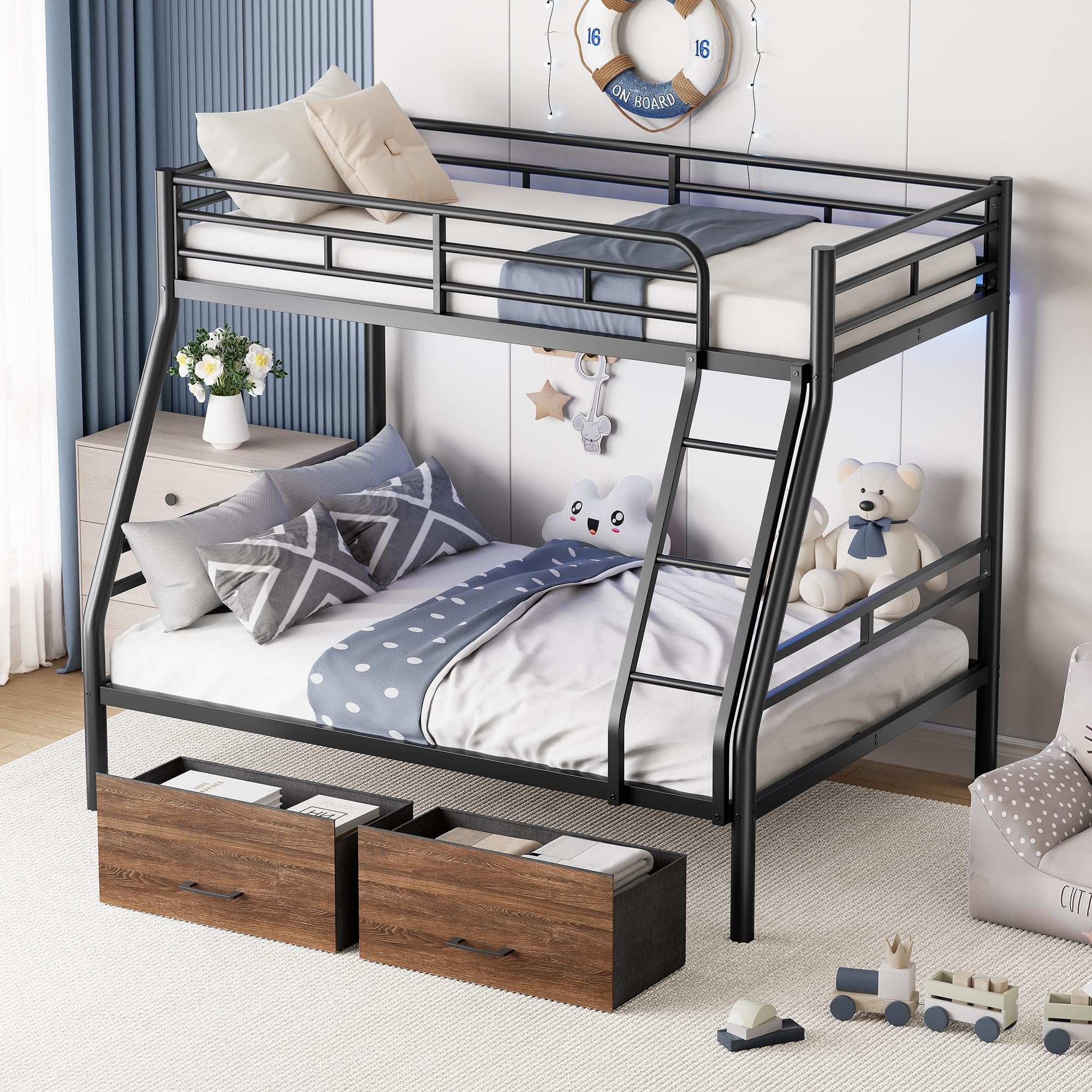
Image: Dimensional diagram of the bunk bed, illustrating overall and component measurements.
Package Contents
Before beginning assembly, ensure all parts are present and undamaged. Refer to the separate installation manual included in your package for a detailed list of hardware and components. Typically, your package will include:
- Metal frame components for top and bottom bunks
- Wooden slats for mattress support
- Integrated ladder
- Guardrails for the top bunk
- Two roll-out storage drawers
- LED light strip and power station unit
- Assembly hardware (screws, bolts, washers, Allen wrench)
- Installation Manual
Setup and Assembly
Assembly of the PVWIIK Bunk Bed requires two adults. Please follow the step-by-step instructions provided in the dedicated Installation Manual included with your product. The general steps are outlined below:
- Unpack and Identify Parts: Lay out all components on a soft, clean surface to prevent scratches. Compare with the parts list in the Installation Manual.
- Assemble the Bottom Bunk Frame: Connect the main frame pieces for the full-size bottom bunk.
- Assemble the Top Bunk Frame: Connect the main frame pieces for the twin-size top bunk.
- Attach Ladder and Guardrails: Securely fasten the integrated ladder and guardrails to the top bunk frame as per the manual.
- Connect Bunks: Carefully lift and secure the top bunk frame onto the bottom bunk frame using the designated connectors.
- Install Wooden Slats: Place and secure the wooden slats onto both bunk frames to support the mattresses.
- Assemble and Insert Storage Drawers: Follow instructions to assemble the two roll-out drawers and slide them into place under the bottom bunk.
- Install LED Strip and Power Station: Attach the LED light strip and integrate the power station unit into the designated slot on the top bunk.
- Final Check: Ensure all bolts and screws are tightened. The bed should be stable and level.
For detailed diagrams and specific hardware instructions, refer to your included Installation Manual.

Image: The bunk bed fully assembled, highlighting its features in a room setting.
Operating Instructions
LED Light Strip
- The LED light strip is located under the top bunk.
- Use the included remote control or integrated button (if applicable) to turn the lights on/off, change colors (7 options), and adjust brightness.
- Ensure the LED strip is properly connected to its power source.

Image: The LED light strip providing ambient lighting under the top bunk.
Power Station
- The power station is integrated into the top bunk frame.
- It includes one standard AC outlet and two USB charging ports.
- Plug the power station's cord into a wall outlet.
- Use the AC outlet for small appliances or chargers, and the USB ports for charging mobile devices.
- Do not overload the power station. Refer to the power station's specific ratings if available.

Image: The built-in power station with AC and USB ports for convenient charging.
Storage Drawers
- The two roll-out storage drawers are located under the bottom bunk.
- Pull the handles to open and push to close.
- Do not overload the drawers to ensure smooth operation and prevent damage.
Maintenance
- Cleaning: Wipe the metal frame with a soft, damp cloth. Avoid harsh chemicals or abrasive cleaners. For wooden parts (drawers, slats), use a wood-safe cleaner.
- Hardware Check: Periodically (e.g., every 3-6 months) inspect all bolts, screws, and connections. Tighten any loose hardware to maintain stability and safety.
- Slat Inspection: Check wooden slats for any signs of damage or cracking. Replace damaged slats immediately to ensure proper mattress support.
- LED and Power Station: Ensure the LED strip and power station connections are secure. If the LED lights malfunction, check the power connection and remote control battery.
Troubleshooting
| Problem | Possible Cause | Solution |
|---|---|---|
| Bed feels wobbly or unstable. | Loose hardware. Uneven floor. | Check and tighten all bolts and screws. Ensure the bed is on a flat, level surface. |
| LED lights not working. | Power connection loose. Remote control battery dead. LED strip damaged. | Ensure the LED power cord is securely plugged in. Replace remote control batteries. Contact customer support if the strip is damaged. |
| Power station not providing power. | Power station not plugged into wall. Overload. Internal fault. | Verify the power station's cord is plugged into a functional wall outlet. Unplug devices and try one at a time to check for overload. Contact customer support if still not working. |
| Storage drawers stick or don't roll smoothly. | Overloaded drawer. Obstruction. Damaged rollers/tracks. | Reduce contents in the drawer. Check for any objects blocking the rollers. Inspect rollers and tracks for damage. |
Warranty and Customer Support
For any questions, missing parts, or concerns regarding your PVWIIK Bunk Bed, please refer to the contact information provided in your purchase documentation or visit the official PVWIIK store page on Amazon. While specific warranty details are not provided in this manual, many products come with a manufacturer's warranty against defects in materials and workmanship.
Additional protection plans may be available for purchase separately to extend coverage beyond the manufacturer's warranty.
Online Support: Visit the PVWIIK Store on Amazon