1. Product Overview
The FG-200 DDS Function Signal Generator Module is a versatile and portable device designed for electronic circuit testing, debugging, and measurement applications. It generates a variety of waveforms with high accuracy and frequency stability, making it suitable for use with oscilloscopes and other test equipment.
Key applications include:
- Electronic circuit testing and debugging
- Frequency response and impulse response testing
- Audio measurements
- Oscilloscope sweep time factor calibration
- Adjusting pulse characteristics of oscilloscope attenuators and probes
The module supports a wide array of output waveforms, including:
- Sine wave
- Square wave
- Triangle wave
- Forward sawtooth wave
- Reverse sawtooth wave
- ECG waveform
- Exponential rising wave
- Exponential falling wave
- Lorentz pulse
- Gaussian pulse
- Sine pulse
- Half wave
- Full wave
- Schumann wave
- Noise waveform
- And 15 other waveforms

Figure 1: Front panel of the FG-200 DDS Function Signal Generator Module, showing the display and control buttons.
2. Setup
2.1 Package Contents (Model B)
Verify that all components are present in your package:
- 1x FG-200 Signal Generator Module
- 1x USB Power Cable
- 1x BNC Clip Cable
- 1x Double-ended BNC Wire
- 1x Schumann Wave Module Antenna

Figure 2: FG-200 module with the USB power cable and BNC clip cable.
2.2 Power Supply Connection
The FG-200 module can be powered by two methods:
- Power Adapter: Connect a DC 4-9V power adapter (DC 5V is recommended) to the 3.5mm DC power interface on the module.
- Lithium Battery: For portable use, a 3.7V lithium battery can be connected.
The current consumption is approximately 180mA at 5V.

Figure 3: Detail of the DC 5V power input and control buttons on the FG-200 module.
2.3 Output Connection
Connect the BNC output of the FG-200 module to your oscilloscope or other test equipment using the provided BNC cables. For specific applications like Schumann wave generation, connect the Schumann Wave Module Antenna to the output.
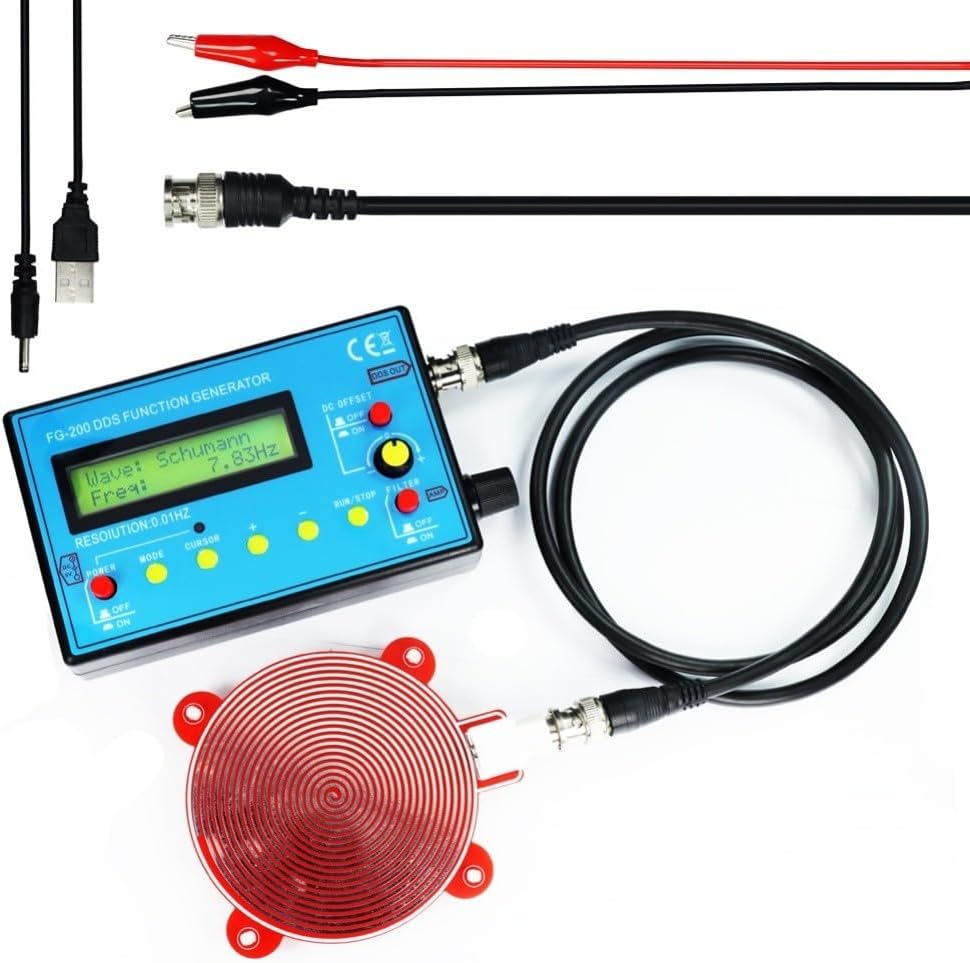
Figure 4: FG-200 module connected to the Schumann Wave Module Antenna and power cable.
3. Operating Instructions
The FG-200 module features a user-friendly interface with a display and several control buttons for easy operation.
3.1 Power On/Off
- Locate the POWER switch on the front panel.
- Toggle the switch to ON to power on the device.
- Toggle the switch to OFF to power off the device.
3.2 Waveform Selection
- Press the MODE button to cycle through the available waveforms displayed on the screen.
- Use the CURSOR button to select specific parameters for adjustment.
3.3 Frequency Adjustment
- After selecting a waveform, use the + and - buttons to adjust the frequency.
- The frequency resolution is 0.01Hz.
- Frequency Ranges:
- Sine wave: 0.01Hz - 500kHz (Note: Higher frequencies may result in smaller output amplitude).
- Other waveforms: 0.01Hz - 100.00kHz (Frequency can be increased further if distortion and jitter requirements are not critical).
3.4 Amplitude and DC Offset Adjustment
- The output amplitude is adjustable up to ±10V (peak-to-peak).
- The DC OFFSET control allows for adjusting the DC component of the output signal, with a maximum offset of ±10V. This function includes a power-off feature.
- Use the AMP knob to fine-tune the output amplitude.
3.5 Run/Stop Function
- Press the RUN/STOP button to start or pause the waveform generation.
3.6 Filter Function
- The FILTER switch can be used to enable or disable output filtering, depending on the desired signal characteristics.
4. Maintenance
To ensure the longevity and optimal performance of your FG-200 DDS Function Signal Generator Module, follow these general maintenance guidelines:
- Cleaning: Use a soft, dry cloth to clean the exterior of the device. Avoid using abrasive cleaners or solvents.
- Storage: Store the module in a dry environment, away from direct sunlight, extreme temperatures, and high humidity.
- Handling: Handle the device with care to prevent physical damage. Avoid dropping or subjecting it to strong impacts.
- Power: Always disconnect the power supply when the device is not in use for extended periods.
5. Troubleshooting
If you encounter issues with your FG-200 DDS Function Signal Generator Module, consider the following basic troubleshooting steps:
- No Power:
- Ensure the power adapter is correctly connected and providing the recommended DC 5V.
- If using a battery, ensure it is charged and properly connected.
- Check the POWER switch is in the ON position.
- No Output Signal:
- Verify that the output cables (BNC) are securely connected to both the generator and the receiving device (e.g., oscilloscope).
- Check that a waveform is selected and the frequency is set within the operational range.
- Ensure the RUN/STOP button is in the RUN state.
- Adjust the AMP knob to ensure the amplitude is not set to zero.
- Distorted Waveform:
- Check if the frequency is set too high for non-sine waveforms, as distortion may increase at higher frequencies.
- Ensure proper impedance matching with the connected device.
If problems persist, consult the manufacturer's support channels (if available) or a qualified technician.
6. Specifications
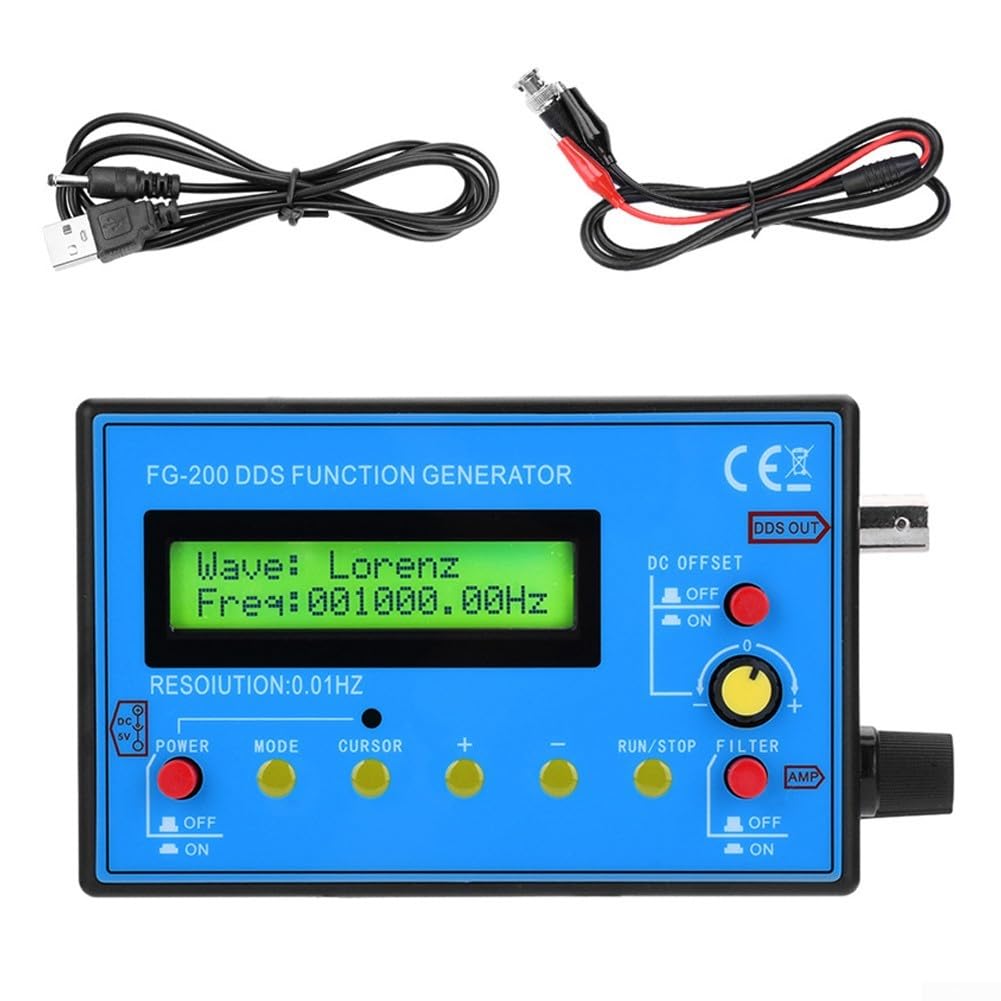
Figure 5: Dimensions of the FG-200 DDS Function Signal Generator Module.
| Feature | Specification |
|---|---|
| Part Name | FG-200 Module Function Information - Signal Generator |
| Material | ABS |
| Color | Blue |
| Product Dimensions (L x W x H) | 5.51 x 3.15 x 1.18 inches (140 x 80 x 30 mm) |
| Item Weight | 11.5 ounces |
| Frequency Resolution | 0.01Hz |
| Sine Wave Frequency Range | 0.01Hz - 500kHz |
| Other Waveforms Frequency Range | 0.01Hz - 100.00kHz |
| Sine Distortion | <1% below 1kHz, <0.5% above 1kHz |
| Output Amplitude | ±10V (peak-to-peak) |
| Output Impedance | 50Ω |
| DC Offset | Maximum ±10V, with power-off function |
| Power Supply | DC 4-9V (DC 5V recommended) or 3.7V Lithium Battery |
| Current Consumption | 180mA at 5V |
| DC Power Interface | 3.5mm |
7. Warranty and Support
Information regarding product warranty and customer support was not provided in the available data. Please refer to the product packaging or contact your retailer for details on warranty coverage and support options.


