
1. Introduction
The AEGTEST HOUND-1011S is a portable device designed for continuous monitoring of radon gas levels. Radon is a naturally occurring radioactive gas that is colorless, odorless, and tasteless. Prolonged exposure to elevated radon levels can pose significant health risks. This manual provides essential information for the proper setup, operation, and maintenance of your HOUND-1011S detector to ensure accurate and reliable radon monitoring in your environment.

Image 1.1: The HOUND-1011S detector highlighting its high sensitivity semiconductor sensor and 12-hour initial reading time.
2. Package Contents
Upon unpacking, verify that all items listed below are present and in good condition:
- 1 x AEGTEST HOUND-1011S Portable Radon Detector
- 1 x Type-C Charging Cable
- 1 x Lanyard
- 1 x User Manual (this document)
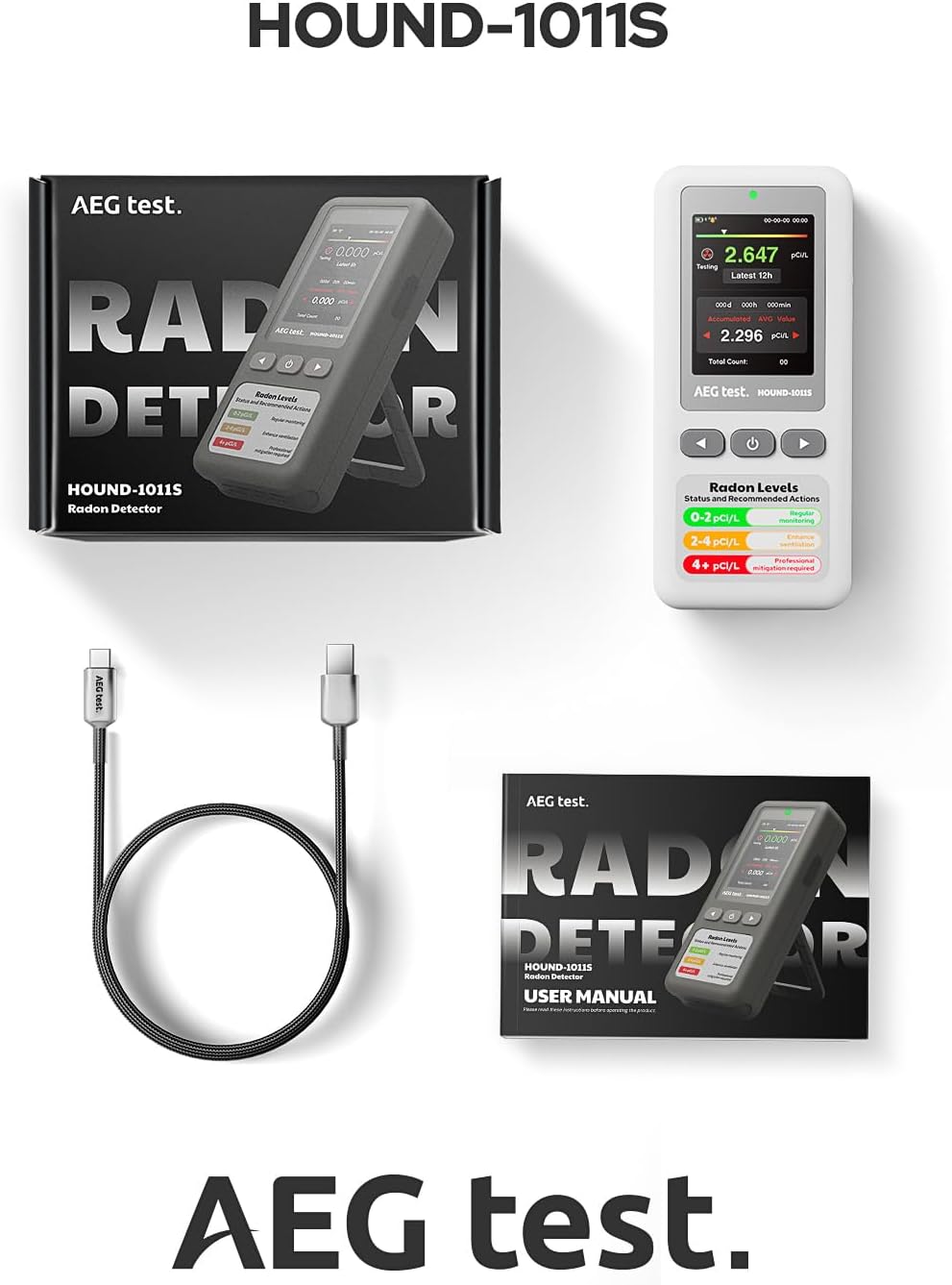
Image 2.1: The HOUND-1011S detector, its charging cable, and the user manual as included in the package.
3. Setup
- Initial Charge: Before first use, fully charge the device using the provided Type-C charging cable. Connect the cable to the device and a compatible USB power adapter (not included). The battery indicator on the screen will show charging status.
- Power On: Press and hold the power button (usually the central button) until the LCD screen illuminates. The device is designed for immediate use upon startup.
- Placement: Place the radon detector in an area where you suspect radon might be present, such as a basement, living area, or bedroom. Ensure it is placed on a flat, stable surface, away from direct drafts, heat sources, or excessive humidity. The included stand can be used for convenient upright positioning.
- Initial Reading Period: The device requires approximately 12 hours to collect sufficient data for an initial accurate radon level reading. After this period, readings will update hourly.

Image 3.1: The HOUND-1011S detector positioned on its stand, illustrating its compact design and charging port.
4. Operating Instructions
4.1. Understanding the Display
The LCD screen provides real-time and historical radon concentration data. Key information displayed includes:
- Current Radon Level: Displays the most recent radon concentration.
- Latest 12H/24H/48H/72H/96H Data: Allows viewing of average radon levels over different short-term periods.
- Accumulated Average Value: Provides a long-term average radon concentration.
- Battery Indicator: Shows the current battery level.
- Date and Time: Displays the current date and time.

Image 4.1: The HOUND-1011S display showing various radon level metrics and recommended actions based on concentration.
4.2. Navigating Menus and Settings
Use the navigation buttons (up, down, select/power) to move through the menu options. Press the power button to access the main menu.
- Measure: Returns to the main measurement screen.
- Retest: Initiates a new measurement cycle, resetting short-term averages.
- Data: Accesses historical radon data. The device stores up to 504 days of data. You can view individual data points, including time and value.
- Alarm: Configure alarm thresholds and enable/disable audible alarms.
- ECO: Adjust sleep mode settings to conserve battery life. Options typically include 2min, 5min, 10min, 15d (days).
- Time: Set the current date and time.
- Unit: Switch between pCi/L and Bq/m³ for radon concentration display. You can also adjust temperature units (°C/°F).
- Admin: Contains advanced settings, which may be password protected. Refer to the device's on-screen prompts or contact support if access is required.
- About: Provides information about radon gas and the device's firmware version.

Image 4.2: The HOUND-1011S displaying its data log, capable of storing up to 504 days of radon measurements.
4.3. Alarm Functions
The HOUND-1011S features both visual and audible alarms to alert you to elevated radon levels. You can customize the alarm threshold in the 'Alarm' menu. When radon levels exceed the set threshold, the device will flash a red indicator light and emit an audible alert (if enabled).
- Visual Alarm: A red light indicator on the device will flash.
- Screen Alarm: The display will show a warning.
- Audible Alarm: An alarm sound will be emitted (can be turned ON/OFF in ECO settings).

Image 4.3: The HOUND-1011S illustrating its light, screen, and audible alarm capabilities for radon detection.
5. Maintenance
- Cleaning: Use a soft, dry cloth to clean the exterior of the device. Do not use abrasive cleaners, solvents, or immerse the device in water.
- Battery Care: For optimal battery longevity, avoid fully discharging the battery frequently. Recharge the device when the battery indicator is low. If storing the device for an extended period, ensure it is partially charged (around 50%) and recharge every few months.
- Sensor Protection: Keep the device away from dust, debris, and extreme temperatures to protect the internal semiconductor sensor. Do not block the air intake vents.
6. Troubleshooting
| Problem | Possible Cause | Solution |
|---|---|---|
| Device does not power on. | Low battery or device malfunction. | Charge the device for at least 2 hours. If it still doesn't power on, contact customer support. |
| No radon reading after 12 hours. | Initial data collection not complete or sensor issue. | Ensure the device has been continuously powered for at least 12 hours. If the issue persists, try a 'Retest' or contact customer support. |
| Inconsistent or fluctuating readings. | Environmental factors (ventilation, temperature changes) or device movement. | Radon levels naturally fluctuate. Ensure stable placement and consistent environmental conditions for long-term monitoring. Avoid frequent relocation during measurement periods. |
| Audible alarm not sounding. | Alarm sound is turned off or threshold not met. | Check the 'ECO' settings to ensure 'Sound' is ON. Verify the alarm threshold in the 'Alarm' menu is set appropriately for current radon levels. |
7. Specifications
- Model: HOUND-1011S
- Measurement Range: 0.09 - 1000 pCi/L (3 - 37000 Bq/m³)
- Sensor Type: High-precision Semiconductor Sensor
- Data Update Interval: Hourly
- Initial Reading Time: Approximately 12 hours
- Battery Life (Sleep Mode): Up to 45 days
- Charging Port: Type-C
- Weight: 0.29 Kilograms
- Display: LCD Screen with multi-timeframe data (12H/24H/48H/72H/96H)
- Data Storage: Up to 504 days of historical data
- Alarms: Audible and Visual
8. Warranty Information
The AEGTEST HOUND-1011S Portable Radon Detector comes with a standard manufacturer's warranty. Please refer to the warranty card included in your product packaging or visit the official AEGTEST website for detailed terms and conditions regarding warranty coverage, duration, and claims procedures.
9. Customer Support
If you have any questions, require technical assistance, or encounter issues not covered in this manual, please contact AEGTEST customer support. Contact information can typically be found on the product packaging, the official AEGTEST website, or through your retailer.
