
Product Overview
The YDN Electric L-Shaped Standing Desk is designed to provide a versatile and ergonomic workspace. This desk features dual motors for smooth height adjustment, a spacious L-shaped desktop, and a sturdy construction suitable for various home and office environments.
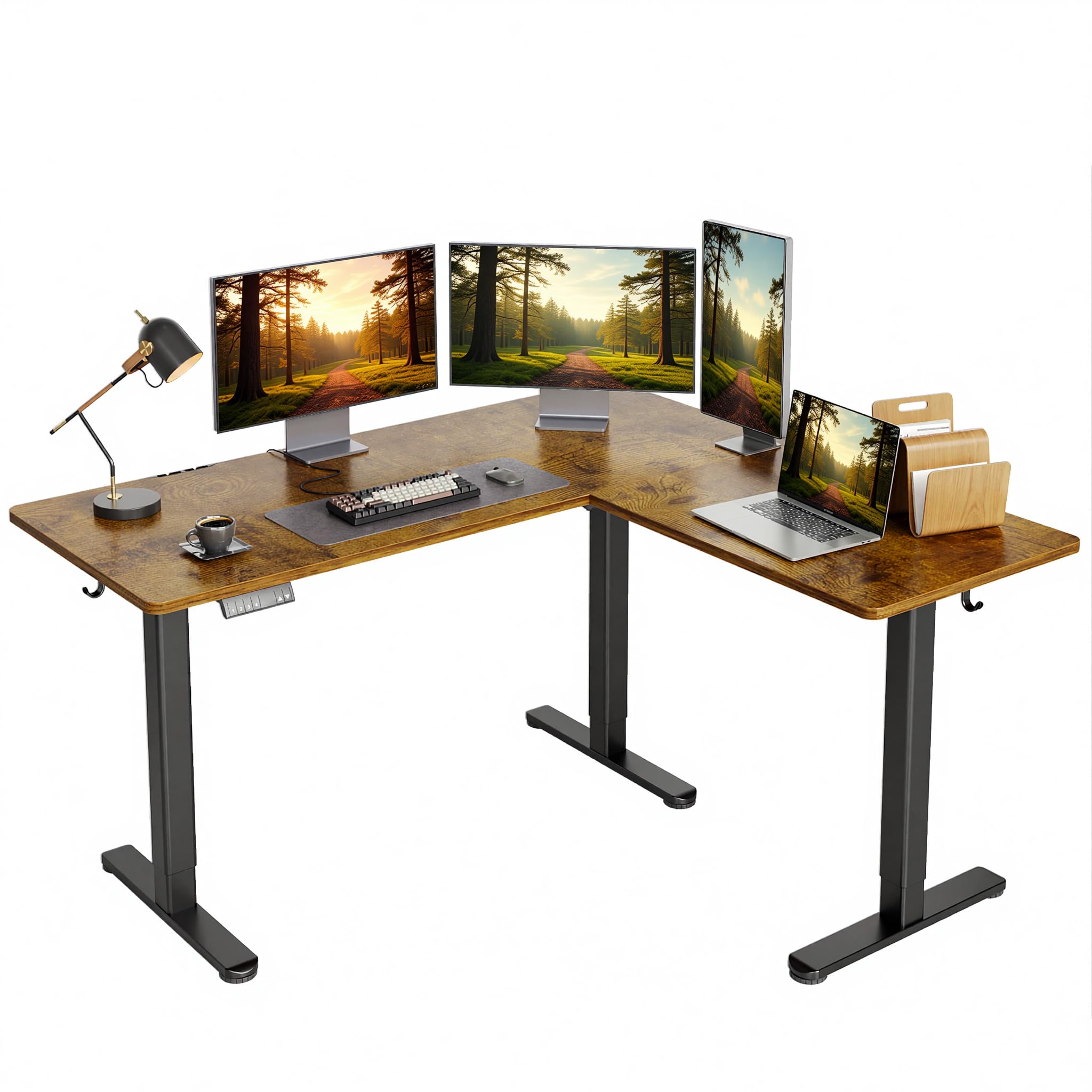
Image: The YDN Electric L-Shaped Standing Desk in Rustic Brown, showcasing its spacious surface and ergonomic setup with multiple screens.
Key Features:
- Flexible Reversible L-Shaped Design: Allows for left or right installation to adapt to your room layout, maximizing space efficiency.
- Spacious Desktop Area: Provides ample room for multiple monitors, laptops, and office accessories, supporting multitasking and productivity.
- Heavy-Duty Support: Constructed with high-quality steel and engineered wood panels for exceptional weight-bearing capacity (up to 220 lbs).
- Height Adjustable for Comfort: Equipped with an advanced electric lifting system for smooth transitions between sitting and standing positions, promoting ergonomic posture.
- Quiet Lift Mechanism: The motorized system operates with ultra-low noise, ensuring minimal disturbance during height adjustments.
Setup Instructions
Before beginning assembly, ensure all components are present and undamaged. All necessary assembly tools are included with your desk. It is recommended to assemble the desk in the room where it will be used.
Assembly Steps:
- Unpack Components: Carefully remove all parts from the packaging and lay them out on a clean, soft surface to prevent scratches.
- Assemble Frame: Follow the detailed instructions provided in the separate assembly guide to construct the steel frame, ensuring all screws are tightened securely.
- Attach Desktop Panels: Secure the engineered wood desktop panels to the assembled frame. Note the reversible design allows you to configure the L-shape with the long side on either the left or right, based on your preference.
- Install Control Panel: Mount the multi-function keypad to the underside of the desk in an easily accessible location.
- Connect Power: Plug the power cable into the control box and then into a standard electrical outlet.
- Attach Accessories: Install the two headphone hooks and cable management clips as desired for organization.
- Adjust Feet/Casters: The desk includes 6 adjustable feet for stability on uneven surfaces. Optionally, lockable swivel casters can be used for mobility (if included or purchased separately).

Image: Illustration demonstrating the flexible, reversible L-shaped design, allowing users to choose between left or right long-side configurations.

Image: Details of included accessories: two headphone hooks, cable management clips, adjustable feet (x6), and lockable swivel casters (x6).
Operating Instructions
The YDN Electric L-Shaped Standing Desk features an intuitive control panel for easy height adjustment and memory presets.
Control Panel Functions:

Image: The multi-function keypad, featuring an LED display for current height, up/down adjustment buttons, and four programmable memory presets.
- LED Display: Shows the current desk height in inches.
- Up/Down Buttons (▲ / ▼): Press and hold to smoothly raise or lower the desk to your desired height. The desk can adjust from a minimum height of 28.3 inches to a maximum height of 46.5 inches.
- Memory Presets (1, 2, 3, 4):
- Adjust the desk to your preferred height using the Up/Down buttons.
- Press the 'M' button (if present, or hold the desired number button) until the LED display flashes, then press the desired number button (1, 2, 3, or 4) to save the current height.
- To recall a saved height, simply press the corresponding number button. The desk will automatically move to the programmed position.

Image: Visual representation of the desk's wide height range, from a minimum of 28.3 inches to a maximum of 46.5 inches, accommodating both sitting and standing postures.
Quiet Operation:
The dual motor system is designed for ultra-quiet operation, typically around 45dB, ensuring a peaceful environment during height adjustments.

Image: A visual comparison of the desk's ultra-quiet adjustment (45dB) against common sound levels, highlighting its minimal noise output.
Maintenance
Proper maintenance ensures the longevity and optimal performance of your YDN Electric L-Shaped Standing Desk.
- Cleaning: Wipe the desk surfaces with a damp cloth. Avoid using harsh chemicals or abrasive cleaners that could damage the finish.
- Regular Checks: Periodically check all screws and connections to ensure they remain tight. Retighten if necessary.
- Cable Management: Ensure cables are neatly managed and not pinched or strained, which can affect the desk's movement or damage wiring.
- Motor Care: Keep the motor mechanisms free from dust and debris. Do not attempt to lubricate or disassemble the motor system.
Troubleshooting
If you encounter issues with your YDN Electric L-Shaped Standing Desk, please refer to the following common solutions:
- Desk Not Moving:
- Check if the power cable is securely plugged into both the desk's control box and the wall outlet.
- Ensure the wall outlet is functional by testing it with another device.
- If the control panel displays an error code, refer to the specific error code section in the full manual (if available) or contact customer support.
- Uneven Movement:
- Ensure the desk is not overloaded beyond its maximum weight capacity of 220 lbs.
- Check that the adjustable feet are properly leveled on the floor.
- Perform a reset procedure (if specified in the full manual) which typically involves lowering the desk to its lowest point and holding the down button for several seconds.
- Noise During Operation:
- While the desk is designed for quiet operation, minor sounds are normal. Excessive or unusual noise may indicate an issue.
- Ensure no objects are obstructing the lifting columns or motors.
If these steps do not resolve the issue, please contact YDN customer support for further assistance.
Specifications
Detailed technical specifications for the YDN Electric L-Shaped Standing Desk (Model P1.01.020.0002).

Image: Dimensional drawing of the L-shaped standing desk, indicating a width of 63 inches, a depth of 55 inches, and a height range of 28.3 to 46.5 inches. The maximum load capacity is 220 lbs.
| Brand | YDN |
| Model Number | P1.01.020.0002 |
| Product Dimensions | 55"D x 63"W x 28.3"H (Minimum Height) |
| Height Range | 28.3 inches to 46.5 inches |
| Maximum Weight Recommendation | 220 Pounds |
| Item Weight | 85.3 Pounds |
| Color | Rustic Brown |
| Top Material Type | Engineered Wood |
| Base Material | Alloy Steel |
| Special Feature | Corded, Height Adjustable, Dual Motors |
| Required Assembly | Yes (Tools Included) |
Warranty Information
The YDN Electric L-Shaped Standing Desk comes with a limited warranty. For specific details regarding coverage, duration, and terms, please refer to the warranty card included with your product or contact YDN customer support.
Customer Support
For any questions, assistance with assembly, troubleshooting, or warranty claims, please contact YDN customer support.
Manufacturer: YDN
Please refer to your purchase documentation or the YDN official website for the most current contact information.