
POOLPURE RPC100A
POOLPURE RPC100A Robotic Pool Cleaner Instruction Manual
Model: RPC100A | Brand: POOLPURE
1. Introduction
Thank you for choosing the POOLPURE RPC100A Robotic Pool Cleaner. This cordless, dual-motor device is designed to provide efficient and hassle-free cleaning for your swimming pool. This manual provides essential information for the safe and effective operation, maintenance, and troubleshooting of your new pool cleaner. Please read it thoroughly before first use and retain it for future reference.
2. Safety Information
- Always ensure the cleaner is turned off and disconnected from the charger before performing any maintenance or cleaning tasks.
- Do not operate the cleaner if the charging port or cable is damaged.
- Keep children and pets away from the pool area when the cleaner is in operation or charging.
- Only use the original charger provided with the device.
- Do not use the cleaner in pools with water temperatures outside the recommended range (typically 10°C to 35°C).
- The cleaner is designed for pool floor cleaning only. It is not suitable for cleaning walls or steps, or pools with steep slopes.
- Avoid dropping the cleaner or subjecting it to severe impacts.
- If water infiltration is suspected, immediately cease use and contact customer support.
3. Package Contents
Please check the package for the following items:
- POOLPURE RPC100A Robotic Pool Cleaner
- Charging Adapter
- User Manual
- Filter Basket (pre-installed)
4. Product Overview
The POOLPURE RPC100A features a robust design with dual 30W suction motors for powerful cleaning. Its 5000 mAh lithium-ion battery provides extended operation, and the IPX8 waterproof rating ensures durability. The cleaner also includes an LED display for status indication and automatic parking functionality.
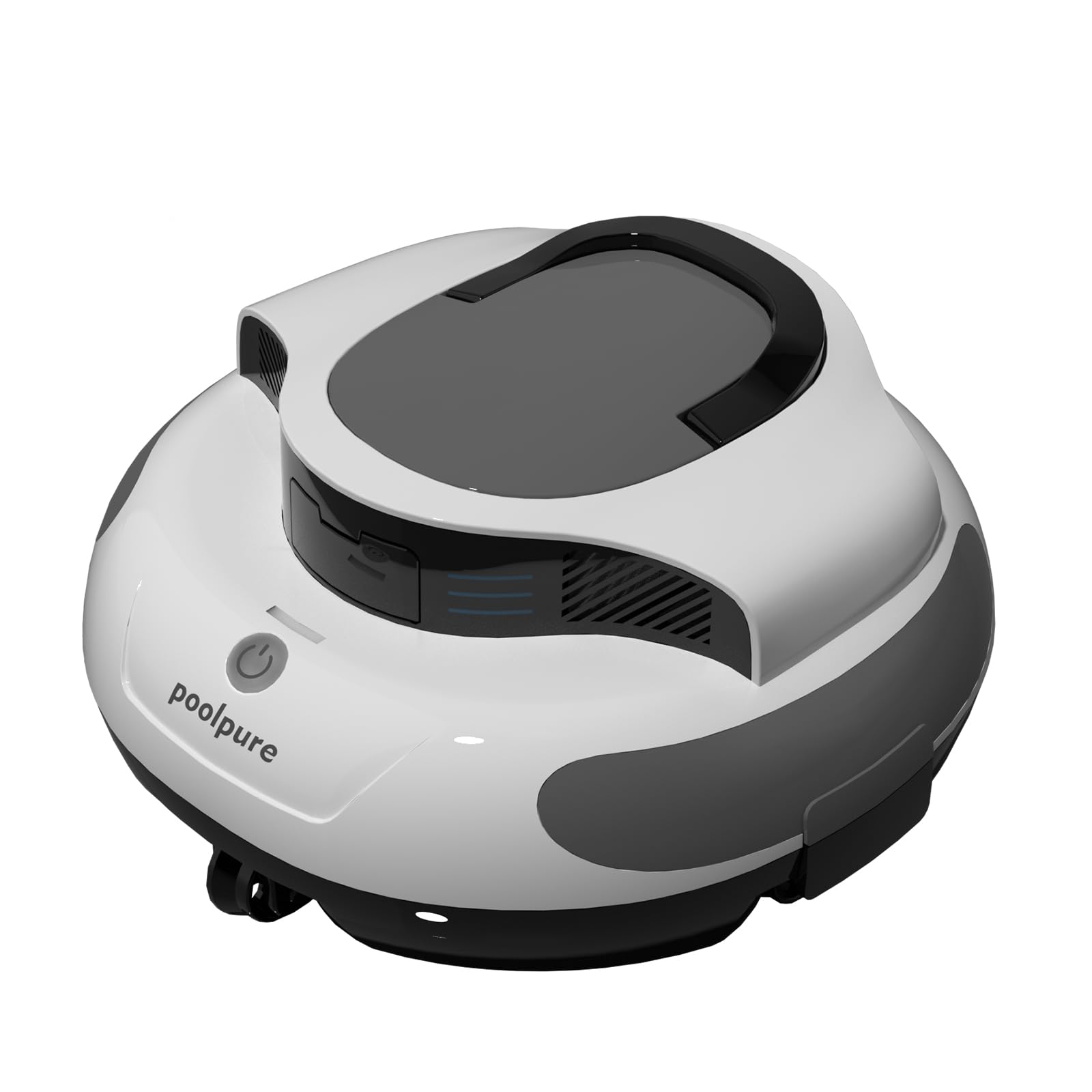
Image 1: POOLPURE RPC100A Robotic Pool Cleaner, top view.

Image 2: The RPC100A cleaner operating in a swimming pool.
5. Setup
5.1 Charging the Cleaner
Before first use, fully charge the robotic pool cleaner. The charging time is approximately 3 hours.
- Ensure the cleaner is dry before charging.
- Connect the charging adapter to the cleaner's charging port.
- Plug the adapter into a power outlet.
- The LED indicator on the cleaner will show charging status. It will typically turn solid green or off when fully charged.

Image 3: The RPC100A cleaner connected to its charging adapter.
5.2 Initial Placement in Pool
Once charged, the cleaner is ready for deployment.
- Ensure the pool water is clear of large debris that could obstruct the cleaner.
- Gently lower the cleaner into the pool. It will sink to the bottom.
6. Operating Instructions
6.1 One-Click Automatic Operation
The POOLPURE RPC100A is designed for simple, one-touch operation.
- After placing the cleaner in the pool, press the power button located on the top of the unit.
- The cleaner will activate and begin its automatic cleaning cycle. The LED display will indicate its operational status.
- The cleaner will autonomously navigate the pool floor, collecting debris.

Image 4: Activating the cleaner with a single press of the power button.
6.2 Automatic Parking Technology
The cleaner is equipped with self-parking technology.
- When the battery is low or after completing a cleaning cycle, the cleaner will automatically move to the edge of the pool for easy retrieval.

Image 5: The cleaner automatically parking near the pool wall.
6.3 Retrieval
The cleaner is lightweight (approximately 4.75 kg or 8.3 lbs) for easy retrieval.
- Once the cleaner has parked itself, use the handle to lift it out of the water.
- Allow excess water to drain before placing it on a dry surface.

Image 6: Easy retrieval of the lightweight pool cleaner.
7. Maintenance
7.1 Cleaning the Filter Basket
Regular cleaning of the filter basket is crucial for optimal performance.
- After each cleaning cycle, remove the cleaner from the pool.
- Locate and open the filter compartment.
- Remove the filter basket.
- Rinse the filter basket thoroughly with a garden hose to remove all collected debris.
- Ensure the filter basket is clean and dry before reinserting it into the cleaner.
- Close the filter compartment securely.
7.2 Battery Care
- Always fully charge the battery after each use to prolong its lifespan.
- If storing the cleaner for an extended period, charge it fully every 3 months.
- Store the cleaner in a cool, dry place away from direct sunlight.
8. Troubleshooting
| Problem | Possible Cause | Solution |
|---|---|---|
| Cleaner does not turn on. | Battery is depleted. | Charge the cleaner for 3 hours until the LED indicator shows full charge. |
| Cleaner moves slowly or stops during operation. | Filter basket is full or clogged. Battery is low. | Clean the filter basket. Recharge the cleaner. |
| Poor cleaning performance. | Filter basket is dirty. Impellers are blocked. | Clean the filter basket. Check impellers for debris and remove if necessary. |
| Cleaner does not park automatically. | Battery is not low enough, or cleaning cycle not complete. Sensor obstruction. | Allow the cleaner to complete its cycle or for the battery to deplete further. Ensure sensors are clean. |
| Water inside the cleaner (motor failure). | Seal integrity compromised. | Immediately cease use. This indicates a serious issue. Contact customer support for assistance. Do not attempt to repair yourself. |
9. Specifications
| Feature | Specification |
|---|---|
| Model Number | RPC100A |
| Battery Type | Lithium-ion |
| Battery Capacity | 5000 mAh (56 Watt-hours) |
| Battery Voltage | 11.1 Volts |
| Charging Time | 3 hours |
| Run Time | 100+ minutes (actual runtime may vary) |
| Motor Power | Dual 30W suction motors |
| Waterproof Rating | IPX8 |
| Product Dimensions (L x W x H) | 32.4 x 32.1 x 17.1 cm |
| Product Weight | 4.75 kg (approximately 8.3 lbs) |
| Control Method | Touch |
| Special Features | Automatic Parking, LED Display, IPX8 Waterproof |
10. Warranty and Support
For warranty information and customer support, please refer to the documentation provided with your purchase or contact POOLPURE customer service directly. If you require a guide in your native language or have any questions, please reach out to the manufacturer.
Ask a question about this manual
Ask about setup, troubleshooting, compatibility, parts, safety, or missing instructions. Manuals+ will review the question and use this page’s manual context to help answer it.