
1. Safety Information
Read this entire manual carefully before operating the ApexNexus 970NX Incline Folding Treadmill. Retain this manual for future reference.
- Always remove the safety key when the unit is not in use.
- Stand on the side rails before starting the treadmill.
- Keep children and pets away from the treadmill during operation.
- Ensure the treadmill is placed on a flat, stable surface.
- Do not operate the treadmill if it is damaged or malfunctioning.
- Consult a physician before starting any new exercise program.
- Wear appropriate athletic footwear during use.
- Do not exceed the maximum weight capacity of 350 lbs (158.76 kg).
2. Product Overview
2.1 Key Features
- 15% Manual Incline: Adjust the incline manually to simulate hill climbs and increase workout intensity.
- LED Display with Smart Memory: Tracks speed, time, calories, and distance. Automatically saves data when paused, allowing you to resume your workout without losing progress.
- 3.0HP Whisper-Quiet Brushless Motor: Provides smooth and quiet operation, supporting users up to 350 lbs with speeds from 0.6-6.2 MPH.
- Space-Saving Folding Design: Easily folds for compact storage under a bed or in a closet, featuring built-in wheels for portability.
- 6-Layer Cushioning System: A 38" x 15" running surface with a non-slip belt and enhanced shock absorption to reduce impact on knees and joints.
- 3-in-1 Functionality: Offers walking, jogging, and incline training modes to suit various fitness levels and goals.
2.2 Components Included
- Treadmill Unit
- User Manual
- Safety Key
- Lubricant
- Power Cord
- Tool Kit (for assembly and adjustment)
3. Setup Instructions
- Unpacking: Carefully remove all components from the packaging. Ensure all parts listed in the "Components Included" section are present.
- Placement: Place the treadmill on a flat, stable surface, ensuring adequate clearance around the unit for safe operation.
- Unfolding the Treadmill:
- Gently lift the handlebar assembly until it locks into the upright position.
- Secure the handlebar using the provided knobs or locking mechanisms.

The image displays the treadmill in both its upright, ready-to-use position and its folded, compact storage position, highlighting its space-saving design.
- Connecting Power: Plug the power cord into a grounded electrical outlet.
- Safety Key: Attach the safety key to the designated slot on the console. The treadmill will not operate without the safety key in place.
This video demonstrates the unfolding, setup, and basic operation of the ApexNexus 970NX Incline Folding Treadmill, including adjusting the incline and using the control panel.
4. Operating Instructions
4.1 Control Panel Overview
The control panel features an LED display, speed adjustment buttons, program selection, and safety key slot. It also includes holders for your water bottle and phone/tablet.

The image shows the treadmill's LED display, which tracks key workout metrics like speed, time, calories, and distance.
4.2 Starting a Workout
- Ensure the safety key is properly attached to the console and clipped to your clothing.
- Stand on the side rails of the treadmill.
- Press the START button (green button) to begin. The belt will start moving at a low speed.
- Carefully step onto the running belt and adjust your speed using the + and - buttons.
4.3 Adjusting Speed and Incline
- Speed: Use the + and - buttons on the console to increase or decrease the belt speed (range: 0.6-6.2 MPH).
- Manual Incline: The treadmill features a 15% manual incline. To adjust, stop the treadmill, lift the rear of the running deck, and adjust the support legs to the desired incline level. Ensure both sides are set equally.

The image highlights the 15% manual incline capability of the treadmill, showing how the running deck can be elevated.
4.4 Using Preset Programs
The treadmill includes 12 preset programs (P1-P12) designed for various workout intensities. Press the P/M button to cycle through the programs. Once a program is selected, press START to begin.
4.5 Pause and Data Memory
Press the PAUSE button (red button) to temporarily stop your workout. The LED display will retain your current data (time, distance, calories). Press START to resume your workout from where you left off.
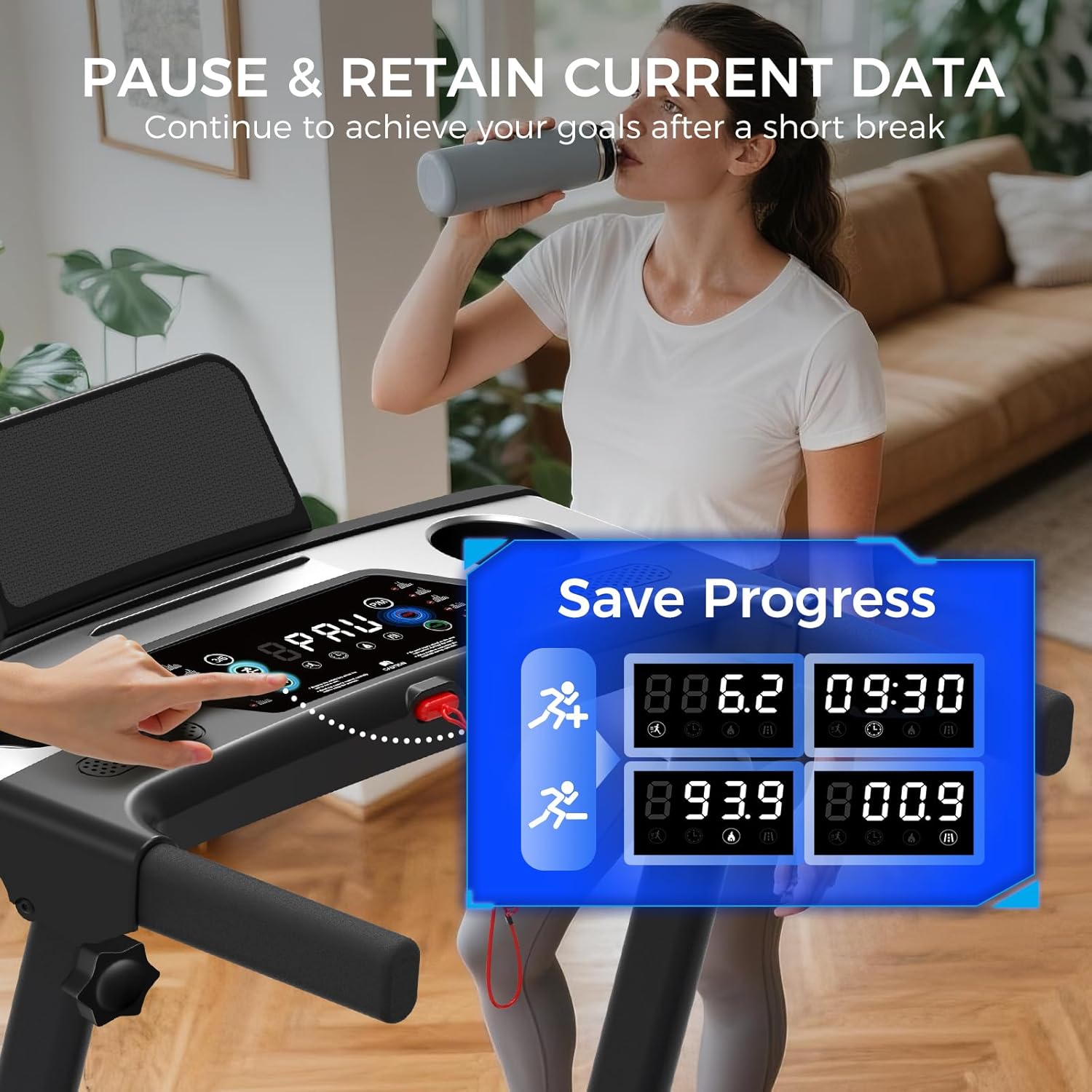
This image illustrates the smart memory feature, showing how workout data is retained when the treadmill is paused.
4.6 Emergency Stop
In case of an emergency, pull the safety key from the console. The treadmill will immediately stop. Alternatively, press the STOP button.
5. Maintenance
5.1 Lubrication Schedule
Regular lubrication of the running belt is crucial for optimal performance and longevity. Use the provided lubricant according to the following schedule:
| Usage Frequency | Maintenance Frequency |
|---|---|
| Less than 3 Hours/Week | Every 60 days |
| 4-5 Hours/Week | Every 45 days |
| More than 5 Hours/Week | Every 30 days |
To lubricate, lift the edge of the running belt and apply a small amount of lubricant directly onto the center of the deck. Run the treadmill at a low speed for a few minutes to distribute the lubricant evenly.
5.2 Belt Adjustment
If the running belt becomes misaligned or feels loose, it can be adjusted using the provided tool kit. Refer to the detailed instructions in the printed user manual for precise adjustment procedures.
5.3 Cleaning
Regularly wipe down the treadmill with a damp cloth to remove dust and sweat. Do not use abrasive cleaners or solvents. Ensure the treadmill is unplugged before cleaning.
6. Troubleshooting
| Problem | Possible Cause | Solution |
|---|---|---|
| Treadmill does not power on. | Power cord not plugged in; Safety key not in place; Power switch off. | Check power connection; Ensure safety key is inserted; Turn on power switch. |
| Running belt stops unexpectedly. | Safety key dislodged; Overload protection activated. | Re-insert safety key; Reduce load or allow motor to cool. |
| Belt slips or hesitates. | Belt needs lubrication; Belt is too loose. | Lubricate the running belt; Adjust belt tension (refer to manual). |
| Unusual noise during operation. | Loose components; Foreign object under belt; Motor issue. | Check for loose screws; Inspect under belt; Contact customer support if motor noise persists. |
If you encounter issues not listed here or if solutions do not resolve the problem, please contact ApexNexus customer support.
7. Specifications
| Feature | Detail |
|---|---|
| Model Number | 970NX |
| Brand | ApexNexus |
| Product Dimensions (Unfolded) | 120D x 58W x 103H Centimetres (47.2D x 22.8W x 40.5H Inches) |
| Folded Size | 44.6 x 22.8 x 5.1 Inches |
| Item Weight | 22.14 kg (48.8 lbs) |
| Material | Acrylonitrile Butadiene Styrene (ABS), Carbon Steel |
| Motor Horsepower | 3.0 HP |
| Speed Range | 0.6 - 6.2 Miles per Hour |
| Maximum Incline Percentage | 15% (Manual) |
| Maximum Weight Recommendation | 158.76 kg (350 lbs) |
| Running Deck Length | 38 Inches |
| Running Deck Width | 15 Inches |
| Metrics Measured | Calories Burned, Distance, Speed, Time |
| Power Source | Corded Electric |
| Special Features | Adjustable Speed, Compact Design, Foldable, Manual Incline, Portable, Quiet, Shock Absorption, Cushioning, Compact Storage |
| Assembly Required | Yes |
| Country of Origin | China |
8. Warranty & Support
The ApexNexus 970NX Incline Folding Treadmill comes with a 1-Year Warranty from the date of purchase.
For any questions, technical assistance, or warranty claims, please contact ApexNexus customer service. Our dedicated team offers 24/7 support via Amazon.
Your satisfaction is guaranteed. We are committed to providing comprehensive support for your treadmill.