
1. Introduction
Thank you for choosing the CHAKEYAKE 4G Kids Phone T280. This device is designed to provide a safe and engaging communication and entertainment experience for children aged 3-12. It features 4G connectivity for clear calls, a durable design, a 2.8-inch HD touch screen, dual cameras, an MP3 player, and various educational tools. Please read this manual carefully to understand how to properly set up, operate, and maintain your new phone.
2. What's in the Box
Please check the contents of your package. If any items are missing or damaged, contact customer support.
- 1 x CHAKEYAKE 4G Kids Phone T280
- 1 x User Manual
- 1 x 1000mAh Battery
- 1 x USB-C Charging Cable
- 1 x SIM Card Adapter
- 1 x Lanyard
3. Product Overview
Familiarize yourself with the key components and features of your CHAKEYAKE 4G Kids Phone T280.

Figure 3.1: Front view of the CHAKEYAKE 4G Kids Phone T280, highlighting its 4G call capability.

Figure 3.2: Key features of the phone including a large eye-protective screen, MP3/MP4 player for audio and educational videos, and a 1000mAh long-lasting battery.
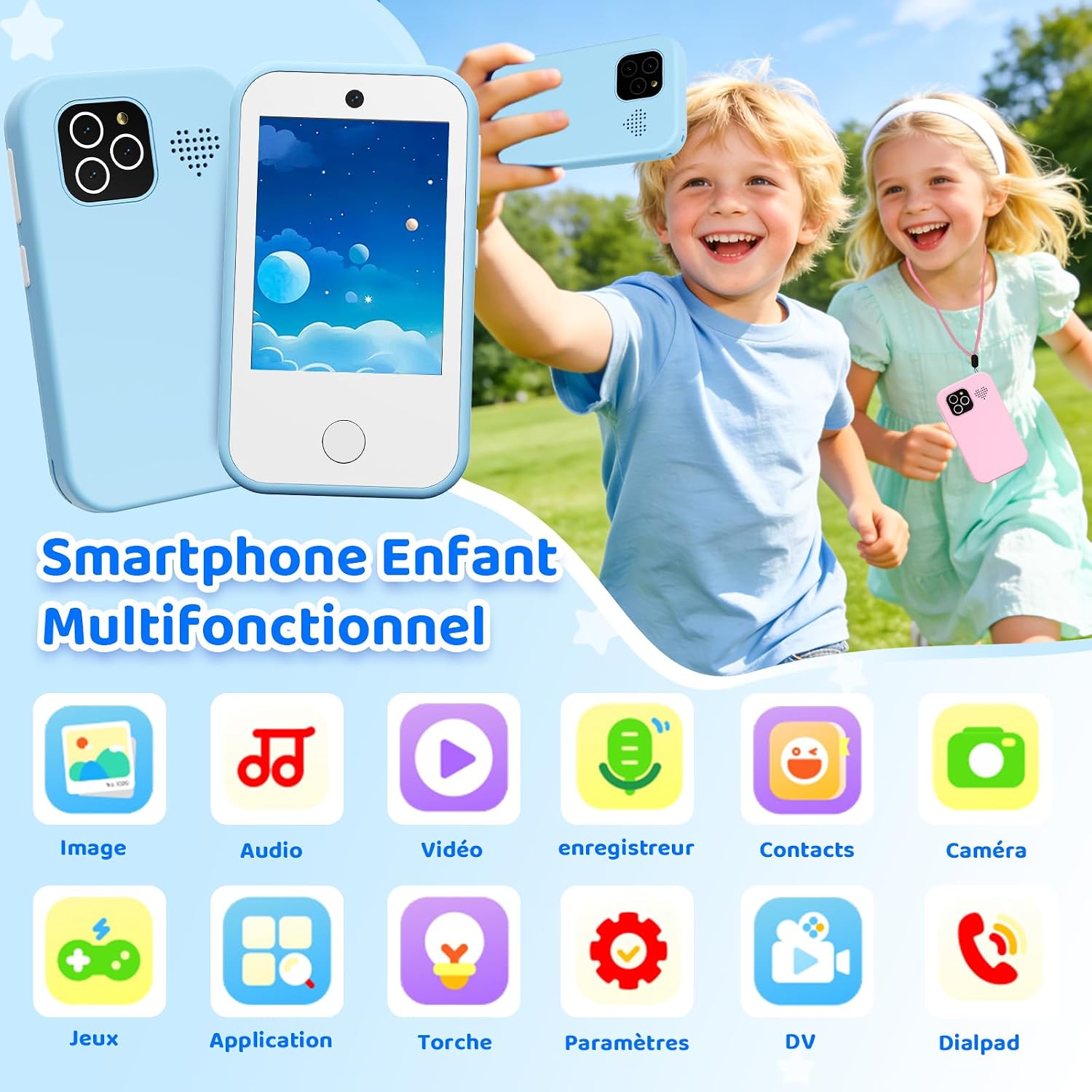
Figure 3.3: Overview of the phone's multifunctional interface, showing icons for Image, Audio, Video, Recorder, Contacts, Camera, Games, Application, Flashlight, Settings, DV, and Dialpad.
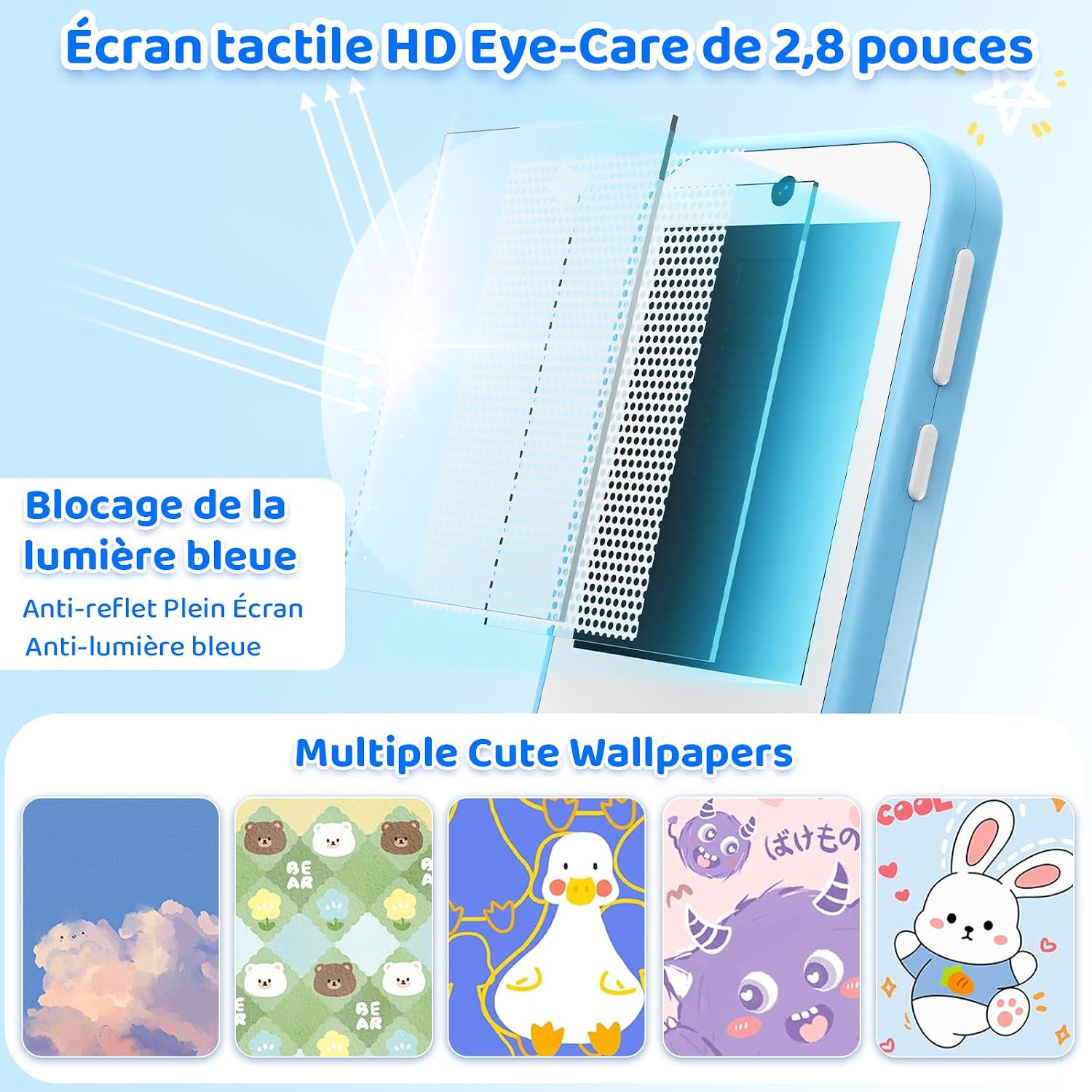
Figure 3.4: The 2.8-inch HD Eye-Care touch screen features blue light blocking and anti-glare properties, along with multiple cute wallpaper options.

Figure 3.5: The phone is equipped with front and rear cameras, offering 8 different photo filters for creative expression.

Figure 3.6: Practical functions such as an alarm clock, calculator, flashlight, and MP3 player are included to assist children with daily routines and entertainment.

Figure 3.7: Physical dimensions of the phone (10.3cm x 6cm) and a display of the USB-C charging cable, lanyard, and user manual.
4. Setup Guide
4.1 Installing the SIM Card and Battery
- Carefully remove the back cover of the phone.
- Insert a Nano-SIM card into the designated SIM card slot. Ensure it is correctly oriented.
- Place the 1000mAh battery into its compartment.
- Replace the back cover, ensuring it clicks securely into place.
4.2 Charging the Phone
- Connect the USB-C charging cable to the phone's charging port.
- Plug the other end of the USB-C cable into a compatible 5V, 500mAh power adapter (not included) or a computer's USB port.
- The charging indicator will show the charging status. Allow the phone to fully charge before first use.
5. Operating Instructions
5.1 Power On/Off
- To power on: Press and hold the power button until the screen lights up.
- To power off: Press and hold the power button, then select "Power Off" on the screen.
5.2 Making and Receiving Calls
- To make a call: Tap the "Dialpad" icon, enter the phone number, and press the call button.
- To receive a call: When the phone rings, swipe to answer or press the answer button.
- The phone supports 2G/3G/4G networks for clear communication across Europe.
5.3 Using the Camera
- Tap the "Camera" icon to open the camera application.
- Switch between front and rear cameras as needed.
- Select from various filters to enhance photos.
- Tap the shutter button to take a photo or start/stop video recording.
5.4 Multimedia Functions
- MP3 Player: Tap the "Audio" icon to access the music player. Load MP3 files onto the device to play.
- Video Player: Tap the "Video" icon to play stored video files.
5.5 Educational Games
- Tap the "Games" icon to access pre-installed educational games.
- These games are designed to promote cognitive development and creativity.
5.6 Other Tools
- Flashlight: Tap the "Torch" icon to turn the flashlight on or off.
- Alarm Clock: Set alarms for daily routines or reminders.
- Calculator: Use the calculator for basic arithmetic.
- Calendar: View dates and manage simple schedules.
- Bluetooth: Connect to compatible Bluetooth devices.
6. Features
- 4G Calls & Smooth Communication: Enjoy stable connectivity with this unlocked kids' smartphone, compatible with 4G/3G/2G networks in Europe. Insert a Nano-SIM card (not included) for clear calls.
- Multifunction Kids Smartphone: Features a 2.8-inch HD touch screen, dual cameras, and an MP3 player. Includes practical tools like a calculator, alarm clock, and stopwatch for time management.
- Educational Games & Playful Learning: Pre-installed educational games stimulate cognitive development and creativity, offering a balance of entertainment and education without internet access.
- Eye Protection Screen & Portability: The eye-protective screen reduces visual fatigue from blue light. Its compact size is suitable for small hands, and the included lanyard prevents loss.
- Durable Battery: Equipped with a long-lasting 1000mAh battery.
7. Maintenance
- Keep the phone clean by wiping it with a soft, dry cloth.
- Avoid exposing the phone to extreme temperatures, direct sunlight, or moisture. The phone is not waterproof.
- Handle the phone with care to prevent drops and impacts.
- Charge the battery regularly to maintain its lifespan. Avoid overcharging or completely draining the battery.
8. Troubleshooting
- Phone does not power on: Ensure the battery is correctly installed and fully charged.
- Cannot make/receive calls: Check if the SIM card is properly inserted and activated. Verify network signal strength.
- Screen is unresponsive: Try restarting the phone. If the issue persists, contact customer support.
- Battery drains quickly: Reduce screen brightness, close unused applications, or consider replacing the battery if it's old.
9. Specifications
| Feature | Specification |
|---|---|
| Brand | CHAKEYAKE |
| Model | T280 |
| Operating System | Android |
| Screen Size | 2.8 Inches |
| Resolution | 240 x 320 QVGA |
| Wireless Carrier | Unlocked (All carriers) |
| Cellular Technology | 4G (2G, 3G, 4G compatible) |
| Color | Blue |
| SIM Card Type | Nano-SIM (Single slot) |
| Rear Cameras | 2 |
| Front Cameras | 1 |
| Battery Capacity | 1000 mAh |
| Battery Power | 3.7 Watt-hours |
| Item Dimensions | 10.3 x 6 x 0.1 cm |
| Water Resistance Level | Not Waterproof |
| Special Product Use | Daily use for children (home, school, outdoor games) |
10. Warranty and Support
The CHAKEYAKE 4G Kids Phone T280 comes with a 2-year warranty. For any product inquiries, technical support, or warranty claims, please contact your retailer or the manufacturer directly. Keep your purchase receipt as proof of purchase.