
1. Introduction and Overview
This manual provides essential information for the setup, operation, and maintenance of your PUNEHOD L1800 A3 DTF Printer. This Direct-to-Film (DTF) transfer printing machine is designed for high-quality textile printing, offering vivid colors and clear details on various fabrics.

Image: PUNEHOD L1800 DTF Printer in a creative environment.
The L1800 DTF printer features an ultra-clear 1440 x 1440 dpi resolution, six-color printing (CMYKWW), and a white ink circulation system to prevent clogging. It supports printing on various materials including T-shirts, hats, bags, pillows, and shoes.
2. Package Contents
Verify that all components listed below are included in your package. The printer and ink are shipped in separate boxes.

Image: Detailed illustration of all items included in the two shipping boxes.
Box 1:
- A3 L1800 DTF Printer
- DTF Oven
- 100m Roll Film
- RIP Software
- USB Cable
- Power Cable
- Cleaning Kit
- Ink Damper
Box 2:
- 12 bottles of 250ml Ink (Double 6 x 250ml inks)
- 2 packs of 500g Powder (Double 500g powder)
- Additional Moisturizing Kit
3. Setup Instructions
Careful setup is crucial for optimal performance. Please follow these steps:
- Unpacking: Carefully remove all components from their packaging. Retain packaging for future transport or storage.
- Placement: Place the printer and DTF oven on a stable, level surface in a well-ventilated area, away from direct sunlight and heat sources.
- Power Connection: Connect the power cables to the printer and oven, then plug them into appropriate power outlets.
- USB Connection: Connect the printer to your computer using the provided USB cable. The printer only supports Windows operating systems.
- Software Installation: Install the RIP software from the provided media. Follow the on-screen instructions for installation.
- Ink Loading: Refer to the detailed instructions in the separate ink loading guide for proper ink installation. Ensure each color ink is loaded into its corresponding reservoir.
- Film Loading: Load the DTF film roll into the printer's roll feeder according to the instructions in the main user manual.
4. Operating Instructions
The PUNEHOD L1800 DTF printer allows you to create vibrant designs for various fabric applications. The general process involves printing your design onto DTF film, applying powder, curing it with the oven, and then heat-pressing it onto your desired fabric.
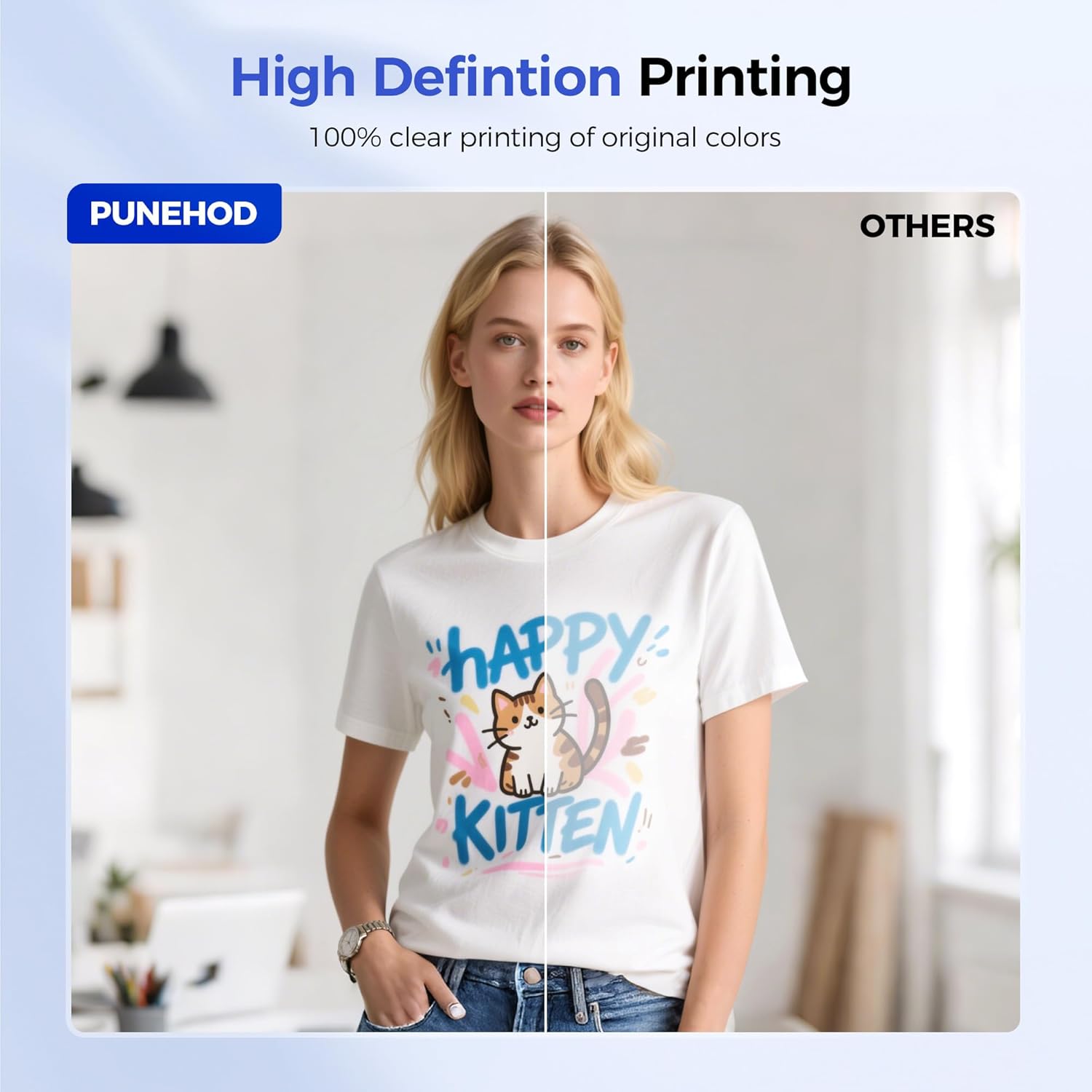
Image: Example of high-definition print quality achieved with the PUNEHOD L1800 DTF Printer.
Printing Process Overview:
- Design Preparation: Create or import your design using the RIP software. Ensure your design is properly sized and configured for printing, including white ink layers if necessary.
- Print to Film: Send the design from the RIP software to the L1800 printer. The printer will print the design onto the DTF film with a resolution of 1440 x 1440 dpi, ensuring vivid colors and sharp details.
- Powder Application: Once printed, immediately apply the DTF adhesive powder evenly over the wet ink on the film. Gently shake off any excess powder.
- Curing: Place the powdered film into the DTF oven to cure the adhesive. Follow the oven's instructions for optimal temperature and time settings.
- Heat Press Transfer: Position the cured film onto your chosen fabric (e.g., T-shirt, hat). Use a heat press to transfer the design from the film to the fabric. Refer to heat press guidelines for specific temperature, pressure, and time settings.
- Peel: Once cooled (or hot, depending on film type), carefully peel off the film to reveal your transferred design.

Image: Diverse applications of DTF printing on different fabric items.
5. Maintenance
Regular maintenance is essential to ensure the longevity and consistent performance of your PUNEHOD L1800 DTF Printer, especially concerning the printhead and ink system.
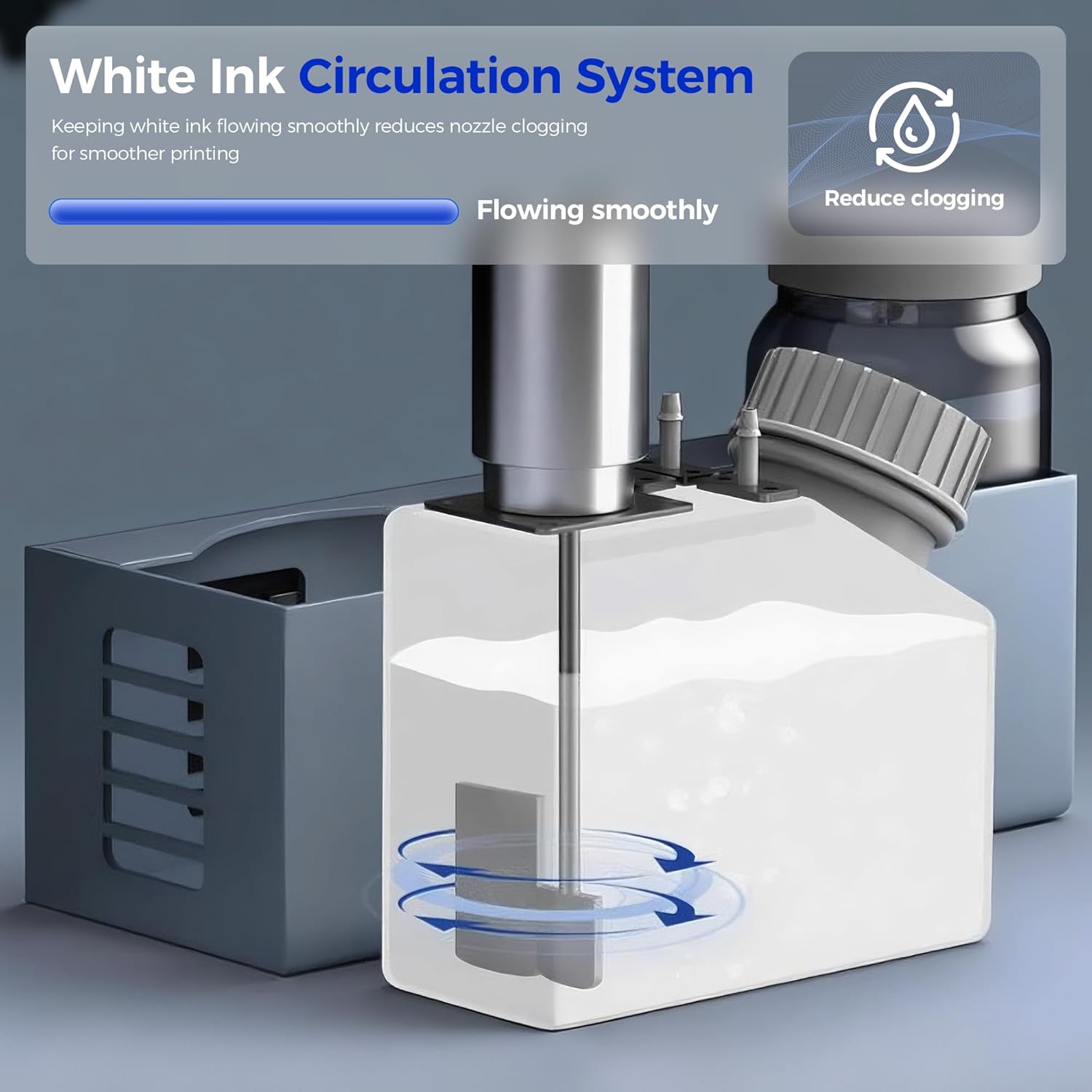
Image: White Ink Circulation System, designed to prevent nozzle clogging.
- White Ink Circulation: The printer features a white ink circulation system to keep the ink flowing smoothly and reduce nozzle clogging. Ensure this system is operating correctly.
- Moisturizing Kit Usage: To prevent printhead clogging, use the provided moisturizing kit to maintain the printhead if the printer remains unused for more than 3 days. Follow the instructions included with the moisturizing kit.
- Regular Cleaning: Use the cleaning kit to regularly clean the printer's exterior, printhead, and other accessible components. Refer to the detailed cleaning schedule in the main user manual.
- Ink Levels: Monitor ink levels regularly and refill as needed to avoid air entering the ink lines, which can lead to printing issues.
- Software Updates: Keep your RIP software updated to the latest version for optimal performance and compatibility.
6. Troubleshooting
This section provides general guidance for common issues. For more detailed troubleshooting, refer to the comprehensive user manual or contact customer support.
- Printhead Clogging: If you experience printhead clogging, perform a printhead cleaning cycle through the RIP software. If the issue persists, use the moisturizing kit for a deeper clean or contact support. Regular use of the moisturizing kit when the printer is idle helps prevent this.
- Poor Print Quality: Check ink levels, ensure the printhead is clean, and verify that the correct print settings (resolution, color profile) are selected in the RIP software.
- Printer Not Responding: Ensure all cables (power, USB) are securely connected. Restart the printer and your computer. Verify that the printer drivers are correctly installed and updated.
- Software Issues: If the RIP software is not functioning correctly, try reinstalling it. Ensure your Windows operating system is up to date.
7. Specifications
Key technical specifications for the PUNEHOD L1800 A3 DTF Printer:

Image: PUNEHOD L1800 Printer Parameters.
| Feature | Specification |
|---|---|
| Brand | PUNEHOD |
| Model Name | L1800 (A3 Printer+Oven) |
| Printing Technology | Inkjet (DTF) |
| Print Resolution | 1440 x 1440 dpi |
| Max Print Width | 13 inches / 330mm |
| Color Configuration | CMYKWW (6-color) |
| Connectivity Technology | USB |
| Compatible Devices | Windows Operating System |
| Product Dimensions | 20 x 18 x 33 inches |
| Output Sheet Capacity | 1 (Roll-fed) |

Image: Print size comparisons for US Letter, A4, and A3.
8. Warranty and Support
PUNEHOD is committed to providing reliable products and excellent customer service.

Image: PUNEHOD Professional Support details.
Warranty Information:
- Printhead: 3 Months Warranty
- Parts: 12 Months Warranty
Customer Support:
For any questions, technical assistance, or troubleshooting, please utilize the following support channels:
- 24/7 Tech-Support: Available via email or live chat. Refer to your purchase documentation for specific contact details.
- Online Resources: Visit the official PUNEHOD store on Amazon for FAQs and additional product information: PUNEHOD Store
- Remote Support: Remote assistance is available if you require help with operation.

