
1. Introduction
This manual provides detailed instructions for the installation, operation, and maintenance of the BGGJJ KJR-120X2/TFBG-E Central Air Conditioning Line Controller. Please read this manual thoroughly before installation and use to ensure proper function and safety. Retain this manual for future reference.
Safety Information
- Ensure power is disconnected before installation or maintenance to prevent electric shock.
- Installation should be performed by a qualified technician.
- Do not expose the controller to water or excessive humidity.
- Do not attempt to repair the unit yourself. Contact qualified service personnel.
2. Product Overview
The BGGJJ KJR-120X2/TFBG-E is a manual control panel designed for central air conditioning systems. It offers reliable and stable performance with an easy installation process and minimal operational error.
Key Features:
- Reliable and stable operation.
- Easy installation.
- Precise control with small error margin.
- Durable construction for long-term use.
Package Contents:
- KJR-120X2/TFBG-E Control Panel
- Mounting Screws (if applicable)
- User Manual (this document)
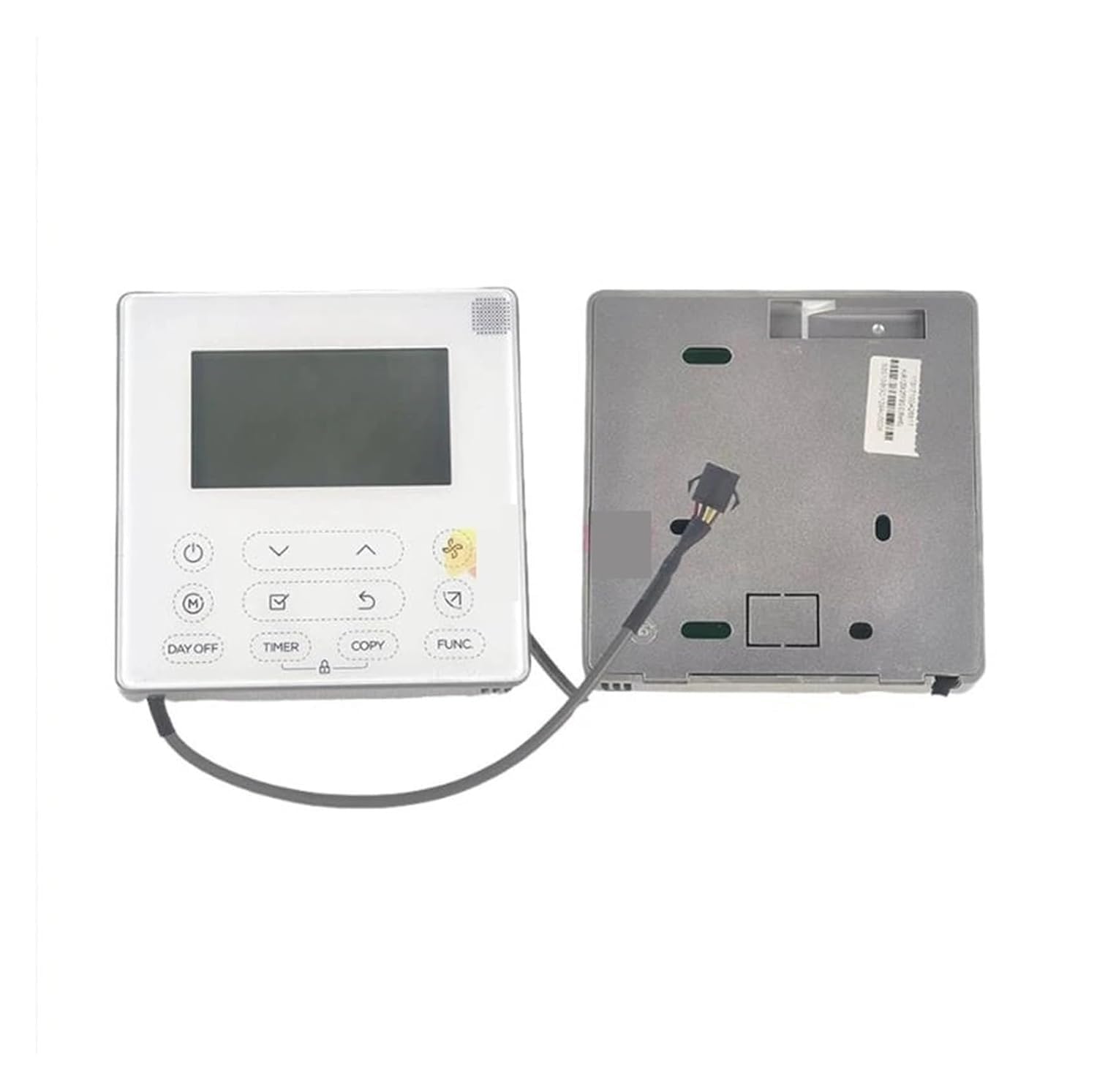
Figure 1: Front view of the KJR-120X2/TFBG-E Control Panel. This image shows the general appearance of the control unit, including its display and buttons.
3. Setup & Installation
Proper installation is crucial for the safe and efficient operation of the control panel. It is recommended that installation be performed by a certified HVAC technician.
Pre-installation Checklist:
- Ensure the main power to the air conditioning system is turned OFF at the circuit breaker.
- Verify that the installation location is dry and free from direct sunlight or heat sources.
- Confirm compatibility with your existing central air conditioning system.
Installation Steps:
- Disconnect Power: Turn off the main power supply to the central air conditioning unit at the circuit breaker.
- Mount the Control Panel: Choose a suitable wall location, typically at eye level, away from drafts or heat sources. Use the provided mounting screws to secure the control panel to the wall.
- Wire Connections: Carefully connect the wiring from your central air conditioning system to the terminals on the back of the KJR-120X2/TFBG-E control panel. Refer to the wiring diagram provided with your specific AC unit for correct terminal identification. Ensure all connections are secure and properly insulated.
- Secure the Panel: Once wiring is complete, carefully attach the front cover of the control panel.
- Restore Power: Turn the main power supply back ON at the circuit breaker.
- Initial Test: Power on the air conditioning system and test the basic functions of the control panel to ensure it is communicating correctly with the AC unit.
4. Operating Instructions
This section describes how to operate your BGGJJ KJR-120X2/TFBG-E control panel.
Basic Operation:
- Power ON/OFF: Press the Power button to turn the unit on or off.
- Mode Selection: Use the Mode button to cycle through available operating modes (e.g., Cool, Heat, Fan, Auto).
- Temperature Adjustment: Use the Up (▲) and Down (▼) arrows to set your desired temperature.
- Fan Speed: Press the Fan button to adjust the fan speed (e.g., Low, Medium, High, Auto).
Note: Specific button labels and functions may vary slightly based on the exact model and connected AC unit. Refer to the on-screen display for current settings.
5. Maintenance
Regular maintenance ensures the longevity and optimal performance of your control panel.
Cleaning:
- Before cleaning, ensure the power to the unit is off.
- Wipe the surface of the control panel with a soft, dry cloth.
- Do not use abrasive cleaners, solvents, or chemical sprays, as these can damage the surface and internal components.
General Care:
- Avoid placing objects on top of the control panel.
- Keep the area around the control panel clear to ensure proper air circulation (if applicable).
- Periodically check wiring connections for any signs of loosening or damage.
6. Troubleshooting
If you encounter issues with your control panel, refer to the following common problems and solutions.
| Problem | Possible Cause | Solution |
|---|---|---|
| Control panel does not power on. | No power supply; loose wiring; circuit breaker tripped. | Check main power supply; ensure wiring is secure; reset circuit breaker. |
| Temperature not adjusting. | Incorrect mode selected; communication error with AC unit. | Verify operating mode; power cycle the AC unit and control panel. |
| Display is blank or flickering. | Power fluctuation; internal fault. | Check power supply stability; if problem persists, contact support. |
If the problem persists after attempting these solutions, please contact customer support or a qualified technician.
7. Specifications
| Model: | KJR-120X2/TFBG-E |
| Brand: | BGGJJ |
| Manufacturer: | gdfsbcrt |
| Item Weight: | 1.1 pounds |
| Package Dimensions: | 0.39 x 0.39 x 0.39 inches |
8. Warranty & Support
For warranty information and technical support, please refer to the documentation provided with your purchase or contact the manufacturer directly. Keep your proof of purchase for warranty claims.
Manufacturer: gdfsbcrt
Brand: BGGJJ
For further assistance, please visit the BGGJJ Store on Amazon.