
Introduction
The YESIMOM 1080P Baby Monitor Camera provides real-time monitoring of your baby with advanced features designed for peace of mind. This manual will guide you through the setup, operation, and maintenance of your device, ensuring you can utilize all its functionalities effectively.
What's in the Box
Carefully unpack the box and ensure all items are present. If any items are missing or damaged, please contact customer support.
- YESIMOM Baby Monitor Camera
- Baby Monitor Parent Unit (Screen)
- Power Adapter
- Charging Cable
- Instruction Manual (This document)
- Mounting Screws (for optional wall mounting)

Product Overview
The YESIMOM Baby Monitor system consists of a camera unit and a parent unit (monitor). The camera features a 1080P HD lens with pan-tilt-zoom capabilities, infrared night vision, and integrated night light and lullaby functions. The parent unit provides a clear display for real-time viewing and control. Both units are designed for indoor use.
Key Features:
- 1080P HD Video: High-definition resolution for clear images.
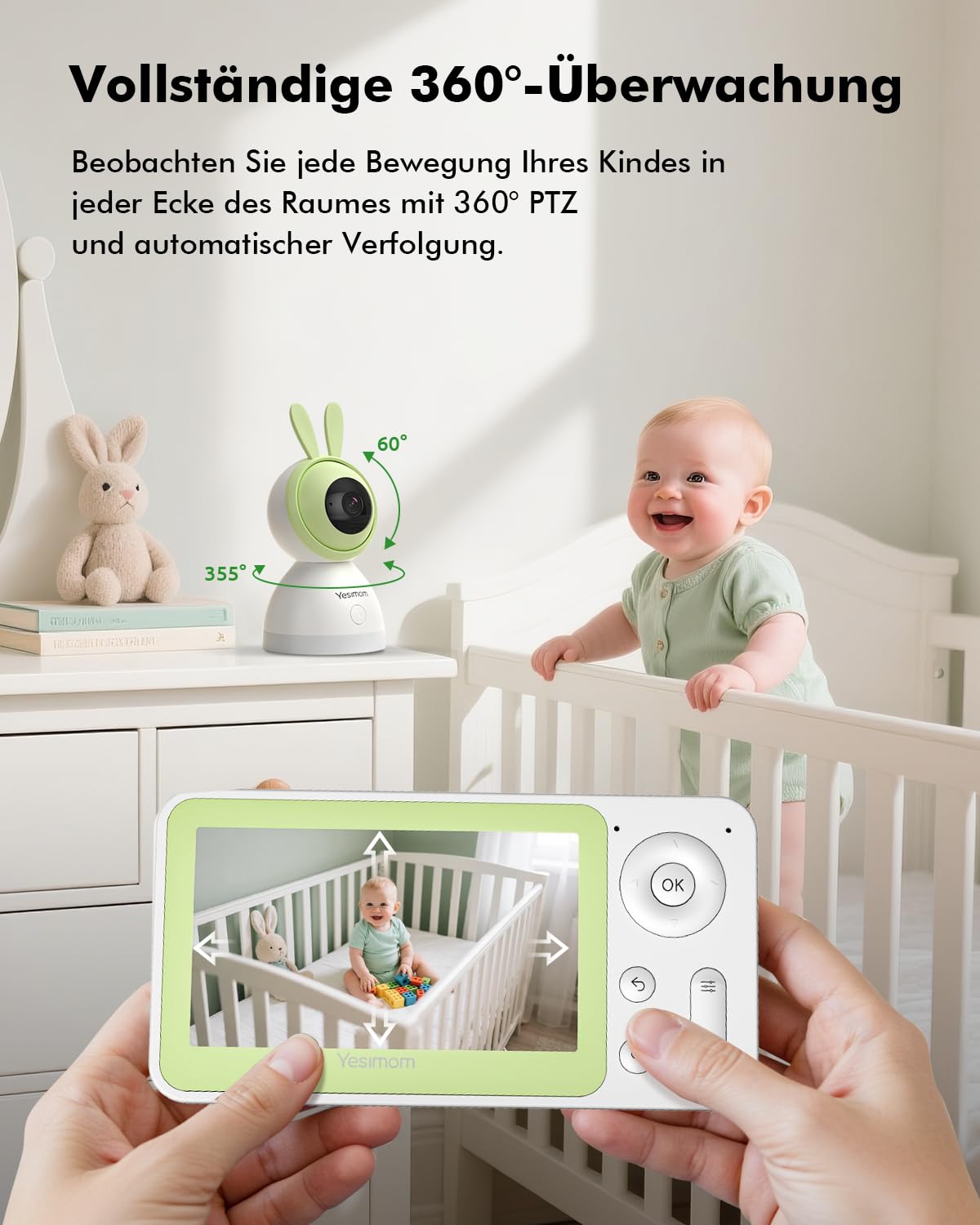
- 360° PTZ: Pan, Tilt, and Zoom functionality for comprehensive room coverage.
- Infrared Night Vision: Clear visibility in low-light conditions.
- 4-Way Digital Zoom: Magnify details on the screen.
- Motion and Sound Detection: Alerts for activity in the baby's room.
- Auto Tracking: Automatically follows your baby's movements.
- Two-Way Audio: Communicate with your baby remotely.
- Adjustable Night Light & Lullabies: Soothe your baby to sleep.
- Dual Display Options: Monitor via the parent unit or a smartphone app.

Setup
1. Powering On
- Connect the power adapter to the baby camera and plug it into a power outlet. The camera will power on automatically.
- Connect the charging cable to the parent unit and plug it into a power outlet. Press and hold the power button on the parent unit to turn it on.
2. Initial Pairing (if necessary)
The camera and parent unit are typically pre-paired at the factory. If they do not connect automatically:
- Ensure both devices are powered on and within range.
- Refer to the parent unit's menu for a 'Pairing' option. Follow the on-screen instructions to initiate pairing.
- Press the pairing button on the camera (usually located on the back or bottom) when prompted by the parent unit.
3. App Connectivity (Optional)
For remote monitoring via smartphone, download the dedicated app (e.g., CloudEdge, as indicated by 'Controller Type' in specifications). The camera supports 2.4 GHz Wi-Fi connectivity.
- Download the app from your device's app store.
- Create an account and log in.
- Follow the in-app instructions to add your camera. This usually involves scanning a QR code on the camera or manually entering its ID, and connecting it to your home's 2.4 GHz Wi-Fi network.

Operating Instructions
1. Pan, Tilt, and Zoom (PTZ)
Use the controls on the parent unit or the app to remotely adjust the camera's viewing angle. The camera offers 355° horizontal pan and 55° vertical tilt for full room coverage. The 4x digital zoom allows you to magnify the image for a closer look.

2. Night Vision
The camera automatically switches to infrared night vision in low-light conditions, providing clear black-and-white video up to 10 meters. This ensures continuous monitoring even in a dark room.
3. Two-Way Audio
Press and hold the microphone button on the parent unit or use the talk function in the app to speak to your baby. Your voice will be transmitted through the camera's speaker.
4. Motion and Sound Detection
The monitor is equipped with intelligent AI detection for motion and sound. When movement or sound (like crying) is detected, you will receive an alert on your parent unit or smartphone app.
- Auto Tracking: When motion is detected, the camera can automatically track the moving object within its field of view.
- Zone Alarms: You can define specific activity zones within the camera's view. If movement is detected in these zones, an alert will be triggered.

5. Night Light and Lullabies
The camera features an adjustable night light and can play up to 14 soothing lullabies to help your baby sleep. These functions can be controlled from the parent unit or the app.

6. Recording and Storage
The monitor supports flexible archiving options:
- Micro SD Card: Insert a Micro SD card (not included) into the camera for local 24/7 recording and event playback.
- Cloud Storage: Optional cloud storage may be available through the app for secure backup of recordings.

7. Privacy and Security
Your privacy is protected with AES-128 encryption. The camera can also be used offline by disabling Wi-Fi for direct connection to the parent unit. An 'Image Privacy Mode' allows you to disable the camera lens when not needed.

Maintenance
To ensure optimal performance and longevity of your YESIMOM Baby Monitor, follow these maintenance guidelines:
- Cleaning: Use a soft, dry cloth to clean the camera lens and the monitor screen. Do not use liquid cleaners or aerosols.
- Placement: Place the camera on a stable, flat surface or mount it securely to a wall. Ensure it is out of reach of children and pets.
- Power: Use only the provided power adapters and cables.
- Environment: Avoid placing the device in direct sunlight, near heat sources, or in excessively humid or dusty environments. The device is not water resistant.
Troubleshooting
If you encounter issues with your baby monitor, try the following solutions:
| Problem | Possible Solution |
|---|---|
| No image on parent unit | Ensure both camera and parent unit are powered on. Check if they are paired. Move units closer to each other. |
| Poor image quality | Clean the camera lens. Ensure adequate lighting (night vision will activate in darkness). Check for obstructions. |
| No sound or poor audio | Adjust volume settings on the parent unit. Ensure no objects are blocking the microphone or speaker on either unit. |
| App connection issues | Ensure your Wi-Fi network is 2.4 GHz. Restart your router, camera, and smartphone. Check app permissions. |
| Camera not responding to PTZ controls | Check connection between parent unit/app and camera. Restart the camera. |
Specifications
Detailed technical specifications for the YESIMOM 1080P Baby Monitor Camera (Model 8SM-1P):
- Model Name: 8SM
- Model Number: 8SM-1P
- Video Capture Resolution: 1080p
- Viewing Angle: 355 Degrees (Horizontal Pan)
- Optical Zoom: 4x (Digital Zoom)
- Night Vision Range: 10 Metres
- Connectivity Technology: WiFi 2.4 GHz, Wireless
- Power Source: Battery operated screen and plug-in baby camera
- Indoor/Outdoor Usage: Indoor
- Alert Type: Audio and Motion
- Special Features: 2 Way Audio, Frame Rate, HD Resolution, Image Sensor, Motion Sensor
- Storage: Micro SD (not included), Optional Cloud
- Material: Acrylonitrile Butadiene Styrene (ABS)
- Item Dimensions: 17.6 x 17.6 x 10.4 Centimeters
- Voltage: 5 Volts (DC)
- Wattage: 5 Watts
- GTIN/UPC: 706384489836
Warranty and Support
For warranty information or technical support, please refer to the warranty card included in your product packaging or contact YESIMOM customer service directly. Contact details are typically provided in the 'Instruction Manual' or on the manufacturer's official website.


