1. Introduction
This manual provides detailed instructions for the safe and efficient use of your GRUNDIG GEP 1000 Wireless Earbud. Please read this manual thoroughly before using the product and retain it for future reference. The GRUNDIG GEP 1000 is designed for wireless audio playback and communication, offering a convenient and portable listening experience.
2. Package Contents
Ensure all items are present upon unboxing. If any item is missing or damaged, contact Grundig customer support.
- GRUNDIG GEP 1000 Wireless Earbud (1 unit)
- Charging Case
- USB Charging Cable
- User Manual (this document)
3. Product Overview
Familiarize yourself with the components of your GRUNDIG GEP 1000 wireless earbud and its charging case.
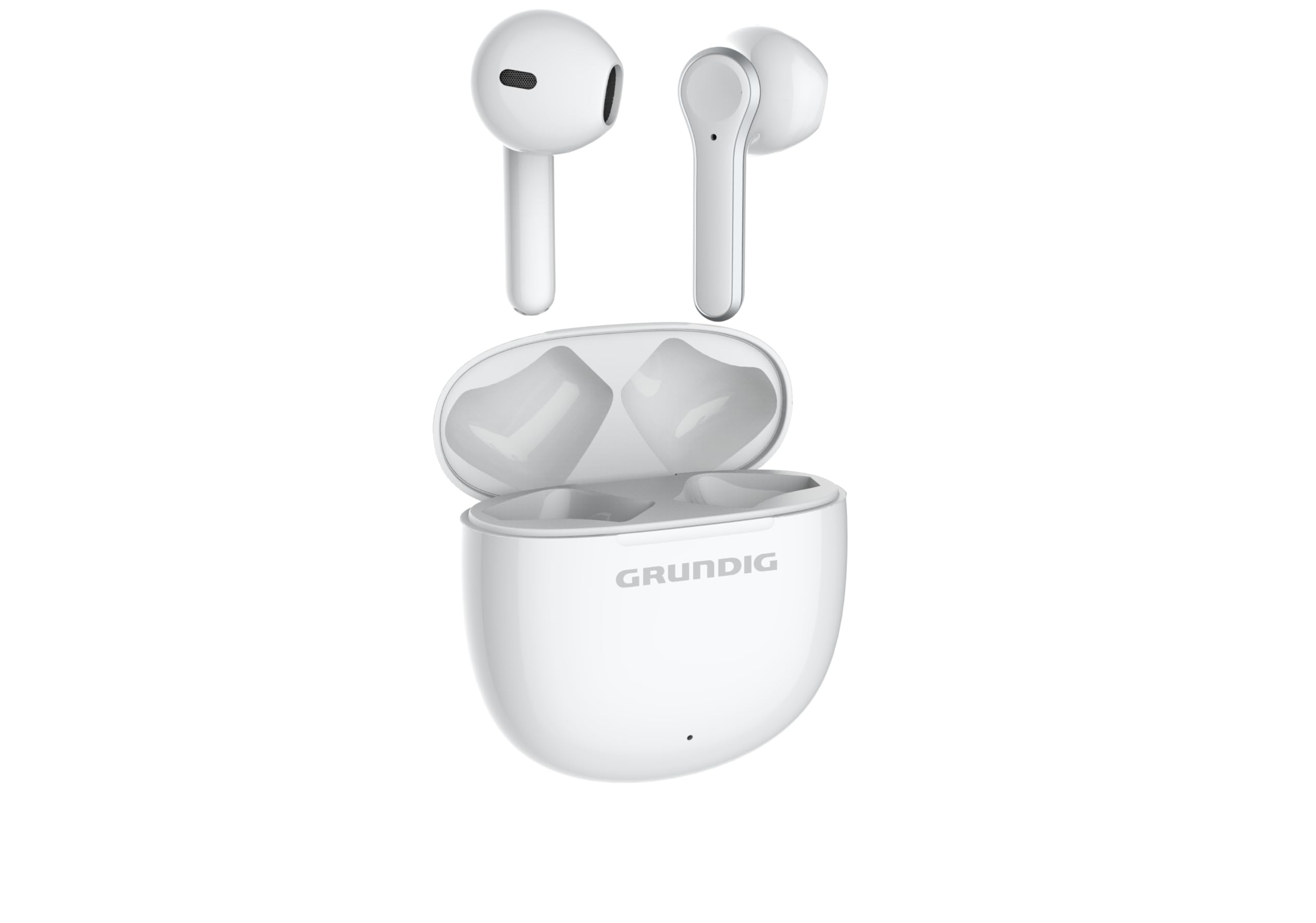
Figure 3.1: Top view of the GRUNDIG GEP 1000 wireless earbud charging case. The case is white and oval-shaped, with a subtle seam indicating the lid. A series of 'X' characters are visible on the surface, representing a placeholder for product identification or serial number information.
The GRUNDIG GEP 1000 consists of a single wireless earbud and a compact charging case. The charging case protects the earbud and provides power for recharging on the go. The earbud features an in-ear form factor for comfortable and secure fit.
4. Setup
4.1. Charging the Device
Before first use, fully charge the GRUNDIG GEP 1000 earbud and its charging case.
- Insert the earbud into the charging case, ensuring proper alignment.
- Connect the USB charging cable to the charging port on the case and to a compatible USB power source (e.g., computer USB port, wall adapter).
- The indicator light on the charging case will illuminate to show charging status. Refer to the device's specific light indicators for full charge notification.
- Once fully charged, disconnect the charging cable.
4.2. Bluetooth Pairing
To connect your GRUNDIG GEP 1000 to a Bluetooth-enabled device (e.g., smartphone, tablet):
- Ensure the earbud is charged and placed in the charging case.
- Open the charging case lid. The earbud will automatically enter pairing mode, indicated by a flashing LED light (refer to device for specific light pattern).
- On your Bluetooth device, go to the Bluetooth settings and enable Bluetooth.
- Search for available devices. Select "GRUNDIG GEP 1000" from the list.
- Once connected, the earbud's LED indicator will change (e.g., solid blue or off) to confirm successful pairing.
- If prompted for a passcode, enter "0000" (four zeros).
The earbud will automatically reconnect to the last paired device when taken out of the case and within range.
5. Operating Instructions
The GRUNDIG GEP 1000 features intuitive controls for managing audio and calls.
5.1. Power On/Off
- Power On: Open the charging case lid, or press and hold the multi-function button on the earbud for approximately 3 seconds.
- Power Off: Place the earbud back into the charging case and close the lid, or press and hold the multi-function button for approximately 5 seconds.
5.2. Call Management
- Answer/End Call: Press the multi-function button once.
- Reject Call: Press and hold the multi-function button for 2 seconds.
5.3. Music Playback
- Play/Pause: Press the multi-function button once.
- Next Track: Double-press the multi-function button.
- Previous Track: Triple-press the multi-function button.
6. Maintenance
Proper maintenance ensures the longevity and optimal performance of your GRUNDIG GEP 1000.
- Cleaning: Use a soft, dry, lint-free cloth to clean the earbud and charging case. Do not use abrasive cleaners, alcohol, or chemical solvents.
- Storage: When not in use, store the earbud in its charging case to protect it from dust and damage. Store in a cool, dry place away from direct sunlight and extreme temperatures.
- Water Resistance: The GRUNDIG GEP 1000 is not waterproof. Avoid exposure to water, moisture, or rain.
7. Troubleshooting
If you encounter issues with your GRUNDIG GEP 1000, refer to the following common solutions:
| Problem | Possible Solution |
|---|---|
| Earbud does not power on. | Ensure the earbud and charging case are fully charged. Place the earbud in the case and close the lid, then reopen. |
| Cannot pair with Bluetooth device. |
|
| No sound or low volume. |
|
| Charging issues. |
|
8. Specifications
Key technical specifications for the GRUNDIG GEP 1000 Wireless Earbud:
- Model Name: 8870981600
- Brand: Grundig
- Connectivity Technology: Wireless (Bluetooth)
- Form Factor: In-Ear
- Color: Single Color
- Product Weight: Approximately 500 Grams (Package Weight)
- Package Dimensions: 10 x 10 x 10 cm
- ASIN: B0G1D7W45G
Note: Product weight of 500 grams refers to the package weight. The earbud itself is significantly lighter.
9. Warranty and Support
For warranty information, technical support, or service inquiries regarding your GRUNDIG GEP 1000, please refer to the warranty card included with your product or visit the official Grundig website. You may also contact Grundig customer service directly for assistance.
Grundig Official Website: www.grundig.com


