1. Product Overview
The SohoTeco B07 Smart Lock is a keyless entry door lock designed for enhanced home security and convenience. It integrates multiple unlocking methods and smart features for flexible access control.

Image: SohoTeco B07 Smart Lock, showcasing its sleek design, integrated keypad, fingerprint sensor, and accompanying mobile application interface.
2. Package Contents
Verify that all components are present in the package:
- Exterior Lock Assembly (with keypad and fingerprint sensor)
- Interior Lock Assembly (with battery compartment)
- Door Handle (reversible)
- Latch Mechanism
- Mounting Hardware (screws, spindle)
- Physical Keys (2)
- Smart Fobs (2)
- Installation Template
- User Manual
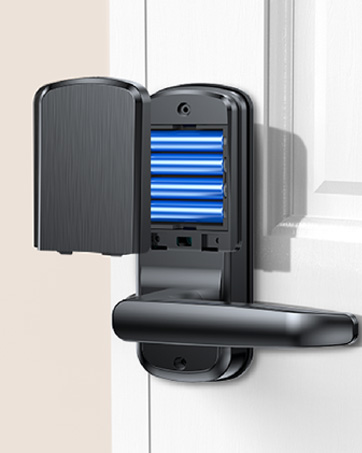
Image: A visual representation of all items included in the SohoTeco B07 Smart Lock package, neatly arranged for inspection.
3. Pre-Installation Check
Before beginning installation, ensure your door meets the following requirements:
- Door Thickness: 35mm to 55mm (1-3/8 inches to 2-1/6 inches)
- Cross Bore Diameter: 38mm to 54mm (1-1/2 inches to 2-1/8 inches)
- Backset Distance: 60mm to 70mm (2-3/8 inches to 2-3/4 inches)
- Latch Faceplate: Compatible with rectangular latch faceplate cutouts. Not compatible with round faceplate cutouts.

Image: A detailed diagram outlining the necessary door measurements and latch type for proper installation of the smart lock.
4. Installation Guide
The SohoTeco B07 Smart Lock is designed for easy installation, typically completed in under 15 minutes. A detailed video guide is available for visual assistance.
Installation Steps (Summary):
- Remove existing lock hardware from the door.
- Install the new latch mechanism into the door edge.
- Mount the exterior lock assembly, ensuring the spindle is correctly aligned.
- Connect the cable from the exterior assembly to the interior assembly.
- Secure the interior lock assembly to the door.
- Install 4 AA batteries (not included) into the battery compartment.
- Attach the battery cover.
- Test the lock's functionality with a physical key and the handle.
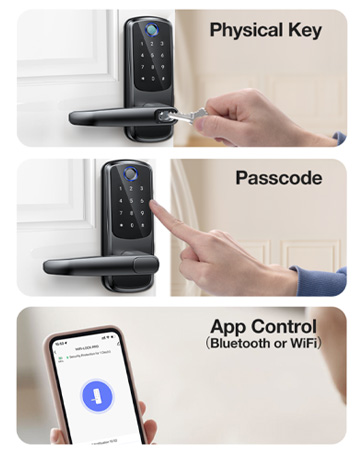
Image: A user demonstrating the straightforward installation process of the SohoTeco B07 Smart Lock.
Installation Video:
Video: A comprehensive guide demonstrating the step-by-step installation and initial use of the SohoTeco B07 Smart Lock.
5. Operating Instructions
5.1 Unlocking Methods
The SohoTeco B07 Smart Lock offers five convenient ways to unlock your door:
- Fingerprint Recognition: Place your registered finger on the sensor for quick access.
- Passcode Entry: Enter your 6-8 digit code on the keypad. The lock supports anti-peeping passwords, allowing you to enter random digits before or after your actual code to prevent others from guessing it.
- Fob Access: Tap the provided smart fob against the lock's sensor.
- Traditional Key: Use the physical key as a backup or primary unlocking method. The keyhole is discreetly located under a magnetic cover.
- App-Based Operation: Unlock your door remotely via the Smart Life app (see section 5.2).

Image: An overview of the five distinct methods available for unlocking the SohoTeco B07 Smart Lock.
Image: Illustration of the anti-peep password feature, demonstrating how to obscure your actual code with additional numbers.
5.2 Smart Life App Pairing & Control
The Smart Life app provides comprehensive control and monitoring of your SohoTeco B07 Smart Lock. It connects via 2.4GHz Wi-Fi networks (5GHz not supported).
App Pairing:
- Download the Smart Life app from your device's app store.
- Register and log in to your account.
- On the lock, enter the default administrator password (123456) followed by '#'.
- Press '3' for network settings, then '1' for intelligent connection. The lock will enter pairing mode.
- In the Smart Life app, tap '+' to add a device, then select 'Camera & Lock' > 'Door Lock (Wi-Fi)'.
- Follow the on-screen prompts to connect the lock to your 2.4GHz Wi-Fi network.
App Features:
- Remote Unlocking (Doorbell Call): When a visitor presses the doorbell button on the lock, your mobile app will receive an instant notification. You can then remotely unlock the door through the app. This feature is limited to responding to doorbell calls and does not support active remote unlocking without a doorbell trigger.
- Access Management: Add, modify, or delete user fingerprints, passcodes, and fobs.
- Temporary Passwords: Generate time-limited or one-time passwords for guests or service providers.
- Real-time Notifications: Receive instant alerts on your phone for lock status updates, doorbell calls, and access events.
- Lock Status: Monitor the lock's status (locked/unlocked) and battery level.
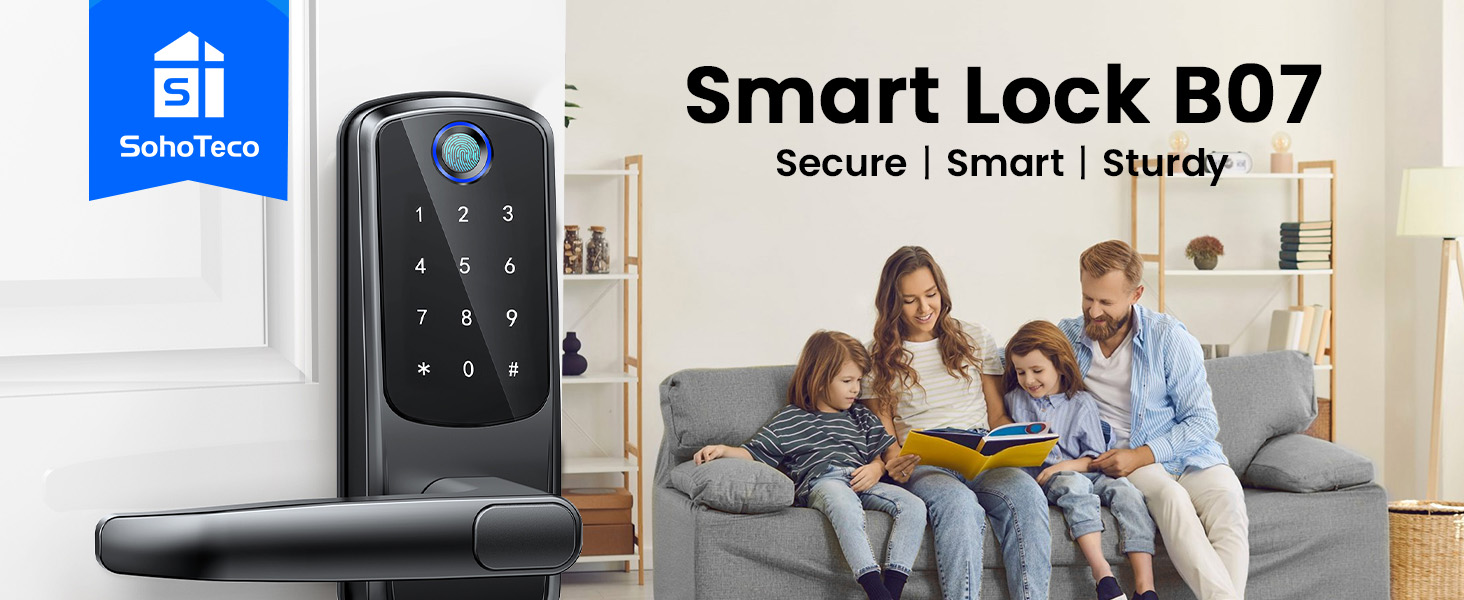
Image: The Smart Life app interface on a smartphone, demonstrating remote control and monitoring capabilities for the SohoTeco B07 Smart Lock.
5.3 Battery Management
The lock is powered by 4 AA batteries (not included) and offers up to 12 months of battery life. The app will notify you of low battery status.
- Emergency Charging Port: In case of complete battery depletion, an emergency Type-C port is available to temporarily power the lock for access. This port is for emergency power supply only and not for battery charging.

Image: The interior view of the SohoTeco B07 Smart Lock, revealing the battery compartment designed for four AA batteries.

Image: A detailed view of the emergency Type-C port, used for temporary power supply in case of battery failure.
5.4 Reversible Handle
The door handle is reversible, allowing it to be adjusted for left or right-opening doors to suit your installation needs.
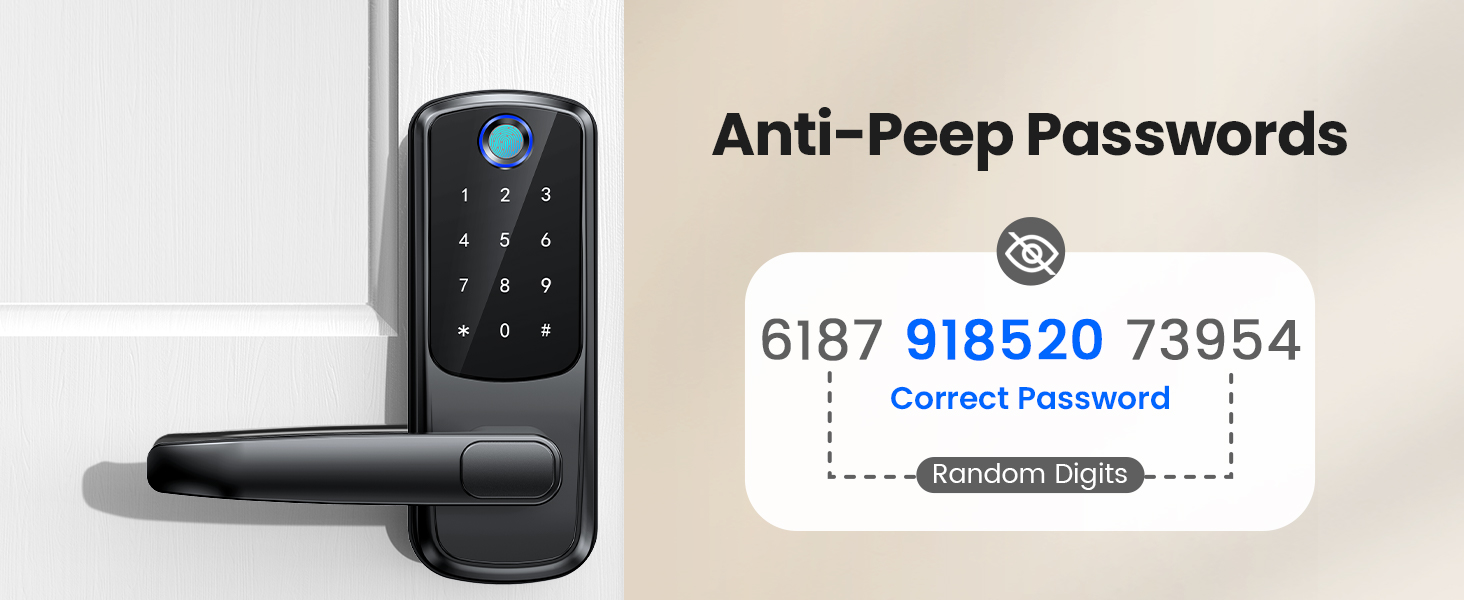
Image: An illustration demonstrating the reversible design of the handle, allowing for adaptation to both left and right-handed door configurations.
6. Maintenance
To ensure optimal performance and longevity of your SohoTeco B07 Smart Lock, follow these maintenance guidelines:
- Regularly clean the keypad and fingerprint sensor with a soft, dry cloth. Avoid abrasive cleaners or solvents.
- Check battery levels periodically via the Smart Life app and replace all 4 AA batteries when indicated.
- Ensure the door frame and strike plate are free of debris to prevent obstruction of the latch.
Waterproof Rating:
The lock has an IP54 waterproof rating, making it suitable for various weather conditions. It can withstand temperatures from -31°F to 158°F.
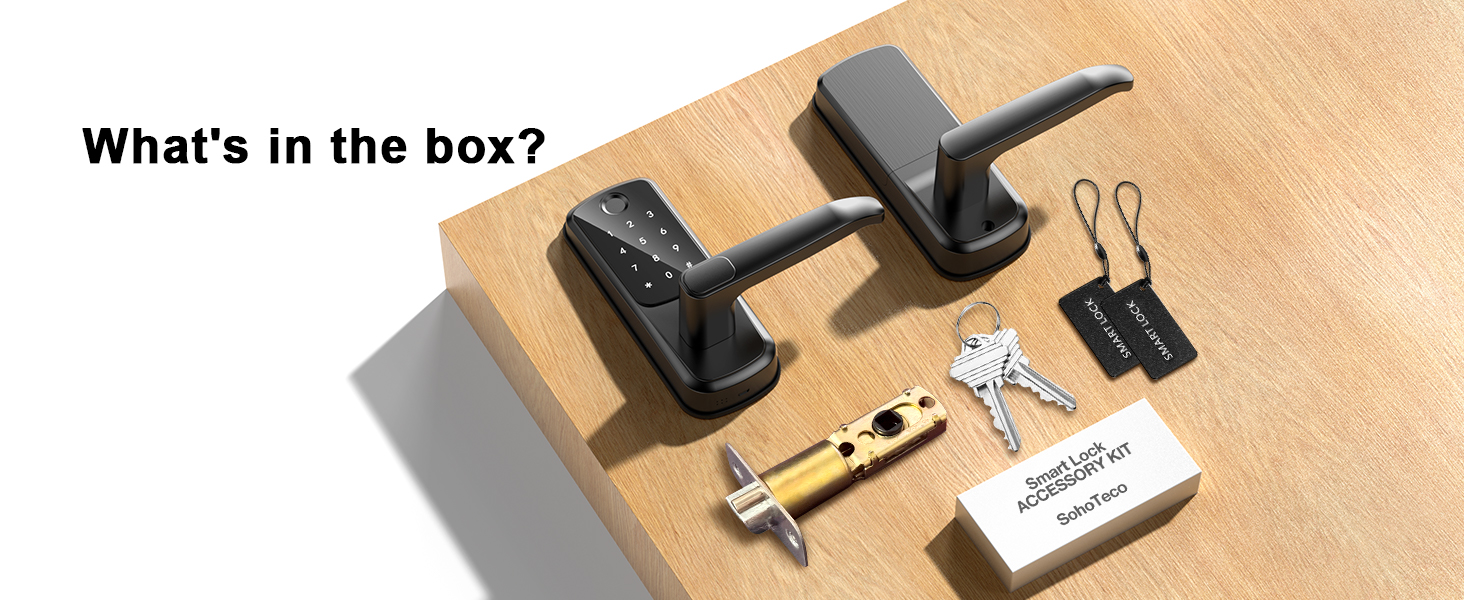
Image: The SohoTeco B07 Smart Lock depicted in a rainy environment, emphasizing its IP54 waterproof rating and resilience to extreme temperatures.
7. Troubleshooting
If you encounter issues with your SohoTeco B07 Smart Lock, consider the following general troubleshooting steps:
- Lock Not Responding: Check battery levels and replace if necessary. Use the emergency Type-C port for temporary power.
- Fingerprint/Passcode Not Recognized: Ensure your finger is clean and dry. Re-register your fingerprint or passcode if the issue persists.
- App Connectivity Issues: Verify your Wi-Fi network is 2.4GHz and stable. Restart your router and the lock. Ensure the lock is within Wi-Fi range.
- Auto-Lock Too Fast: The auto-lock feature is set to 5 seconds. Adjustments may be available through the app settings.
For more detailed troubleshooting or persistent issues, please contact customer support.
8. Specifications
| Feature | Specification |
|---|---|
| Brand | SohoTeco |
| Model Name | B07 |
| Lock Type | Biometric, Combination Lock, Deadbolt |
| Unlocking Methods | Fingerprint, Passcode, App, Fob, Key |
| Connectivity | Built-in Wi-Fi (2.4GHz only), Bluetooth |
| Power Source | 4 AA Batteries (not included) |
| Battery Life | Up to 12 months |
| Emergency Power | Type-C Port |
| Material | Aluminum |
| Dimensions (L x W x H) | 6.69 x 2.91 x 1.38 inches |
| Waterproof Rating | IP54 |
| Operating Temperature | -31°F to 158°F |
| Special Features | Anti-Peeping Password, Auto-Lock (5s), Back-Lit Keypad, Doorbell Call, Remote Unlock (via app on doorbell trigger) |
9. Warranty & Support
SohoTeco provides a 3-year warranty for the B07 Smart Lock, ensuring peace of mind regarding product quality and performance.
Additionally, lifetime customer support is available, including 24/7 email assistance. For any questions, technical support, or warranty claims, please contact SohoTeco customer service.
Contact: Refer to the contact information provided on the product packaging or the official SohoTeco website.