
SEDETA 59 Inch L Shaped Electric Standing Desk
SEDETA 59 Inch L Shaped Electric Standing Desk User Manual
Model: 59 Inch L Shaped Electric Standing Desk
Introduction
This manual provides detailed instructions for the assembly, operation, and maintenance of your SEDETA 59 Inch L Shaped Electric Standing Desk. Please read this manual thoroughly before assembly and use to ensure proper function and safety. Keep this manual for future reference.
Safety Information
- Ensure all components are present and undamaged before assembly. Do not use if any parts are missing or broken.
- Assembly should be performed by at least two adults.
- Use appropriate tools for assembly. A power drill with hex bits is recommended for efficiency.
- Keep children and pets away from the desk during operation to prevent injury.
- Do not overload the desk. The maximum weight capacity is 200 lbs (90.7 kg).
- Ensure the power cord is not pinched or damaged during assembly or operation.
- Only use the provided power adapter and cables.
- Avoid placing liquids directly on the desk surface, especially near electrical components.
- Regularly check all screws and connections to ensure they remain tight.
Package Contents
Verify that all parts listed below are included in your package. If any items are missing or damaged, please contact customer support.
- Desktop Panels (L-shaped sections)
- Desk Legs/Supports (T-shaped design)
- Electric Lifting Mechanism (Motor, Control Box, Handset)
- Monitor Stand Shelf
- Drawers (3 units)
- Built-in Power Strip (3 AC outlets, 2 USB ports)
- RGB LED Lighting Kit (LED strip, remote/app control module)
- Assembly Hardware (Screws, bolts, Allen wrenches, etc.)
- Power Cord (6.6 ft)
- Instruction Manual (This document)
Assembly Instructions
Follow these steps carefully for proper assembly. It is recommended to have at least two people for assembly.
Step 1: Unpack and Identify Components
Carefully unpack all items and lay them out on a clean, soft surface to prevent scratches. Refer to the package contents list to identify each part.

Figure 1: Product Dimensions Overview. This diagram illustrates the overall dimensions of the desk, including the L-shaped configuration, monitor stand, and individual drawer sizes. Key measurements are provided for width, depth, and height ranges.
Step 2: Assemble the Desk Legs and Frame
Attach the T-shaped leg supports to the main desk frame components. Ensure all screws are tightened securely but do not overtighten.
Step 3: Install the Electric Lifting Mechanism
Mount the electric motor and control box according to the detailed diagrams in the included paper manual. Connect the motor to the control box and the control box to the handset. Ensure all cables are routed neatly and securely.
Video 1: SEDETA L Shaped Standing Desk Overview. This video demonstrates the adjustable height feature of the desk, showing it transitioning between sitting and standing positions. It also highlights the three storage drawers, spacious tabletop, and curved edges for user comfort and safety. The built-in charging station and monitor stand are also briefly showcased.
Step 4: Attach Desktop Panels and Drawers
Secure the L-shaped desktop panels to the assembled frame. Install the three drawers into their designated slots. Ensure smooth operation of the drawers.

Figure 2: Storage Drawers. This image displays the three integrated drawers, highlighting their capacity for organizing various office items such as headphones, books, and small accessories. The drawers contribute to a tidy workspace.
Step 5: Install Monitor Stand and Electrical Components
Place the monitor stand shelf onto the main desktop. Install the built-in power strip and connect the RGB LED lighting kit. Ensure all electrical connections are secure and properly managed.

Figure 3: Built-in Power Outlet. A detailed view of the integrated power strip, featuring three AC outlets and two USB ports. This allows for convenient charging of multiple electronic devices directly from the desk.
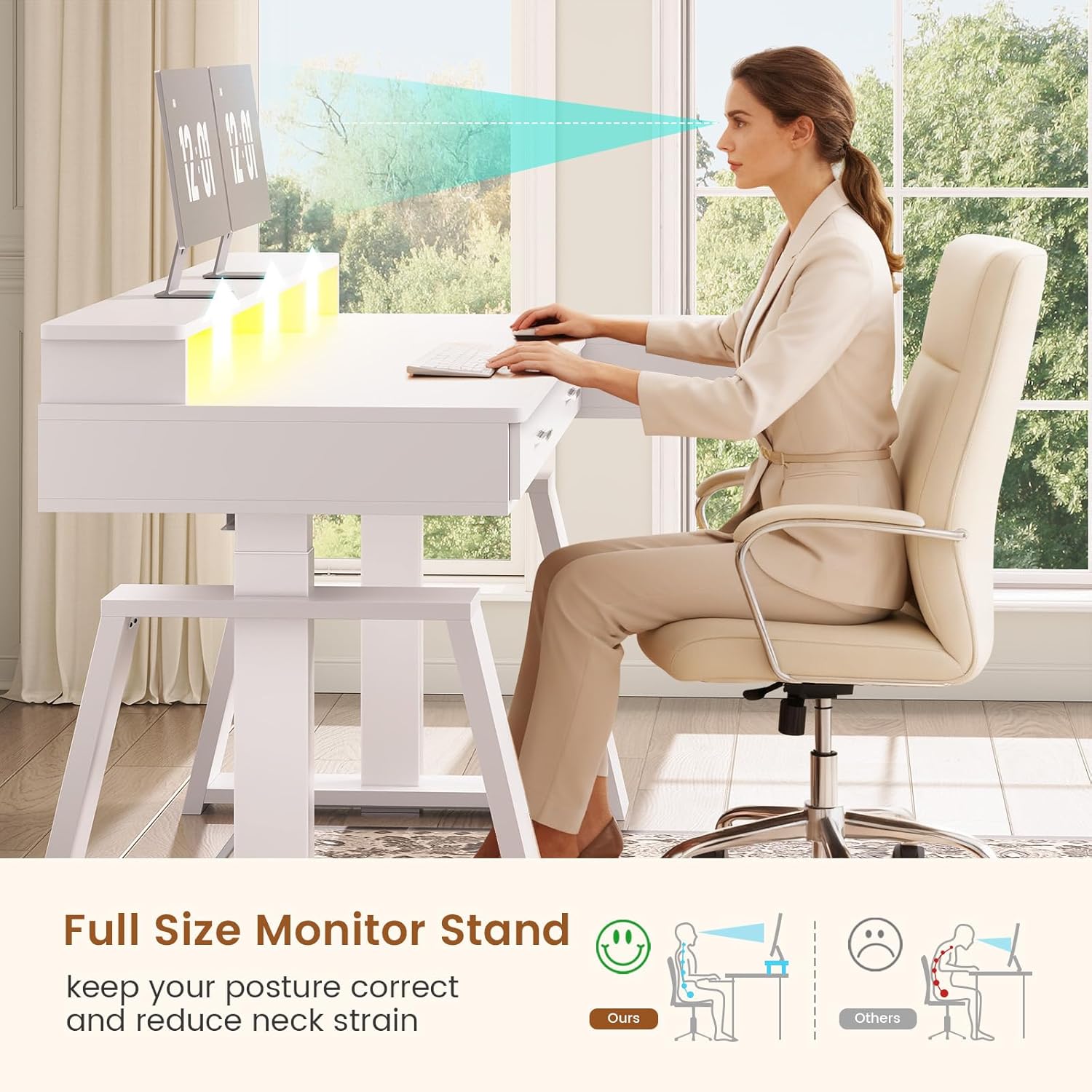
Figure 4: Ergonomic Monitor Stand. This image demonstrates the monitor stand's role in promoting correct posture and reducing neck strain by elevating the monitor to an optimal viewing height.

Figure 5: RGB LED Lighting. The image highlights the integrated RGB LED lighting system, which offers a wide range of colors and dynamic modes. The lighting can be controlled via a remote or a smartphone application, enhancing the desk's aesthetic and functional appeal.
Operating Instructions
Electric Height Adjustment
The desk features an electric lifting system for seamless height adjustment. The height can be adjusted from 29.5 inches to 46.8 inches.
- Up/Down Buttons: Use the arrow buttons on the control panel to manually raise or lower the desk to your desired height.
- Memory Presets: The control panel includes 3 customizable height presets (1, 2, 3). To save a height, adjust the desk to the desired position, then press and hold one of the preset buttons until the display flashes or beeps. To recall a saved height, simply press the corresponding preset button.
- Reset Function (RST): If the desk encounters an error or does not move smoothly, press and hold the "RST" button until the desk moves to its lowest position and then slightly rises, indicating a successful reset.

Figure 6: Flexible Desk Height. This image illustrates the adjustable height range of the desk, showing a user comfortably seated at 29.5 inches and another standing at 46.8 inches, demonstrating the desk's versatility for different working preferences.

Figure 7: Noise-Free Elevation Control. This image focuses on the desk's control panel, detailing the buttons for three memory heights, up/down adjustments, an LED display, and a reset function. The presence of a sleeping cat suggests the quiet operation of the electric motor, operating at less than 45 dB.
RGB LED Lighting
The integrated RGB LED lighting offers customizable illumination for your workspace.
- Control: Use the provided remote control or a compatible smartphone application to manage the LED lights.
- Features: Choose from over 60,000 colors and 29 dynamic modes. The lights can also sync to music via the built-in microphone.
- Timing Function: Set timers for the lights to turn on or off automatically.
Built-in Power Outlets
The desk includes a built-in power strip with 3 AC outlets (120V/12A) and 2 USB ports (5V/2A) for convenient charging and powering of your devices. The power cord is 6.6 feet long.
Video 2: SEDETA L Shaped Standing Desk Features. This video showcases various features of the desk, including the electric height adjustment, the three storage drawers, and the built-in power outlets. It also demonstrates the RGB LED lighting and the overall functionality of the desk in a home office setting.
Maintenance
- Cleaning: Wipe the desk surface with a soft, damp cloth. Avoid harsh chemicals or abrasive cleaners. The desktop is anti-scratch and waterproof, allowing for easy cleaning of spills.
- Electrical Components: Ensure all power outlets and USB ports are free from dust and debris. Do not attempt to repair electrical components yourself.
- Structural Integrity: Periodically check all screws and fasteners to ensure they are tight. Re-tighten if necessary.
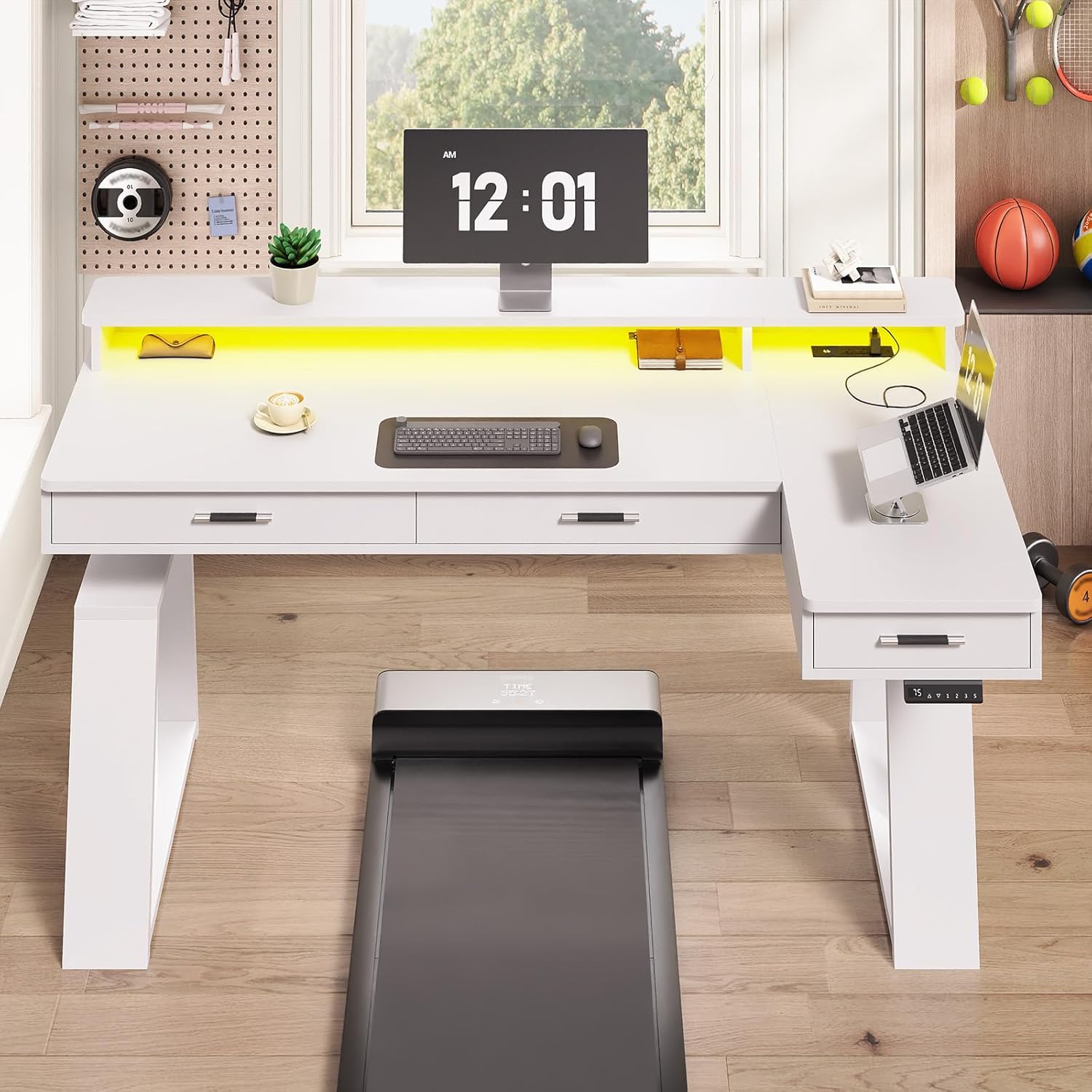
Figure 8: Desktop Durability. This image illustrates the anti-scratch and waterproof properties of the desk's P2 particle board desktop, showing a screwdriver and a wet cloth on the surface, indicating ease of maintenance and resistance to minor damage.
Troubleshooting
| Problem | Possible Cause | Solution |
|---|---|---|
| Desk does not move or respond to controls. | Power cable disconnected, motor error, control box issue. |
|
| Desk moves unevenly or makes unusual noises. | Loose connections, obstruction, motor issue. |
|
| RGB LED lights are not working. | Loose connection, remote/app issue. |
|
Specifications
- Brand: SEDETA
- Model: 59 Inch L Shaped Electric Standing Desk
- Shape: L-shaped
- Product Dimensions (Overall): 31.5"D x 59"W x 29.5"H (Note: Height is adjustable)
- Adjustable Height Range: 29.5" to 46.8"
- Color: White
- Top Material Type: Engineered Wood (P2 particle board)
- Base Material: Engineered Wood, Industrial-grade steel frame
- Weight Capacity: Up to 200 lbs
- Motor Noise Level: Less than 45 DB
- Power Outlets: 3 AC Outlets (120V/12A), 2 USB Ports (5V/2A)
- Power Cord Length: 6.6 ft
- Special Features: Adjustable Height, 3 Storage Drawers, Monitor Stand, RGB LED Lighting, Built-in Power Outlets, Curved Edges, Anti-Scratch & Waterproof Desktop.
- Assembly Required: Yes
Warranty and Support
SEDETA provides customer support for product inquiries and assistance. If your item arrives damaged, scratched, or with missing parts, please contact SEDETA customer service for a free replacement or partial refund. For further assistance, please refer to the contact information provided with your purchase or visit the official SEDETA website.
For warranty details, please consult the documentation included with your product or contact SEDETA customer support directly. Keep your proof of purchase for warranty claims.
Related Documents - 59 Inch L Shaped Electric Standing Desk
 |
SEDETA Computer Desk Assembly Instructions - Model 70.8 Comprehensive assembly guide for the SEDETA Computer Desk (Model 70.8) with storage shelves. This manual provides step-by-step instructions, parts identification, and hardware details for building your workstation. |
 |
Furmax Electric Height Adjustable Standing Desk Instruction Manual Comprehensive instruction manual for the Furmax Electric Height Adjustable Standing Desk, detailing assembly, operation, and features for home and office use. Includes parts list and step-by-step assembly guide. |
 |
Inbox Zero L-Shaped Standing Desk Owner Manual and Assembly Guide Owner manual and assembly guide for the Inbox Zero L-Shaped Standing Desk. Features include adjustable height, L-shape, and suitability for home, office, and gaming setups. Includes specifications and step-by-step instructions. |
 |
Inbox Zero L-Shaped Desk User Manual and Assembly Guide Comprehensive user manual and assembly guide for the Inbox Zero L-Shaped Desk, featuring detailed instructions, parts list, safety precautions, and troubleshooting tips for home office setup. |
 |
Inbox Zero L-Shaped Standing Desk User Manual and Assembly Guide Comprehensive user manual and assembly guide for the Inbox Zero L-Shaped Standing Desk, detailing parts, assembly steps for Plan A and Plan B, attention notes, recycling information, and limited warranty. |
 |
Latitude Run 63'' L-Shaped Electric Standing Desk Installation Manual This manual provides detailed, step-by-step instructions for assembling the Latitude Run 63'' L-Shaped Electric Standing Desk. It includes a parts list, tool requirements, important safety warnings, and assembly procedures for creating a functional and adjustable home office workstation. |
Ask a question about this manual
Ask about setup, troubleshooting, compatibility, parts, safety, or missing instructions. Manuals+ will review the question and use this page’s manual context to help answer it.