
1. Introduction
Thank you for choosing the PRAISUN 63 Inch L Shaped Office Desk. This manual provides essential information for the safe assembly, proper operation, and effective maintenance of your new desk. Please read these instructions carefully before beginning assembly and retain them for future reference.

Image 1.1: The PRAISUN 63 Inch L Shaped Office Desk in a typical home office setup.
2. Safety Information
- Always assemble the desk on a soft, clean surface to prevent scratches.
- Ensure all parts are present and undamaged before assembly. Do not use damaged parts.
- Keep small parts and packaging materials away from children and pets to avoid choking hazards.
- Tighten all screws and bolts securely, but do not overtighten. Periodically check and retighten fasteners.
- Do not stand or sit on the desk.
- Place the desk on a level surface to prevent instability. Use the adjustable feet to stabilize if necessary.
- Do not overload the desk or shelves beyond their weight capacity.
- For electrical components, ensure proper grounding and do not exceed the rated electrical load.
3. Package Contents
Verify that all components listed below are included in your package. If any parts are missing or damaged, please contact customer service.
- Desktop Panels (L-shaped sections)
- Metal Frame Components (legs, crossbars)
- Fabric Drawers (3 units)
- Metal Mesh Shelves (3-tier unit)
- Built-in Power Strip Unit (with 4 AC outlets, 1 USB-A, 1 Type-C port)
- Assembly Hardware (screws, bolts, Allen wrench)
- Instruction Manual
4. Assembly Instructions
Assembly typically requires two people, but can be completed by one person with patience. Follow the numbered steps provided in the included assembly guide. All necessary tools are provided.
4.1 Key Assembly Considerations
- Reversible Design: The L-shaped configuration can be assembled with the longer section on either the left or right side to best fit your space. Decide on your preferred orientation before starting.
- Power Strip Placement: The power strip can be installed on either side of the main desk section, depending on your chosen L-shape orientation and power access needs.
- Adjustable Feet: Ensure the adjustable feet are installed and used to level the desk on uneven floors, preventing wobbling.

Image 4.1: The desk features a reversible design for flexible placement.

Image 4.2: Details highlighting adjustable feet, waterproof top, crossbars, and the included assembly kit.
5. Features Overview
5.1 Built-in Charging Station
The desk includes an integrated power strip with 4 AC outlets (125V/12A), 1 USB-A port (5V/2A), and 1 Type-C port (5V/2A). This allows for convenient charging and powering of your electronic devices directly from your workspace.
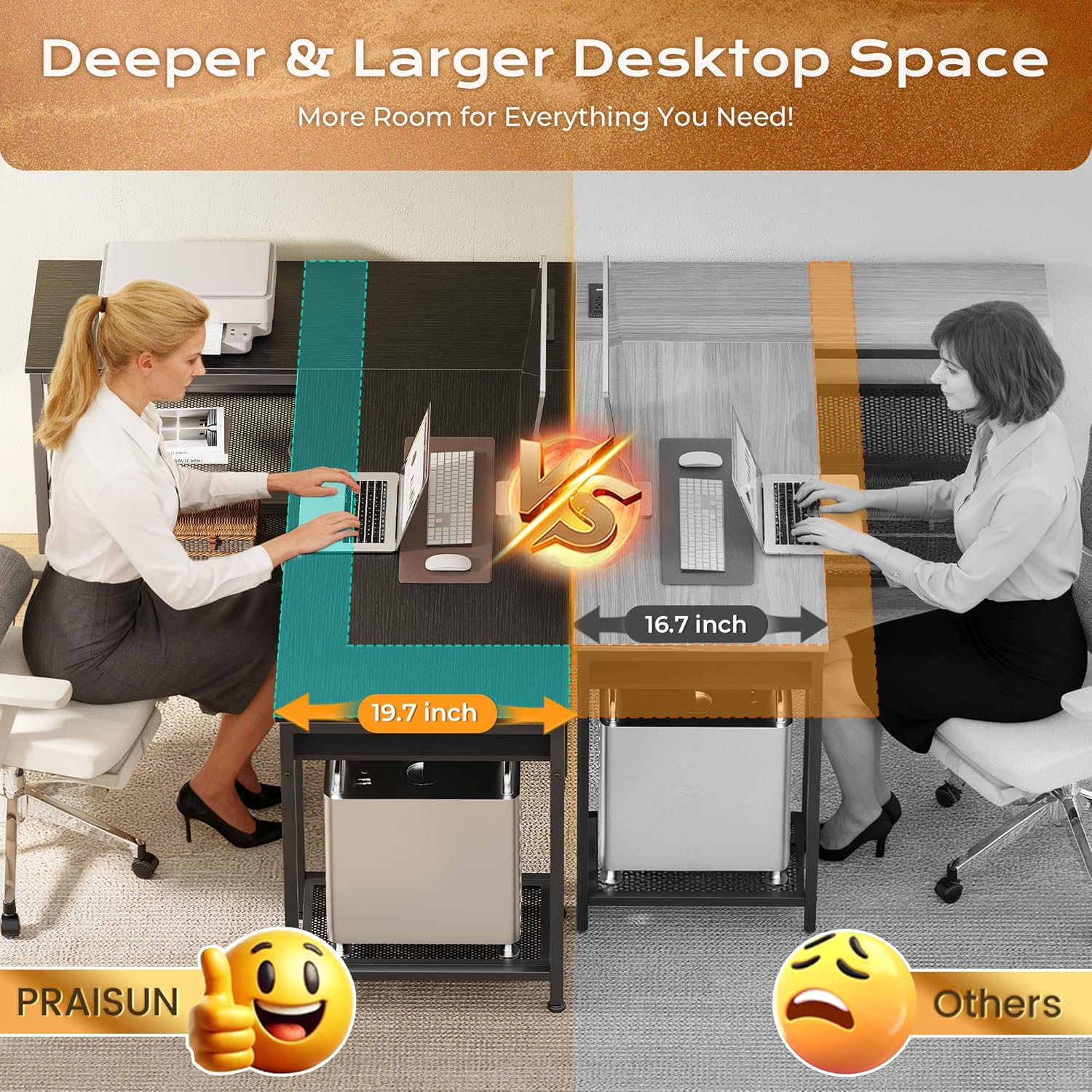
Image 5.1: The integrated power strip provides convenient access to power.
5.2 Ample Storage Solutions
The desk is equipped with three fabric drawers and a three-tier metal mesh shelf to help keep your workspace organized and clutter-free.
- Fabric Drawers: These drawers offer hidden storage for notebooks, controllers, pens, and other office or gaming accessories.
- Metal Mesh Shelf: The sturdy three-tier mesh shelf is designed to hold a CPU tower, printer, books, files, or gaming gear.

Image 5.2: Three spacious fabric drawers provide organized storage.
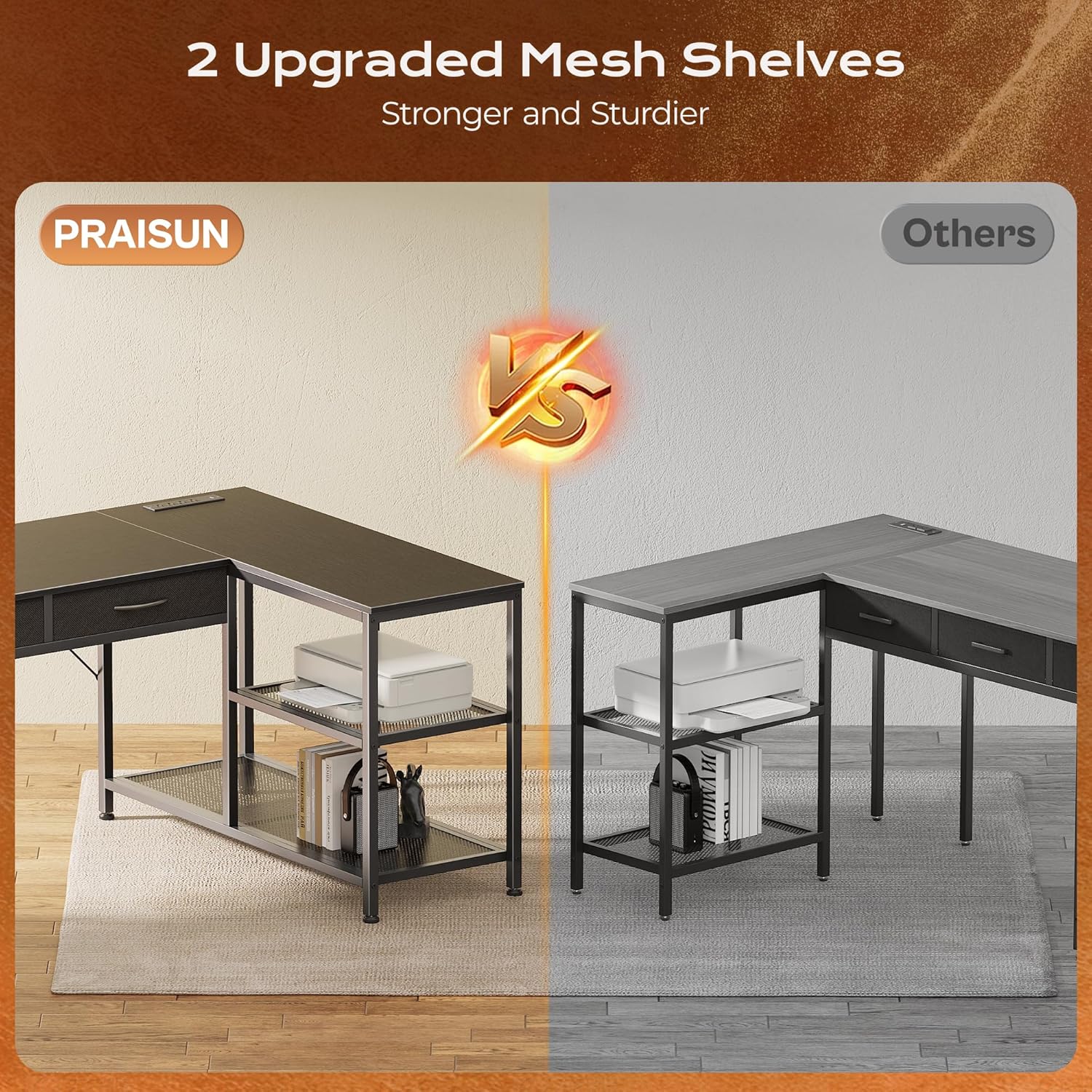
Image 5.3: The three-tier metal mesh shelf offers robust storage for various items.
5.3 Deeper Desktop Space
With an extra-deep 19.7-inch desktop, the desk provides ample room for dual monitors, drawing tablets, speakers, or gaming equipment, enhancing your working or gaming experience.
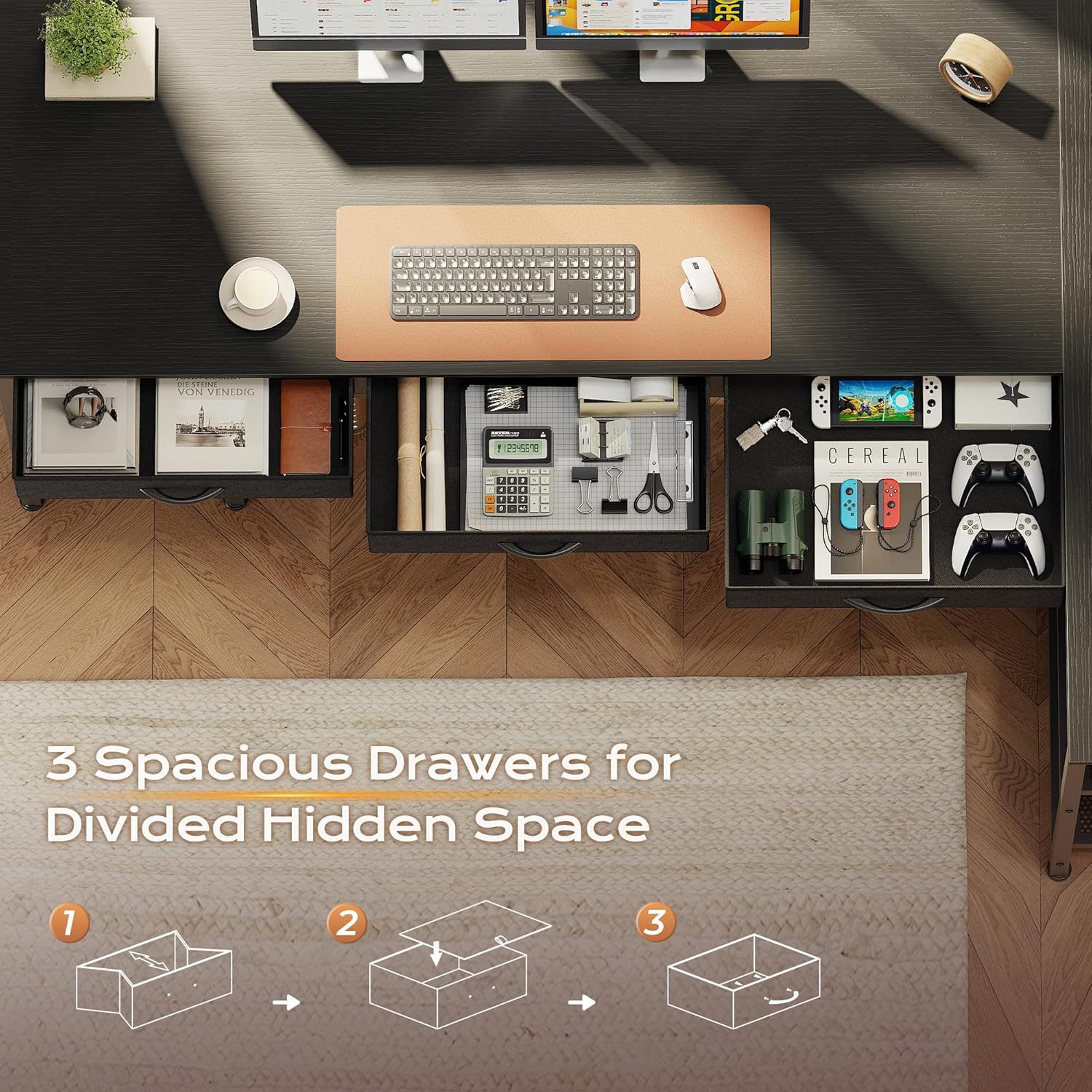
Image 5.4: The 19.7-inch deep desktop provides generous workspace.
6. Operation
6.1 Using the Power Outlets
Plug your electronic devices into the available AC outlets, USB-A port, or Type-C port on the built-in power strip. Ensure the power strip is connected to a wall outlet. The power strip is designed for convenience and to reduce cable clutter.
6.2 Utilizing Storage
Use the three fabric drawers for storing smaller items that you want to keep out of sight, such as stationery, cables, or personal items. The metal mesh shelves are suitable for larger items like computer towers, printers, books, or decorative objects. Arrange items to maintain balance and avoid overloading any single shelf.
7. Maintenance and Care
- Cleaning: Wipe the desktop and metal frame with a soft, damp cloth. Avoid using abrasive cleaners or harsh chemicals, as these can damage the finish.
- Spills: Although the desktop is waterproof, wipe up any spills immediately to prevent potential damage or staining.
- Fasteners: Periodically check all screws and bolts to ensure they remain tight. Retighten as needed to maintain desk stability.
- Fabric Drawers: For minor stains, spot clean the fabric drawers with a mild detergent and damp cloth. Allow to air dry completely.
8. Troubleshooting
- Desk Wobbles: Ensure the desk is on a level surface. Adjust the leveling feet at the bottom of the desk legs until stability is achieved. Check that all assembly screws are securely tightened.
- Power Outlets Not Working: Verify that the desk's power cord is securely plugged into a functional wall outlet. Check for any tripped circuit breakers in your home. Ensure devices are properly plugged into the power strip.
- Drawers Stick or Don't Slide Smoothly: Ensure the fabric drawers are correctly inserted into their slots and are not overloaded. Check for any obstructions in the drawer tracks.
9. Specifications
| Feature | Detail |
|---|---|
| Model Number | B0G19PW9H3 |
| Dimensions (D x W x H) | 39.4" x 63" x 30.3" |
| Material | Engineered Wood, Metal |
| Color | Black |
| Power Outlets | 4 AC (125V/12A), 1 USB-A (5V/2A), 1 Type-C (5V/2A) |
| Storage | 3 Fabric Drawers, 3-Tier Metal Mesh Shelf |
| Assembly Required | Yes (Tools Included) |
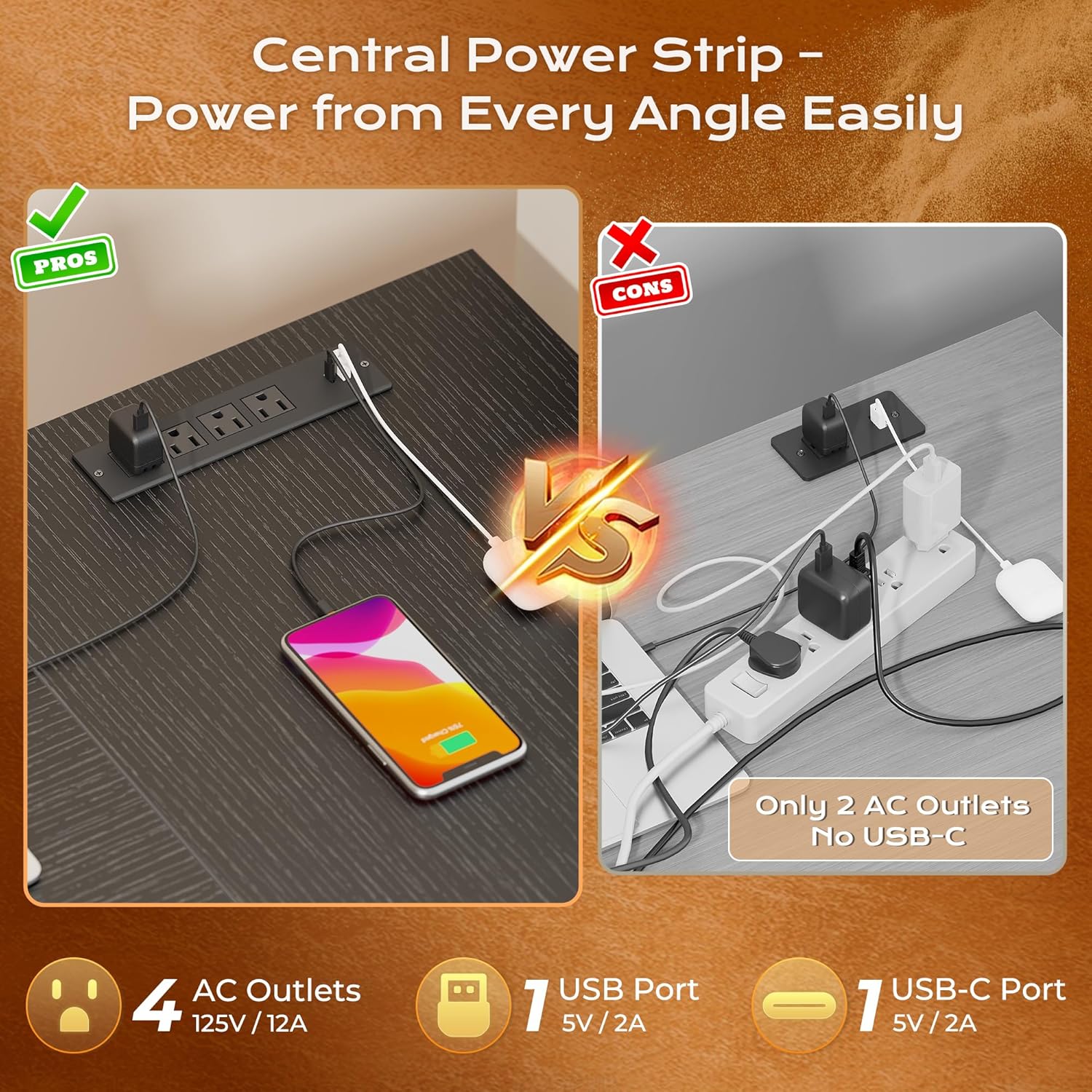
Image 9.1: Detailed product dimensions for planning your space.
10. Product Video Overview
Video 10.1: A brief overview demonstrating the features and functionality of the PRAISUN L-shaped desk, including its spacious design, integrated power outlets, and storage solutions.
11. Warranty and Support
For warranty information, technical support, or assistance with missing/damaged parts, please contact PRAISUN customer service. Refer to your purchase documentation for specific contact details or visit the official PRAISUN website.