
1. Product Overview
The Boahaus Kettlewell Modern Computer Desk is designed for home office environments, offering a functional workspace with integrated features. This desk includes a spacious desktop, a hidden drawer, an open storage shelf, and built-in USB charging ports. Its construction features engineered wood with solid wood legs, providing both durability and a modern aesthetic.

Image 1.1: The Kettlewell desk provides a functional and stylish workspace.
2. Safety Information
Please read and understand all safety instructions before assembly and use. Failure to follow these instructions may result in injury or damage to the product.
- Avoid placing liquids near the USB ports to prevent electrical hazards.
- Always unplug the desk from the power source before attempting assembly, disassembly, or moving the unit to prevent electrical shock.
- Use appropriate tools as specified in the assembly instructions.
- Follow all assembly instructions carefully to avoid injuries and ensure proper product function.
- Do not overload the desk, drawer, or shelf beyond their intended weight capacities.
- Keep small parts and packaging materials away from children.
3. Package Contents
Before beginning assembly, verify that all components listed below are present and undamaged. If any parts are missing or damaged, contact customer support immediately.
- Desktop Panel with integrated USB module
- Solid Wood Legs (2)
- Drawer Components (front, back, sides, bottom, slides)
- Open Shelf Panel
- Hardware Pack (screws, dowels, cam locks, drawer handle, etc.)
- Assembly Tool (e.g., Allen wrench)
4. Setup and Assembly
Assembly typically requires two adults. Clear a spacious area for assembly and lay out all components on a soft, clean surface to prevent scratches.
4.1. Dimensions Overview

Image 4.1: Key dimensions of the Kettlewell desk for planning placement.
4.2. Assembly Steps (General)
- Prepare Components: Unpack all parts and hardware. Identify each piece using the provided parts list.
- Assemble Drawer: Follow the specific instructions to construct the drawer box and attach the drawer slides. Install the drawer handle.
- Attach Legs: Secure the solid wood legs to the main desktop panel using the designated hardware. Ensure they are firmly tightened.
- Install Open Shelf: Position and secure the open shelf panel to the desk structure.
- Integrate USB Module: Ensure the pre-installed USB module is properly seated. Connect the power cord to a wall outlet only after the desk is fully assembled and in its final position.
- Final Checks: Verify all connections are secure and the desk is stable.
5. Operating Instructions
5.1. USB Charging Ports
The desk features integrated USB charging ports to power your devices. Once the desk is plugged into a standard wall outlet, the USB ports are active.
- Locate the USB ports on the desktop surface.
- Connect your device's USB charging cable to an available port.
- Ensure the device indicates it is charging.
- Disconnect devices when fully charged or not in use.

Image 5.1: Detail of the built-in USB charging port for convenient device power.
5.2. Storage Drawer
The large hidden drawer provides concealed storage for various items, helping to maintain a tidy workspace.
- To open, gently pull the drawer handle.
- To close, push the drawer until it is fully recessed.
- Avoid placing excessively heavy items in the drawer to ensure smooth operation and prevent damage to the slides.
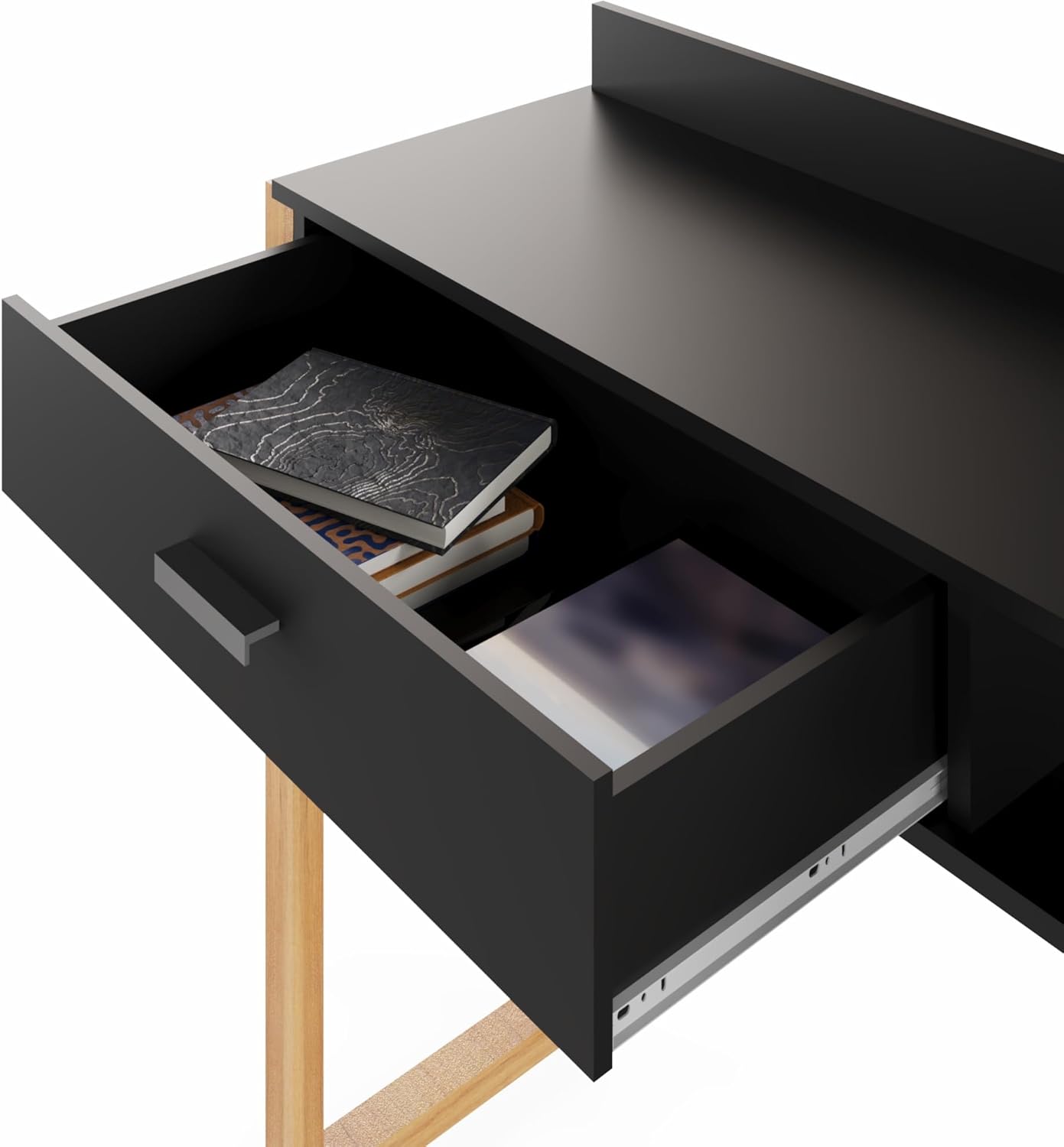
Image 5.2: The spacious drawer offers hidden storage for office supplies.
5.3. Open Shelf Storage
The open shelf provides easily accessible storage for books, planners, or other frequently used items.
- Place items neatly on the shelf.
- Ensure items do not obstruct the desktop area or interfere with monitor placement.
6. Maintenance
Proper care will extend the life and appearance of your desk.
- Cleaning: Wipe surfaces with a soft, damp cloth. Avoid harsh chemicals or abrasive cleaners, which can damage the finish. For spills, wipe immediately.
- Dusting: Regularly dust all surfaces with a dry, soft cloth.
- Hardware: Periodically check and tighten all assembly hardware to ensure stability. Do not overtighten.
- USB Ports: Keep USB ports free of dust and debris. Do not insert foreign objects into the ports.
- Avoid Direct Sunlight: Prolonged exposure to direct sunlight can cause fading or discoloration of the finish.
7. Troubleshooting
If you encounter issues with your desk, refer to the following common problems and solutions.
- Desk is Wobbly:
Solution: Ensure all screws and fasteners are securely tightened. Check that the desk is on a level surface. Adjust leg levelers if present. - Drawer Does Not Slide Smoothly:
Solution: Check that the drawer slides are properly aligned and free of obstructions. Ensure the drawer is not overloaded. Verify assembly of the drawer and slides. - USB Ports Not Charging:
Solution: Ensure the desk's power cord is securely plugged into a functional wall outlet. Test the outlet with another device. Try a different USB cable or device to rule out cable/device issues. - Missing Parts During Assembly:
Solution: Double-check the package contents against the parts list. If parts are genuinely missing, contact Boahaus customer support with your model number and a description of the missing parts.
8. Specifications
| Brand | Boahaus |
| Model Name | Kettlewell |
| Model Number | 4259 |
| Color | Black |
| Product Dimensions (D x W x H) | 6"D x 53"W x 17"H |
| Item Weight | 37.4 Pounds |
| Material Type | Engineered Wood |
| Base Material | Engineered Wood |
| Frame Material Type | Wood |
| Finish Type | Painted |
| Special Feature | Built-In USB Outlet |
| Number of Drawers | 1 |
| Number of Shelves | 1 |
| Required Assembly | Yes |
9. Warranty Information
This Boahaus product comes with a limited warranty. Please refer to the warranty card included in your package for specific terms, conditions, and duration of coverage. The warranty typically covers manufacturing defects and material flaws under normal use. Damage resulting from improper assembly, misuse, accidents, or unauthorized modifications is not covered.
10. Customer Support
For assistance with assembly, missing parts, or any other inquiries regarding your Boahaus Kettlewell Modern Computer Desk, please contact our customer support team:
- Website: Visit the official Boahaus website for FAQs and support resources.
- Email: Refer to your product packaging or warranty card for customer service email contact.
- Phone: Refer to your product packaging or warranty card for customer service phone number.
When contacting support, please have your model number (4259) and purchase information readily available.