
Important Safety Instructions
Before operating this treadmill, please read all instructions carefully. Keep this manual for future reference.
- Place the treadmill on a flat, stable surface. Ensure adequate clearance around the unit.
- Keep children and pets away from the treadmill during operation.
- Wear appropriate athletic footwear and clothing.
- Do not operate the treadmill if it has a damaged cord or plug, or if it is not working correctly.
- Always use the safety key. Attach it to your clothing before starting your workout.
- Consult a physician before starting any exercise program.
- Do not attempt to service the treadmill yourself. Contact customer support for assistance.
Product Overview
The Wennzy Foldable Treadmill is designed for home use, offering a convenient way to perform walking, jogging, or running exercises. It features a 3.5 HP motor, adjustable incline, and a multi-function LCD display.
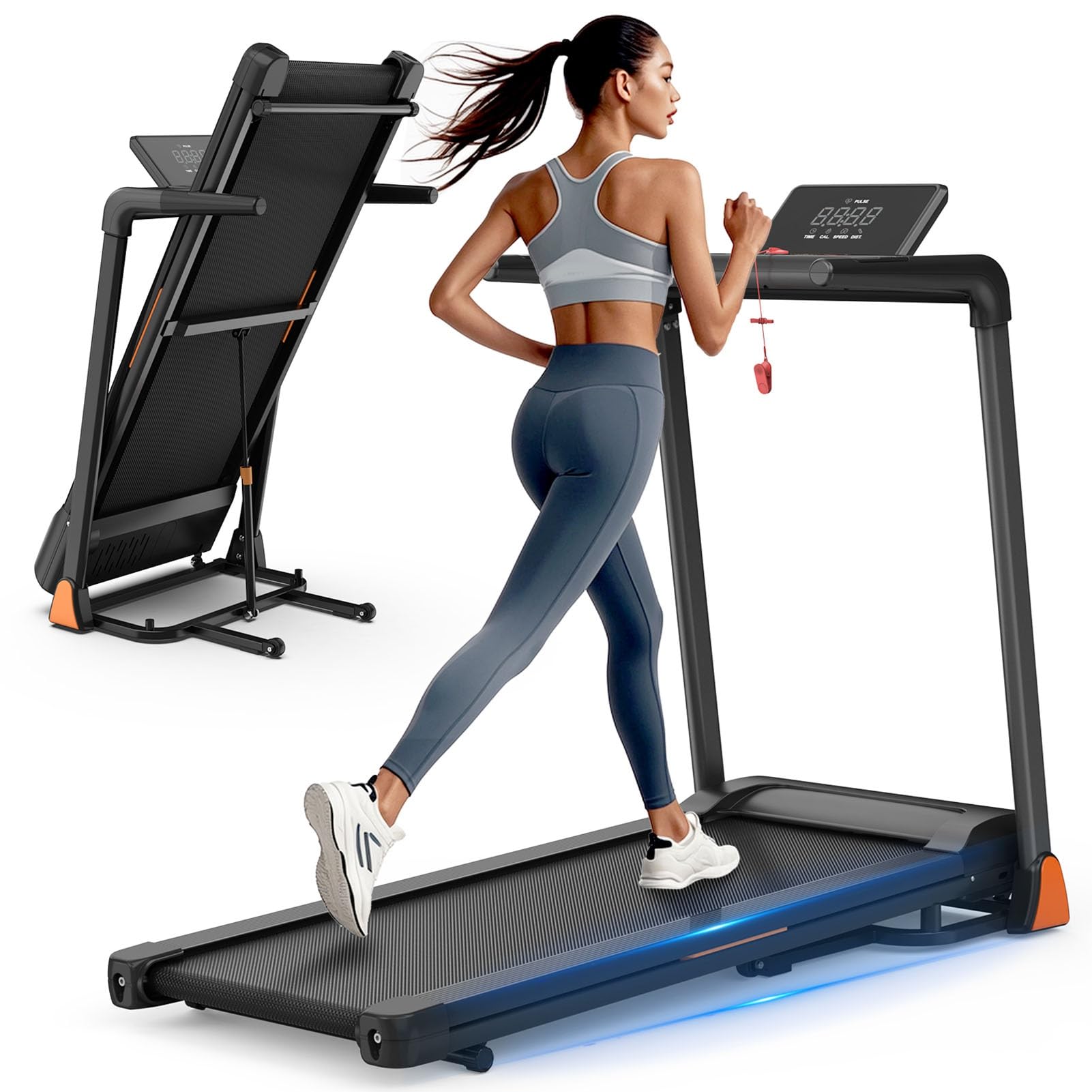
Figure 1: Wennzy Foldable Treadmill in operation, showcasing its shock absorption features.
Key Features:
- Powerful Motor: 3.5 Horsepower for smooth and stable performance.
- Adjustable Speed: Range from 0.5 to 8.5 MPH to suit various fitness levels.
- Manual Incline: 1.5 to 2 degrees of manual incline for varied workout intensity.
- Foldable Design: Easily folds for compact storage, ideal for small spaces.
- LCD Display: Tracks time, speed, distance, calories, and pulse.
- High Capacity: Supports users up to 330 lbs.
- Shock Absorption: Features a 7-layer or 8-layer shock-absorbing running belt for joint comfort.
Setup and Assembly
The Wennzy Treadmill is designed for quick and easy setup. Follow these steps to prepare your treadmill for use.
Unpacking:
- Carefully remove all components from the packaging.
- Check the contents against the parts list (not provided in this manual, refer to packaging).
- Remove all packing materials and dispose of them responsibly.
Assembly:
This treadmill comes largely pre-assembled. The main steps involve unfolding and securing the handlebar.
- Place the treadmill on a clear, level surface.
- Gently lift the console and handlebar assembly until it locks into the upright position. Ensure all locking pins or knobs are securely fastened.
- Connect any pre-attached cables if they were disconnected for shipping.

Figure 2: The treadmill in its folded position, demonstrating its space-saving design.
Folding for Storage:
To fold the treadmill for storage, reverse the assembly steps:
- Ensure the treadmill is powered off and unplugged.
- Locate the release mechanism (usually a pin or lever) near the base of the console support.
- Carefully lower the console and handlebar assembly towards the running deck until it is fully folded.
- Secure the folded position with the locking mechanism.
- Use the built-in transport wheels to move the treadmill to its storage location.

Figure 3: The Wennzy treadmill in its upright folded position, ready for compact storage.
Operating Instructions
Familiarize yourself with the control panel and basic operations before beginning your workout.
Control Panel and Display:

Figure 4: The multi-function LCD display and control panel.
The LCD display shows the following metrics:
- TIME: Duration of your workout.
- SPEED: Current running speed in MPH.
- DISTANCE: Total distance covered during the workout.
- CALORIES: Estimated calories burned.
- PULSE: Heart rate (if hand pulse sensors are used).
- PROG: Indicates the selected program.
Starting a Workout:
- Plug the treadmill into a grounded electrical outlet.
- Attach the safety key to the designated slot on the console and clip the other end to your clothing. The treadmill will not operate without the safety key in place.
- Step onto the treadmill, placing your feet on the side rails.
- Press the START button. The belt will begin to move at a low speed.
- Gradually increase the speed using the SPEED + button to your desired pace. Use SPEED - to decrease speed.
- To stop the treadmill, press the STOP button or pull the safety key.
Adjusting Incline:
This treadmill features a manual incline adjustment. To change the incline:
- Ensure the treadmill is powered off and unplugged.
- Locate the incline adjustment mechanism at the rear of the treadmill base.
- Manually adjust the incline to one of the available settings (1.5 to 2 degrees).
- Ensure the adjustment is secure before resuming operation.
Using Pre-set Programs:
The treadmill includes various pre-set workout programs. Refer to the specific program chart in your quick start guide (if applicable) for details on each program's speed and duration profiles.
- From the standby mode, press the PROG button to cycle through available programs.
- Once you select a program, press START to begin.
App Connectivity:
This treadmill supports connectivity with fitness applications for tracking and control. Refer to the treadmill's display or a separate quick start guide for specific app names and connection procedures. Typically, this involves:
- Downloading the recommended fitness app to your smartphone or tablet.
- Enabling Bluetooth on your device.
- Following the app's instructions to pair with your treadmill.

Figure 5: Syncing and tracking workout metrics with a compatible fitness application.
Maintenance
Regular maintenance ensures the longevity and safe operation of your treadmill.
Cleaning:
- Always unplug the treadmill before cleaning.
- Wipe down the console and exterior surfaces with a soft, damp cloth. Avoid abrasive cleaners or solvents.
- Periodically vacuum under the treadmill to prevent dust and debris buildup.
Belt Lubrication:
The running belt requires periodic lubrication to reduce friction and extend its lifespan. The frequency depends on usage.
- Unplug the treadmill.
- Lift the edge of the running belt and apply a small amount of silicone lubricant (specifically designed for treadmills) to the center of the deck.
- Run the treadmill at a low speed for a few minutes to distribute the lubricant evenly.
Belt Tension and Alignment:
If the running belt slips or drifts to one side, it may need adjustment.
- Tension: With the treadmill off, use the provided Allen wrench to turn the rear roller bolts clockwise (to tighten) or counter-clockwise (to loosen) in small increments (quarter turns). Test the belt after each adjustment.
- Alignment: If the belt drifts right, turn the right rear roller bolt clockwise. If it drifts left, turn the left rear roller bolt clockwise. Make small adjustments and run the treadmill at a low speed to check alignment.
Troubleshooting
This section addresses common issues you might encounter with your treadmill.
| Problem | Possible Cause | Solution |
|---|---|---|
| Treadmill does not start. | Power cord not plugged in. Safety key not in place. Circuit breaker tripped. | Ensure power cord is securely plugged in. Insert the safety key. Check household circuit breaker. |
| Running belt slips. | Belt tension is too loose. | Adjust belt tension (see Maintenance section). |
| Running belt drifts to one side. | Belt alignment is off. | Adjust belt alignment (see Maintenance section). |
| Unusual noise during operation. | Loose parts. Lack of lubrication. | Check all bolts and screws for tightness. Lubricate the running belt (see Maintenance section). If noise persists, contact customer support. |
| Display not working. | Loose cable connection. Power issue. | Check all cable connections to the console. Ensure power is supplied to the treadmill. |
If you encounter an issue not listed here or if the problem persists after attempting the suggested solutions, please contact Wennzy customer support.
Specifications
| Feature | Specification |
|---|---|
| Model Number | B0G15CJTL4 |
| Motor Horsepower | 3.5 HP |
| Speed Range | 0.5 - 8.5 MPH |
| Incline Adjustment | Manual, 1.5 to 2 degrees |
| Weight Capacity | Up to 330 lbs |
| Running Belt Dimensions | 41.34 inches (Length) x 16.54 inches (Width) |
| Shock Absorption | 7-Layer / 8-Layer System |
| Display Type | Multi-function LCD |
| Noise Level | Below 45dB (approximate) |
| Material | Premium PVC and Metal |
Warranty and Support
For warranty information and customer support, please refer to the documentation included with your purchase or contact Wennzy directly through their official website or the retailer where the product was purchased. Please have your model number (B0G15CJTL4) and purchase date available when contacting support.