
1. Introduction
The LKAHYUIBC T100 OBD2 Car Diagnostic Tool is designed to quickly and accurately diagnose engine faults in OBD2-compliant vehicles. This device allows users to read and clear diagnostic trouble codes (DTCs), view live data, check I/M readiness status, and perform various other diagnostic functions to ensure optimal vehicle performance. Its user-friendly interface and broad compatibility make it suitable for both home users and professional technicians.
2. Safety Information
- Always perform automotive testing in a safe environment.
- Wear eye protection that meets ANSI standards.
- Keep clothing, hair, hands, tools, test equipment, etc., away from all moving or hot engine parts.
- Operate the vehicle in a well-ventilated work area; exhaust gases are poisonous.
- Put blocks in front of the drive wheels and never leave the vehicle unattended while running tests.
- Use extreme caution when working around the ignition coil, distributor cap, ignition wires, and spark plugs. These components create hazardous voltages when the engine is running.
- Ensure the vehicle is in PARK (for automatic transmission) or NEUTRAL (for manual transmission) and the parking brake is engaged.
- Keep a fire extinguisher suitable for gasoline/chemical/electrical fires nearby.
3. Product Overview
The T100 OBD2 Scanner features a compact design with a clear display and intuitive button layout for easy operation. It is built with durable materials for longevity and reliability.

This image displays the LKAHYUIBC T100 OBD2 Scanner with its key components labeled, including the screen, ESC button, OK button, arrow buttons, I/M button, VIN button, OBD II connector, and USB interface. Dimensions for length, width, and thickness are also indicated.

This image shows detailed features of the T100 scanner, including soft rubber buttons for comfortable handling, a rugged and durable ABS housing, left and right anti-slip design for secure grip, and a pure copper core cable for faster data transmission.
Package Contents:

This image illustrates the typical contents of the product package, including the T100 OBD2 Scanner device, its packaging box, and the instruction manual.
- T100 OBD2 Car Diagnostic Tool
- User Manual
4. Setup
- Locate the OBD2 Port: The OBD2 port is typically located under the dashboard on the driver's side of the vehicle. Refer to your vehicle's service manual for the exact location if you cannot find it.
- Connect the Scanner: With the vehicle's ignition OFF, firmly plug the T100 scanner's OBD2 connector into the vehicle's OBD2 port. Ensure a secure connection.
- Power On: Turn the vehicle's ignition to the ON position (do not start the engine). The scanner will automatically power on and initiate communication with the vehicle's onboard computer.
- System Initialization: The scanner will display a welcome screen and then proceed to establish a connection with the vehicle. This process may take a few seconds.
5. Operating Instructions
The T100 scanner features an intuitive menu-driven interface. Use the directional arrow buttons to navigate through menus, the 'OK' button to confirm selections, and the 'ESC' button to return to the previous screen.
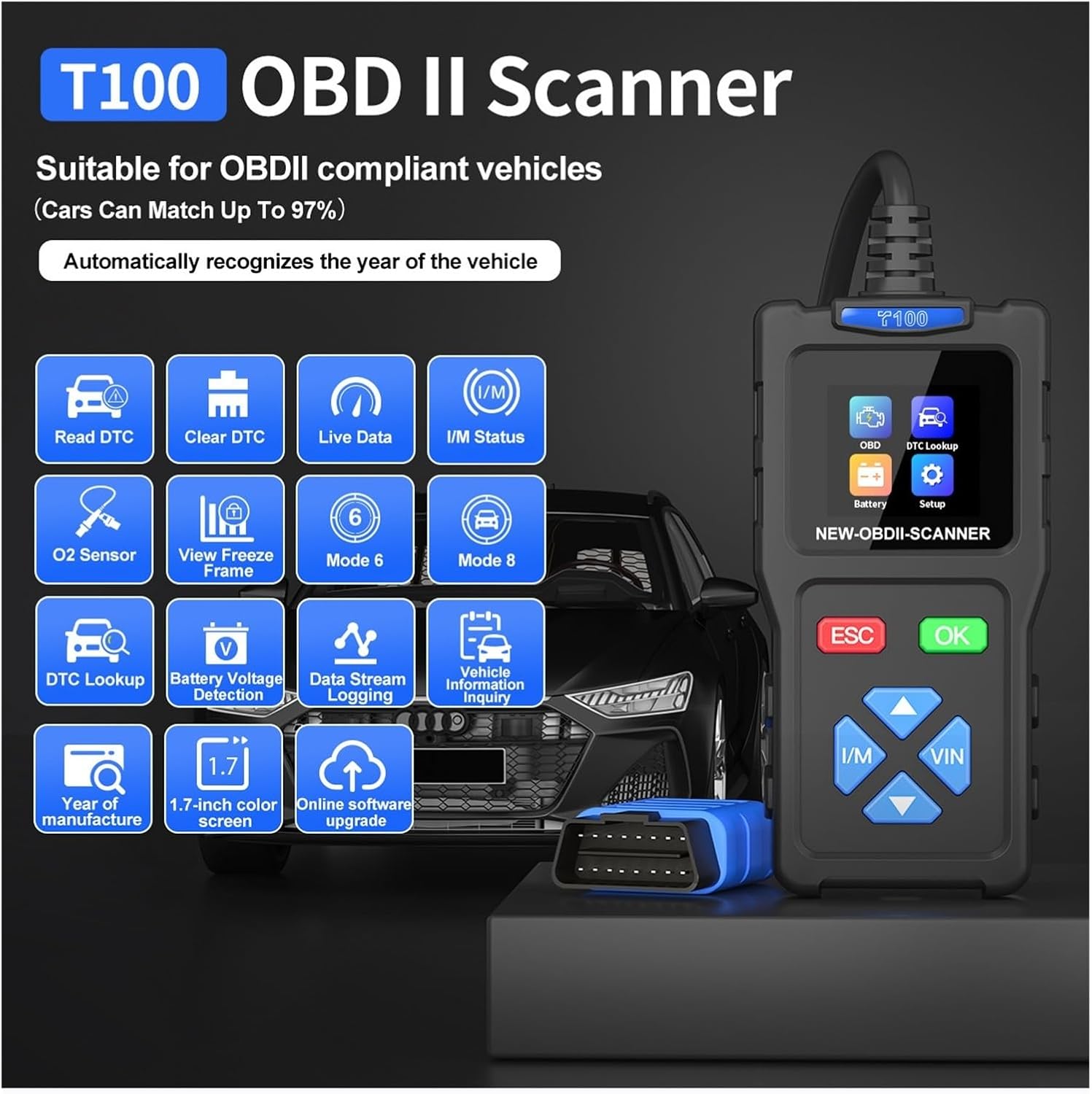
This image provides an overview of the T100 OBD2 Scanner's main functions, including Read DTC, Clear DTC, Live Data, I/M Status, O2 Sensor, View Freeze Frame, Mode 6, Mode 8, DTC Lookup, Battery Voltage Detection, Data Stream Logging, Vehicle Information Inquiry, Year of Manufacture, and Online Software Upgrade.
Key Functions:
- Read DTC: Retrieves Diagnostic Trouble Codes (DTCs) from the vehicle's computer.
- Clear DTC: Erases DTCs from the vehicle's computer. This will also turn off the Malfunction Indicator Lamp (MIL) or Check Engine Light.
- Live Data: Displays real-time data stream from the vehicle's sensors and modules.
- I/M Status: Checks the readiness status of various emission-related monitors.
- O2 Sensor: Displays O2 sensor monitoring test results.
- View Freeze Frame: Shows a snapshot of the vehicle's operating conditions at the time a fault code was set.
- DTC Lookup: Provides definitions for generic and manufacturer-specific trouble codes.
- Battery Voltage Detection: Monitors the vehicle's battery voltage.
- Vehicle Information: Retrieves the Vehicle Identification Number (VIN), Calibration ID (CALID), and Calibration Verification Number (CVN).
Supported Protocols:
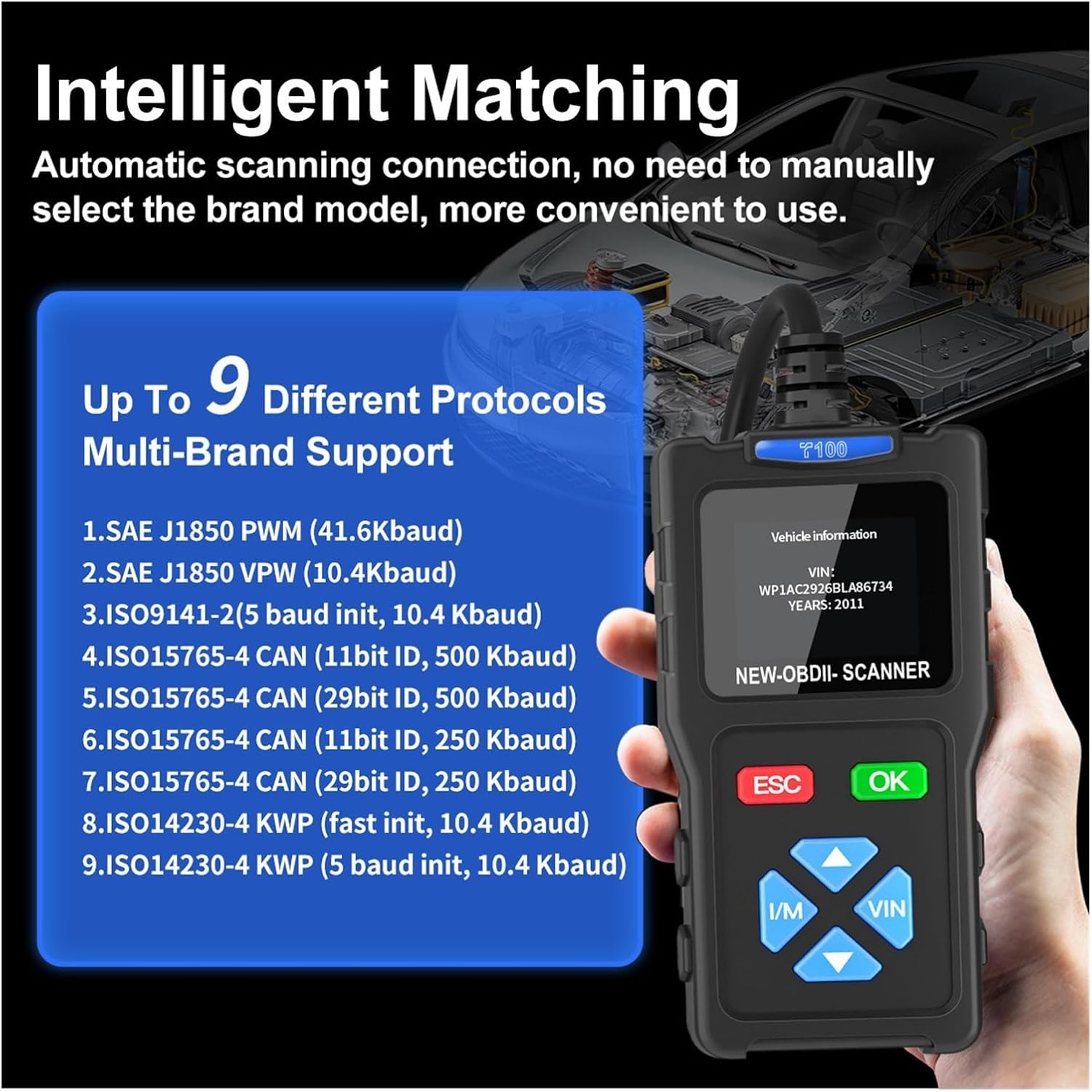
This image highlights the T100 scanner's 'Intelligent Matching' feature, detailing up to 9 different multi-brand supported protocols, including SAE J1850 PWM, SAE J1850 VPW, ISO9141-2, ISO15765-4 CAN (various IDs), and ISO14230-4 KWP. It also shows a sample VIN display on the device screen.
The T100 supports a wide range of OBD2 protocols, ensuring compatibility with most modern vehicles:
- SAE J1850 PWM (41.6 Kbaud)
- SAE J1850 VPW (10.4 Kbaud)
- ISO9141-2 (5 baud init, 10.4 Kbaud)
- ISO15765-4 CAN (11bit ID, 500 Kbaud)
- ISO15765-4 CAN (29bit ID, 500 Kbaud)
- ISO15765-4 CAN (11bit ID, 250 Kbaud)
- ISO15765-4 CAN (29bit ID, 250 Kbaud)
- ISO14230-4 KWP (fast init, 10.4 Kbaud)
- ISO14230-4 KWP (5 baud init, 10.4 Kbaud)
6. Maintenance
- Cleaning: Use a soft, damp cloth to clean the exterior of the scanner. Do not use abrasive cleaners or solvents.
- Storage: Store the device in a dry, cool place away from direct sunlight and extreme temperatures when not in use.
- Software Updates: The T100 supports online software upgrades. Regularly check for updates to ensure optimal performance and compatibility with new vehicle models. Connect the device to a PC via a Type-C USB cable and download the upgrade program from the manufacturer's official website.

This image shows the T100 OBD2 Scanner connected to a laptop via a Type-C USB cable, illustrating the process for software upgrades. The scanner's screen displays a 'System Setup' menu.
7. Troubleshooting
- Scanner does not power on:
- Ensure the OBD2 connector is securely plugged into the vehicle's port.
- Verify the vehicle's ignition is in the ON position.
- Check the vehicle's battery voltage; a low battery might prevent the scanner from powering up.
- Communication error with vehicle:
- Confirm the vehicle is OBD2 compliant (most vehicles manufactured after 1996 in the US, 2001 in the EU for gasoline, 2004 for diesel).
- Ensure the connection is firm and free from debris.
- Try connecting to a different OBD2-compliant vehicle to rule out scanner malfunction.
- Turn off the ignition, wait 10 seconds, and turn it back on before attempting to connect again.
- Screen is blank or frozen:
- Disconnect the scanner from the vehicle and reconnect it.
- If the issue persists, contact customer support.
8. Specifications
| Feature | Specification |
|---|---|
| Model | T100 |
| Screen Size | 1.7-inch TFT Color Screen |
| External Power | 8V-30V DC (via vehicle OBD2 port) |
| Operating Temperature | 20°C to 60°C (-4°F to 140°F) |
| Storage Temperature | 20°C to 70°C (-4°F to 158°F) |
| Dimensions (L x W x T) | 130mm x 65mm x 26mm (approx.) |
| Weight | 0.3 kg (approx.) |
| Housing Material | ABS |
| Cable Material | Pure copper core |
9. Support
For technical assistance, warranty information, or any questions regarding the LKAHYUIBC T100 OBD2 Car Diagnostic Tool, please contact our customer support. Refer to the product packaging or the manufacturer's official website for contact details.