
Introduction
Thank you for choosing the AODELAN Rechargeable Wireless Camera Remote Control. This device provides a convenient and reliable way to trigger your Fujifilm camera's shutter wirelessly, enhancing your photography experience for self-portraits, long exposures, and group shots. It supports various shooting modes including single shot, continuous release, BULB shooting, and 2-second delay release.
Package Contents

Image: Contents of the AODELAN Wireless Shutter Remote Control package.
- 1 × Wireless Shutter Remote Transmitter
- 1 × Receiver
- 2 × Connecting Cables (specific to Fujifilm models)
- 1 × 60cm USB-C Cable
- 2 × Lanyards
- 1 × Instruction Manual
Product Features
- Multi-functional Control: Supports autofocus (half-press), single shot, continuous release, BULB shooting (long exposure), and 2-second delay release.
- Rechargeable Batteries: Both the transmitter and receiver feature built-in rechargeable batteries, eliminating the need for disposable batteries.
- Ultra-Long Battery Life: Transmitter provides approximately 72 hours of continuous usage after 1.5 hours of charging. Receiver offers approximately 200 hours of continuous usage after 2 hours of charging.
- Long Operating Distance: Utilizes 2.4GHz digital radio technology for strong anti-interference, allowing operation up to approximately 60 meters (200 feet) without directional limitations.
- Wired and Wireless Operation: The receiver can also function as a wired shutter remote when connected directly to the camera.
- Compact and Lightweight Design: Easy to carry and store, making it ideal for travel and daily use.

Image: Overview of the AODELAN Wireless Shutter Remote Control's key features.
Setup
- Charge the Devices: Before first use, fully charge both the transmitter and receiver using the provided USB-C cable. The LED indicator will show charging status.
- Attach the Receiver: Slide the receiver onto your camera's hot shoe. This provides a secure mounting point.
- Connect to Camera:
- Identify the correct connecting cable for your Fujifilm camera model. The manual includes two cables:
- Connector F6: For Fujifilm cameras featuring a micro USB connection port.
- Connector F8: For Fujifilm cameras featuring a 3.5mm remote shutter jack.
- Plug one end of the appropriate connecting cable into the receiver's remote release connector (Ø2.5).
- Plug the other end of the cable into the corresponding remote port on your Fujifilm camera.
- Identify the correct connecting cable for your Fujifilm camera model. The manual includes two cables:
- Power On: Press and hold the power button on both the transmitter and receiver until the LED indicators light up. They should automatically pair.

Image: Detailed view of the transmitter and receiver components.

Image: Different connecting cable types for Fujifilm cameras.
Operating Instructions
Once the receiver is connected to your camera and both devices are powered on, you can use the transmitter to control your camera's shutter.
- Autofocus (Half-Press): Press the shutter button on the transmitter halfway down to activate your camera's autofocus. The camera will focus on your subject.
- Single Shot (Full Press): Press the shutter button on the transmitter fully down to take a single photograph.
- 2-Second Delay Release: Press the delay button (often labeled with a clock icon or "2S") on the transmitter. The camera will take a photo after a 2-second delay.
- Continuous Release: Depending on your camera's settings, holding down the shutter button on the transmitter may trigger continuous shooting. Refer to your camera's manual for continuous shooting mode activation.
- BULB Shooting (Long Exposure): For long exposures, activate BULB mode on your camera. Then, press and hold the shutter button on the transmitter for the desired exposure duration. Release the button to end the exposure.

Image: Examples of various shooting functions available with the remote control.

Image: Demonstrating both wireless and wired operation modes.
Charging
Both the transmitter and receiver are equipped with internal rechargeable batteries. Use the provided USB-C cable to charge them.
- Connect the USB-C cable to the charging port on the transmitter or receiver.
- Connect the other end of the USB-C cable to a standard USB power adapter (not included) or a computer's USB port.
- The LED indicator will show the charging status.
- Transmitter Charging Time: Approximately 1 hour and 30 minutes for a full charge.
- Receiver Charging Time: Approximately 2 hours for a full charge.
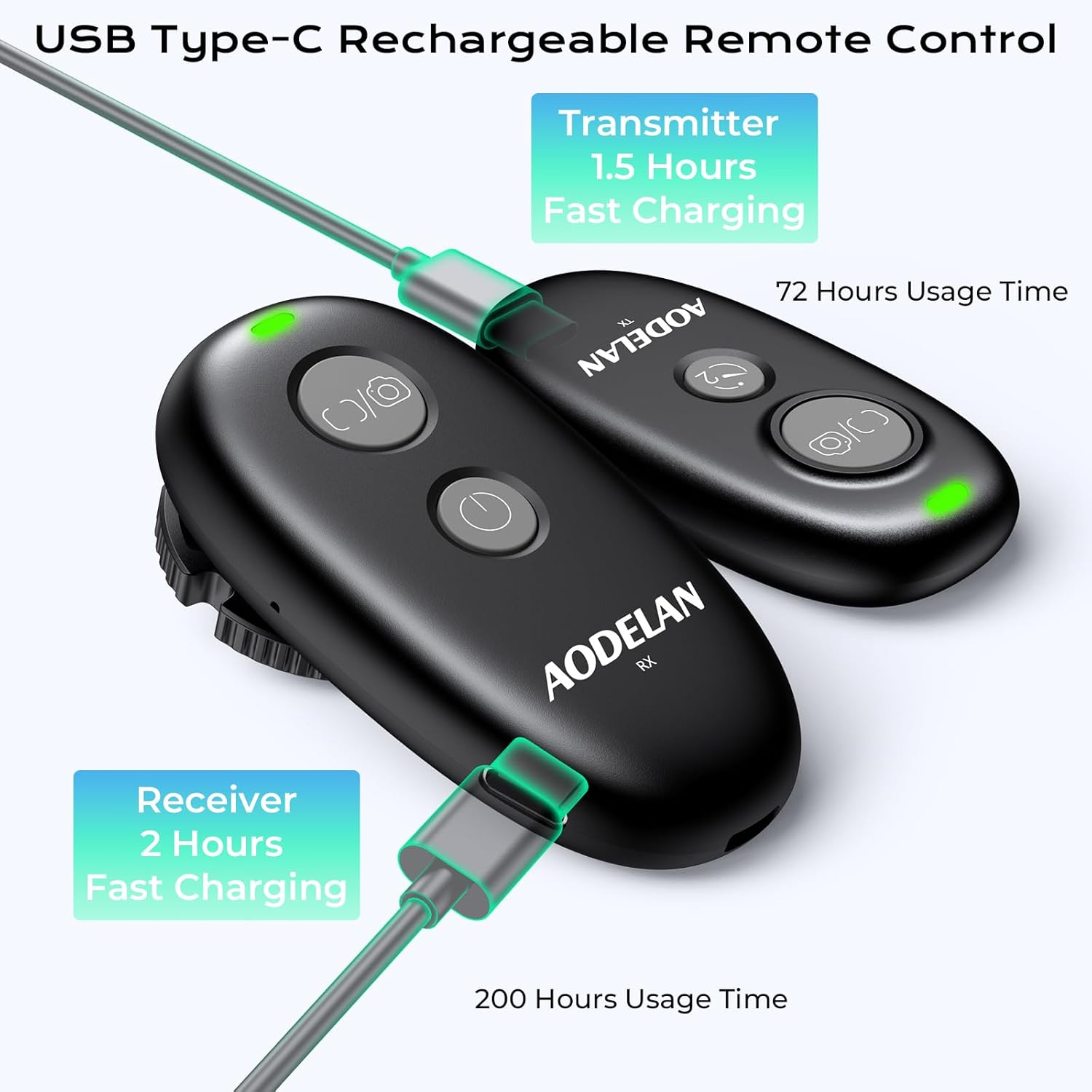
Image: Charging the AODELAN Wireless Shutter Remote Control devices.
Compatibility
This AODELAN wireless shutter remote control is specifically designed for Fujifilm cameras. It is compatible with a wide range of models, utilizing the appropriate connecting cable (F6 for Micro USB, F8 for 3.5mm jack).
Compatible Fujifilm Models:
- Using Connector F6 (Micro USB): X-T100, X-H1, X-A5, X-T2, X-T1, X-T20, X-T10, X-E3, X-E2s, X-A3, X-A10, X-A2, X-M1, X-100F, X-100T, X70.
- Using Connector F8 (3.5mm Remote Shutter Jack): GFX100RF, GFX100 II, X-S20, X-S10, X-E5, X-E4, X-T200, X-T50, X-M5.

Image: Comprehensive compatibility chart for various camera models.
Maintenance
- Keep the remote control and receiver clean and dry. Avoid exposure to dust, moisture, and extreme temperatures.
- Use a soft, dry cloth to clean the devices. Do not use abrasive cleaners or solvents.
- Store the devices in a protective case when not in use to prevent scratches or damage.
- Ensure the connecting cables are not bent or twisted excessively to prevent internal damage.
Troubleshooting
- Device not powering on:
- Ensure both the transmitter and receiver are fully charged. Connect them to the USB-C cable and a power source to charge.
- Shutter not releasing:
-
- Verify that both the transmitter and receiver are powered on and the LED indicators are active.
- Check that the connecting cable is securely plugged into both the receiver and the camera's remote port.
- Ensure the correct connecting cable (F6 or F8) is being used for your specific Fujifilm camera model.
- Confirm that your camera is in a compatible shooting mode (e.g., single shot, continuous, BULB).
- Check the distance between the transmitter and receiver; ensure it's within the 60m (200ft) operating range.
- Test the receiver as a wired remote by pressing its shutter button directly (if applicable for your model).
- Intermittent connection:
- Move closer to the camera. Avoid obstacles that might block the 2.4GHz signal. Ensure no other devices are causing significant wireless interference.
Specifications
| Feature | Detail |
|---|---|
| Brand | AODELAN |
| Model Number | B0G13547N1 |
| Connectivity Technology | 2.4GHz Wireless |
| Maximum Range | 60 Meters (200 feet) |
| Controller Type | Button Control |
| Compatible Devices | Fujifilm Cameras (various models via F6/F8 connectors) |
| Power Source | Rechargeable 9V Battery (built-in) |
| Transmitter Usage Time | Approx. 72 hours (continuous) |
| Transmitter Charging Time | Approx. 1 hour 30 minutes |
| Receiver Usage Time | Approx. 200 hours (continuous) |
| Receiver Charging Time | Approx. 2 hours |
| Color | Black |
| Transmitter Dimensions (Approx.) | 2.6 x 1.4 x 0.5 inches |
| Transmitter Weight (Approx.) | 0.6 oz |
| Receiver Dimensions (Approx.) | 3.0 x 1.6 x 1.1 inches |
| Receiver Weight (Approx.) | 1.2 oz |
Warranty and Support
AODELAN products are designed for reliability and performance. This product typically comes with a manufacturer's warranty. Please refer to the warranty information provided in your package or contact AODELAN customer support for details regarding warranty coverage and service.
For technical assistance, troubleshooting, or any questions regarding your AODELAN Wireless Camera Remote Control, please visit the official AODELAN website or contact their customer service department. Contact information can usually be found in the included documentation or on the product packaging.