Introduction
The TK66 Smart Watch is designed to provide advanced health monitoring and smart connectivity. It features precision air pump technology for accurate blood pressure measurements, professional ECG capabilities, and Bluetooth calling. This manual provides essential information for setting up, operating, maintaining, and troubleshooting your device.

Image: The TK66 Smart Watch showcasing its air pump blood pressure and ECG features on its display.
Setup
1. Charging the Device
Before first use, fully charge your TK66 Smart Watch. Connect the charging cable to the watch's charging port and a standard USB power adapter. A full charge typically takes approximately 2 hours.
2. App Installation and Pairing
- Download the official companion application from your smartphone's app store (compatible with Android and iOS 11.0+ devices).
- Ensure Bluetooth is enabled on your smartphone.
- Open the app and follow the on-screen instructions to create an account and pair your TK66 Smart Watch via Bluetooth.
- Grant necessary permissions to the app for full functionality, including health data access and notification synchronization.
Operating Instructions
Basic Navigation
The TK66 Smart Watch features an intuitive touch interface. Swipe left, right, up, or down to navigate through menus and access different functions. Tap to select items or confirm actions.
Health Monitoring
The watch offers comprehensive health tracking, including blood pressure, ECG, heart rate, and more.
Blood Pressure Measurement
The TK66 Smart Watch utilizes an air pump airbag design for precise blood pressure measurements. For accurate readings:
- Rest for at least five minutes before the test. Sit still and keep quiet.
- Measure the wrist circumference of the left arm with a soft ruler (the small bone extends upward about 2 cm).
- Wear the watch correctly as shown in the figure, with moderate tightness. The watch should be flush with the heart, and the airbag should naturally extend.
- Support your elbow and relax your body.

Image: Visual guide for correct blood pressure measurement posture and steps.
ECG Monitoring
The watch integrates high-performance conductive glass and high-accuracy sensors for ECG acquisition. You can view ECG cycle data and analysis through the companion app to understand heart health, atrial fibrillation, and premature beats.

Image: The companion app displaying detailed ECG analysis and health screening results.
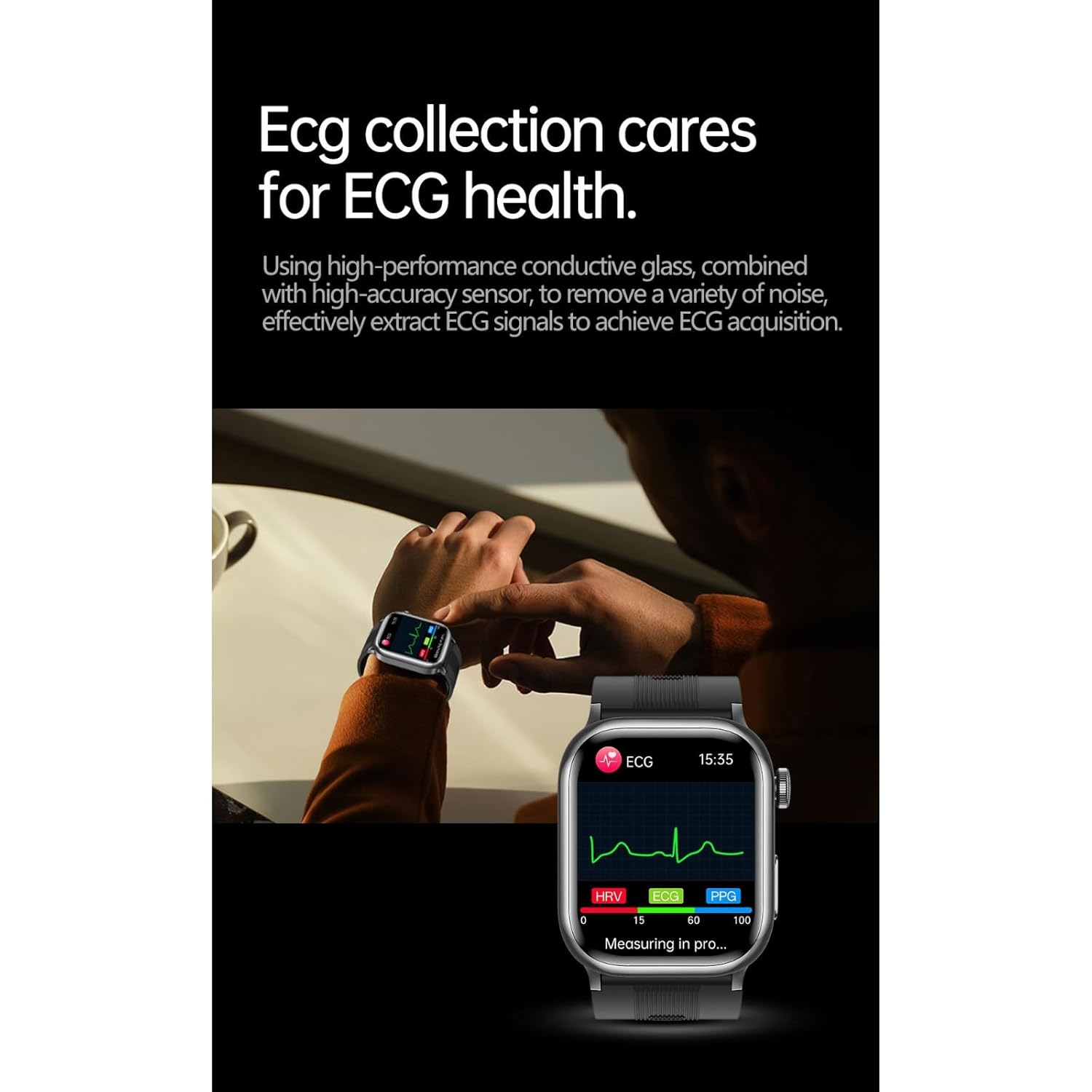
Image: A user performing an ECG measurement with the TK66 Smart Watch.
Bluetooth Calling
Once paired with your smartphone, you can make and receive calls directly from your wrist using the watch's integrated Bluetooth calling functionality.
SOS Emergency Call
Connect the watch to the app via Bluetooth to set up an emergency contact. In case of an emergency, you can initiate an SOS call through the watch to your designated contact.

Image: The watch screen indicating an emergency call in progress.
Remote Care for Relatives and Friends
The companion app allows for long-distance care, enabling you to monitor the health data of relatives and friends who also use the TK66 Smart Watch, provided they grant access.

Image: Illustration of the remote care feature, showing health data sharing between users.
Maintenance
Cleaning
Wipe the watch and band regularly with a soft, damp cloth. Avoid using harsh chemicals or abrasive materials, which can damage the device. Ensure the charging contacts are clean and dry before charging.
Water Resistance
The TK66 Smart Watch is IP67 water-resistant, meaning it can withstand splashes, rain, and brief immersion in shallow water. It is not suitable for swimming, diving, or high-pressure water activities. Avoid exposing the watch to hot water or steam.
Band Care
The 22mm silicone band is durable and comfortable. Clean it regularly to prevent skin irritation. The air pump airbag is detachable for maintenance or replacement; refer to the diagram for steps.

Image: Instructions for detaching and reattaching the airbag component of the watch band.
Troubleshooting
- Watch not turning on: Ensure the watch is fully charged. Connect it to the charger and wait a few minutes before attempting to power it on.
- Cannot pair with smartphone: Ensure Bluetooth is enabled on both devices. Restart both the watch and your smartphone. Make sure the watch is within range of your phone.
- Inaccurate health readings: Ensure the watch is worn correctly and snugly on your wrist. Follow specific measurement guidelines for blood pressure and ECG. Avoid movement during measurements.
- Display unresponsive: Try restarting the watch. If the issue persists, ensure the screen is clean and dry.
- Short battery life: Reduce screen brightness, disable unnecessary notifications, and limit continuous health monitoring if not required. Ensure the watch is fully charged before use.
Specifications

Image: An exploded view illustrating the internal components of the TK66 Smart Watch.
| Feature | Detail |
|---|---|
| Model | TK66 |
| Display | 1.85-inch Digital LCD, 500 nit brightness |
| Health Monitoring | Air Pump Blood Pressure, ECG, Heart Rate, Health Tracking |
| Connectivity | Bluetooth Calling, Smartphone Integration |
| Storage Capacity | 128 GB |
| Water Resistance | IP67 |
| Battery | 100 Milliamp Hours, 2 Hours Charging Time |
| Dimensions | 4.5 cm x 4.5 cm x 1.2 cm |
| Material | Metal Case, Silicone Band, Plastic components |
| Operating System | Proprietary OS |
| Compatibility | Android, iOS 11.0+ |
Warranty
This product comes with a 7-day warranty from the date of purchase. Please retain your proof of purchase for any warranty claims. The warranty covers manufacturing defects but does not cover damage caused by misuse, accidents, or unauthorized modifications.
Support
For technical assistance, product inquiries, or warranty claims, please contact the seller or manufacturer through the platform where the product was purchased. Provide your model number (TK66) and a detailed description of the issue for efficient support.

