
Introduction
This manual provides detailed instructions for the safe and efficient operation of your Cuisinart Smart Elite 2-Slice Toaster, Model CPT525DE. Please read all instructions carefully before first use and retain this manual for future reference.
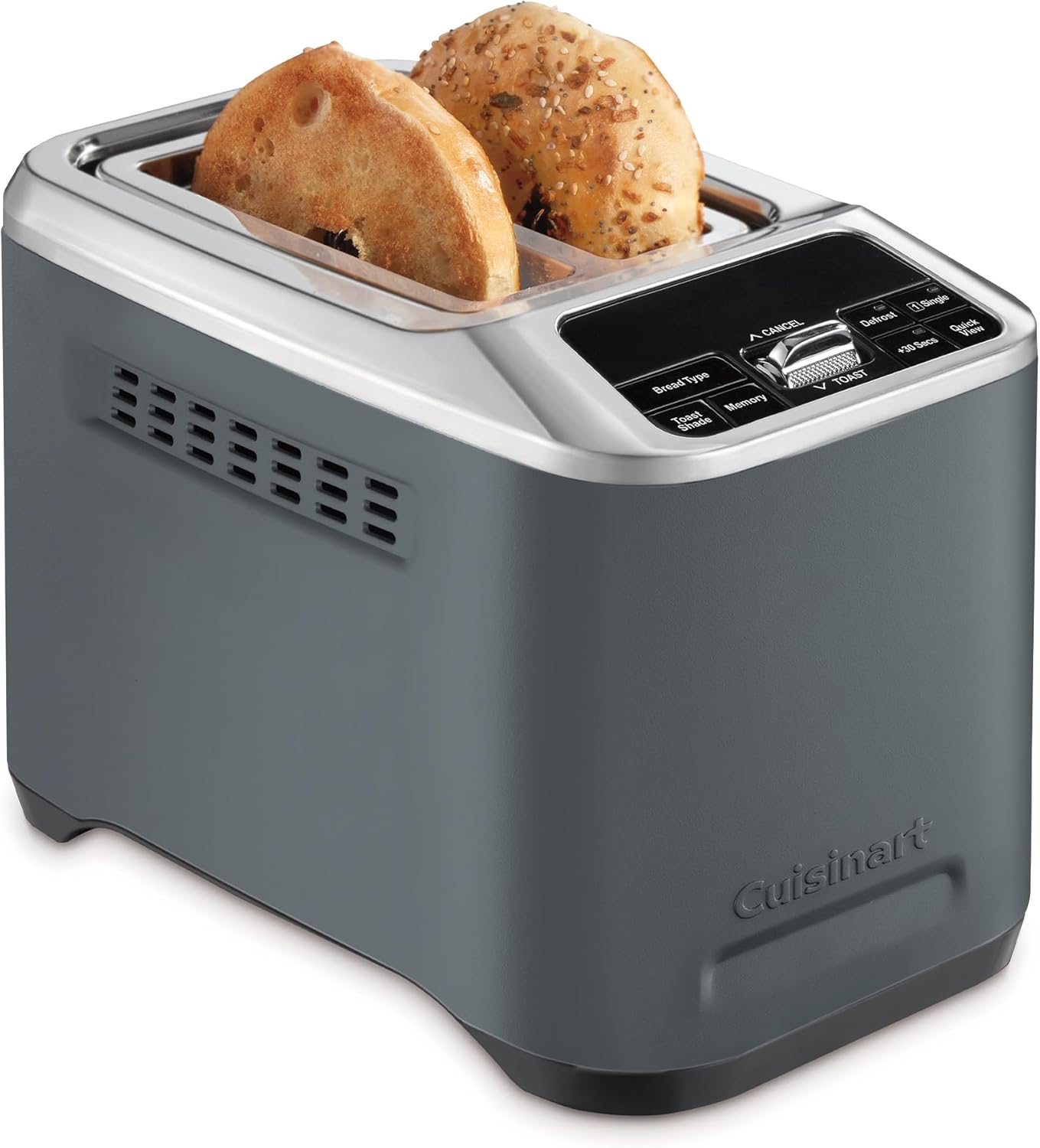
Image: The Cuisinart Smart Elite 2-Slice Toaster, featuring a sleek dark denim finish and a control panel with various function buttons. Two slices of bread are visible in the toasting slots.
Important Safety Instructions
When using electrical appliances, basic safety precautions should always be followed, including the following:
- Read all instructions.
- Do not touch hot surfaces. Use handles or knobs.
- To protect against electrical shock, do not immerse cord, plug, or toaster in water or other liquid.
- Close supervision is necessary when any appliance is used by or near children.
- Unplug from outlet when not in use and before cleaning. Allow to cool before putting on or taking off parts.
- Do not operate any appliance with a damaged cord or plug, or after the appliance malfunctions or has been dropped or damaged in any manner. Return appliance to the nearest authorized service facility for examination, repair, or adjustment.
- The use of accessory attachments not recommended by the appliance manufacturer may cause injuries.
- Do not use outdoors.
- Do not let cord hang over edge of table or counter, or touch hot surfaces.
- Do not place on or near a hot gas or electric burner, or in a heated oven.
- Always attach plug to appliance first, then plug cord into the wall outlet. To disconnect, turn any control to 'off', then remove plug from wall outlet.
- Do not use appliance for other than intended use.
- Oversize foods, metal foil packages, or utensils must not be inserted in a toaster as they may involve a risk of fire or electric shock.
- A fire may occur if toasters are covered or touching flammable material, including curtains, draperies, walls, and the like, when in operation.
- Do not attempt to dislodge food when toaster is plugged in.
- To avoid possibility of fire, unplug unit after each use.
Setup
Unpacking
Carefully remove the toaster from its packaging. Remove all packing materials, labels, and protective films. Ensure all components are present before discarding packaging.
Placement
Place the toaster on a stable, flat, heat-resistant surface, away from flammable materials such as curtains or walls. Ensure there is adequate ventilation around the appliance.
First Use
Before using your toaster for the first time, operate it without bread on the highest toast shade setting (7) to burn off any manufacturing residues. A slight odor or smoke may be present; this is normal and will dissipate quickly. Ensure the area is well-ventilated during this process.
Power Connection
Plug the power cord into a standard electrical outlet. Ensure the voltage rating of the toaster matches your local power supply.
Operating Instructions
Motorized One-Touch Lift
The Cuisinart Smart Elite Toaster features a motorized lift for effortless toasting. Simply insert your bread into the slots and press the TOAST button. The bread will automatically lower into the toasting chamber.

Image: A close-up of a hand interacting with the control panel of the toaster, highlighting the 'TOAST' button and the motorized lowering action.
Extra-Long Slots
The toaster is equipped with extra-long slots, 40% larger than standard, designed to accommodate a variety of bread types, including thick sourdough slices, thin rye bread, and artisanal loaves.

Image: A visual comparison of the toaster's extra-long slots (14cm x 17cm) with standard slots (12cm x 14cm), demonstrating their capacity for larger bread slices.
Custom Toast Control
Achieve your preferred toast with customizable settings:
- Toast Shade: Select from 7 browning levels, ranging from lightly toasted to dark golden. Use the 'Toast Shade' dial to adjust.
- Bread Type: Choose from 6 preset bread types for optimized toasting: White, Bagel, Fruit, Sourdough, Rye/Brown, and Grain. Press the 'Bread Type' button to cycle through options.

Image: The control panel showing options like 'White', 'Bagel', 'Fruit', 'Sourdough', 'Rye/Brown', and 'Grain', alongside a dial for toast shade. Various types of toasted bread are displayed around the toaster.
Special Functions
- Memory Set: Save up to four personalized toasting settings for your favorite bread types and shades. Press the 'Memory' button to store or recall settings.
- High-Lift QuickView™: Check the toasting progress mid-cycle without interrupting the process. Press the 'QuickView' button to momentarily lift the bread.
- +30 Seconds Boost: If your toast requires a little extra browning, press the '+30 Secs' button to extend the toasting cycle by 30 seconds.
- True Bagel Mode: This mode toasts the cut side of the bagel while gently warming the crust, ensuring perfect results. Select 'Bagel' from the bread type options.
- Single Slice Toasting: For energy efficiency when toasting only one slice, activate the 'Single Slice' function.
- Defrost: Use the 'Defrost' function to thaw and toast frozen bread.
- Cancel: Press the 'Cancel' button at any time to stop the toasting cycle and automatically raise the bread.

Image: A close-up of the toaster's control panel, with a finger pressing the 'Memory' button, illustrating the feature to program and save preferred settings.

Image: The toaster in operation, with bread slices partially elevated from the slots, indicating the QuickView function that allows users to inspect toast without stopping the cycle.

Image: A close-up of the toaster's control panel, with a finger pressing the '+30 Secs' button, demonstrating the option to add extra toasting time.

Image: The toaster with two bagel halves in the slots, accompanied by a graphic showing heat concentrated on the inner surfaces, representing the True Bagel Mode.

Image: The toaster with one slice of bread in a slot, and a finger pointing to the 'Slice' button on the control panel, indicating the single-slice toasting feature.
Maintenance
Cleaning
- Always unplug the toaster from the electrical outlet and allow it to cool completely before cleaning.
- Crumb Tray: The toaster features a removable crumb tray for easy cleaning. Pull out the tray from the bottom of the toaster, discard crumbs, and wipe the tray clean with a damp cloth. Ensure the tray is completely dry before reinserting.
- Exterior: Wipe the exterior of the toaster with a damp cloth and dry thoroughly. Do not use abrasive cleaners or metal scouring pads, as these can scratch the finish.
- Never immerse the toaster in water or any other liquid.
Storage
When not in use, the toaster can be stored by wrapping the power cord around the integrated cord wrap at the base of the unit. Store in a dry, clean place.
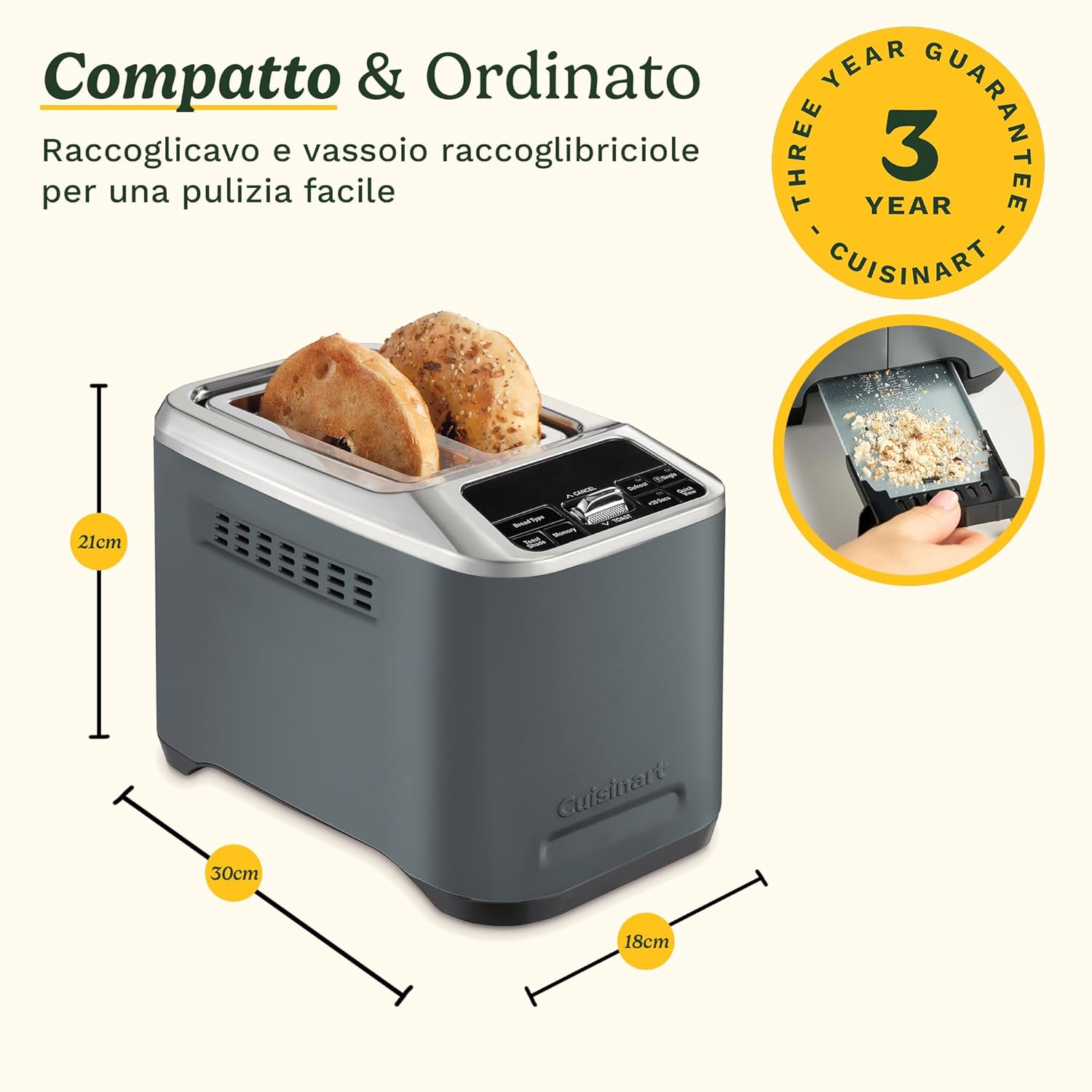
Image: The toaster shown with its dimensions (30cm length, 18cm width, 21cm height), and insets illustrating the removable crumb tray and the integrated cord wrap for compact storage.
Troubleshooting
If you experience issues with your Cuisinart Smart Elite Toaster, please refer to the following common problems and solutions:
- Toaster does not turn on: Ensure the power cord is securely plugged into a working electrical outlet. Check your household circuit breaker.
- Bread does not lower: Ensure the toaster is plugged in and powered on. If the motorized lift is not engaging, try pressing the TOAST button firmly.
- Uneven toasting: Ensure bread slices are centered in the slots. Different bread types and moisture levels can affect toasting. Adjust the toast shade setting as needed.
- Smoke or burning smell: This may occur during first use due to manufacturing residues. If it persists, unplug the toaster immediately. Check the crumb tray for excessive crumbs and clean if necessary. Ensure no food items are stuck in the toasting slots.
- Food stuck in toaster: Unplug the toaster and allow it to cool. Carefully remove the food using non-metallic tongs. Never use metal utensils.
If the problem persists after following these steps, please contact Cuisinart customer support.
Specifications
| Feature | Specification |
|---|---|
| Brand | CUISINART |
| Model | CPT525DE |
| Color | Denim Scuro (Dark Denim) |
| Dimensions (L x W x H) | 30.5 x 17.6 x 21.6 cm |
| Weight | 2.54 kg |
| Wattage | 1000 watts |
| Material | Metal |
| Number of Slices | 2 |
| Automatic Shut-off | Yes |
| Special Features | Visual Countdown, Personalized Settings, Custom Toasting, Integrated Timer, Removable Crumb Tray |
Warranty
The Cuisinart Smart Elite 2-Slice Toaster is covered by a 3-year guarantee from the date of purchase. This warranty covers defects in materials and workmanship under normal household use. Please retain your proof of purchase for warranty claims. For full terms and conditions, refer to the warranty card included with your product or visit the official Cuisinart website.
Customer Support
For further assistance, product registration, or to inquire about replacement parts, please visit the official Cuisinart website or contact their customer service department. You can find contact information on the Cuisinart website or in the documentation provided with your toaster.
Visit the Cuisinart Store: Cuisinart Official Store