Introduction
This instruction manual provides detailed information on the setup, operation, maintenance, and troubleshooting of your Generic KWS-2303C USB C Tester Power Meter. This device is designed to accurately measure voltage, current, power, capacity, and energy for various USB-C devices, including chargers, power banks, and mobile phones. Please read this manual thoroughly before using the product to ensure proper and safe operation.
Safety Information
- Do not expose the device to extreme temperatures, humidity, or corrosive environments.
- Avoid dropping or subjecting the device to strong impacts.
- Do not attempt to disassemble or modify the device. This will void the warranty and may cause damage.
- Keep the device away from children.
- Ensure proper connection to avoid short circuits or damage to connected devices.
Product Overview
The KWS-2303C USB C Tester is a versatile tool for monitoring the performance of your USB-C charging devices. It features a 1.06-inch ISP color high-definition display that provides clear, real-time data.
Key Features:
- Improved Measurement Accuracy: Provides accurate readings with a precision of ±(1%+5) for voltage and current.
- Wide Applicability: Supports a voltage range of 4V-30V and a current range of 0-12A, suitable for various 3C digital peripheral products.
- Fast Charging Protocol Detection: Compatible with PD2.0/3.0, QC2.0/3.0, FCP, SCP, AFC, PE, DASH VOOC, and Super VOOC protocols.
- Upgraded Curve Function: Records real-time voltage and current curves over selectable durations (5mins/15mins/60mins/2hrs).
- ISP Color Display: High-resolution display showing voltage, current, power, capacity, energy, time, maximum values, current direction, and CPU temperature.

Figure 1: KWS-2303C USB C Tester with its internal smart chip and clear ISP color display, highlighting its ability to show real-time charging data such as voltage, current, power, and temperature.
What's in the Box
- USB C Tester (KWS-2303C)
- User Manual (this document)
- Storage Case
Setup and Connection
To begin using your KWS-2303C USB C Tester, follow these simple steps:
- Identify the Type-C Male Port and Type-C Female Port on the tester.
- Connect the Type-C Male Port of the tester to the power source (e.g., charger, power bank, computer's USB-C port).
- Connect your device (e.g., smartphone, tablet, laptop) to the Type-C Female Port of the tester using a compatible USB-C cable.
- The tester's screen will illuminate and display real-time charging data once both input and output connections are established.
Important Note: Due to PD (Power Delivery) protocol limitations, the USB-C tester screen will only light up if both the output (device being charged) and input (power source) ports are connected. Ensure a complete circuit for proper operation.

Figure 2: Illustration of correct and incorrect connection methods for the USB C Tester. The tester requires both input and output connections to function and display data.
Operating Instructions
Interface Navigation:
- Single Click: Press the button once to cycle through different display interfaces, showing various data sets.
- Double-Click: Double-click the button to rotate the displayed content on the screen, allowing for better viewing angles.
- Long Press (3 seconds): Press and hold the button for 3 seconds to clear accumulated capacity (mAh), energy (Wh), and timing data.
Monitoring Charging Data:
The tester displays a comprehensive range of parameters:
- Voltage (V): Real-time voltage of the USB-C connection.
- Current (A): Real-time current flowing through the USB-C connection.
- Power (W): Calculated power (Voltage x Current).
- Capacity (mAh): Accumulated charge capacity.
- Energy (Wh): Accumulated energy consumption.
- Time: Elapsed charging time.
- Maximum Values: Records peak voltage, current, and power.
- Current Direction: Indicates the direction of current flow.
- CPU Temperature: Internal temperature of the tester's CPU.

Figure 3: The USB C Tester connected to a laptop, demonstrating its compatibility with up to 360W Power Delivery and displaying real-time charging metrics.
Bidirectional Current Test:
The KWS-2303C supports bidirectional current testing, allowing you to monitor power flow in both directions. This is particularly useful for devices that can both charge and be charged, such as power banks or laptops with USB-C power input/output.
The tester supports various fast charging protocols including HUAWEI FCP/SCP, QC 2.0/3.0, PD 2.0/3.0, SAMSUNG AFC, PE, PPS, DASH VOOC, and Super VOOC.

Figure 4: Example of the USB C Tester conducting a bidirectional current test, showing its ability to monitor power flow in complex charging setups involving multiple devices.
Curve Function:
The upgraded curve function allows for real-time graphical representation of voltage and current. To access and configure this feature:
- Navigate to the curve display interface using a single click.
- Long press the button to set the recording time for the curve page (options: 5 minutes, 15 minutes, 60 minutes, 2 hours).
- The voltage and current scales on the graph will automatically adjust based on the actual measured values for optimal visualization.
Recording Maximum Values:
The tester automatically records the maximum voltage, current, and power detected during a charging session. This feature provides insight into peak performance and helps identify potential issues or limitations of your charging setup.
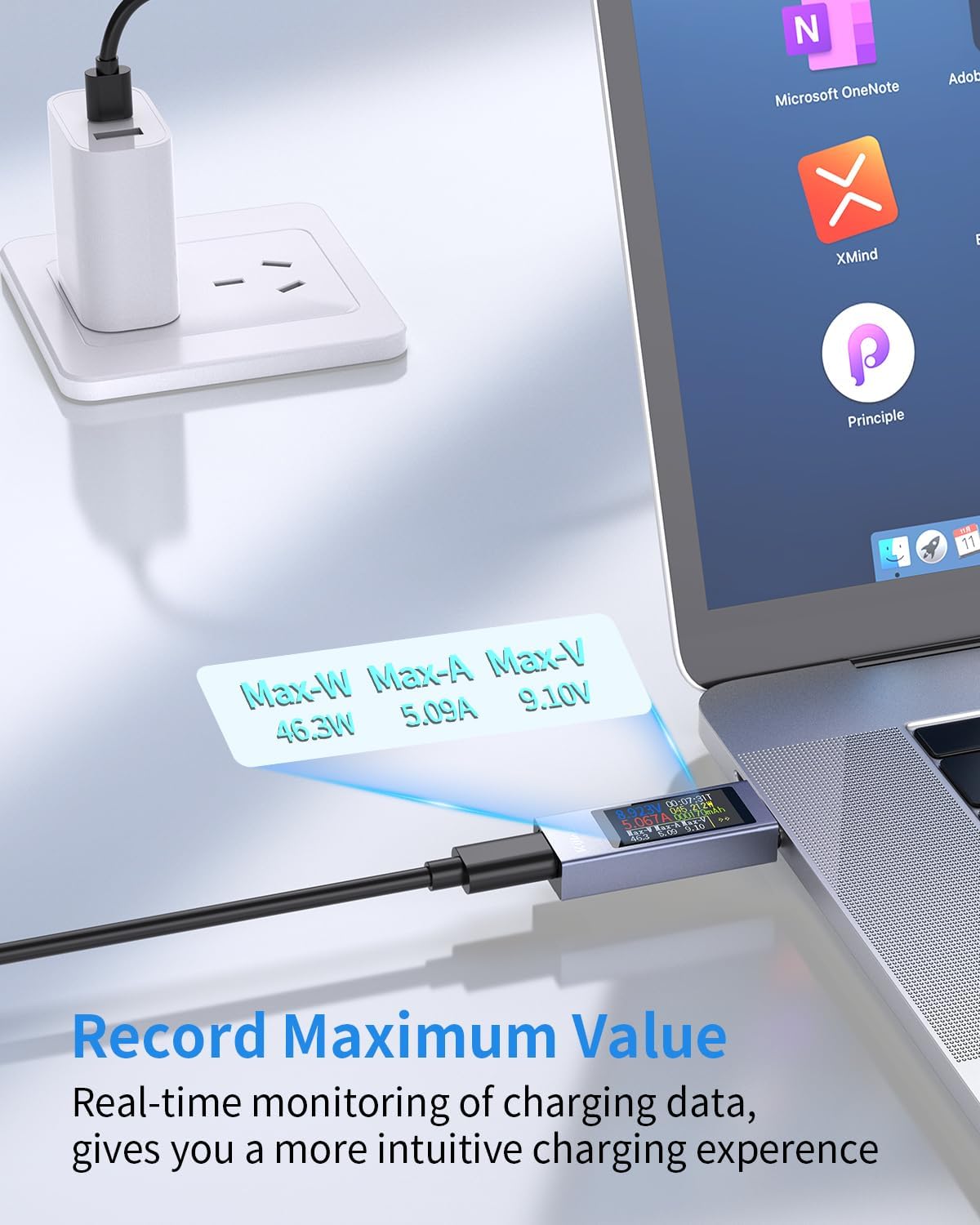
Figure 5: The USB C Tester showing the recorded maximum values for wattage (Max-W), amperage (Max-A), and voltage (Max-V), providing a summary of peak charging performance.
Compatibility
The KWS-2303C USB C Tester offers wide compatibility with a variety of USB-C enabled devices and charging protocols. It is designed to work with:
- Devices: Laptops (e.g., MacBook Pro, DELL XPS, MacBook Air, Surface Book), iPads (e.g., iPad Pro/Air), Smartphones (e.g., Samsung Galaxy, AQUOS, Google Pixel, OPPO, Xiaomi), and other USB-C peripherals like gamepads.
- Fast Charging Protocols: PD2.0/3.0, QC2.0/3.0, FCP, SCP, AFC, PE, DASH VOOC, Super VOOC.

Figure 6: Visual representation of the USB C Tester's broad compatibility with a range of Type-C devices, including laptops, tablets, smartphones, and gaming controllers.
Specifications
| Parameter | Value |
|---|---|
| Model | KWS-2303C |
| Voltage Measurement Range | 4V - 30V |
| Current Measurement Range | 0A - 12A |
| Power Measurement Range | 0W - 360W |
| Capacity Measurement Range | 0 - 99999mAh |
| Energy Measurement Range | 0 - 99999Wh |
| Measurement Accuracy | ±(1%+5) |
| Display | 1.06-inch ISP Color High-Definition Display |
| Supported Fast Charging Protocols | PD2.0/3.0, QC2.0/3.0, FCP, SCP, AFC, PE, DASH VOOC, Super VOOC |
| Power Source | USB, Type-C |
| Item Weight | 1.37 ounces |
| Package Dimensions | 3.7 x 3.27 x 0.55 inches |
| Certifications | CE, RoHS |
Maintenance
- Keep the device clean by wiping it with a soft, dry cloth. Do not use liquid cleaners or solvents.
- Store the device in its provided storage case when not in use to protect it from dust and physical damage.
- Avoid exposing the device to direct sunlight or high temperatures for extended periods.
Troubleshooting
- Q: The screen does not light up when connected.
- A: Ensure both the input (power source) and output (device being charged) ports are connected. The tester requires a complete circuit to activate its display due to PD protocol limitations. Verify that the power source is active and the connected device is drawing power.
- Q: Readings appear inaccurate or fluctuate significantly.
- A: Check all cable connections to ensure they are secure. Try using different USB-C cables and power sources to rule out faulty accessories. Ensure the device is not exposed to extreme electromagnetic interference.
- Q: The device is unresponsive to button presses.
- A: Disconnect and reconnect the tester from the power source to perform a soft reset. If the issue persists, ensure the button is not physically stuck or damaged.
Warranty Information
This product comes with a standard manufacturer's warranty. Please refer to the packaging or contact your retailer for specific warranty terms and conditions. The warranty typically covers defects in materials and workmanship under normal use. Damage resulting from misuse, unauthorized modification, or accidents is not covered.
Customer Support
For technical assistance, troubleshooting, or warranty inquiries, please contact the retailer where you purchased the product. You may also refer to the manufacturer's official website for additional support resources.


