
1. Introduction
Thank you for choosing the MOZC Bluetooth Headset Model 530-2. This wireless single-ear business earbud is designed for clear communication and comfortable wear, ideal for work, driving, and office environments. This manual provides detailed instructions to help you set up, operate, and maintain your headset for optimal performance.
2. Product Overview
2.1 Package Contents
- MOZC Bluetooth Headset
- 800mAh Charging Case
- USB Type-C Charging Cable
- User Manual
2.2 Key Features
- Extended Playtime: Up to 80 hours of playtime with the 800mAh charging case.
- Dual Device Connectivity: Connects to two devices simultaneously.
- Flexible Controls: Intuitive buttons for music, calls, and voice commands.
- CVC8.0 Noise Cancellation: Unidirectional microphone with ENC for clear calls in noisy environments.
- Comfortable Design: In-ear design with 180° vertical and 360° horizontal ear hook rotation for a secure and comfortable fit.
2.3 Headset Components and Functions

Image: Overview of the headset's multi-functional buttons and ports. This diagram illustrates the location of the power button, volume controls, microphone, and Type-C charging port on the headset.
- Power Supply (ON/OFF): Button to turn the headset on or off.
- Volume + / Volume -: Buttons to adjust the audio volume.
- Microphone (ON/OFF): Integrated microphone with mute function.
- Type-C Port: For charging the headset directly.
- Multi-function Button: For call management, music playback, and voice assistant activation.
3. Setup
3.1 Charging the Headset and Charging Case
Before first use, fully charge both the headset and the charging case.
- Charging the Headset: Place the headset into the charging case. The LED display on the case will indicate charging status. Alternatively, connect the Type-C cable directly to the headset's charging port.
- Charging the Case: Connect the provided USB Type-C charging cable to the charging case and a suitable USB power adapter (not included). The LED display will show the charging progress and remaining power.
A full charge for the case takes approximately 1.5 hours. The case can fully charge the headset 5-6 times, providing up to 80 hours of total playtime.

Image: Charging methods for the headset and its charging case. The left image shows the headset connected to a Type-C cable, and the right image shows the charging case connected to a Type-C cable.

Image: The 800mAh charging case with the headset, highlighting 80 hours playtime, 1.5 hours charging time, 12 hours music time, and 15 hours talk time.
3.2 Adjusting for Comfortable Wear
The headset is designed for comfortable wear on either the left or right ear. Adjust the ear hook and microphone for the best fit.
- Ear Hook Rotation: The ear hook can rotate 180° vertically and 360° horizontally to fit your ear shape and orientation.
- Microphone Adjustment: Adjust the angle of the microphone to ensure it is positioned optimally for clear voice pickup.

Image: Instructions for adjusting the headset to fit both left and right ears. It shows the 360° adjustment for the ear hook and 180° adjustment for the microphone arm.
4. Operating Instructions
4.1 Power On/Off
- Power On: Press and hold the Power button for approximately 3 seconds until the indicator light flashes.
- Power Off: Press and hold the Power button for approximately 5 seconds until the indicator light turns off.
4.2 Bluetooth Pairing
- Ensure the headset is fully charged and powered off.
- Press and hold the Power button for about 5-7 seconds until the indicator light flashes red and blue alternately, indicating pairing mode.
- On your device (smartphone, tablet, computer), enable Bluetooth and search for available devices.
- Select "MOZC 530-2" (or similar name) from the list of found devices.
- Once connected, the indicator light on the headset will flash blue slowly.
4.3 Connecting Two Devices Simultaneously
The headset supports connecting to two Bluetooth devices at the same time.
- Pair the headset with the first device following the steps in section 4.2.
- Disable Bluetooth on the first device.
- Pair the headset with the second device.
- Re-enable Bluetooth on the first device. The headset should automatically connect to both devices.
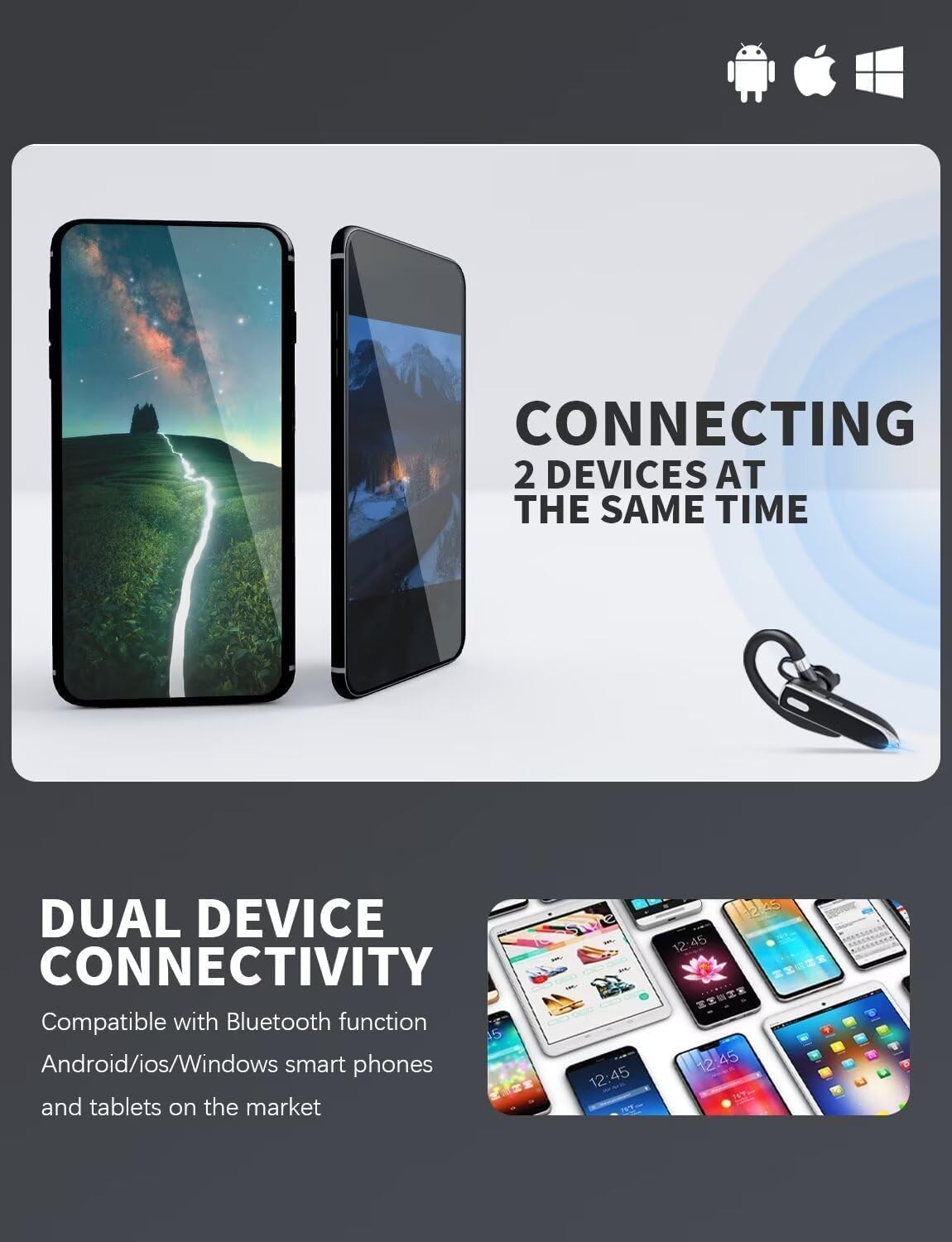
Image: Dual device connectivity feature. This image shows the headset connected to two separate mobile phones, demonstrating its ability to maintain connections with multiple devices.
4.4 Call and Music Controls
- Answer/End Call: Short press the Multi-function button.
- Reject Call: Press and hold the Multi-function button for 2 seconds.
- Play/Pause Music: Short press the Multi-function button.
- Volume Up: Short press the Volume + button.
- Volume Down: Short press the Volume - button.
- Activate Voice Assistant (Siri/Google Assistant): Double-press the Multi-function button.
4.5 Mute Function
During a call, short press the Microphone button to mute or unmute the microphone. A voice prompt or indicator light may confirm the mute status.
5. Maintenance
5.1 Cleaning
- Wipe the headset and charging case with a soft, dry, lint-free cloth.
- Do not use abrasive cleaners, solvents, or aerosol sprays.
- Avoid getting moisture into any openings.
5.2 Storage
- Store the headset in its charging case when not in use to protect it and keep it charged.
- Store in a cool, dry place, away from extreme temperatures and direct sunlight.
- If storing for an extended period, charge the headset and case at least once every three months to maintain battery health.
6. Troubleshooting
6.1 Common Issues and Solutions
- Headset won't turn on:
Ensure the headset is charged. Place it in the charging case or connect it directly to a power source. - Cannot pair with device:
Make sure the headset is in pairing mode (red and blue indicator flashing). Ensure Bluetooth is enabled on your device and it's within range. Try restarting both the headset and your device. - No sound or low volume:
Check the volume levels on both the headset and your connected device. Ensure the headset is properly connected to your device. - Poor call quality:
Ensure the microphone is not muted. Move closer to your connected device. Avoid environments with strong electromagnetic interference. - Headset disconnects frequently:
Ensure the headset is within the effective Bluetooth range (typically 10 meters/33 feet) of your device. Avoid obstacles between the headset and your device.
7. Specifications
7.1 Technical Data
| Model Name | 530-2 |
| Brand | MOZC |
| Connectivity Technology | Wireless (Bluetooth) |
| Ear Placement | In Ear |
| Charging Case Battery Capacity | 800mAh |
| Total Playtime (with case) | Up to 80 hours |
| Charging Time (Case) | Approx. 1.5 hours |
| Noise Cancellation | CVC8.0 (for microphone) |
| Included Components | Cable |
| Item Model Number | 530-2 |
8. Warranty and Support
This MOZC product is covered by a standard manufacturer's warranty. For specific warranty terms and conditions, please refer to the documentation provided with your purchase or contact the retailer.
For technical support, troubleshooting assistance, or any inquiries regarding your MOZC Bluetooth Headset, please contact our customer support team. Contact details can typically be found on the product packaging or the official MOZC website.