
Introduction
This manual provides comprehensive instructions for the setup, operation, and maintenance of your TONGVEO 4K AI Auto Tracking PTZ Conference Camera System. This all-in-one video conferencing solution combines a high-resolution 4K PTZ camera with a Bluetooth wireless conference speakerphone, designed for seamless integration into various environments such as church worship, business meetings, and live streaming.
Key Features
- 4K AI 20X PTZ Camera & Speakerphone System: All-in-one video conferencing system combining a 4K AI auto tracking PTZ camera and Bluetooth wireless conference speakerphone.
- AI Auto Tracking PTZ Camera: Automatically follows pastors, speakers, and presenters with smooth pan, tilt, and 20X optical zoom.
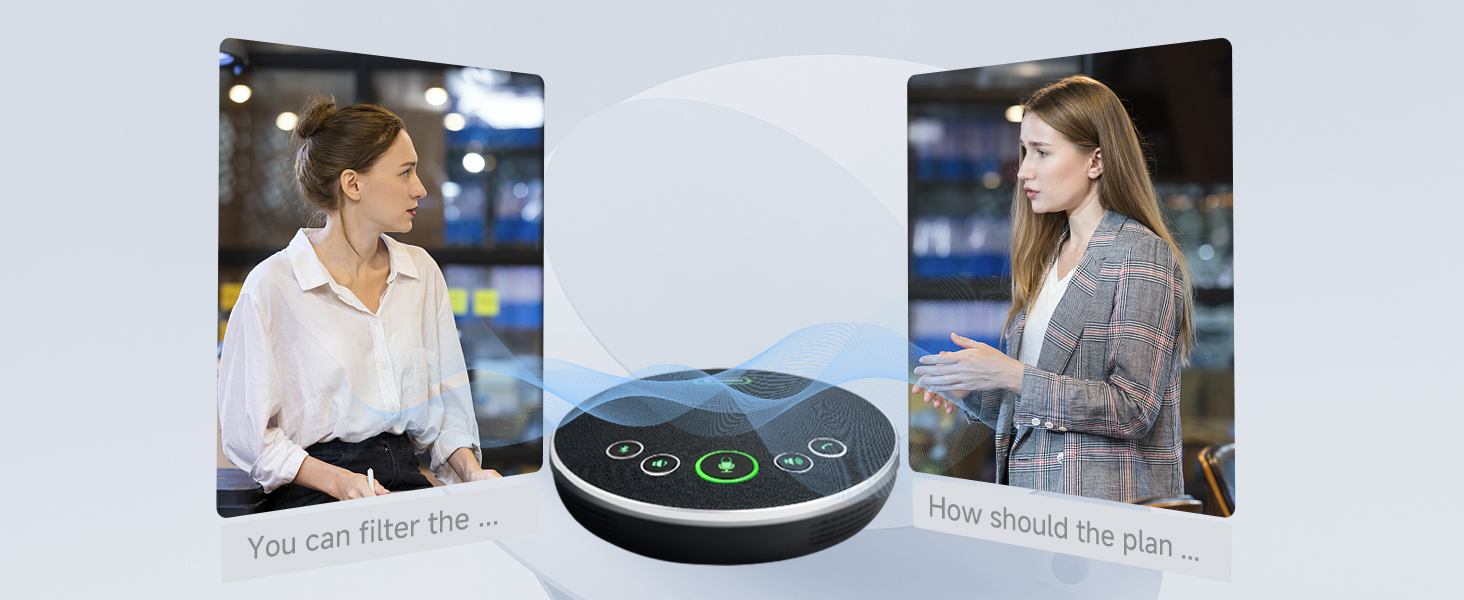
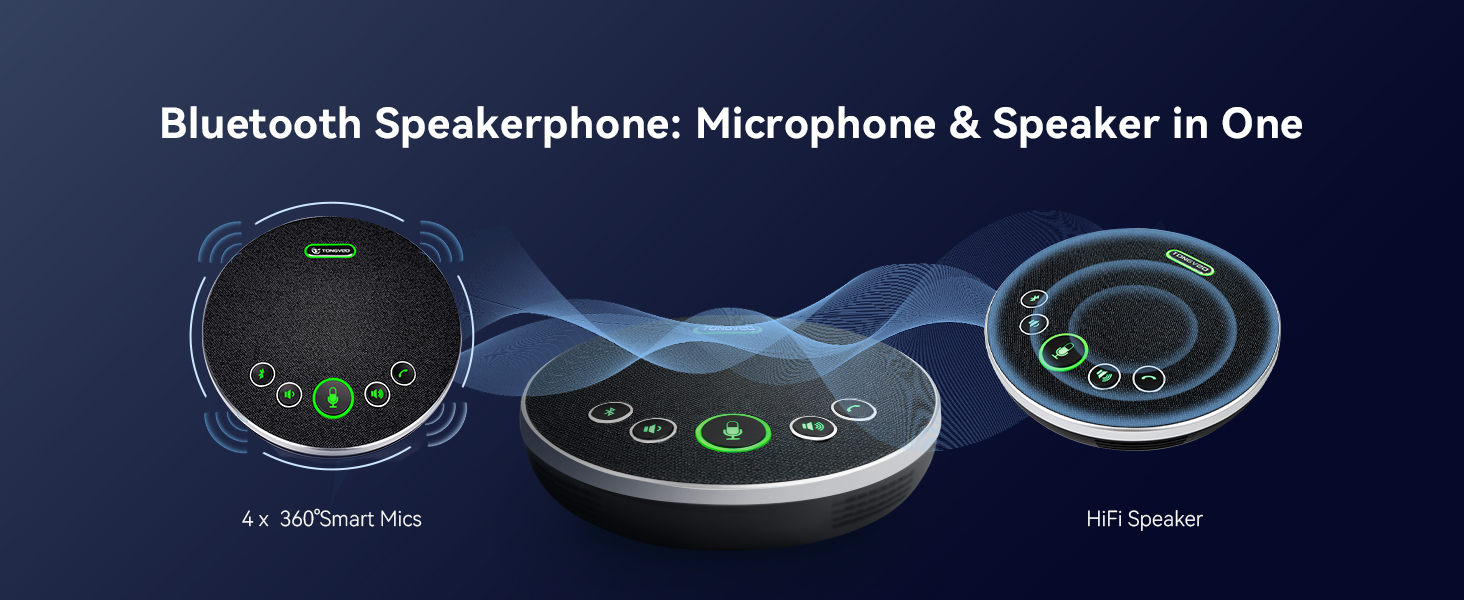
- Bluetooth Wireless USB Conference Speakerphone: Features 4 ultra-sensitive microphones, full-duplex audio with noise reduction, 16.4ft/5m voice pickup, and 6–8 hours battery life.
- Plug & Play with Wide Compatibility: Easy setup via USB3.0 and HDMI (LAN/PoE on supported models). Compatible with Zoom, Teams, OBS, WebEx, YouTube, Facebook Live on Windows and macOS.
- Professional & Reliable Support: Built for long-term reliability with responsive technical support and extended warranty.
What's in the Box
- DC 12 V Power adapter
- IR remote control
- Manual
- USB 2.0 cable
- Ceiling brackets & screws

Setup
1. Physical Installation
The camera offers flexible installation options to suit various environments:
- Desk Placement: The camera can be placed directly on a desk or table. Its base is designed for stability.
- Wall Mount: Use the included wall brackets and screws to securely mount the camera on a wall.
- Ceiling Mount: For an elevated perspective, the camera can be mounted on the ceiling using appropriate hardware (not always included, check package contents).
- Tripod Mount: The camera features a standard tripod thread for mounting on a tripod, offering portability and adjustable height.

2. Connection Options
The camera offers multiple connectivity options for versatile integration:
- USB 3.0: For direct plug-and-play connection to a computer (Windows/macOS) for video conferencing and streaming.
- HDMI: For high-definition video output to a display or video switcher.
- LAN/PoE (Power over Ethernet): For network connectivity and power delivery through a single Ethernet cable (on supported models). This simplifies cabling for permanent installations.
- RS232/RS485: For advanced control via a joystick controller or other control devices, allowing for precise pan, tilt, and zoom adjustments.
Operating Instructions
1. Remote Control Functions
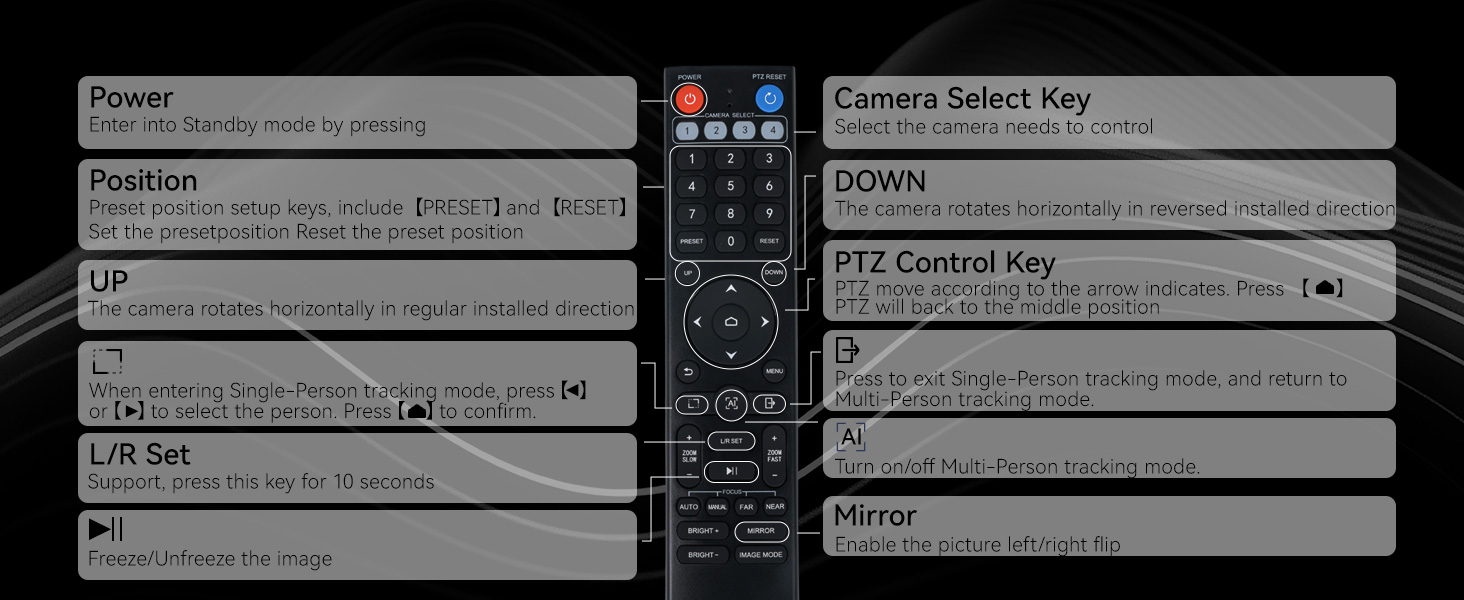
The included IR remote control provides full command over the camera's movements and settings:
- Pan & Tilt: Control horizontal (350°) and vertical (180°) movement of the camera.
- Zoom & Focus: Adjust the 20X optical zoom and focus (auto or manual) to capture subjects clearly.
- Presets: Save and recall up to 10 preset camera positions for quick transitions between speakers or views.
- AI Tracking: Activate or deactivate AI auto-tracking for presenters.
- Menu: Access advanced settings for image customization (e.g., RGB balance, resolution).
2. AI Auto Tracking
The camera's AI auto-tracking feature ensures that the speaker remains in frame without manual intervention. This is particularly useful for dynamic presentations or worship services.


3. Web UI Control
For advanced configuration and control, the camera can be managed via a web user interface (UI). Access the camera's IP address through a web browser to adjust settings, manage tracking modes, and visually define features.

Maintenance
- Cleaning: Use a soft, dry cloth to clean the camera lens and body. Avoid abrasive cleaners or solvents.
- Storage: When not in use, store the camera in a cool, dry place away from direct sunlight and extreme temperatures.
- Firmware Updates: Periodically check the TONGVEO website for firmware updates to ensure optimal performance and access to new features.
Troubleshooting
- No Power: Ensure the DC 12V power adapter is securely connected to the camera and a working power outlet. If using PoE, verify the Ethernet cable is connected to a PoE-enabled switch.
- No Video Output: Check all cable connections (USB, HDMI, LAN). Ensure the correct input source is selected on your display or video switcher.
- Auto Tracking Issues: Ensure the camera is placed in an optimal position with clear line of sight to the presenter. Check settings in the Web UI or remote control to ensure AI tracking is enabled and configured correctly.
- Audio Problems: Verify the Bluetooth speakerphone is charged and connected. Check microphone settings in your conferencing software.
- Remote Control Not Responding: Check the batteries in the remote control. Ensure there are no obstructions between the remote and the camera's IR receiver.
Specifications
| Feature | Detail |
|---|---|
| Brand | TONGVEO |
| Model Number | 20X Camera+microphone |
| Item Weight | 7.19 pounds |
| Video Capture Resolution | 4K |
| Optical Zoom | 20X |
| Photo Sensor Technology | 1/2.7 inch HD Color CMOS |
| Connectivity Technology | USB, HDMI, LAN, PoE, RS232, RS485 |
| Special Feature | AI Auto Tracking, Anti-Shake |
| Speakerphone Voice Pickup | 16.4ft/5m |
| Speakerphone Battery Life | 6–8 hours |
Warranty & Support
TONGVEO is committed to providing professional and reliable after-sales support. The 4K PTZ camera system is built for long-term reliability and comes with an extended warranty. For technical assistance or warranty claims, please contact TONGVEO customer service. Enjoy professional guidance and prompt assistance to keep your livestreams and meetings running smoothly without interruptions.


