
1. Safety Information
Please read all instructions carefully before using the ROCKBROS JHL1200 Bike Headlight. Retain this manual for future reference.
- Do not look directly into the light beam when the headlight is on, as it can cause temporary vision impairment.
- Ensure the headlight is securely mounted to your bicycle handlebars before riding.
- Do not submerge the headlight in water. While it is IPX6 waterproof, prolonged submersion can cause damage.
- Keep the device away from children.
- Use only the provided USB-C cable or a certified equivalent for charging.
- Do not attempt to disassemble or modify the headlight, as this will void the warranty and may cause damage or injury.
2. Product Overview
The ROCKBROS JHL1200 is a high-performance bike headlight designed for enhanced visibility and safety during night cycling. It features a durable aluminum alloy body, a powerful 1200-lumen output, and a long-lasting 5000mAh rechargeable battery.
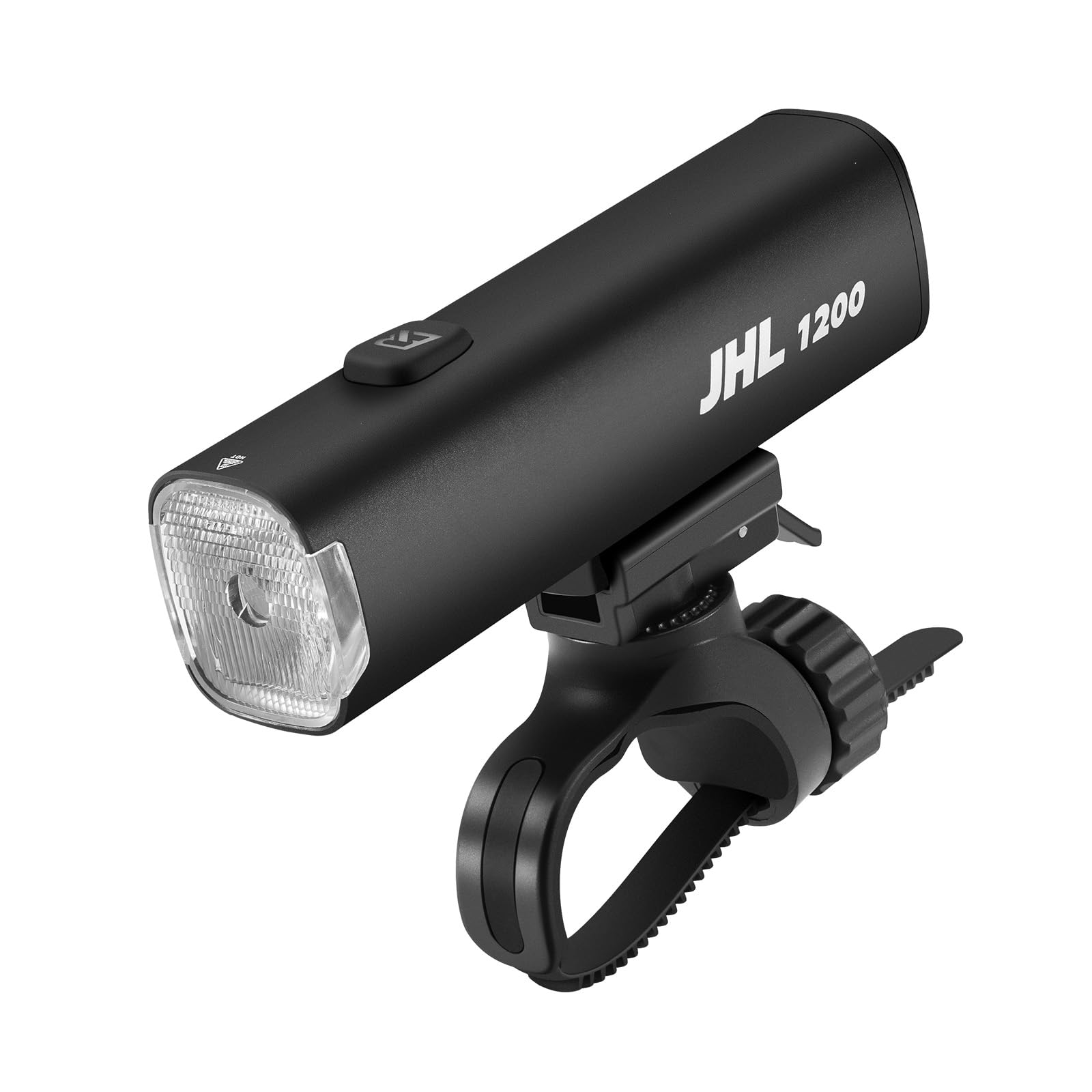
Image: The ROCKBROS JHL1200 Bike Headlight, showcasing its sleek design and compact form factor.
Key Features:
- 1200 Lumen Output: Provides powerful illumination for clear visibility.
- 5000mAh Battery: Ensures extended runtime with a large capacity.
- USB-C Rechargeable: Offers convenient and fast charging.
- Anti-Glare Cut-off Line Lens: Directs light to the road without dazzling oncoming traffic.
- 360° Adjustable Mount: Allows precise beam aiming and tool-free installation/removal.
- IPX6 Waterproof: Built to withstand heavy rain and splashes.
- Anti-Misoperation Lock Mode: Prevents accidental activation during transport or storage.
Included Components:
- ROCKBROS JHL1200 Bike Headlight
- Handlebar Mounting Bracket
- USB-C Charging Cable
- User Manual
Video: An official product video from ROCKBROS OUTDOORS demonstrating the features and use of the ROCKBROS Bike Headlight.
3. Setup
Initial Charging:
Before first use, fully charge the headlight. Connect the provided USB-C cable to the charging port on the headlight and to a USB power source (e.g., computer, wall adapter). The charging indicator light will show charging status (refer to Operating Instructions for details).
Mounting the Headlight:
The ROCKBROS JHL1200 features a tool-free handlebar mount for easy installation.
- Choose an appropriate position on your handlebar.
- Thread the strap of the mounting bracket around the handlebar and rotate to tighten it securely.
- Align the light base with the slider on the bracket and push it in until you hear a "click" sound. This indicates the installation is complete and the anti-drop function is engaged.
- To remove the light, pull the push button downward and slide the light off the bracket.

Image: Step-by-step guide for installing the ROCKBROS JHL1200 Bike Headlight onto bicycle handlebars.
The mount allows for 360-degree rotation, enabling you to adjust the beam direction as needed.
4. Operating Instructions
Power On/Off:
- To turn on the headlight, press and hold the power button for approximately 1-2 seconds.
- To turn off the headlight, press and hold the power button again for approximately 1-2 seconds.
Mode Selection:
Once the headlight is on, short press the power button to cycle through the available brightness modes:
- High: 1200 Lumens (approx. 3 hours 20 minutes runtime)
- Mid: 500 Lumens (approx. 4 hours 20 minutes runtime)
- Standard: 330 Lumens (approx. 5 hours 20 minutes runtime)
- Low/Eco: 150 Lumens (approx. 8 hours runtime)

Image: Illustration of the four brightness modes and the 5000mAh battery capacity of the ROCKBROS JHL1200 headlight.
Lock Mode:
The anti-misoperation lock mode prevents accidental activation, conserving battery and avoiding unwanted light exposure during transport or storage.
- To Enable Lock: With the light off, press and hold the power button for 5 seconds. The red light will flash 3 times to confirm lock activation.
- To Disable Lock: Quickly press the power button 5 times. The green light will flash 3 times to confirm lock deactivation.

Image: Instructions for enabling and disabling the anti-misoperation lock feature on the ROCKBROS JHL1200 headlight.
Battery Indicator:
The power button also serves as a battery indicator. Refer to the light's behavior for battery status (e.g., green for high, yellow for medium, red for low, flashing red for critical).
5. Maintenance
Cleaning:
- Wipe the headlight body with a soft, damp cloth.
- Do not use abrasive cleaners or solvents, as they may damage the finish or lens.
- Ensure the USB-C port cover is securely closed after charging to maintain water resistance.
Storage:
- Store the headlight in a cool, dry place when not in use.
- For long-term storage, charge the battery to approximately 50-70% every 3-6 months to prolong battery life.
Battery Care:
- Avoid completely draining the battery regularly.
- Do not expose the battery to extreme temperatures.
6. Troubleshooting
- Light not turning on:
- Ensure the battery is charged.
- Check if the lock mode is enabled (green light flashes 3 times when disabling).
- Press and hold the power button for 1-2 seconds to power on.
- Light not charging:
- Verify the USB-C cable is properly connected to both the headlight and the power source.
- Try a different USB-C cable or power adapter.
- Ensure the charging port is clean and free of debris.
- Light is dim or runtime is short:
- Fully charge the battery.
- Ensure the lens is clean.
- Battery performance may decrease over time with extensive use.
- Headlight is loose on handlebars:
- Re-tighten the mounting strap on the handlebar.
- Ensure the light is fully clicked into the mounting bracket.
7. Specifications
| Feature | Specification |
|---|---|
| Model | JHL1200 |
| Brand | ROCKBROS |
| Light Output (Max) | 1200 Lumens |
| Battery Capacity | 5000mAh |
| Charging Type | USB-C |
| Material | Aluminum Alloy |
| Water Resistance | IPX6 (Waterproof) |
| Mounting Type | Handlebar Mount (360° Adjustable) |
| Color | Black |
8. Warranty and Support
ROCKBROS products are manufactured to high-quality standards. For specific warranty details, please refer to the warranty card included with your purchase or contact ROCKBROS customer support.
Customer Support:
If you have any questions, concerns, or require assistance with your ROCKBROS JHL1200 Bike Headlight, please contact ROCKBROS customer service through their official website or the retailer where the product was purchased.