
1. Important Safety Instructions
Please read all instructions carefully before using this treadmill. Keep this manual for future reference.
- Ensure the safety key is properly engaged before starting the treadmill.
- Always stand on the side rails before starting the unit.
- Keep children and pets away from the treadmill during operation.
- Do not operate the treadmill if it has a damaged cord or plug, or if it is not working properly.
- Place the treadmill on a flat, stable surface with adequate clearance around it.
- Wear appropriate athletic footwear during use.
- Consult a physician before beginning any exercise program.
2. Package Contents
Verify that all components are present in the package:
- DeerRun AS03-B Foldable Treadmill Unit
- Power Cord
- Safety Key
- Remote Control
- User Manual (this document)
- Assembly Tools (if required)
3. Setup
3.1 Unfolding the Treadmill
- Carefully remove the treadmill from its packaging.
- Place the folded treadmill on a flat surface.
- Lift the console/handlebar assembly until it locks into the upright position. Ensure all locking mechanisms are securely engaged.
- Connect the power cord to the treadmill and then to a grounded electrical outlet.
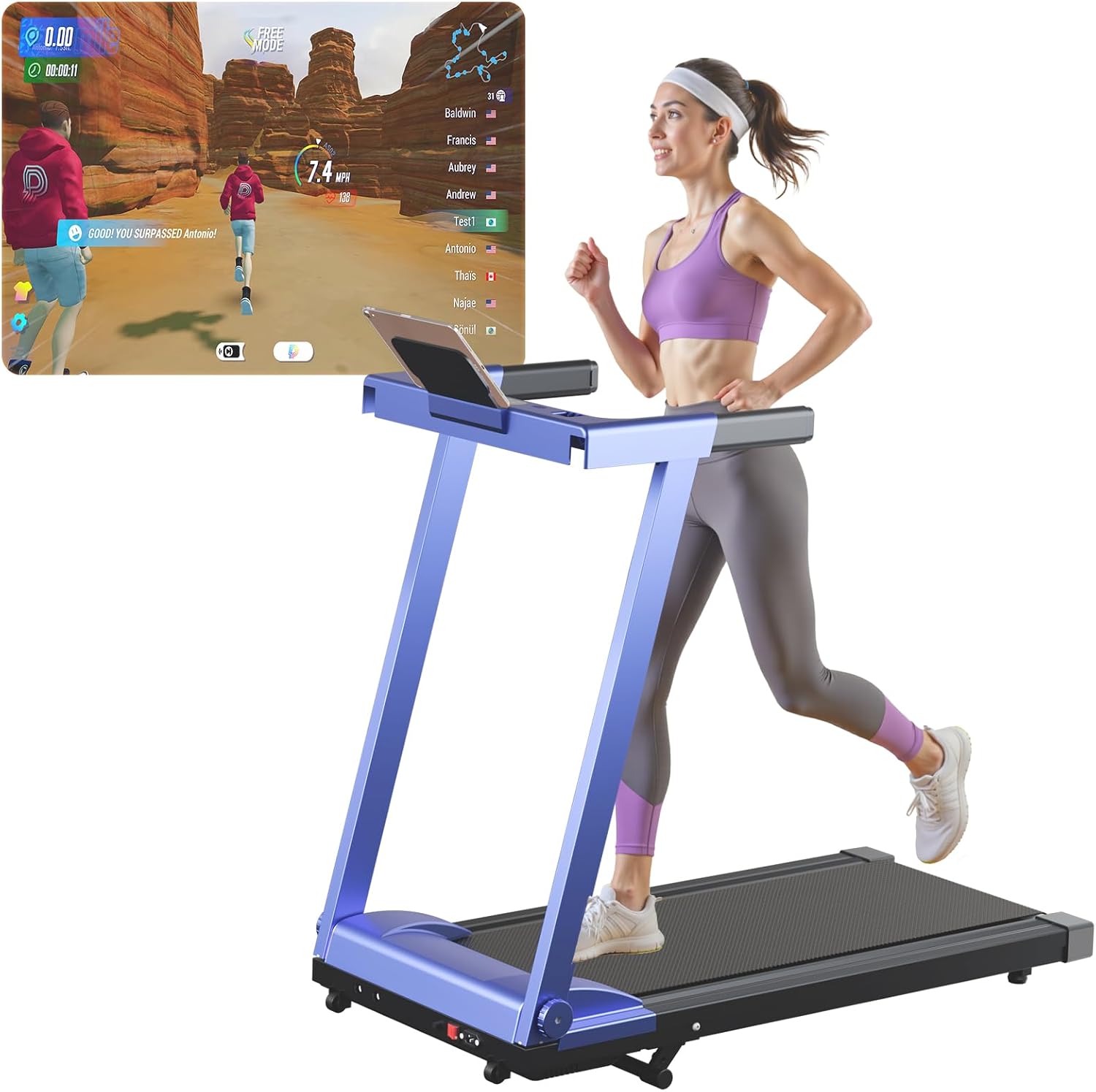
Figure 1: DeerRun AS03-B Treadmill in its operational, unfolded state.
3.2 Folding for Storage
The DeerRun AS03-B treadmill is designed for easy storage in small spaces.
- Ensure the treadmill is turned off and unplugged.
- Locate the folding release mechanism (refer to the diagram in the manual).
- Carefully lower the console/handlebar assembly until it rests flat against the running deck.
- Utilize the integrated wheels to move the folded treadmill to your desired storage location.
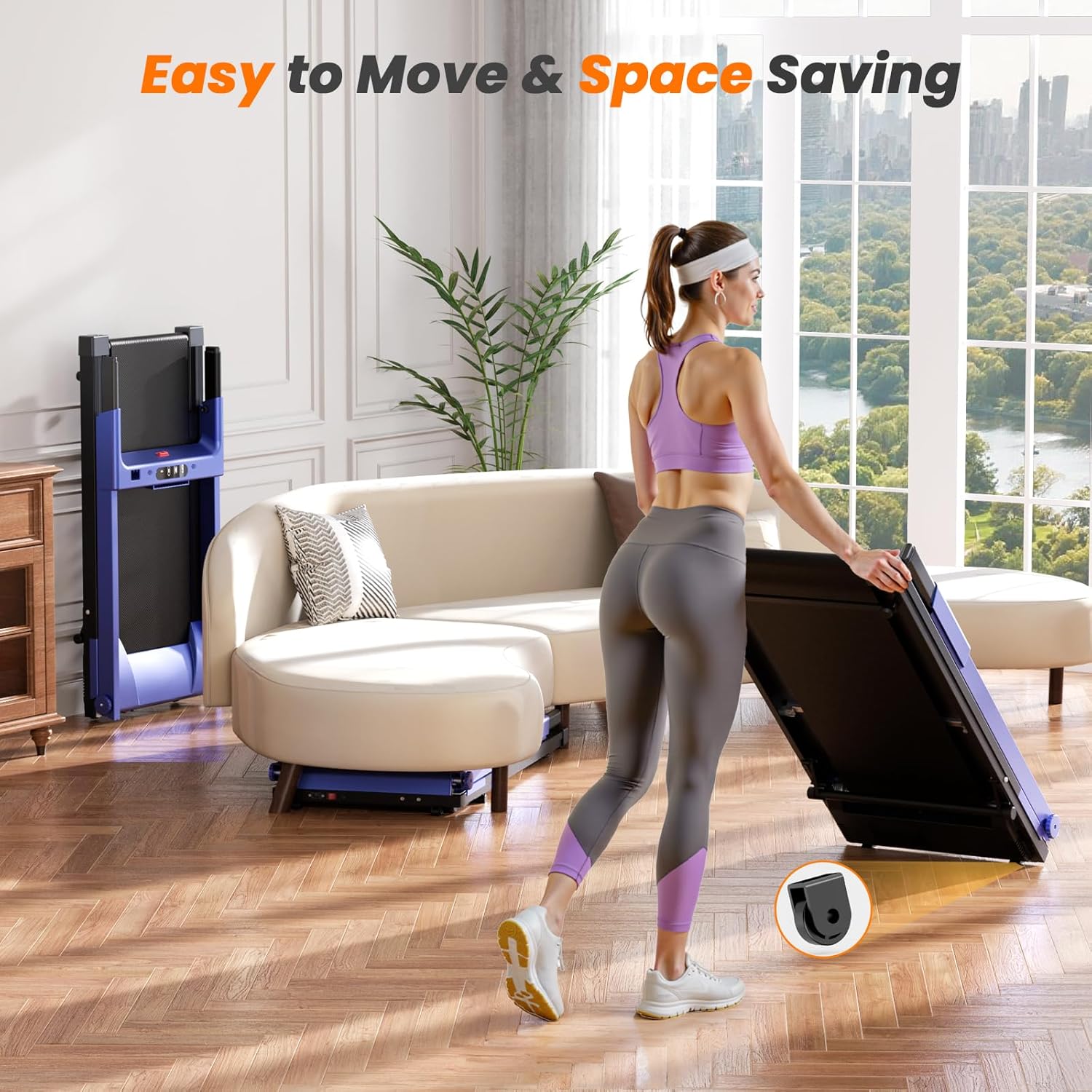
Figure 2: The treadmill can be easily folded and stored, demonstrating its space-saving design.
Video 1: Demonstration of unfolding and folding the treadmill, highlighting its compact storage capabilities and manual incline adjustment.
4. Operating Instructions
4.1 Basic Operation
- Power On: Plug in the treadmill and ensure the main power switch (usually located near the front base) is in the 'ON' position.
- Attach Safety Key: Clip the safety key to your clothing and insert the other end into the designated slot on the console. The treadmill will not operate without the safety key.
- Start: Press the 'START' button on the console or remote control. The treadmill will begin at a low speed (e.g., 0.6 MPH) after a brief countdown.
- Adjust Speed: Use the '+' and '-' buttons on the console or remote to increase or decrease the running belt speed.
- Stop: Press the 'STOP' button to gradually bring the treadmill to a halt. In an emergency, pull the safety key to immediately stop the belt.
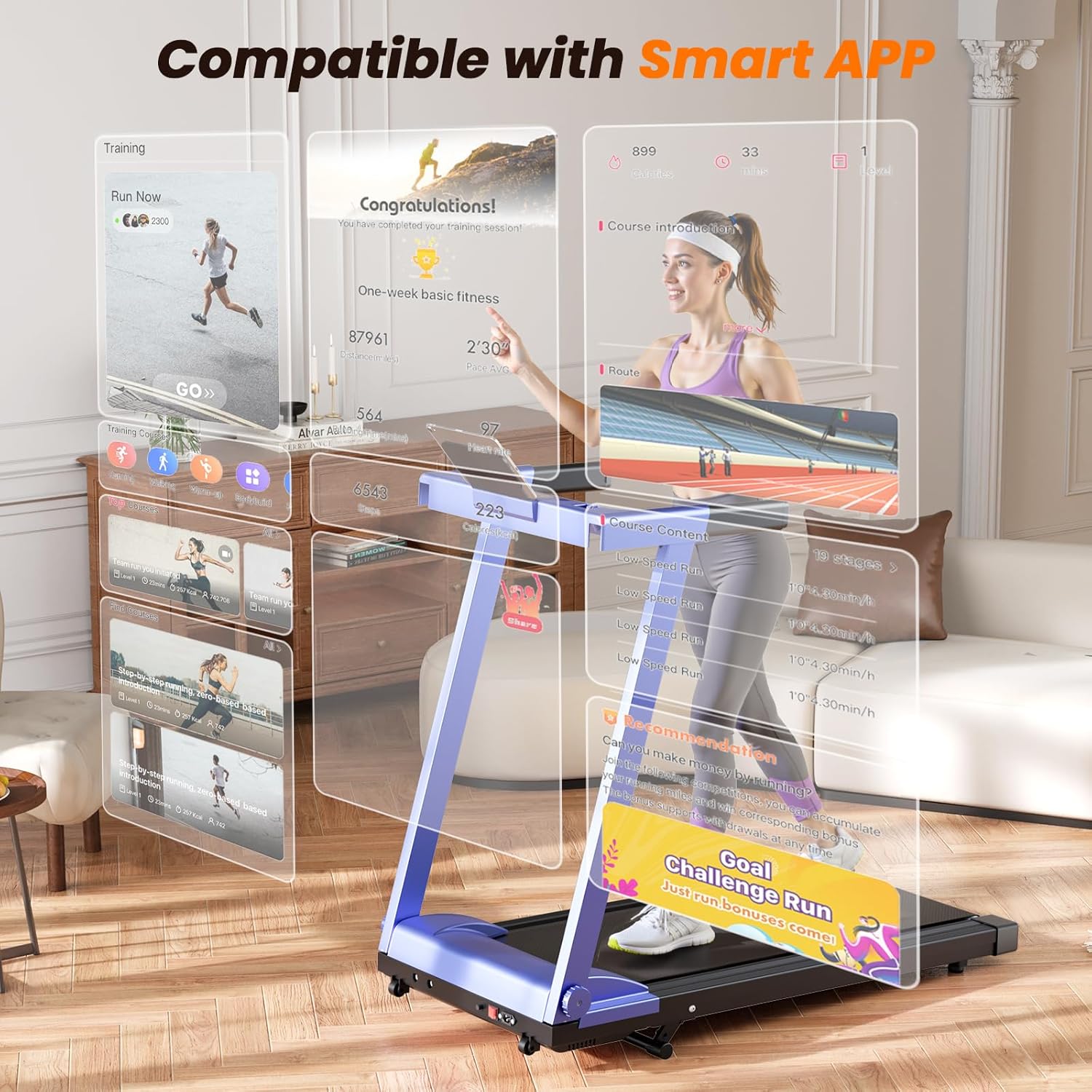
Figure 3: The treadmill's control panel and integrated smart app features for tracking and personalized workouts.
4.2 Incline Adjustment
The DeerRun AS03-B features a manual incline adjustment up to 5%.
- Ensure the treadmill is stopped and unplugged before adjusting the incline.
- Locate the incline adjustment pins or levers at the rear base of the treadmill.
- Adjust both sides evenly to the desired incline level. Refer to the markings for specific percentages.
- Ensure the adjustment mechanism is securely locked in place before resuming operation.

Figure 4: Illustration of the manual incline adjustment feature, allowing users to customize workout intensity.
4.3 Smart App Connectivity
The treadmill can connect to a smart app for enhanced tracking and interactive features.
- Download the recommended DeerRun fitness app from your device's app store.
- Enable Bluetooth on your smart device.
- Open the app and follow the on-screen instructions to pair with your treadmill.
- Once connected, you can access personalized training sessions, track metrics, and participate in virtual landscapes.

Figure 5: The treadmill's compatibility with smart devices allows for immersive virtual running experiences and competitive features.
5. Maintenance
Regular maintenance ensures the longevity and optimal performance of your treadmill.
- Cleaning: Wipe down the treadmill with a damp cloth after each use. Avoid abrasive cleaners.
- Belt Lubrication: Lubricate the running belt every 3-6 months or after 100 hours of use, using silicone lubricant specifically designed for treadmills. Refer to the app or manufacturer's website for detailed instructions.
- Belt Tension and Alignment: Periodically check the running belt for proper tension and alignment. Adjust as needed according to the instructions provided in the full manual or online resources.
- Motor Cover: Keep the motor cover area clean and free of dust to ensure proper ventilation.
6. Troubleshooting
Refer to the table below for common issues and their solutions.
| Problem | Possible Cause | Solution |
|---|---|---|
| Treadmill does not start | Power cord not plugged in; Safety key not inserted; Main power switch off | Check power connection; Insert safety key; Turn main power switch ON |
| Running belt slips | Belt too loose; Belt needs lubrication | Adjust belt tension; Lubricate running belt |
| Unusual noise during operation | Loose parts; Motor issue; Belt friction | Check and tighten all bolts; Contact customer support; Lubricate belt |
| App not connecting | Bluetooth off; App not updated; Treadmill not discoverable | Ensure Bluetooth is on; Update app; Restart treadmill and app |
7. Specifications
Key technical specifications for the DeerRun AS03-B Treadmill:
- Model: AS03-B
- Motor: 3.0 HP
- Speed Range: 0.6 - 7.5 MPH
- Weight Capacity: 300 lbs (158.76 kg)
- Running Belt Dimensions: 16.53" x 39.37"
- Incline: 5% Manual
- Product Dimensions (Unfolded): 123.5D x 61W x 113.2H cm
- Item Weight: 39.9 kg
- Material: Alloy Steel
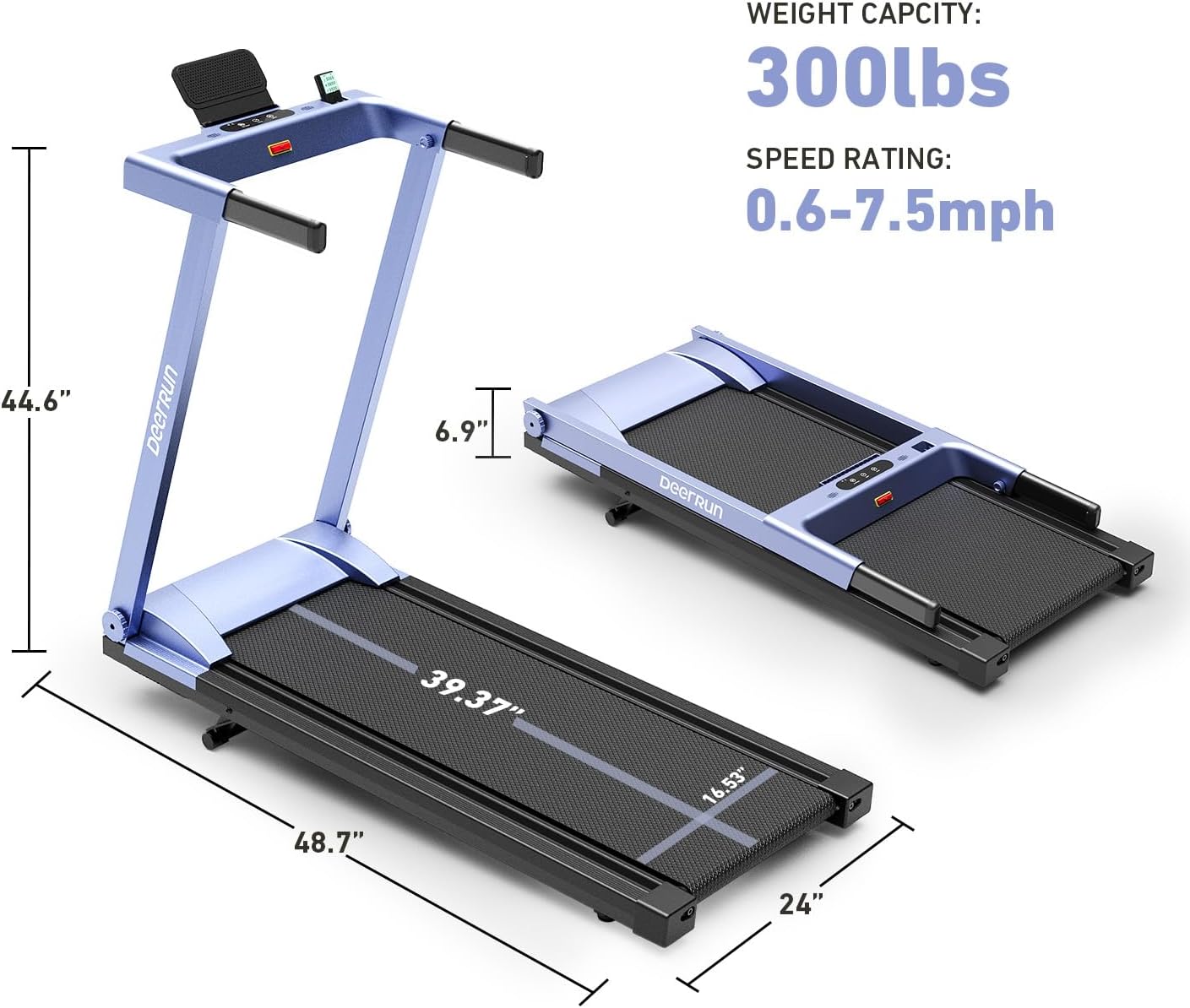
Figure 6: Overview of the treadmill's key specifications including dimensions, weight capacity, and speed range.
8. Warranty and Support
Your DeerRun AS03-B Treadmill is covered by a manufacturer's warranty. For specific warranty details, please refer to the documentation included with your purchase or contact DeerRun customer support.
Return Policy: This product is returnable until January 31, 2026, as per Amazon's return policy.
For technical assistance, troubleshooting not covered in this manual, or warranty claims, please contact DeerRun customer support through the official website or the contact information provided in your purchase documentation.
Manufacturer: DeerRun