
1. Introduction
This manual provides essential information for the safe and effective use of your CHILEAF W10-B-001 Smartwatch. Please read it thoroughly before using the device and retain it for future reference.
Package Contents
Upon opening the package, verify that all items are present and in good condition:
- 1 x Smartwatch Head
- 2 x Watch Straps
- 1 x User Manual
- 1 x Magnetic Charging Cable (USB port)
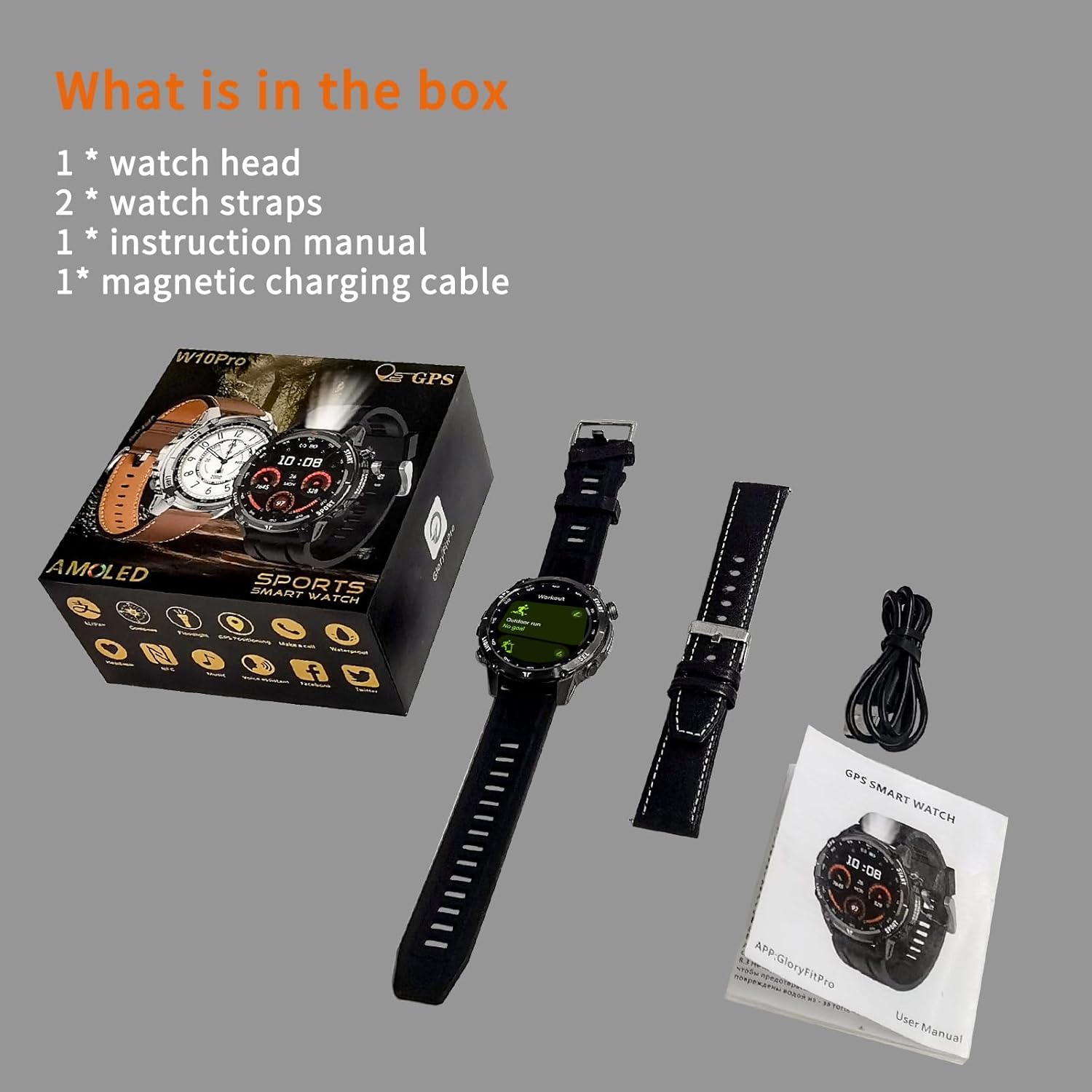
Image: Package contents of the CHILEAF W10-B-001 Smartwatch.
2. Setup
2.1 Charging the Smartwatch
Before initial use, fully charge your smartwatch. Connect the magnetic charging cable to the charging port on the back of the watch and plug the USB end into a power adapter (not included) or a computer's USB port.
- Charging Time: Approximately 2 hours for a full charge.
- Battery Life: Up to 3-4 days of normal usage, 6-7 days standby.

Image: Smartwatch charging and battery life information.
2.2 App Installation and Pairing
To unlock the full functionality of your smartwatch, download and install the 'GloryFit' application on your smartphone.
- Scan the QR code provided in the manual or on the watch screen, or search for 'GloryFit' in your smartphone's app store (App Store for iOS, Google Play Store for Android).
- Install the 'GloryFit' app.
- Open the app and follow the on-screen instructions to create an account or log in.
- Enable Bluetooth on your smartphone.
- In the 'GloryFit' app, navigate to the device pairing section and select your CHILEAF W10-B-001 smartwatch from the list of available devices.
- Confirm the pairing request on both your smartphone and smartwatch.
Once paired, the watch will synchronize data with the app, and you can customize settings and view detailed health and fitness reports.
3. Operating Instructions
3.1 Basic Navigation
The CHILEAF W10-B-001 features a 1.43-inch AMOLED full-touch display and physical buttons for navigation.
- Touch Screen: Swipe up/down to access the status bar or notifications. Swipe left/right for quick functions.
- Power Button (Top Right): Rotate to switch watch faces, turn off the screen, and return to the watch face.
- Top Left Button: Enter exercise mode, turn on the screen, pause, and end exercise.
- Bottom Left Button: Turns on the LED light and illuminates the screen.
- Bottom Right Button: Back button, custom shortcuts, pause and resume, turn on the screen, mute incoming calls, and activate the AI voice assistant.
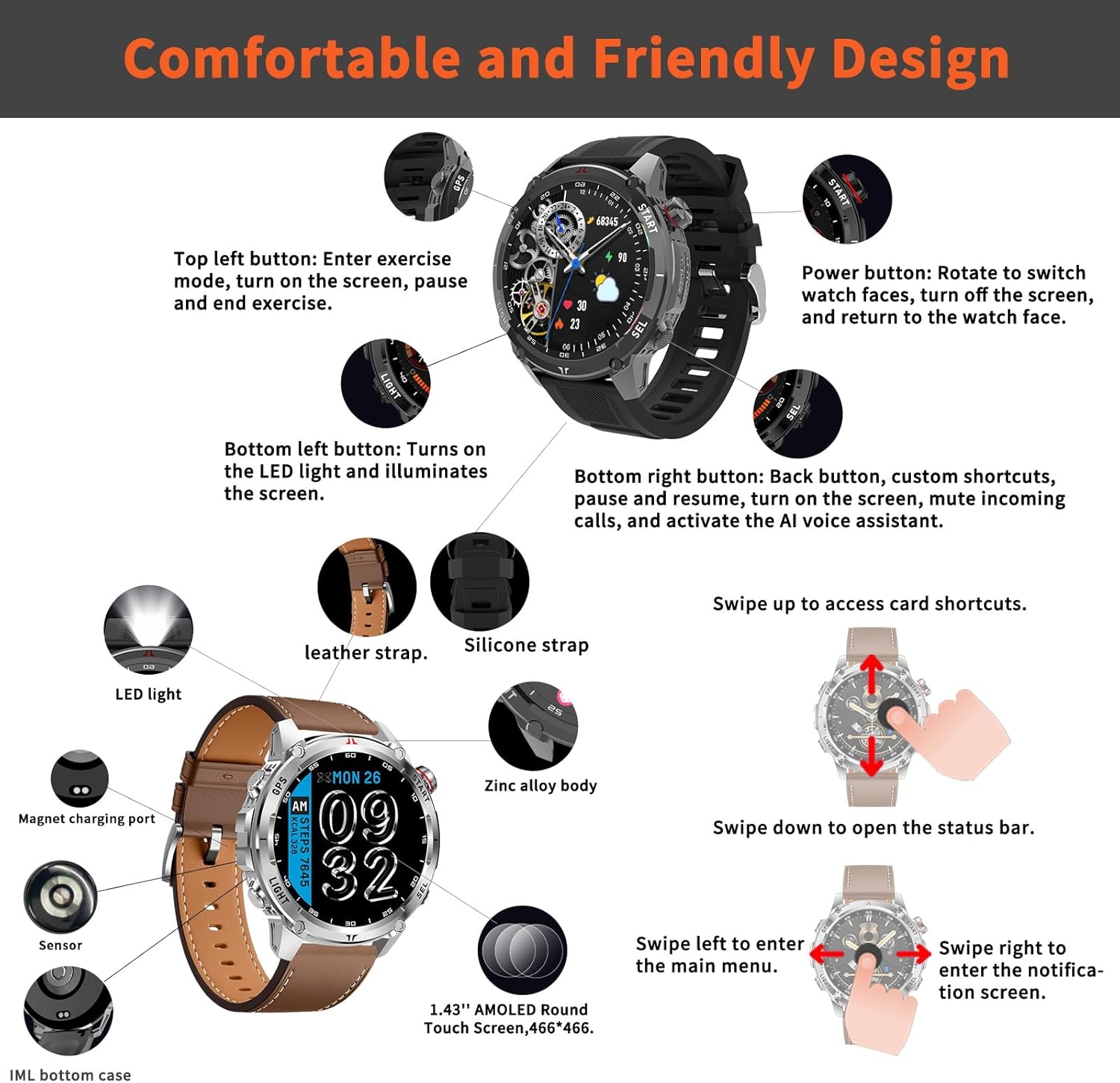
Image: Smartwatch button functions and screen navigation.
3.2 Call Functions and Notifications
The smartwatch supports Bluetooth calls and instant message notifications.
- Making/Answering Calls: Use the built-in dial pad, address book, or call log directly from the watch. The watch includes a built-in microphone for convenience.
- Smart Notifications: Receive SMS and app messages (e.g., Facebook, WhatsApp, Instagram, Twitter) directly on your watch. Enable these notifications within the 'GloryFit' app.

Image: Smartwatch call and notification features.
3.3 Health Monitoring
The CHILEAF W10-B-001 provides 24/7 health tracking using its integrated optical sensor.
- Heart Rate Monitoring (HRM): Continuously monitors your heart rate. You can set alerts for high and low heart rate values in the app.
- Sleep Tracking: Records daily sleep information, including deep sleep, light sleep, awake time, and naps. Provides analysis and summaries in the app.
- Blood Pressure Monitoring: Continuously monitors systolic and diastolic blood pressure.
- Blood Oxygen Monitoring: Continuously monitors blood oxygen saturation.
- Sedentary Reminders: The watch can remind you to move after periods of inactivity.
- Menstrual Cycle Tracking: Supports tracking for women.

Image: Health monitoring features including heart rate, sleep, and blood oxygen.
3.4 Fitness Tracking
Track your activities with the built-in GPS and various sports modes.
- Pedometer: Continuously records your steps, calories burned, and distance.
- Integrated GPS: Features GPS, Beidou, and Glonass triple satellite positioning with high-precision AGPS for accurate tracking of your exercise route during outdoor activities.
- 100+ Sports Modes: Select the appropriate mode on the watch or in the app to record heart rate, calories, time, and other data more accurately for each sport.
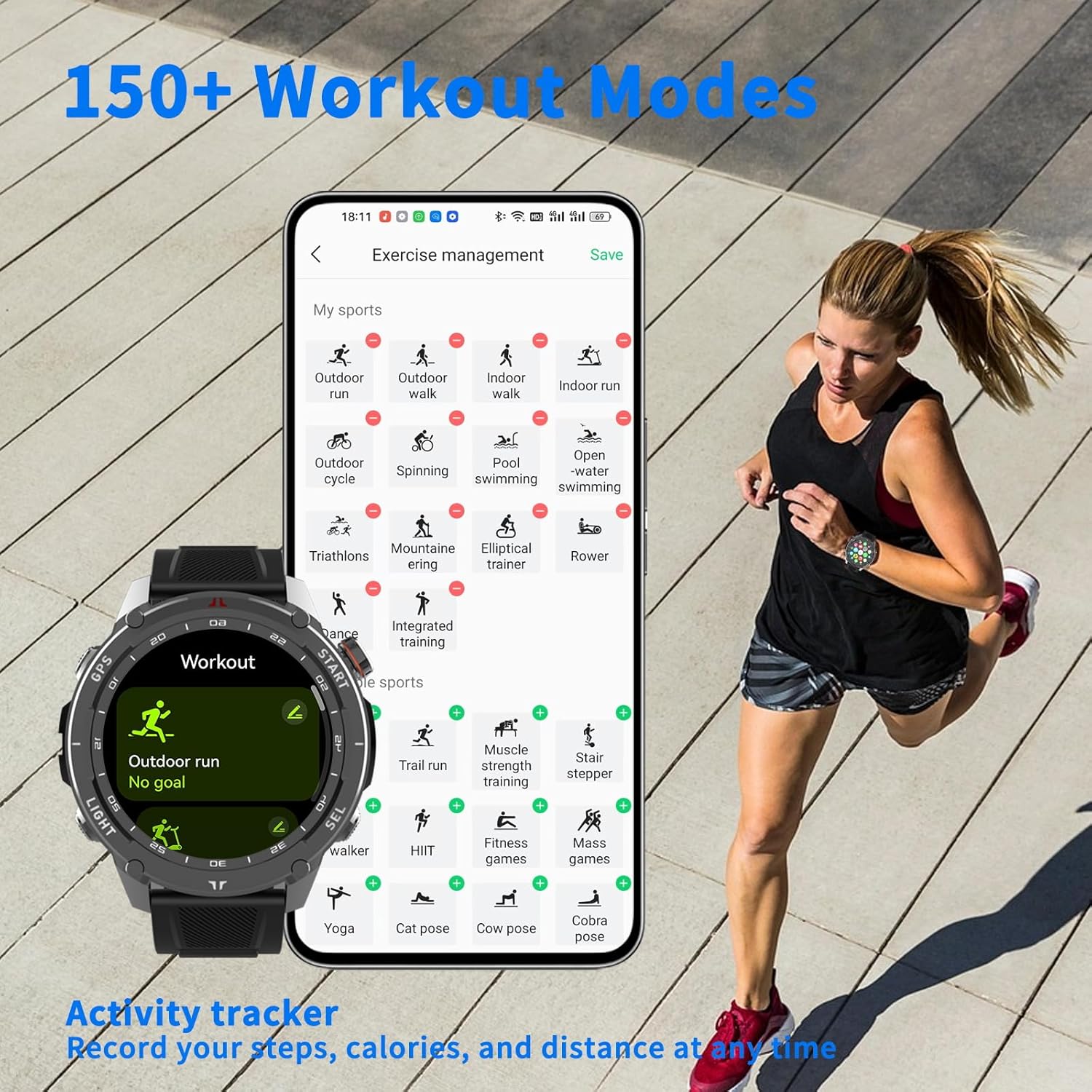
Image: Overview of workout modes and activity tracking.
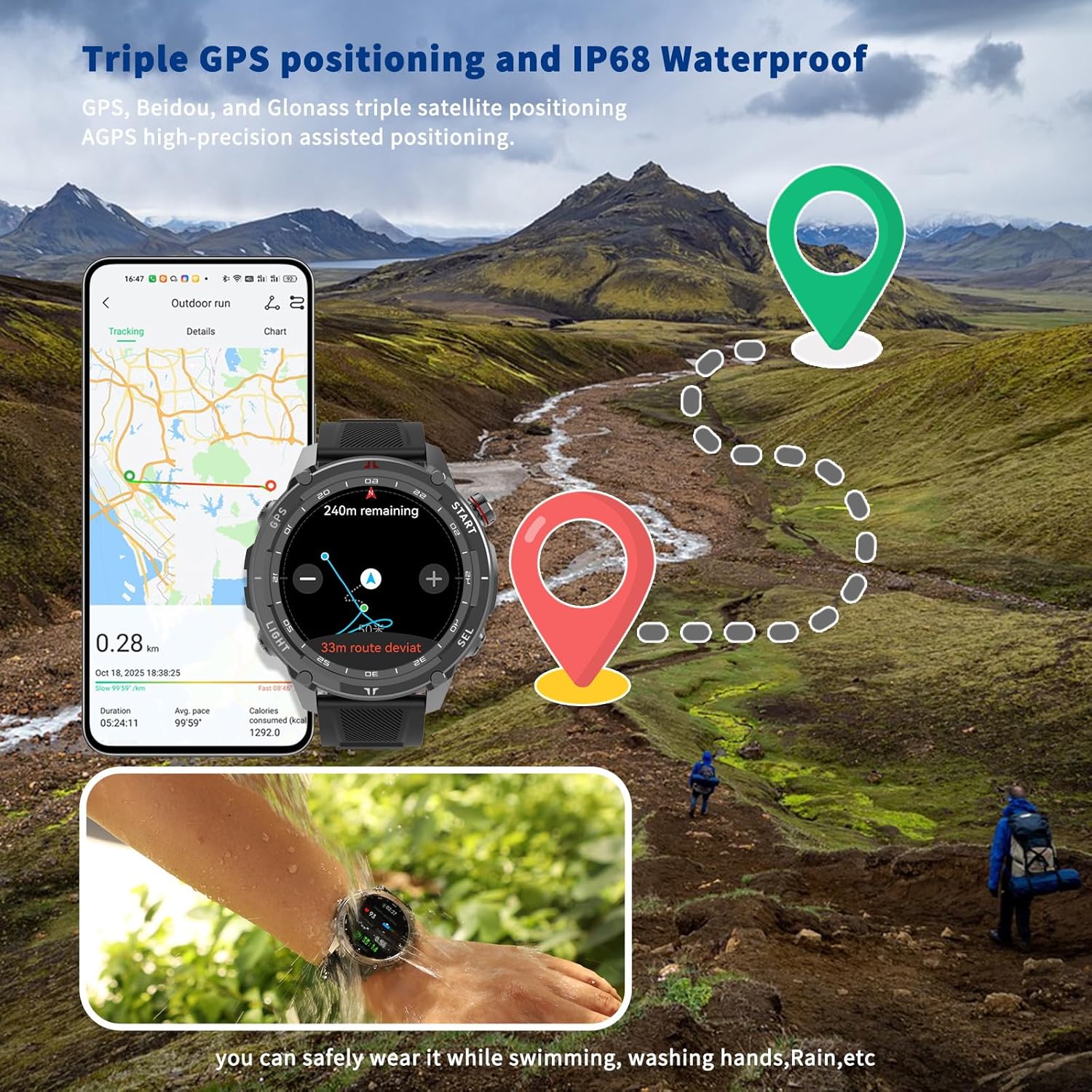
Image: GPS tracking and water resistance in action.
3.5 Other Practical Features
The smartwatch offers a variety of additional functions for daily convenience:
- Weather Forecast
- Music Control
- Breathing Exercises
- Alarms
- Voice Assistant
- Compass
- Barometer
- Stopwatch
- Timer
- Flashlight
- Find My Phone
- Remote Camera Control
- Calculator
- Language Settings
- Password Lock
- Drain Function (for water)
- NFC Access Control
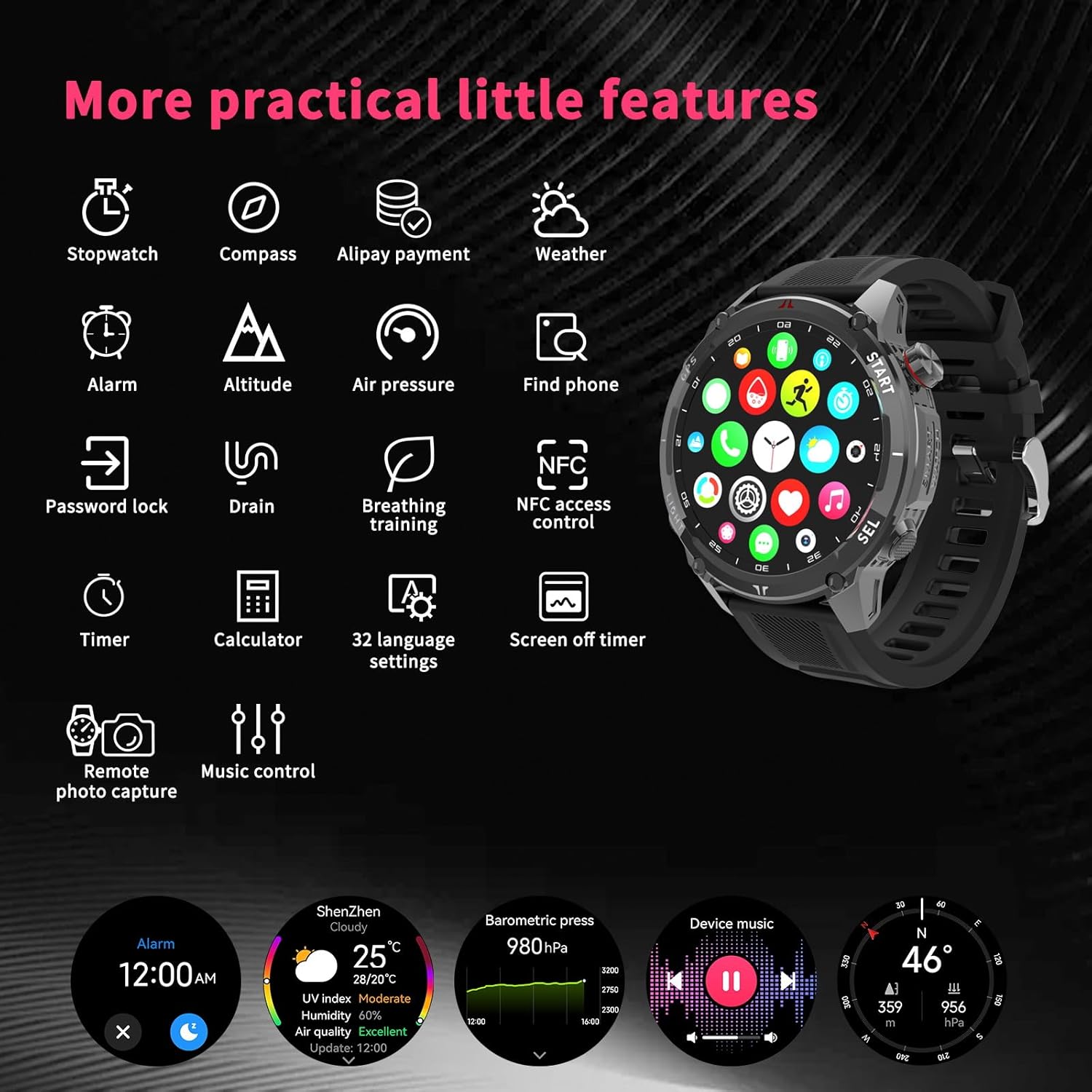
Image: Display of additional smartwatch features.
4. Maintenance
4.1 Water Resistance
The smartwatch is water-resistant up to 30 meters. It supports use in various situations such as rain, sweat, swimming, and water rowing. However, avoid hot water, steam, or prolonged submersion in deep water.
4.2 Cleaning
Regularly clean your smartwatch and strap to prevent skin irritation and ensure proper sensor function. Use a soft, damp cloth to wipe the device. Avoid harsh chemicals or abrasive materials.
4.3 Battery Care
To prolong battery life, avoid fully discharging the battery frequently. Charge the device when the battery level is low. Store the device in a cool, dry place when not in use for extended periods.
5. Troubleshooting
If you encounter issues with your smartwatch, refer to the following common solutions:
- Watch not turning on: Ensure the watch is fully charged. Connect it to the charger for at least 30 minutes.
- Cannot pair with phone: Make sure Bluetooth is enabled on your phone and the watch. Ensure the 'GloryFit' app is installed and updated. Try restarting both the watch and the phone.
- Inaccurate health data: Ensure the watch is worn snugly on your wrist, not too tight or too loose. Clean the sensor on the back of the watch.
- Notifications not appearing: Check app notification settings on your phone and within the 'GloryFit' app. Ensure the watch is connected via Bluetooth.
- Short battery life: Reduce screen brightness, disable unnecessary notifications, and limit continuous heart rate monitoring if not needed.
For further assistance, please contact customer support.
6. Specifications
| Feature | Specification |
|---|---|
| Brand Name | CHILEAF |
| Model Name | W10-PRO-US |
| Model Number | W10-PRO-US |
| ASIN | B0FZB5JY63 |
| UPC | 730881284496 |
| Display Type | AMOLED |
| Screen Size | 1.43 inches |
| Resolution | 466 x 466 |
| Max Screen Brightness | 1000 nits |
| Input Interface | Touchscreen |
| Operating System | Android Wear 2.0 |
| Memory Storage Capacity | 4.5 GB |
| Connectivity Technology | Bluetooth |
| Wireless Communication Standard | Bluetooth |
| GPS | Built-in GPS |
| Satellite Navigation System Support | Global Positioning System (GPS) |
| Battery Capacity | 4.3 Ampere Hours |
| Battery Cell Composition | Lithium Ion |
| Battery Life | 7 days |
| Battery Charge Time | 2 hours |
| Water Resistance Level | Waterproof |
| Water Resistance Depth | 30 meters |
| Strap Material Type | Silicone |
| Clasp Type | Buckle |
| Item Shape | Round |
| Color | Black |
| Band Color | Black |
| Supported Application | GloryFit |
| Compatible Devices | Smartphone (Android and iOS) |
| Compatible Phone Models | Compatible with iOS and Android devices |
| Meter Type | Heart Rate, Sleep Duration, Blood Pressure, Blood Oxygen |
| Special Features | Weather Forecast, Activity Tracker, Lightweight, Music Player, GPS |
| Included Components | User Manual, Watch Band, Smartwatch |
| Wearable Computer Type | Smartwatch |
| Target Audience | Boys and Girls, Adult Unisex, Men, Youth Unisex, Women, Men, Youth Unisex, Adult Unisex, Women |
7. Warranty and Support
7.1 Warranty Information
Your CHILEAF W10-B-001 Smartwatch comes with a standard manufacturer's warranty. Please refer to the warranty card included in your package for specific terms and conditions, including coverage duration and claim procedures. Keep your proof of purchase for warranty validation.
7.2 Customer Support
For technical support, troubleshooting assistance, or any questions regarding your product, please visit the official CHILEAF website or contact their customer service department. Contact details can typically be found on the product packaging or the official website.