
1. Introduction
The MOESAPU FS-5000 is a portable nuclear radiation detector designed for precise monitoring of Beta, Gamma, and X-ray radiation. Equipped with an accurate J321 GM tube, it provides real-time dose rate, average dose rate, and cumulative total dose readings. This device is suitable for various applications, including environmental monitoring, material inspection, and personal radiation safety.
What's Included:
- FS-5000 Geiger Counter
- Type-C Cable
- User Manual (this document)
2. Safety Information
Please read and understand all safety instructions before operating the device. Failure to do so may result in inaccurate readings or personal injury.
- Do not attempt to disassemble or modify the device, except as instructed in this manual.
- Keep the device away from strong electromagnetic fields, high temperatures, and corrosive environments.
- Avoid dropping or subjecting the device to severe impact.
- Ensure the device is charged using the provided Type-C cable or a compatible charger to prevent damage.
- While the device provides radiation measurements, it should not be used as the sole basis for critical safety decisions without professional guidance.
3. Product Overview
The FS-5000 features a compact design with a clear TFT-LCD display and intuitive button controls. It incorporates a J321 Geiger-Müller tube for sensitive radiation detection.
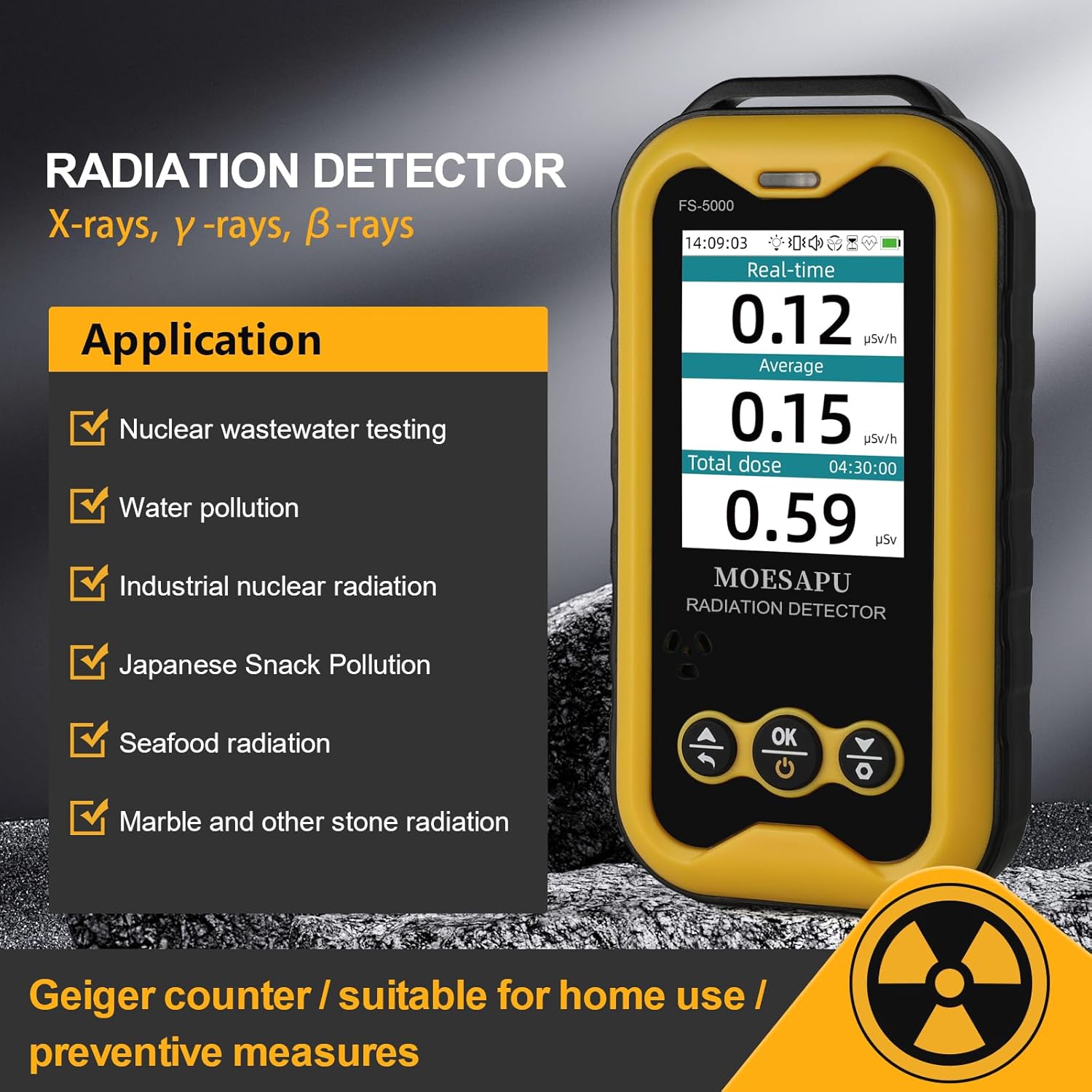
Figure 1: Front view of the MOESAPU FS-5000 Radiation Detector, showing the display and control buttons.

Figure 2: Internal view highlighting the J321 Geiger-Müller tube, the core component for radiation detection.
Key Features:
- J321 GM Tube: High sensitivity for Beta, Gamma, and X-ray detection.
- Real-time Monitoring: Displays current, average, and total accumulated dose.
- Multiple Alarms: Customizable sound, light, and vibration alerts.
- Data Logging: Stores historical data for PC download and analysis.
- Long Battery Life: 1800mAh rechargeable battery, up to 30 days in endurance mode.
- TFT-LCD Display: 6-level adjustable brightness for clear readability.
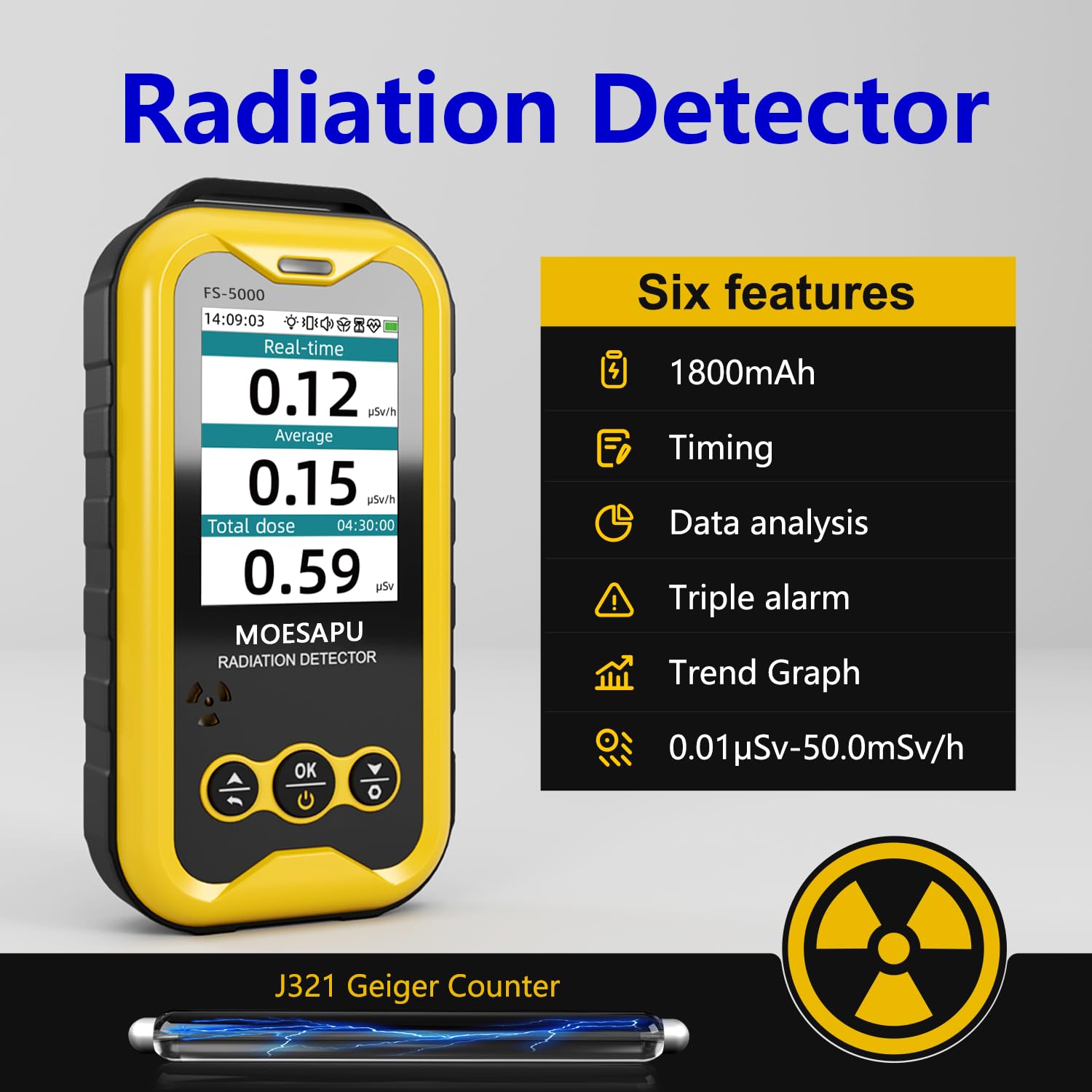
Figure 3: Visual representation of the FS-5000's key features, including battery, timing, data analysis, triple alarm, and trend graph.
4. Setup
4.1 Charging the Device
Before first use, fully charge the FS-5000 using the provided Type-C USB cable.
- Connect the Type-C end of the cable to the charging port on the device.
- Connect the USB-A end to a standard USB power adapter (not included) or a computer USB port.
- The battery indicator on the display will show charging status. A full charge typically takes several hours.

Figure 4: The FS-5000 connected to a Type-C charging cable.
4.2 Powering On/Off
- To Power On: Press and hold the 'OK/Power' button (center button) for a few seconds until the display lights up.
- To Power Off: Press and hold the 'OK/Power' button until the device shuts down.
5. Operating Instructions
5.1 Understanding the Display
The main interface displays critical radiation information:
- Real-time: Current radiation dose rate (µSv/h).
- Average: Average dose rate over a period (µSv/h).
- Total Dose: Cumulative radiation dose since the last reset (µSv).

Figure 5: The main display interface showing real-time, average, and total dose readings.
5.2 Navigation and Settings
Use the navigation buttons (Up, Down, OK) to move through menus and adjust settings.
- Press the 'OK' button to enter the main menu.
- Use the 'Up' and 'Down' buttons to scroll through options.
- Press 'OK' to select an option or confirm a setting.
- Use the 'Back' button (left arrow) to return to the previous screen or exit a menu.

Figure 6: Overview of the device's function pages, including settings, curve display, and threshold settings.
5.3 Alarm Settings
The FS-5000 provides audio, visual (light), and haptic (vibration) alarms. You can customize alarm thresholds and types:
- From the main menu, navigate to 'Alarm'.
- Adjust the dose rate threshold (e.g., >2.5µSv/h) and total dose threshold (e.g., >1mSv).
- Enable or disable sound, light, and vibration alerts as desired.
- Save your settings.

Figure 7: Illustration of the triple alarm system: vibration, sound, and light.
5.4 Data Management (PC Software)
The device can connect to a PC to download historical data for detailed analysis.
- Connect the FS-5000 to your computer using the Type-C USB cable.
- Install the 'Personal Radiation Dose Management System' software on your PC (refer to the manufacturer's website for download and installation instructions).
- Use the software to download, view, and export dose rate data.

Figure 8: The FS-5000 connected to a laptop, demonstrating data download capabilities via PC software.
5.5 Display Modes and Backlight
- Display Styles: Switch between 'Concise' and 'Compact' display styles from the 'Mode' menu to suit your preference.
- Backlight: Adjust the backlight brightness (6 levels) and duration from the 'Backlight' menu for optimal viewing in various lighting conditions.

Figure 9: Different measurement interface styles, including real-time dose and GM particle count.
5.6 Video Demonstrations
Video 1: This video provides an introduction to the internal components of the FS-5000, including the J321 GM tube and power supply, offering insight into its construction.
Video 2: This video demonstrates the general features and operational aspects of the MOESAPU FS-5000 Geiger Counter, showcasing its display and basic functions.
Video 3: This video shows the MOESAPU FS-5000 Radiation Detector in action, measuring radiation levels in various household environments and materials.
6. Maintenance
6.1 Cleaning
To maintain the device's performance and longevity:
- Wipe the exterior with a soft, dry cloth.
- Do not use abrasive cleaners or solvents.
- Keep the sensor area clean and free from dust or debris.
6.2 Battery Care
- Recharge the battery when the low-battery alert is displayed.
- For long-term storage, charge the device to approximately 50% and store in a cool, dry place.
- Avoid fully discharging the battery frequently to prolong its lifespan.
7. Troubleshooting
If you encounter issues with your FS-5000, refer to the following common problems and solutions:
| Problem | Possible Cause | Solution |
|---|---|---|
| Device does not power on | Low battery; device malfunction | Charge the device fully. If issue persists, contact support. |
| Inaccurate readings | Environmental interference; sensor obstruction | Move to a different location away from potential interference. Clean the sensor area. |
| PC software not connecting | Driver issue; incorrect port selection | Ensure USB drivers are installed. Select the correct COM port in the software. |
| Alarm not sounding/vibrating | Alarm settings disabled; volume too low | Check alarm settings in the menu and ensure sound/vibration are enabled. Adjust volume. |
8. Specifications
| Feature | Detail |
|---|---|
| Sensor | J321 GM Tube (Glass Geiger Counter) |
| Detection Types | Beta (β), Gamma (γ), X-ray |
| Measurement Range (Dose Rate) | 0.01 µSv/h - 50 mSv/h |
| Measurement Range (Total Dose) | 0 µSv - 1000 Sv |
| Energy Response | 48 KeV - 1.5 MeV |
| Sensitivity | >1 CPS/µSv/h (relative to 60Co) |
| Relative Error | <10% (1 nSv/h) |
| Display | 2.4-inch TFT LCD (6-level adjustable brightness) |
| Battery | 3.7V 1800mAh Lithium Polymer (rechargeable) |
| Power Consumption | <15 mW (long endurance mode: >30 days) |
| Charging Port | Type-C USB |
| Dimensions | 127 x 65 x 27 mm (5.12 x 2.56 x 1.18 inches) |
| Weight | 160g (5.6 ounces) (including battery) |
| Operating Temperature | -10°C to +45°C |
9. Warranty and Support
MOESAPU is committed to providing high-quality products and customer satisfaction. Your FS-5000 Nuclear Radiation Detector comes with a standard manufacturer's warranty against defects in materials and workmanship.
For warranty claims, technical support, or any questions regarding your device, please contact MOESAPU customer service through the retailer where you purchased the product or visit the official MOESAPU website for contact information.
Please retain your proof of purchase for warranty purposes.