
Introduction
This manual provides detailed instructions for the setup, operation, and maintenance of your HUO JI PH01 10.5-inch RGB Digital Clock. This versatile clock features a large display, automatic brightness adjustment, a color-changing night light, temperature display, and is controlled via a remote. Please read this manual thoroughly before use to ensure proper functionality and to maximize your product experience.

Image: Overview of the HUO JI 10.5-inch RGB Digital Clock, showcasing its dimensions and key features such as weekday, temperature, date & month, 12/24H display, 5-level brightness, 8 RGB lighting effects, automatic dimming, 1-30 min timer, remote control, time memory, dual alarm, and snooze.
Setup
1. Power Connection
The HUO JI PH01 clock is powered via an electrical cable. Connect the provided power adapter to the DC 5V/2A input port on the back of the clock, then plug it into a standard wall outlet. The clock is not battery-operated for its main functions.
2. Backup Battery Installation (for Timekeeping Memory)
A CR2032 backup battery is pre-installed inside the clock. This battery is solely for maintaining timekeeping memory during power outages and does not power the LED lights or the main clock display. No user installation is required for this battery.
3. Mounting Options
- Tabletop Placement: Place the clock on a flat, stable surface such as a desk or nightstand.
- Wall Mounting: The clock can be mounted on a wall using the integrated hanging holes on the back. Use appropriate wall anchors and screws (not included) for secure installation.
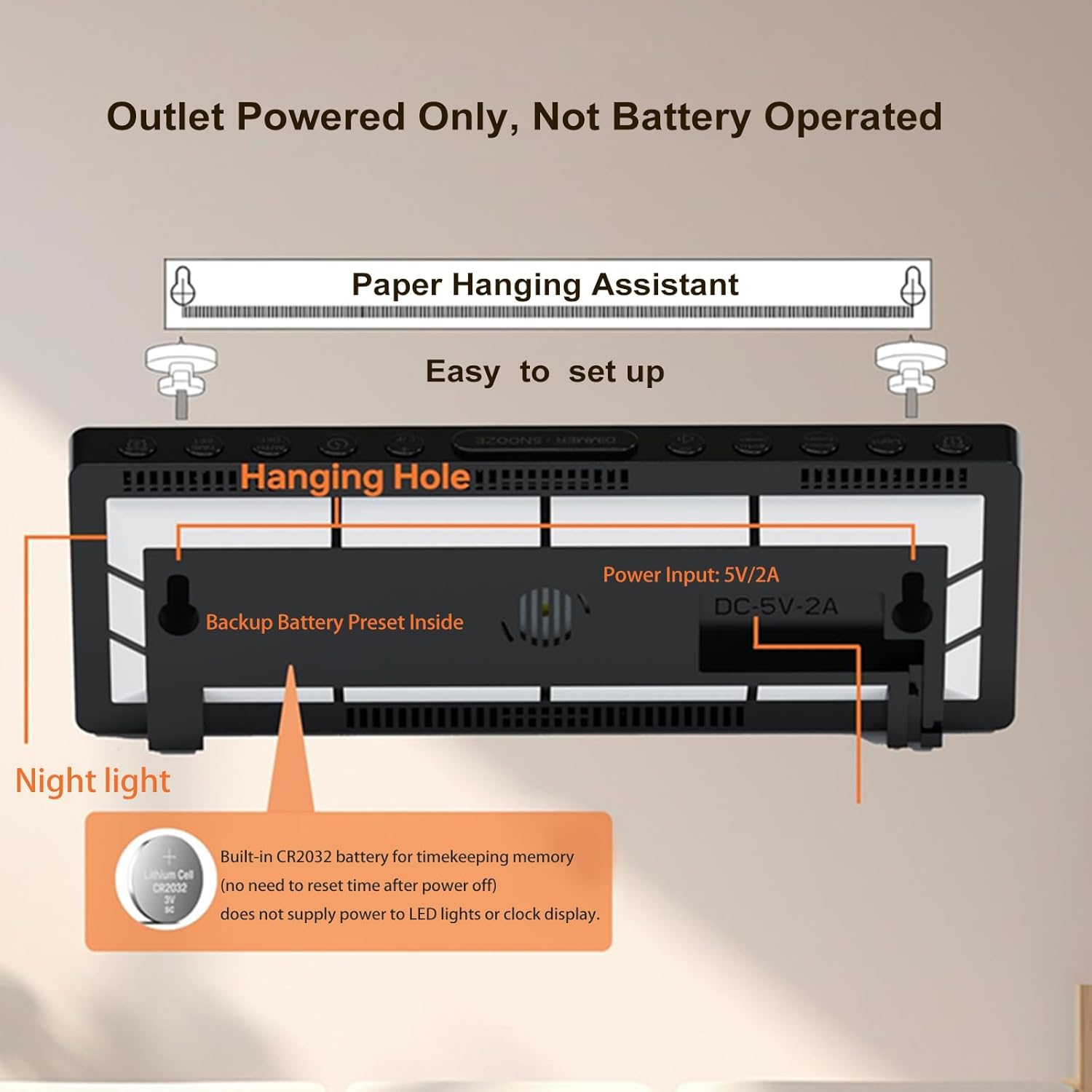
Image: Rear view of the HUO JI RGB Digital Clock, illustrating the power input (DC 5V/2A), the location of the built-in night light, and the hanging holes for wall mounting. It also indicates the internal CR2032 backup battery for timekeeping memory.
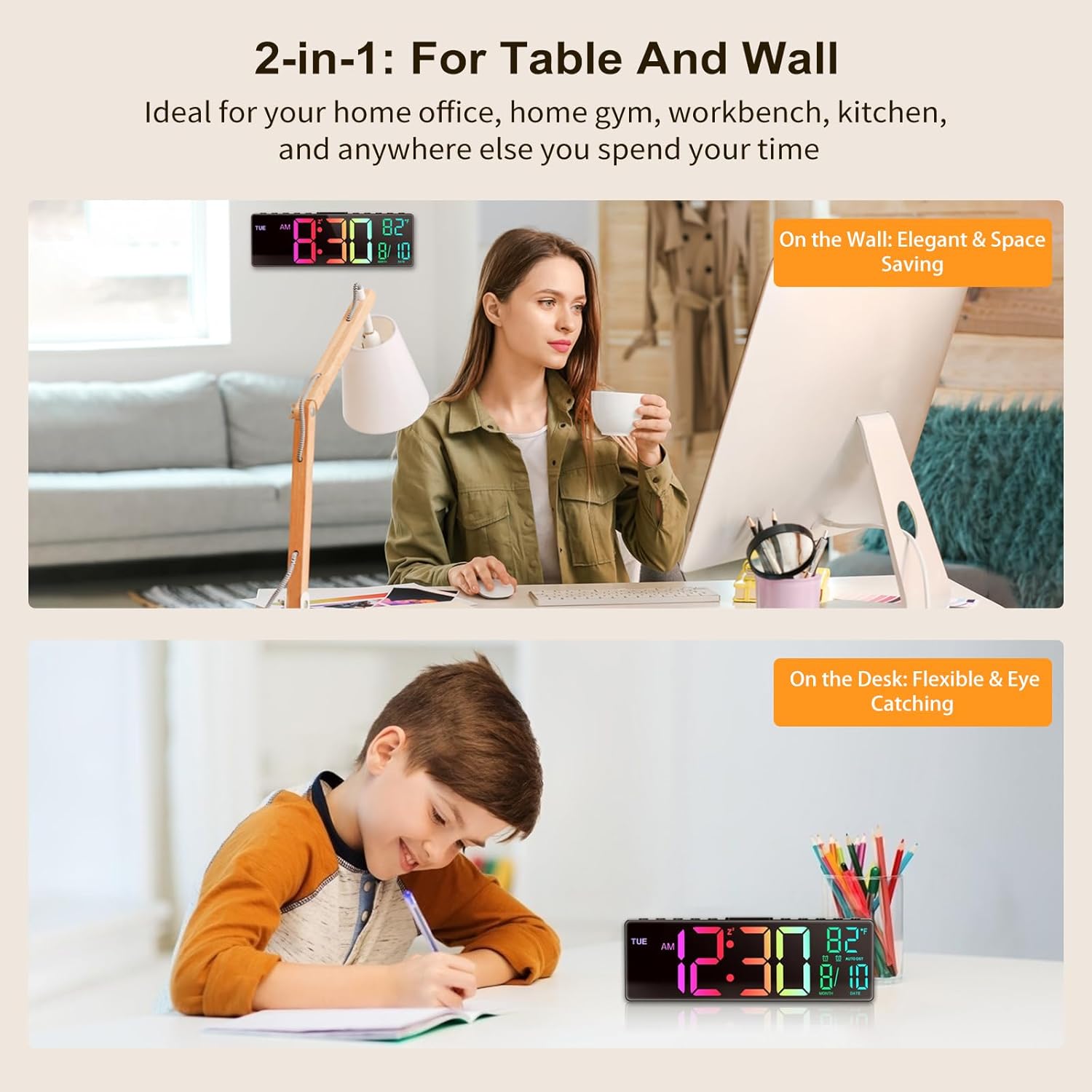
Image: The HUO JI RGB Digital Clock displayed in two settings: on a desk next to a person working on a computer, and mounted on a wall above a child studying, demonstrating its versatility for both tabletop and wall placement.
Operating Instructions
The clock's functions are primarily controlled using the included remote control.
1. Setting Time and Date
- Refer to the remote control's specific buttons for setting the time (hours, minutes) and date (month, day, year).
- Use the 12/24H button on the remote to switch between 12-hour and 24-hour time formats.
2. Brightness Adjustment
- Manual Mode: Use the brightness control buttons on the remote to cycle through 5 levels of display brightness (Off, Very Low, Low, Medium, High).
- Automatic Dimming: The clock features an automatic dimmer that adjusts display brightness based on ambient light conditions. This feature can be enabled or disabled via the remote control.

Image: The HUO JI RGB Digital Clock demonstrating its 5-level brightness adjustment, from off to high, and highlighting the automatic dimming feature alongside manual control via remote.
3. RGB Lighting Effects
The clock offers 8 RGB lighting effects for the display. These include single color modes, a 7-color cycle, and a color gradient effect. Use the dedicated buttons on the remote control to select your preferred lighting mode.
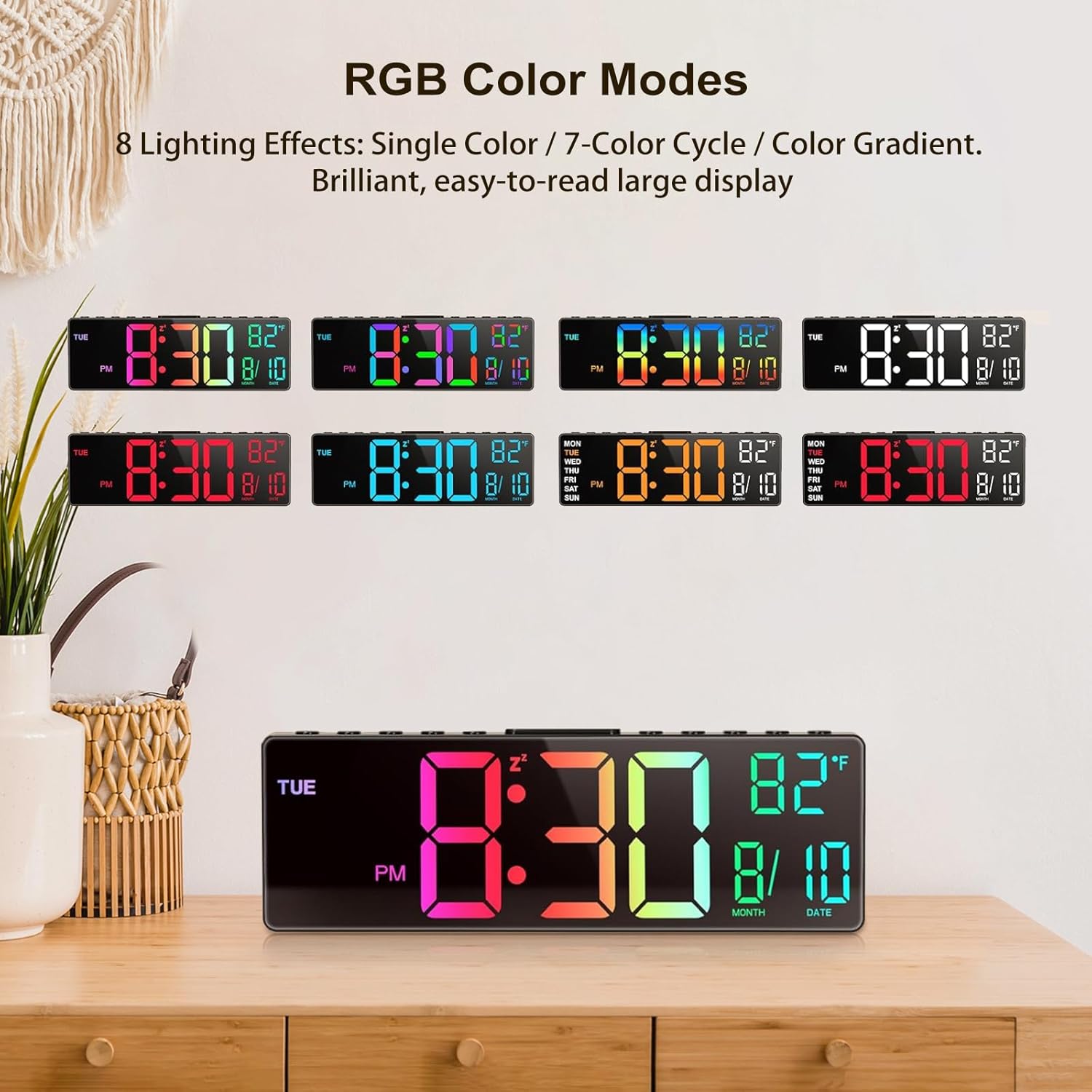
Image: Multiple views of the HUO JI RGB Digital Clock showcasing different RGB color modes, including single colors, a 7-color cycle, and a color gradient, illustrating the 8 lighting effects available.
4. Dual Alarms and Snooze
- Setting Alarms: The clock supports dual alarms, allowing you to set separate alarms for workdays and weekends. Consult the remote control instructions for specific alarm setting procedures.
- Snooze Function: When an alarm sounds, press the snooze button on the remote or clock to temporarily pause the alarm. The snooze duration is typically adjustable (e.g., 5-10 minutes).

Image: The HUO JI RGB Digital Clock displaying different alarm settings for workdays and weekends, illustrating the dual alarm feature designed for work-life balance.
5. Timer Function
The clock includes a timer function that can be set for durations between 1 and 30 minutes. This is useful for various activities such as cooking, workouts, or focused work periods. Activate and adjust the timer using the remote control.
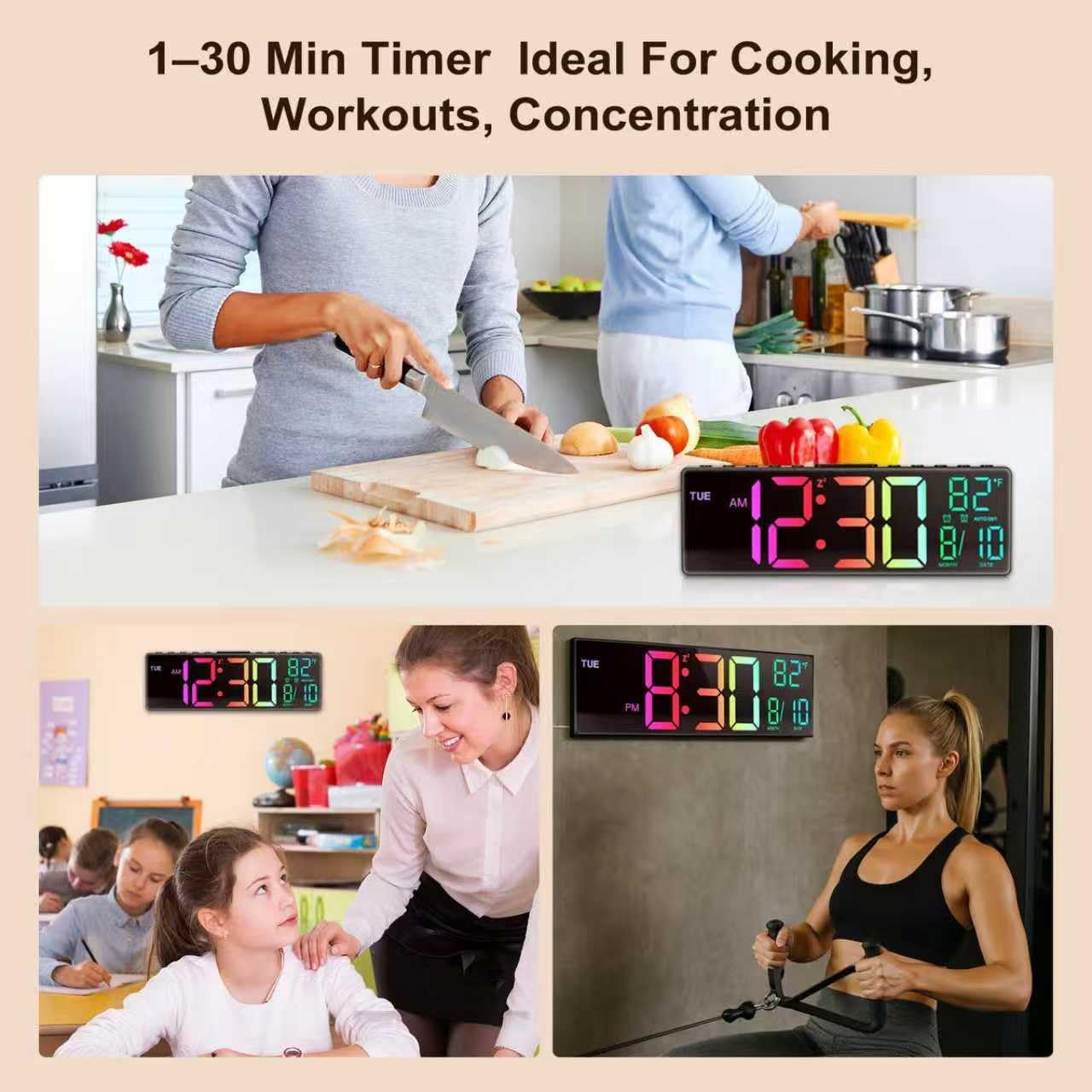
Image: The HUO JI RGB Digital Clock displaying its timer function in various scenarios, including a kitchen setting for cooking, a gym setting for workouts, and a classroom setting for concentration, highlighting its versatility.
6. Built-in Soft Night Light
In addition to the main display backlighting, the clock features a built-in soft night light, ideal for bedside use. This night light can be controlled independently via the remote control.

Image: The HUO JI RGB Digital Clock on a nightstand with its built-in soft night light illuminated, demonstrating its function as a bedside light source.
7. Temperature Display
The clock displays the ambient temperature. The unit of temperature (Celsius or Fahrenheit) can typically be switched using the remote control.
Maintenance
- Cleaning: To clean the clock, gently wipe the surface with a soft, dry cloth. Do not use abrasive cleaners, solvents, or chemical sprays, as these may damage the finish or electronic components.
- Power: Ensure the clock remains connected to a stable power source for continuous operation.
- Environment: Avoid placing the clock in direct sunlight, extreme temperatures, or high humidity environments.
Troubleshooting
| Problem | Possible Cause | Solution |
|---|---|---|
| Clock display is off or flickering. | No power, loose connection, or power adapter issue. | Check if the power adapter is securely plugged into both the clock and the wall outlet. Ensure the outlet is functional. Try a different power adapter if available. |
| Remote control is not responding. | Remote battery depleted, obstruction, or remote out of range. | Replace the remote control battery. Ensure there are no obstructions between the remote and the clock's sensor. Operate the remote within its effective range. |
| Time or settings reset after power loss. | Backup battery issue or not present. | The clock has a pre-installed CR2032 backup battery for memory. If settings are lost, the backup battery might be depleted and require replacement by a qualified technician, or the power outage was extended beyond its capacity. |
| Alarm does not sound. | Alarm not set correctly or volume too low. | Verify that the alarm time is correctly set and activated. Check the alarm volume settings. |
Specifications
| Model Number | PH01 |
| Brand | HUO JI |
| Display Size | 10.5 inches |
| Dimensions (L x W x H) | 38.9 x 3.81 x 12.9 cm |
| Weight | 410 grams |
| Material | Plastic |
| Power Source | Electric Cable (DC 5V/2A) |
| Backup Battery | 1 x CR2032 (pre-installed, for timekeeping memory only) |
| Special Features | Temperature Display, Calendar Display, Adjustable Brightness (5 levels), Snooze, Automatic Dimmer, RGB Lighting Effects, Dual Alarms, 1-30 Min Timer, Remote Control, Time Memory, Built-in Night Light. |
| Mounting Type | Wall Mount, Tabletop |
Warranty Information
This HUO JI product is covered by a 1-year quality assurance warranty from the date of purchase. This warranty covers manufacturing defects and material faults under normal use. Please retain your proof of purchase for warranty claims. For further details or to initiate a warranty claim, please contact customer support.
Customer Support
For any questions, technical assistance, or support regarding your HUO JI PH01 Digital Clock, please contact our customer service team. We offer 24-hour customer service to assist you.
- Online Support: Visit the official HUO JI website for FAQs and support resources.
- Email Support: Refer to your product packaging or the official website for customer service email addresses.
- Phone Support: Contact numbers may be available on the official HUO JI website.
Additionally, a 30-day exchange policy is available for eligible returns or replacements, as per retailer terms.