
1. Introduction
Thank you for choosing the MOJAY Ergonomic Office Chair. This manual provides detailed instructions for the assembly, operation, and maintenance of your new chair. Designed with your comfort and well-being in mind, this chair features extensive adjustability to support various body types and work postures.
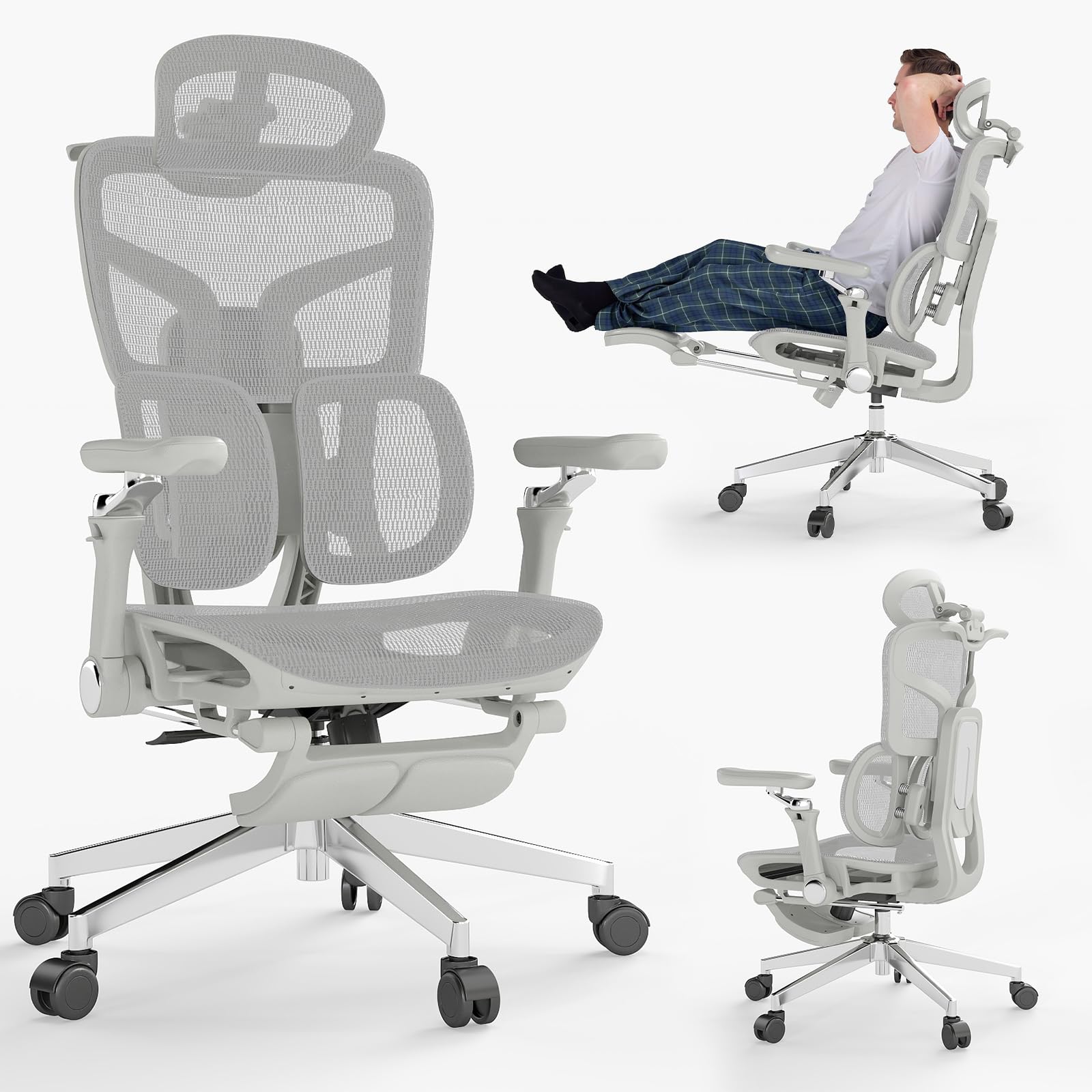
Figure 1: MOJAY Ergonomic Office Chair (Grey)
2. Safety Instructions
Please read and follow these safety guidelines to ensure safe operation and longevity of your chair:
- Always follow the assembly instructions carefully.
- Do not exceed the maximum weight recommendation of 500 pounds.
- Keep the chair on a stable surface to prevent tipping.
- Do not use the chair if any parts are damaged or missing.
- Always use the chair as intended and do not attempt to modify or repair it yourself.
- In case of any doubt, please contact customer service.
3. Package Contents
Before assembly, ensure all components are present and undamaged. Refer to the diagram below for a visual representation of the parts.

Figure 2: Exploded View of Chair Components
- Chair Base with Wheels
- Gas Lift Cylinder
- Seat Cushion
- Backrest Assembly
- Headrest
- Armrests (Left & Right)
- Footrest Assembly
- Hardware Kit (screws, wrench)
4. Setup and Assembly
Assembly is designed to be straightforward and can typically be completed by one person in about 15 minutes. Follow the included instructions carefully.
- Attach the wheels to the chair base.
- Insert the gas lift cylinder into the center of the chair base.
- Secure the armrests to the seat cushion using the provided screws.
- Attach the backrest to the seat cushion assembly.
- Mount the headrest to the top of the backrest.
- Slide the footrest assembly into its designated slot under the seat.
- Place the assembled seat and backrest onto the gas lift cylinder.

Figure 3: Assembly Overview
5. Operating Instructions and Adjustments
Your MOJAY Ergonomic Office Chair offers multiple adjustment points for personalized comfort and support.
5.1. Seat Depth Adjustment
The seat depth can be adjusted within a 50mm range to accommodate different heights and leg lengths, ensuring even hip support and reducing sitting pressure. Locate the lever under the seat and adjust as needed.

Figure 4: Seat Depth Adjustment
5.2. Lumbar Support and Backrest Height
The chair is equipped with dual-zone elastic lumbar support that responds in real-time to posture changes, dynamically supporting the lower back and relieving pressure. The backrest height offers 5 adjustment levels (up to 5cm) for optimal support.

Figure 5: 2-Zone Lumbar Support

Figure 6: 5-Level Adjustable Backrest
5.3. 3-Position Recline and Retractable Footrest
The backrest locks at 90° (work), 125° (relax), and 135° (rest). A soft retractable footrest allows you to stretch out for a nearly flat relaxation experience.
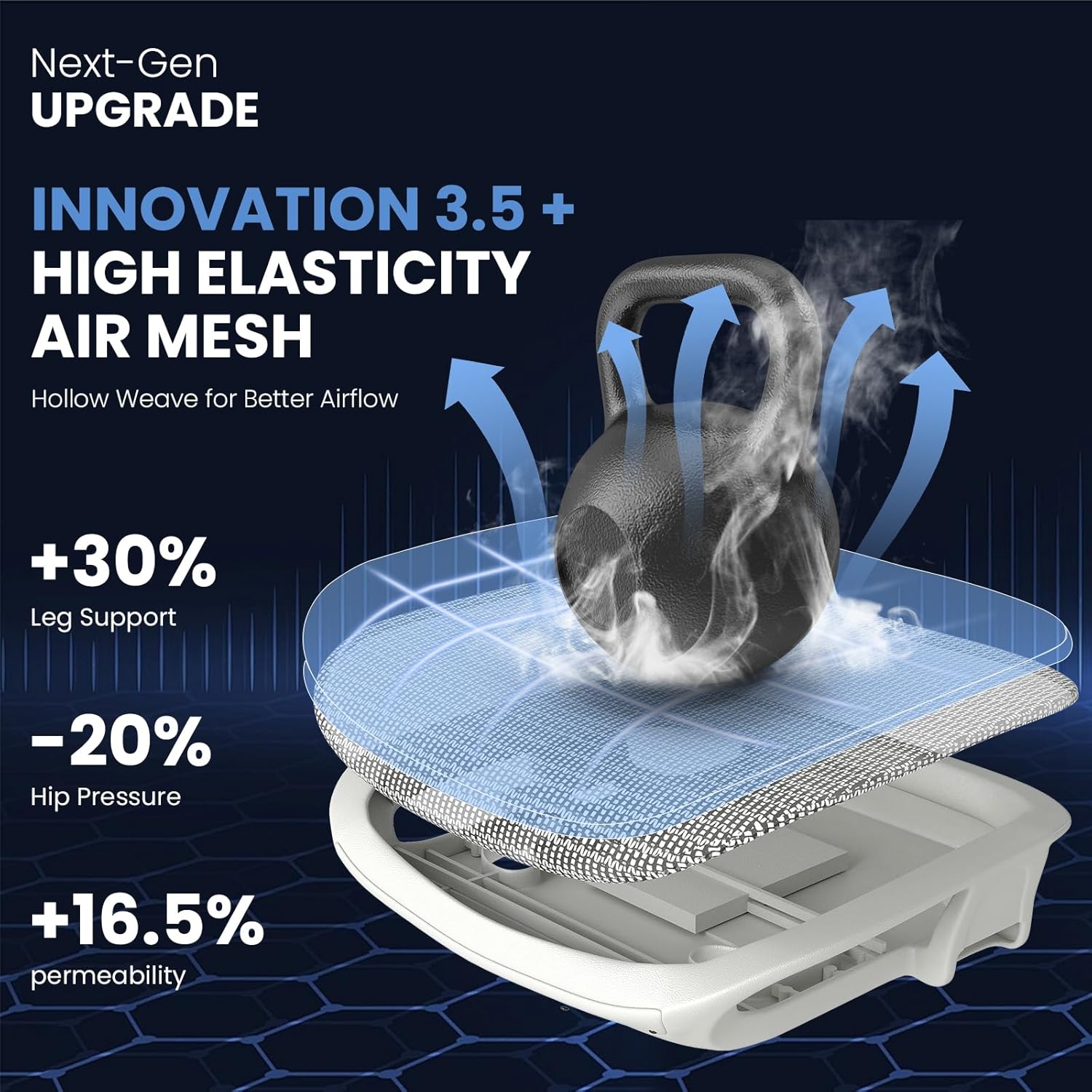
Figure 7: Recline Positions and Footrest
5.4. 6D Flip-Up Armrests
The armrests adjust up and down, forward and backward, and side to side. They also feature a 45° flip-up design and dual-axis 360° rotation, adapting to various postures and allowing the chair to be pushed closer to a desk.
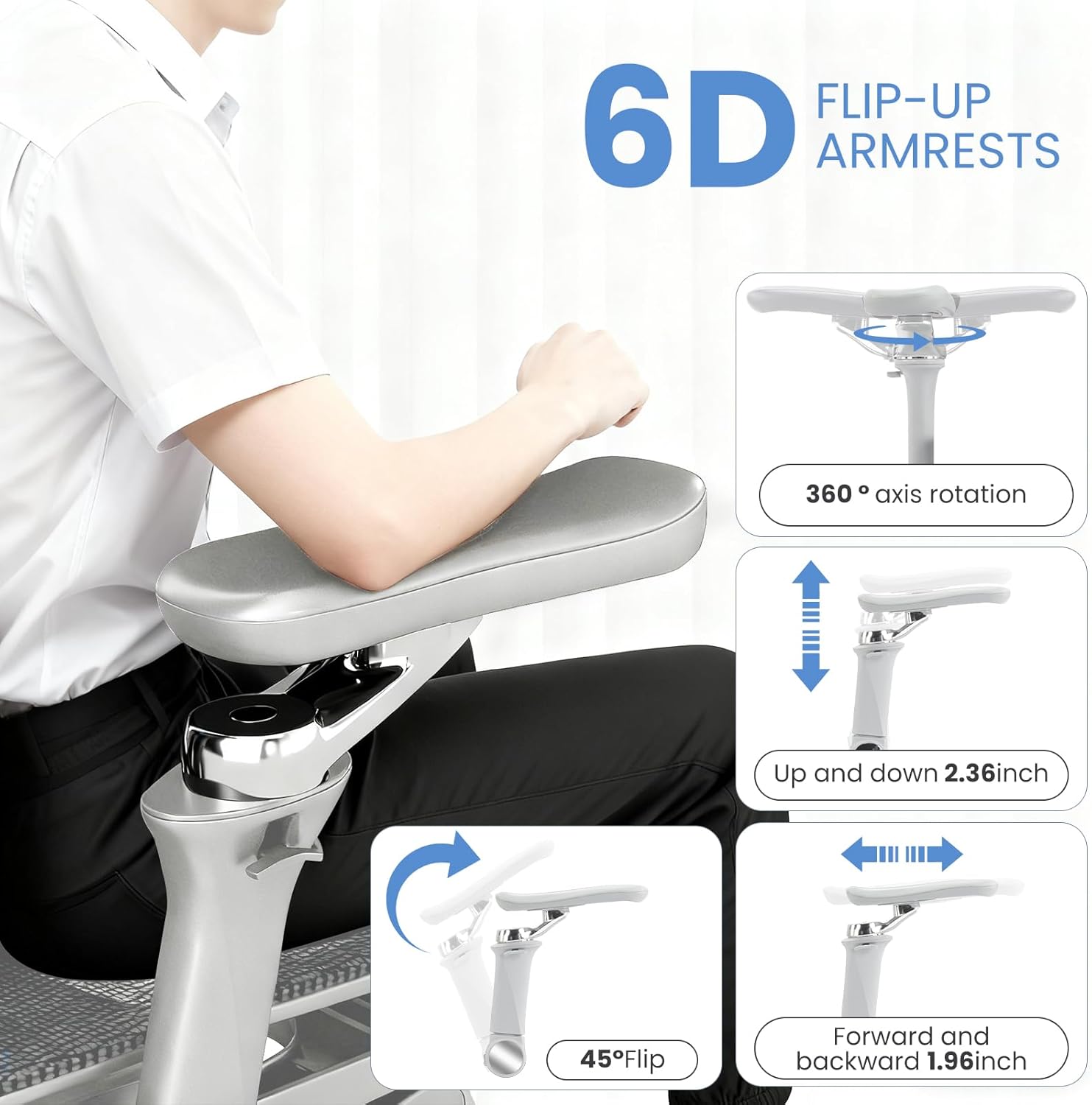
Figure 8: 6D Armrest Adjustments
5.5. 3D Multi-Directional Headrest
The 3D headrest offers height adjustment and dual-axis rotation, fitting the neck curve precisely to reduce fatigue.

Figure 9: 3D Headrest Adjustments
6. Maintenance
To keep your MOJAY Ergonomic Office Chair in optimal condition, follow these simple maintenance tips:
- Cleaning: Wipe mesh and plastic parts with a damp cloth and mild soap. Avoid harsh chemicals.
- Lubrication: Periodically check and lubricate moving parts (e.g., wheels, gas lift) if they become stiff or noisy.
- Fasteners: Regularly inspect all screws and bolts to ensure they are tight. Retighten as necessary to maintain stability.
- Avoid Overloading: Do not exceed the maximum weight capacity of 500 pounds.
7. Troubleshooting
If you encounter any issues with your chair, refer to the following common troubleshooting steps:
- Chair Squeaks: Check all bolted connections and tighten if loose. Apply a small amount of lubricant to moving metal parts.
- Difficulty Adjusting Height: Ensure the gas lift lever is fully engaged or disengaged. Check for any obstructions around the gas lift cylinder.
- Chair Feels Unstable: Verify that all legs are securely attached to the base and all screws are tightened. Ensure the chair is on a flat, even surface.
- Armrests are Loose: Check the screws attaching the armrests to the seat and tighten them.
If problems persist, please contact customer support.
8. Specifications
| Feature | Detail |
|---|---|
| Brand | MOJAY |
| Model Name | SG-H2-Gray |
| Color | Grey |
| Product Dimensions | 24"D x 24"W x 45"H |
| Maximum Weight Recommendation | 500 Pounds |
| Back Style | Mesh Back |
| Arm Style | Adjustable (6D) |
| Reclining Position Count | 3 |
| Included Components | Ergonomic chair with footrest |
| Material | Alloy Steel, Mesh, Nylon, Foam |
| Item Weight | 45.2 Pounds |
9. Official Product Videos
Watch these official product videos for a closer look at the MOJAY Ergonomic Office Chair's features and functionality.
MOJAY Ergonomic Office Chair with Footrest - Overview
This video provides a brief overview of the MOJAY Ergonomic Office Chair, highlighting its key features and design.
Model Zen Introduction - Features Showcase
An introductory video showcasing various features and adjustments of the chair, including its ergonomic design elements.
10. Warranty and Support
The MOJAY Ergonomic Office Chair comes with a 1-year warranty. For any product inquiries, technical assistance, or warranty claims, please contact our customer support team. We offer responsive 24-hour support to assist you.
For further assistance, please visit the MOJAY Store on Amazon.


